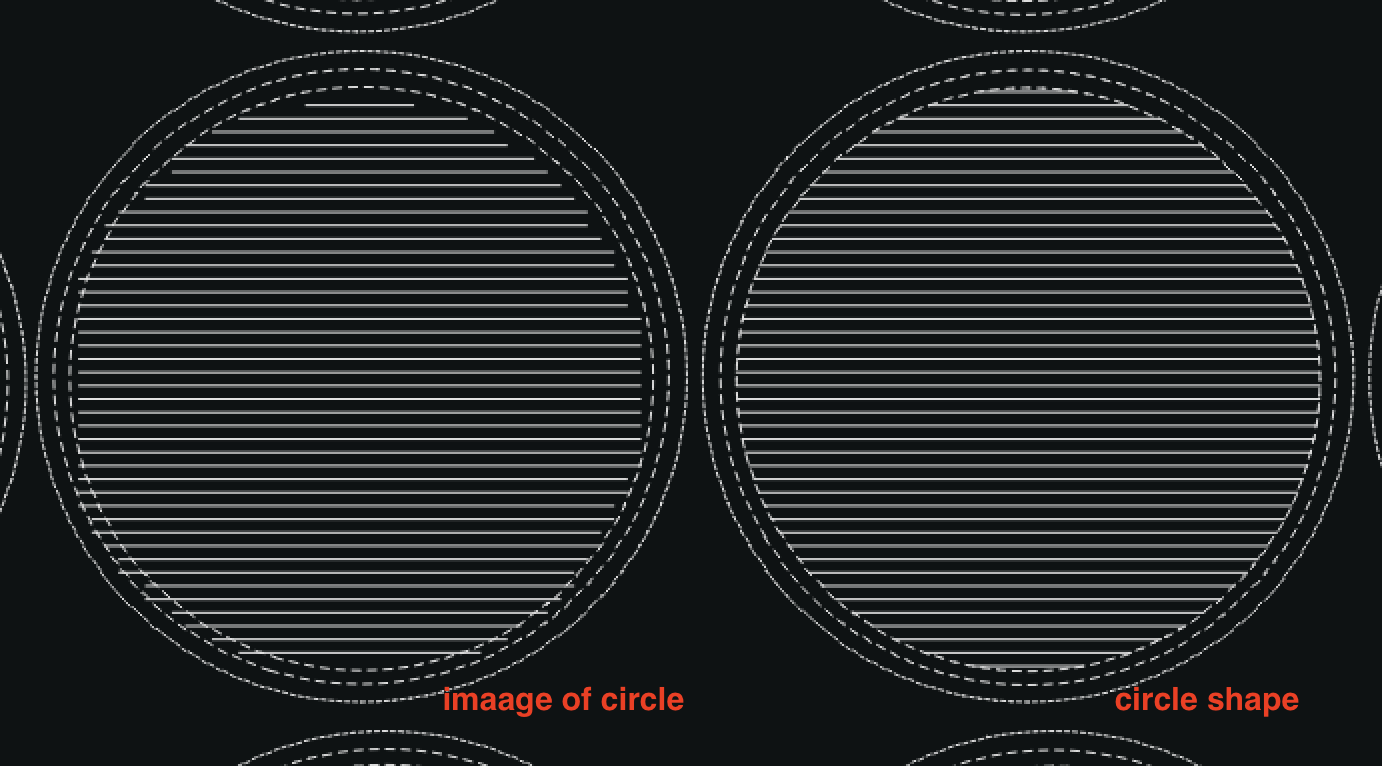
I had some misalignment issues with images engraved on cut out circles, and created a toy example in order to try to trouble shoot, which also encountered issues.
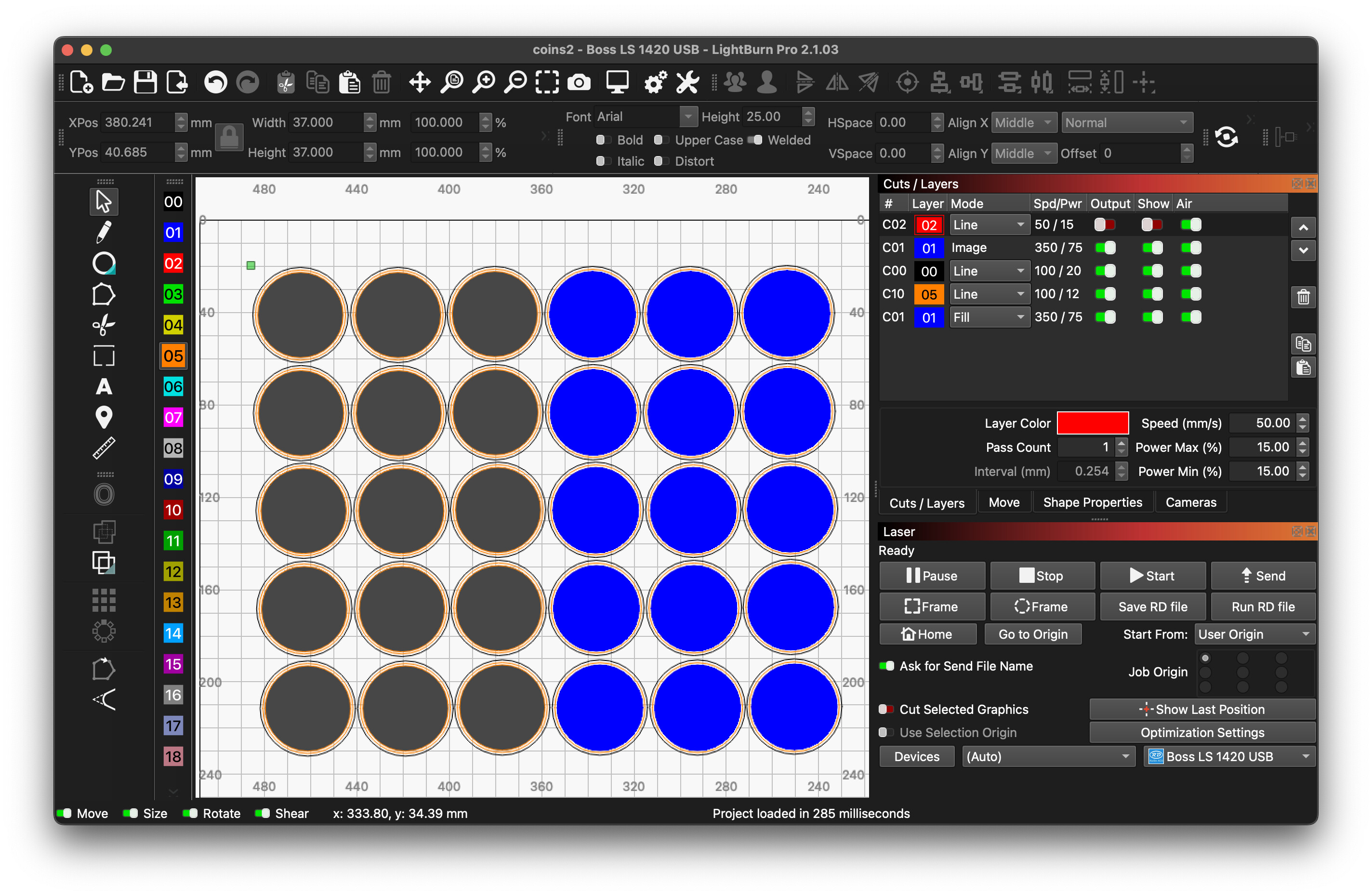
Toy example: I’m cutting a grid of circles.
Each consists of three concentric line-circles
. In the left half of the grid, the center-most circle of each grid item is filled with a centered bitmap image of a solid circle.
In the right half of the grid, the innermost circle is filled with an identically sized ‘fill’ circle shape.
All shapes appear to properly positioned and centered in the canvas, but in the LightBurn preview, some of the bitmap engravings are visibly offset from their corresponding circle boundaries, by roughly 1–2mm at my working DPI (30 DPI for faster testing). These effects are definitely visible in the actual output, too. This makes it very hard to center images on a cut out object.
other deets:
Some bitmaps preview correctly, or mostly so, centered within their circles preview with the engraved lines extending outside or misaligned from the circle boundary
The engraving remains decipherable/accurate, just shifted.
coins2.lbrn2 (165.1 KB)