I have a windows 11 laptop running LightBurn 2.1.0.4 with a wecrate vision pro running firmware 3.0.2
My problem is lightburn will not control the laser. Meaning I can’t move the laser module. Focus the machine. Or start the machine. At times I get error messages. Most of the time not.
It is plugged in by usb and windows has notifications that i t isrecognizethe laser. I also have the wecrreat make it software installed on the computer as well. I have installed the config file from
Wecrate several times as per their instructions. Please help?
The WeCreat lasers have two different “firmware modes” and start up in a different state depending on which application connects to it first. When switching between WeMake It and LightBurn, it’s important to fully power cycle the laser.
Can you confim that you imported the config file from this website?
Download WeCreat’s device profile partway down this page and import it to LightBurn by dragging it to the workarea.
Be sure to untick this box before importing, or the settings file will change the language to Chinese. (We’ve already informed WeCreat to correct this)
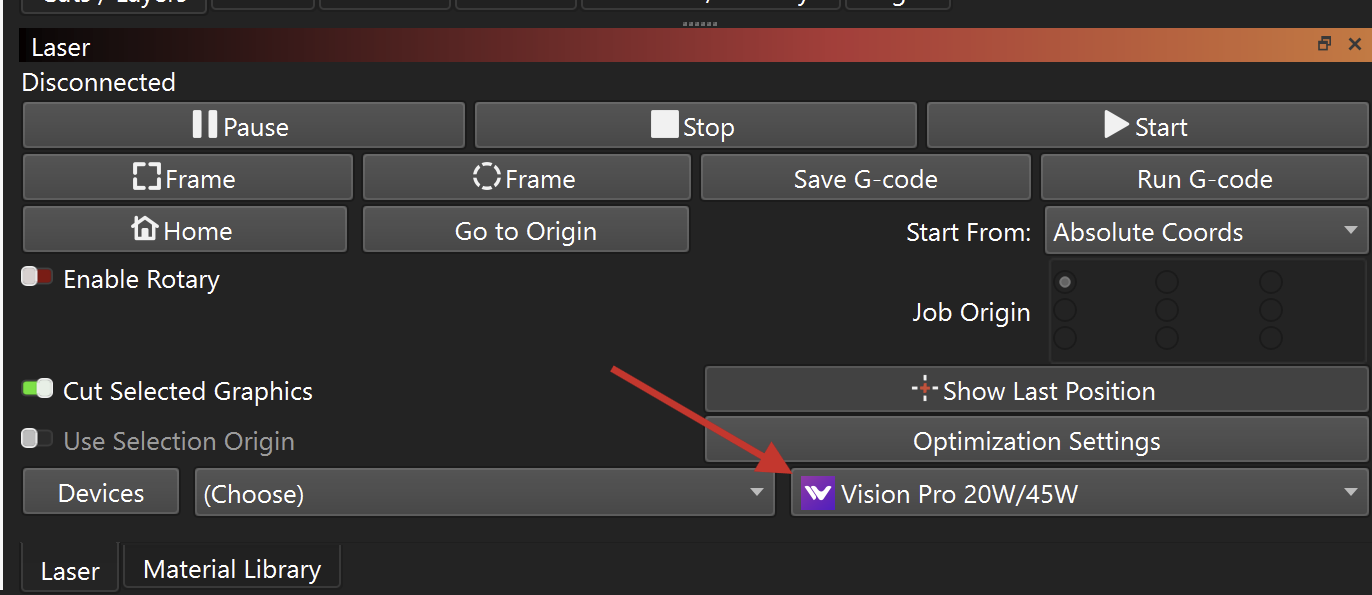
Then, select the newly added device in the “Laser” window:
thank you. I am now able to control the laser. However, if my project is in the upper corner of my material. The top half is cut off? the working area is set to 580mm by 400mm. But I noticed the red dot is in the far left off the material. Does that matter.?