This looks to me like the speed and/or acceleration of the image layer is high enough to either cause something mechanical to slip or you are loosing steps. You can slow the image layer down to something absurdly low (50-100mm/min) and see if that helps, but you still need to confirm every fastener and belt is tight to make any meaningful software (speed) adjustments.
Now we all know it!
Looks like a good, solid anchor. When you find & fix the actual problem, you can remove all that and see what happens.
You’re gonna have to get over that assumption, because it is demonstrably, flat out, absolutely wrong. 
I commend to your attention a recent discussion:
Look very carefully to find the hidden screw you’ve overlooked before.
Okay, i have already done all the mechanical adjustments to the machine except for the axis calibration step. Since the problem presents in layers rather tan axis a recalibration would lead to one layer’s correction but an offset for the other layer.
The belt of the Y axis wasn’t centered in the gear, all of the rest mechanical adjustments seem to be ok. By this i mean i didn’t see anything wrong, but i did the maintenance anyways. The results:
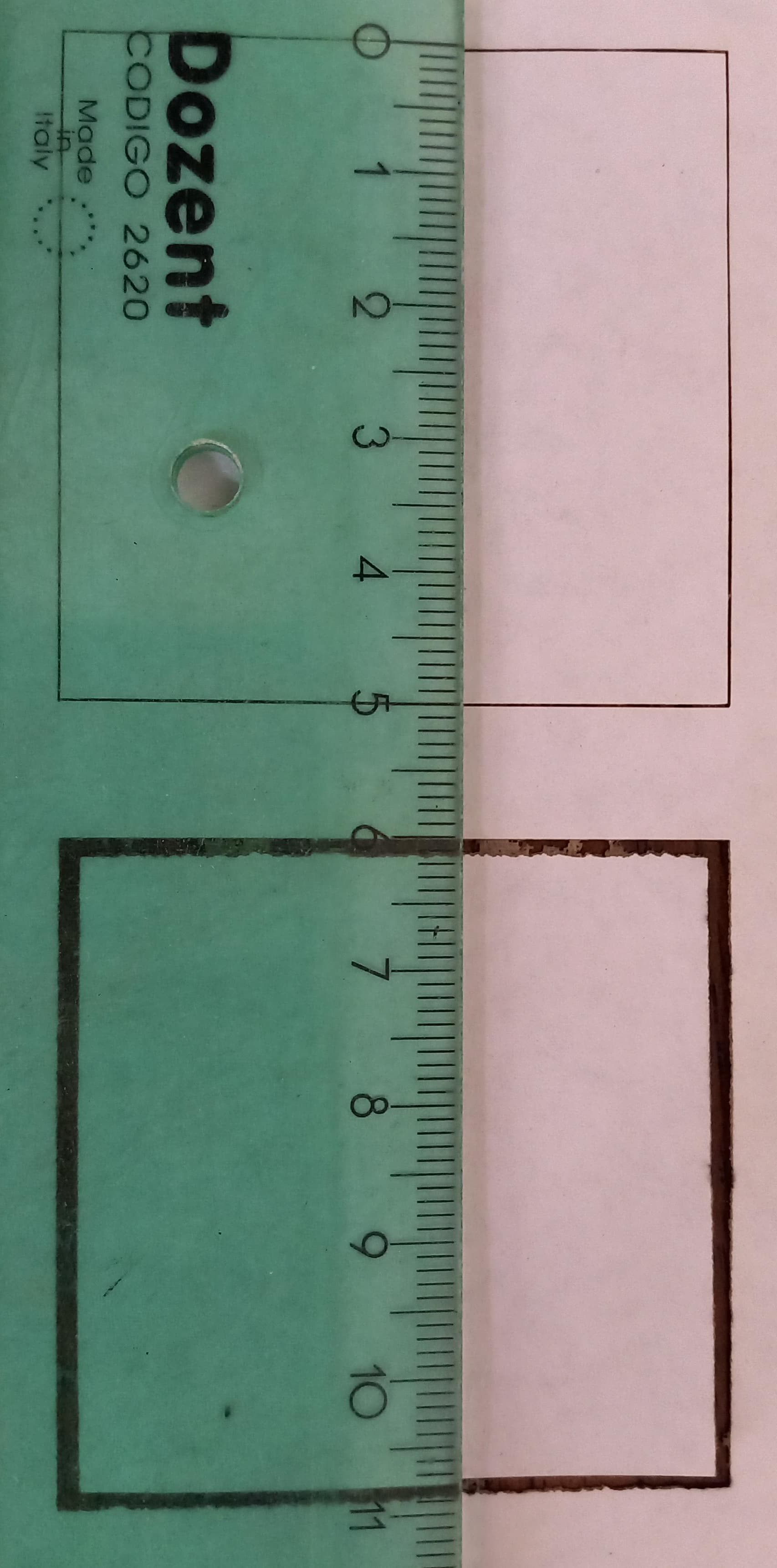
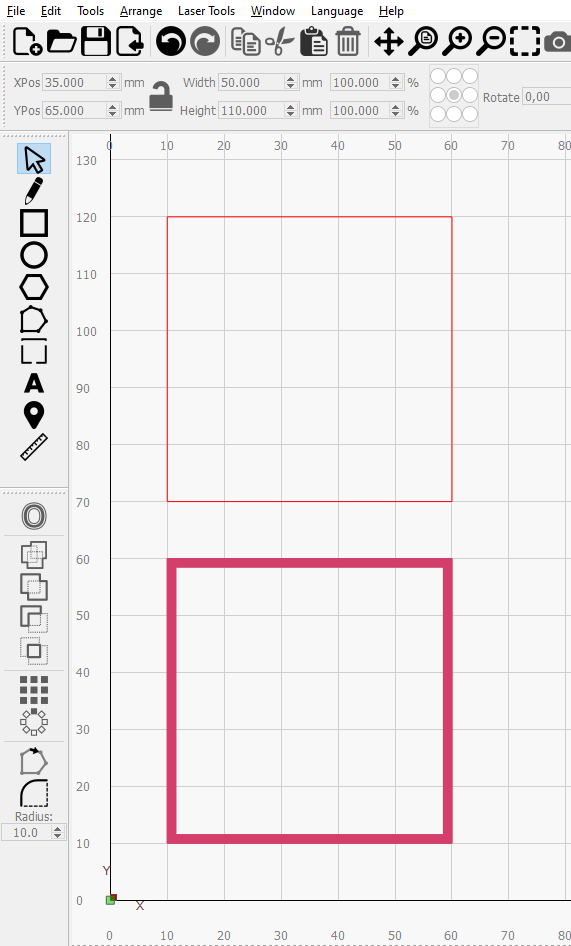
Still no good. but now the machine is fully tuned up so i can test things like this.
and the result
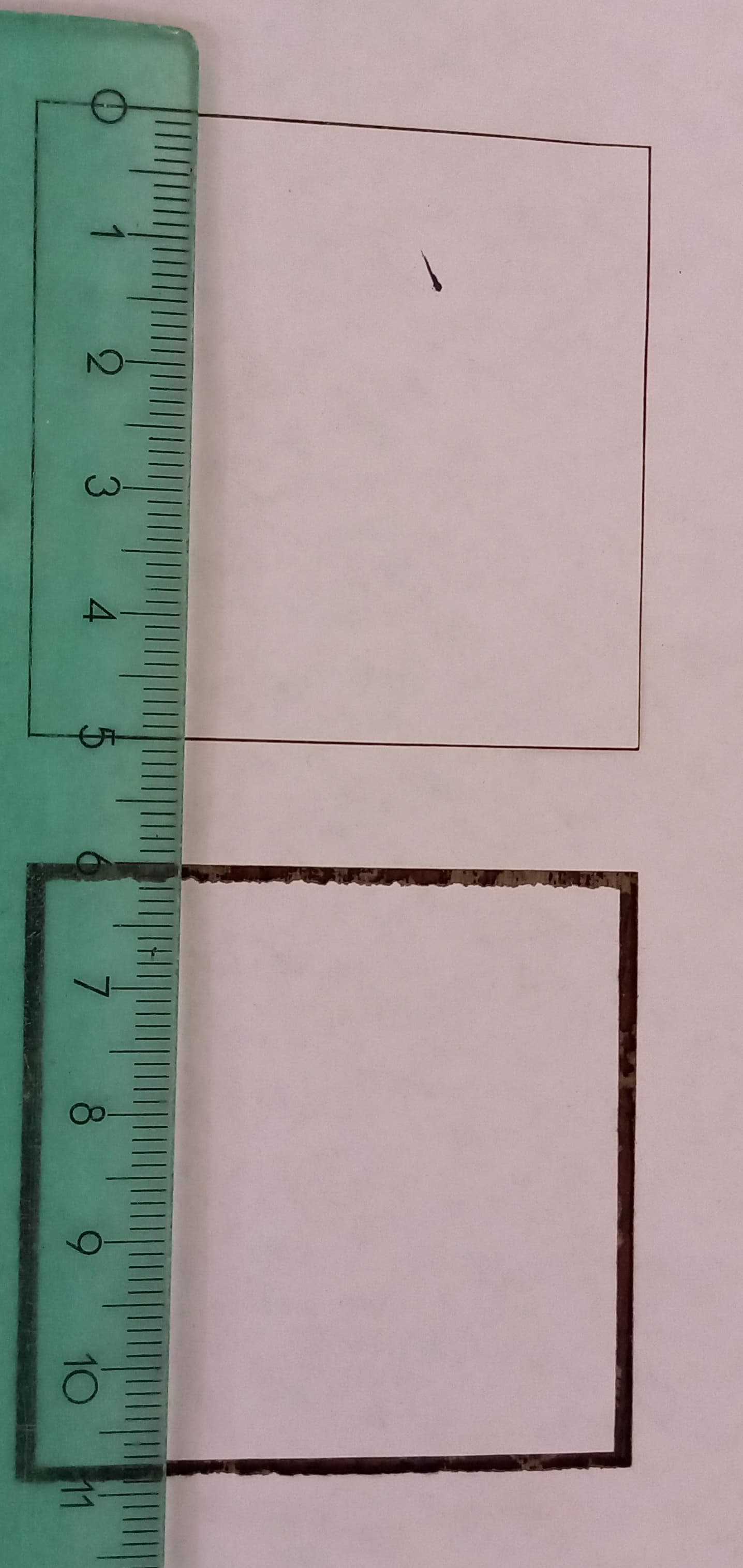
Still no good.
Any other ideas?
I’m running out of ideas.
That ragged edge on the lower sides of the “fill” rectangle especially perplex me. That edge should be parallel to the X axis travel (where only the laser head moves) and should be dead straight. Even if there was a problem there, I would expect to see it on both the inside and outside edges. Very odd.
I don’t suppose there is any chance the X & Y stepper connectors are plugged into the wrong motors (or main board sockets)?
When jogging X, the only thing that moves is the laser head, correct?
That is due to the power of the laser being too low. I did another low speed test later with slightly more power so it burned through the paper and the edges were straight and well defined. Oddly enough the offset in that test was EXACTLY one millimeter. this is probably a coincidence, since as i mentioned earlier, the offset increases with size and/or shorter interval. its not a constant amount.
I’ll be replacing the belt of the Y axis but i doubt i’ll do anything. At this point i feel like my only hope is that someone that knows a lot comes up with some idea of what is working wrong or at least propose some troubleshooting i haven’t tried yet.
Please try this:
- Create a 50x50 mm square in workspace
- Create 2 sublayers in Cut settings. First Line, then Fill. Set power and speeds accordingly.
- Run the burn
- Take a high quality photo of the result with measurements
This will show you where the artifact is being potentially introduced.
I did some discoveries along the way.
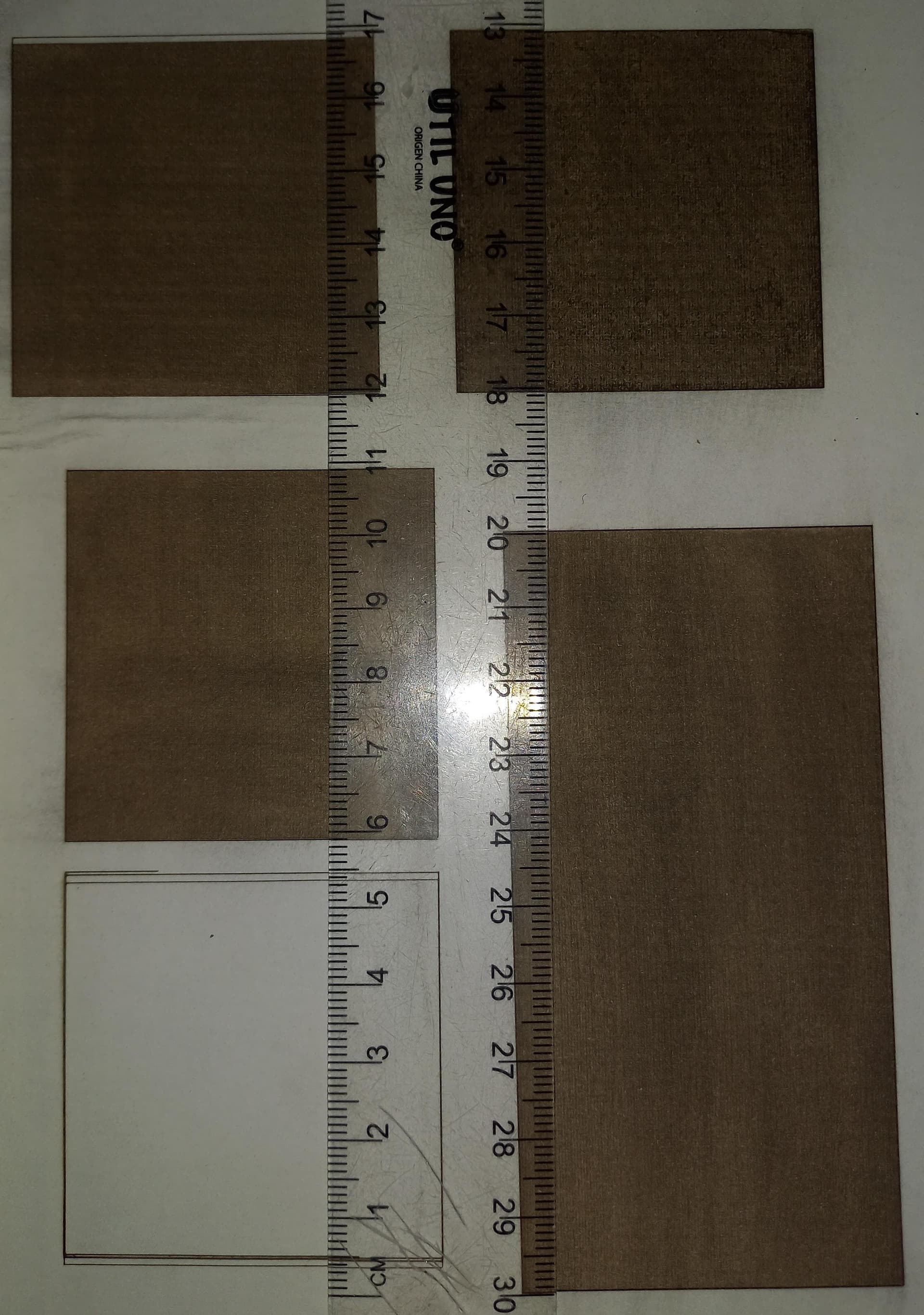
this is an image of the cardboard sheet where i did all the tests. I will now procede to explain all of them.
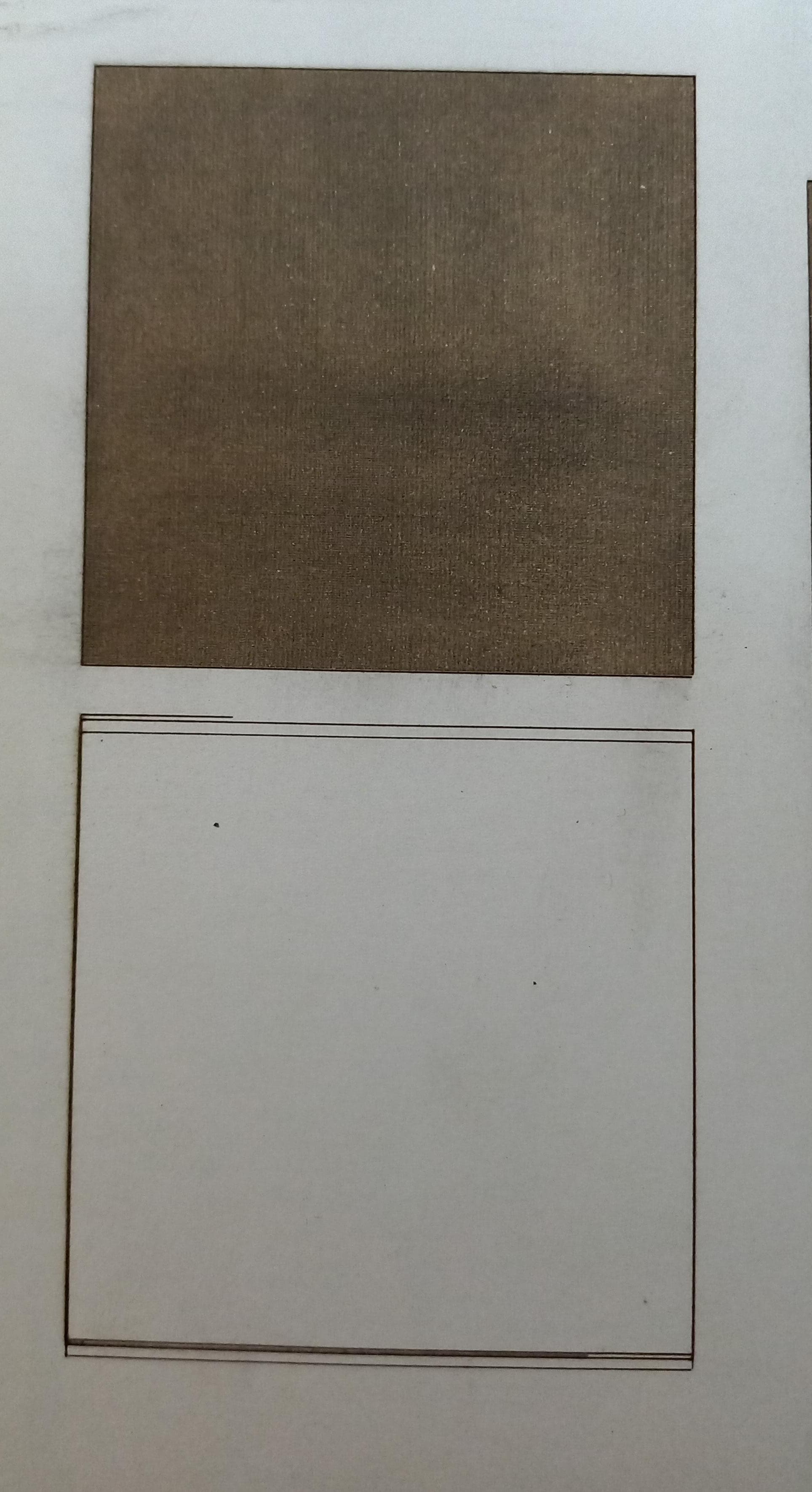
here i just did many cut layers one after the other to see if the machine would make the cuts in the exact same position when given many times the exact same instructions. As you can see, it’s not the case. However on the top sqare i did the test you told me to
but the problem wasn’t there. considering this observation
i tougth the lightburn default interval (0,1mm) wasn’t enough to make the error visible at such small size of engraving, so i started doing tests with smaller and smaller interval.
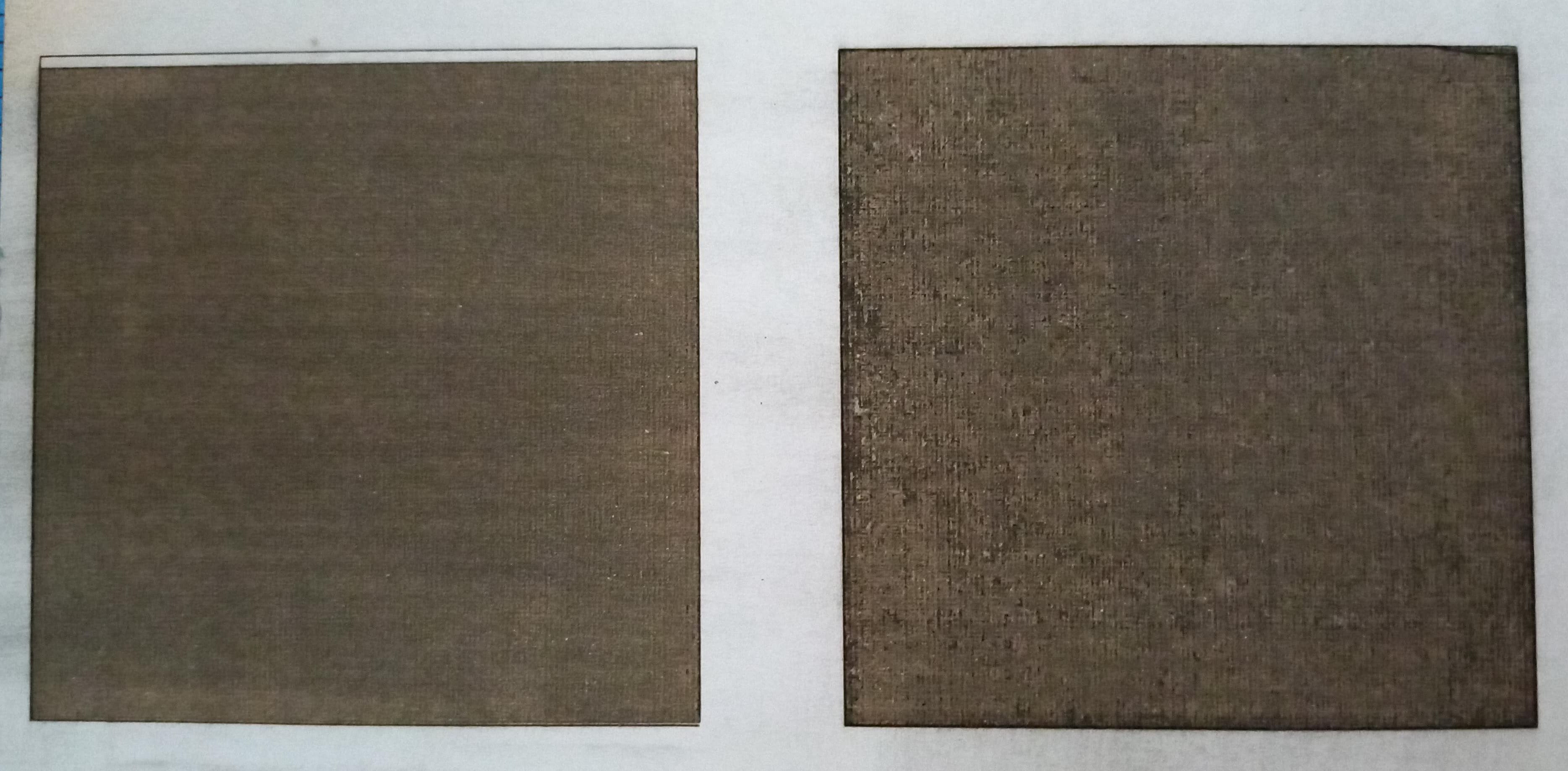
There it was again, on the 0,07mm test at the left (interval size i usually use) the problem is present. however when i went smaller (0,05mm test, right square) to make the error even more noticeable something unexpected turned out. It was dead precise, like nothing had ever been wrong.
This made no sense with what i had observed before. I remember going smaller than 0,07mm and the error getting worse, that’s how i know its inversely proportional to interval size.
I decided to test my claim “default interval (0,1mm) wasn’t enough to make the error visible at such small engraving” by doing a 50x100mm test at the same interval size.
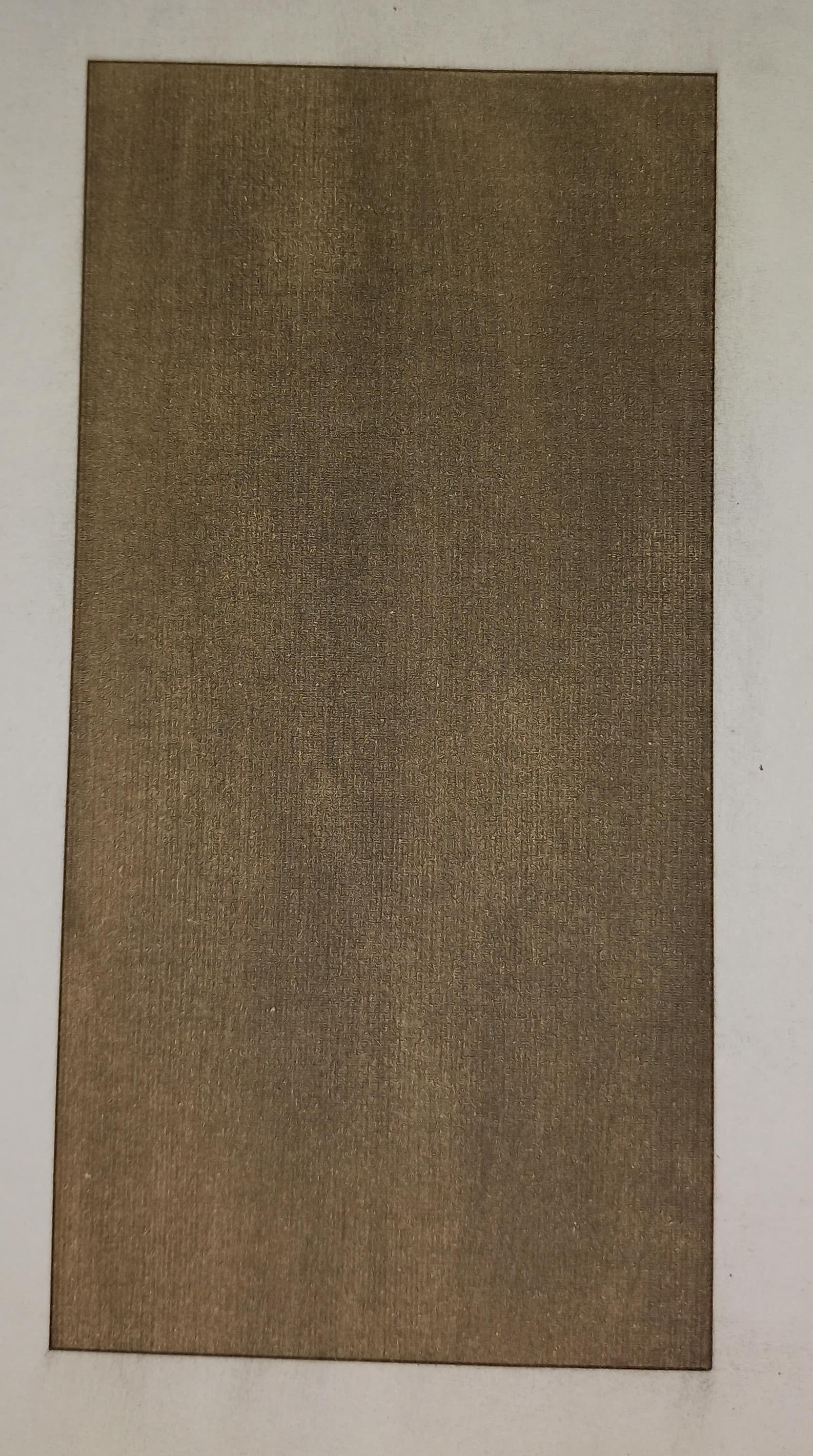
No offset of cut layer.
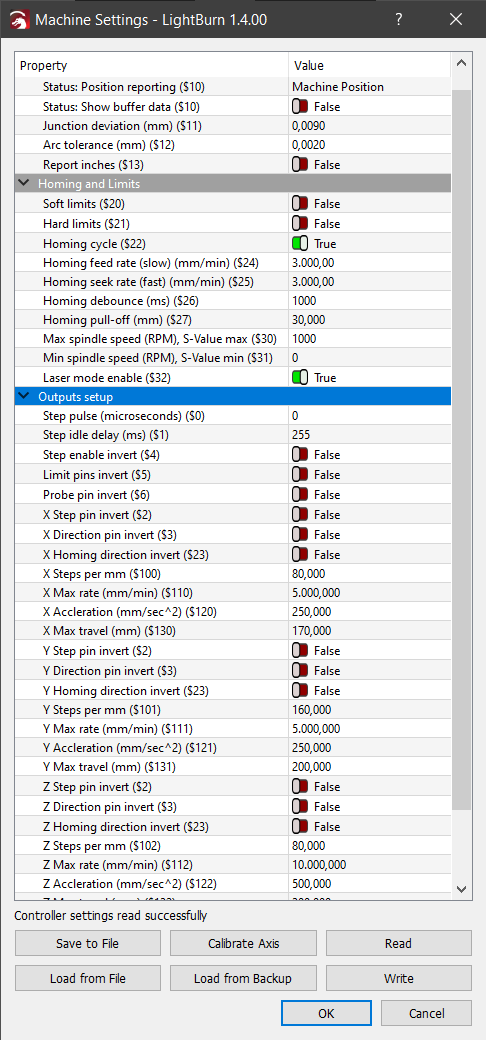
Settings.
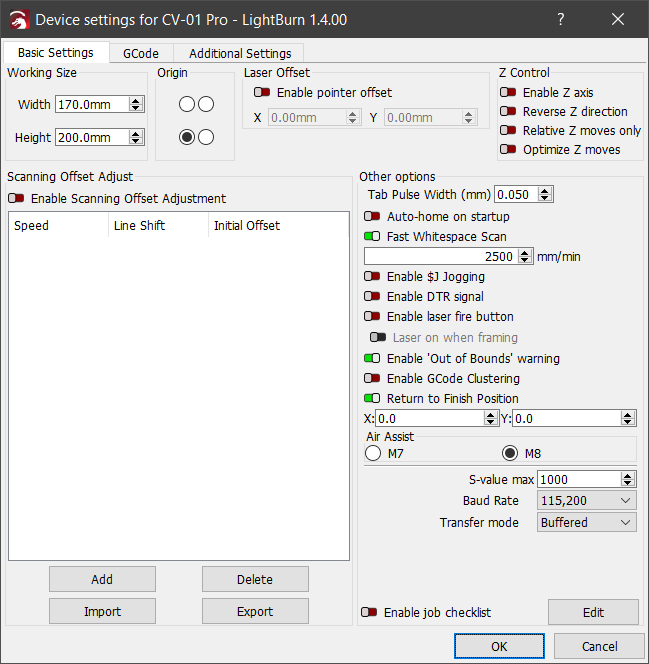
What i thought was wrong at this point (you can skip this, even i think im wrong)
this machine cant be infinitely precise. There is a minimal distance it can reliably move with precision. lets say a machine cant reliably move less than half a centimeter while keeping its movements precise. It can precisely move half centimeter at a time, if i make a design that has an interval of 1,7cm the software will do the design, but the machine can only keep its movements precise as long as its movements are made in multiples of 0,5cm. so when the machine is asked to move to 1,7cm above, the design will be rounded up or down to lines in routes the machine can reliably do, skiping steps it cant do.
So the solution is to keep the interval size at this multiples in which the machine can keep its precision. i guess i had try every engraving with this 0,07mm interval, that cause the problems. So with the 0,1mm interval i should be able to finally use my engraver for filling and cutting. To finaly prove to myself the machine was working well, i went back to my Messi design, rotated it 90 degrees and made it larger to make this the definitive test.

And just as i was getting my hopes up

It’s not JUST misaligned, but it is misaligned in the X axis… what i felt watching this result is unspeakable.
Anyways, i did the rectangle test, while I wait for a response. My next idea is to try to exorcise the machine to remove the demon that has possessed it.

Seems like to me you are occasionally losing steps. This could either be from something mechanical or from the stepper motors.
Try reducing max speed of X and Y ($110, $111) and max acceleration ($120, $121). I’d start by reducing by half.
Does this change the result?
If so, then you know for sure it’s related to lost steps. You can then isolate if it’s something mechanical or with the stepper driver.
In the outline repeatability test. Were you re-homing between each run? Also, was it multiple runs within the same job?
If you re-homed between each run that could be caused by homing repeatability errors. If you didn’t rehome but ran multiple jobs, it could either be from drifting of the laser head when the steppers are not energized or from lost steps. If all from the same job then definitely lost steps of some kind.
The GRBL step/mm parameters define the basic motor step size. For your machine, that is 80000 and 160000 step/mm, which seems excessive, but eliminates step precision from the discussion.
IIRC, GRBL maintains the current coordinate in double-precision floating point format and rounds off to the nearest motor step only when converting to the number of steps. As a result, the internal position does not suffer from incremental errors.
This may just be a European notation thing. I think the actual values are 80 and 160 steps/mm respectively.
Ah! Tripped up once again!
At this point, though, I’m willing to believe anything can arrive in a standard diode laser configuration. 
reduced max speed and acceleration in half.
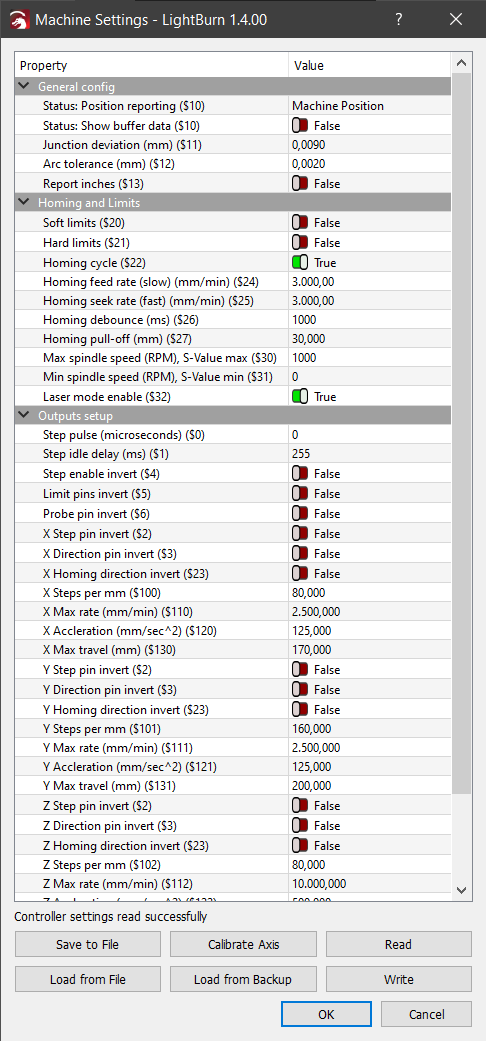
Results

comparing with the results with double the speed and acceleration.

i see no difference.
since i didn’t remember this well, i did the test again.
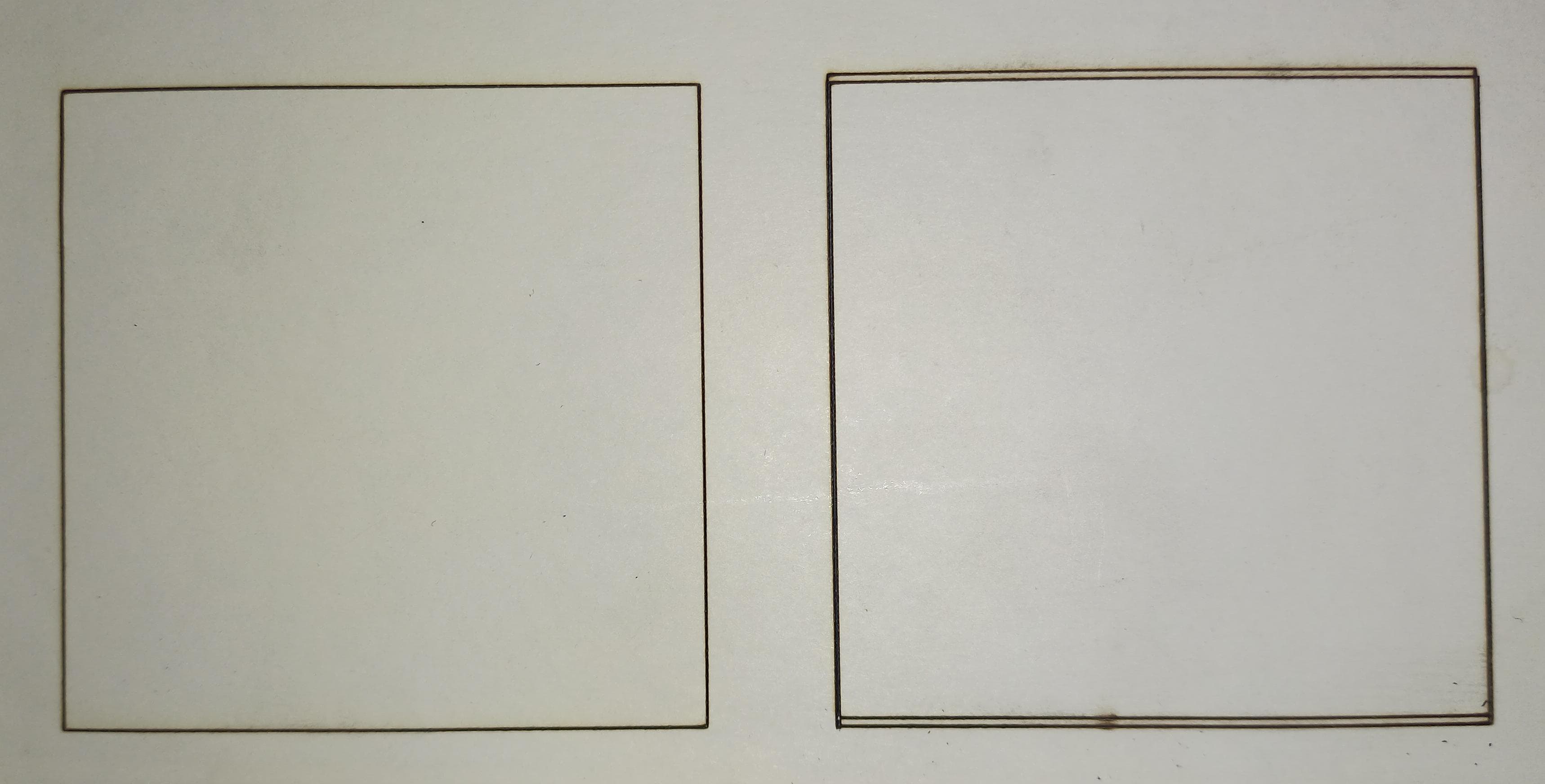
In the left you have the result of many cut layers one on top of each other, in the right is the same square but instead i did many layers one job at a time, re-homing in between. At first there was no error. i move the laser head to the middle of the engraving board to see better and it was a single square, however the test i did after that laser head movement to the middle of the board is the one that got misaligned with the rest of them.
I decided to do this test with a more complex shape, so i re-tested the same thing but now with this.

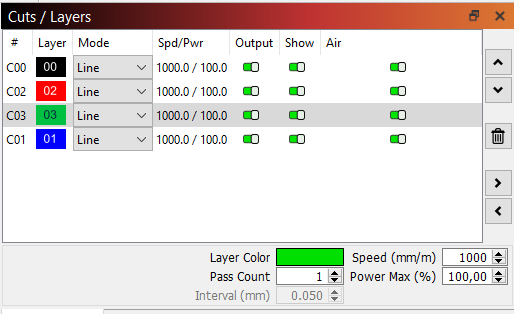
Results
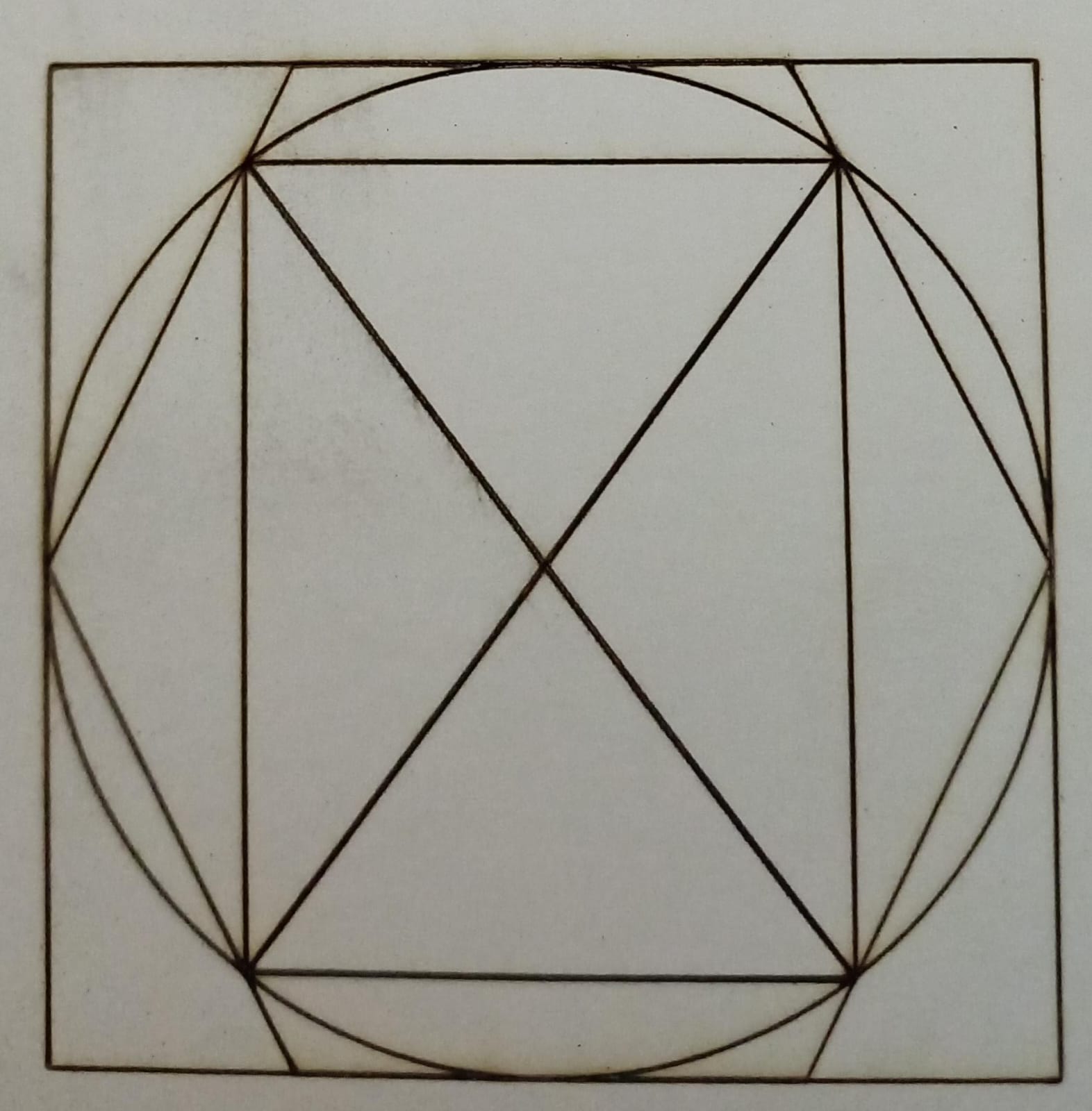
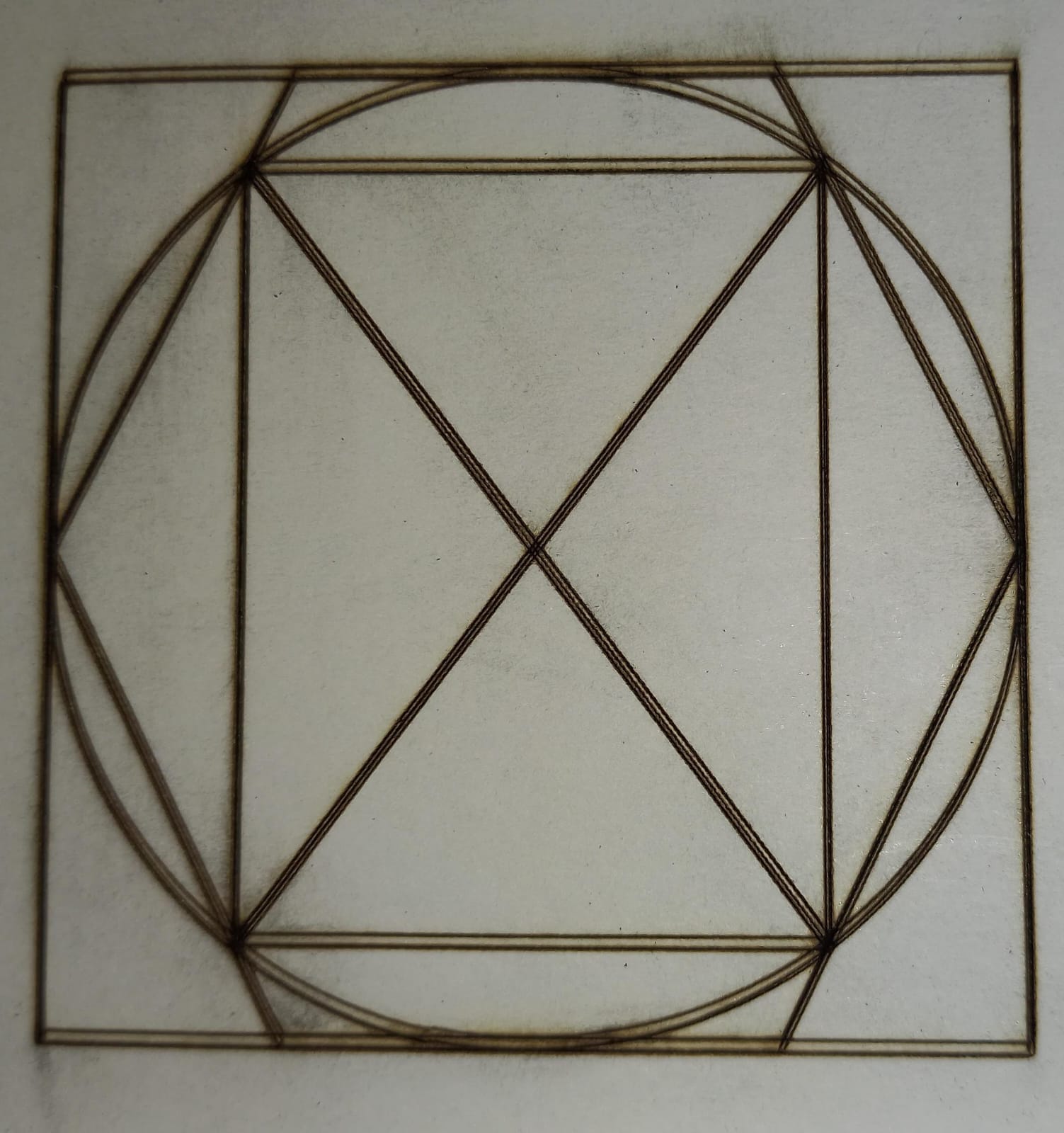
The many engraves of same layer test (bottom picture)got misaligned, this time without me having to move the laser head to introduce the misalignment. The test from the picture is the result of 5 engraves of the same file. you can see that some of them actually were aligned, or at least didn’t misaligned enough to be noticeable.
Tomorrow i´ll be doing another Messi test but this time with 0,05 interval to see how that affects the results.
I don’t understand why some of these shift left-right, and others shift up-down.
I’m out of ideas.
To make sure I don’t misunderstand, these were done without re-homing? Or with re-homing?
If not re-homing, were these separate jobs or 5 passes of the same job?
If these were done with rehoming, what happens if you do multiple passes without rehoming but as separate jobs? And multiple passes within the same job?
It’s important to know this to understand at what point steps are being lost.
in the case of the complex shape, the top picture is done whiteout re-homing. its basically a run of a file with many layers of the same shape, one on top of each other.
The bottom picture is done with re-homing by engraving many times one file with a single layer of the shape. between every engraving the machine goes back to origin and gets a reset before starting the new engraving.
Can you also try these two scenarios:
- multiple passes of same job
- multiple jobs without rehoming but back to back
For the 4 pass job, the machine did every geometrical shape at a time with all its 4 passes. it didn’t do the whole design start to finish 4 times. instead it did 4 cicles back to back, then went for the square and so on. I did group all the shapes together so i don’t know why it did that. anyways here are the results
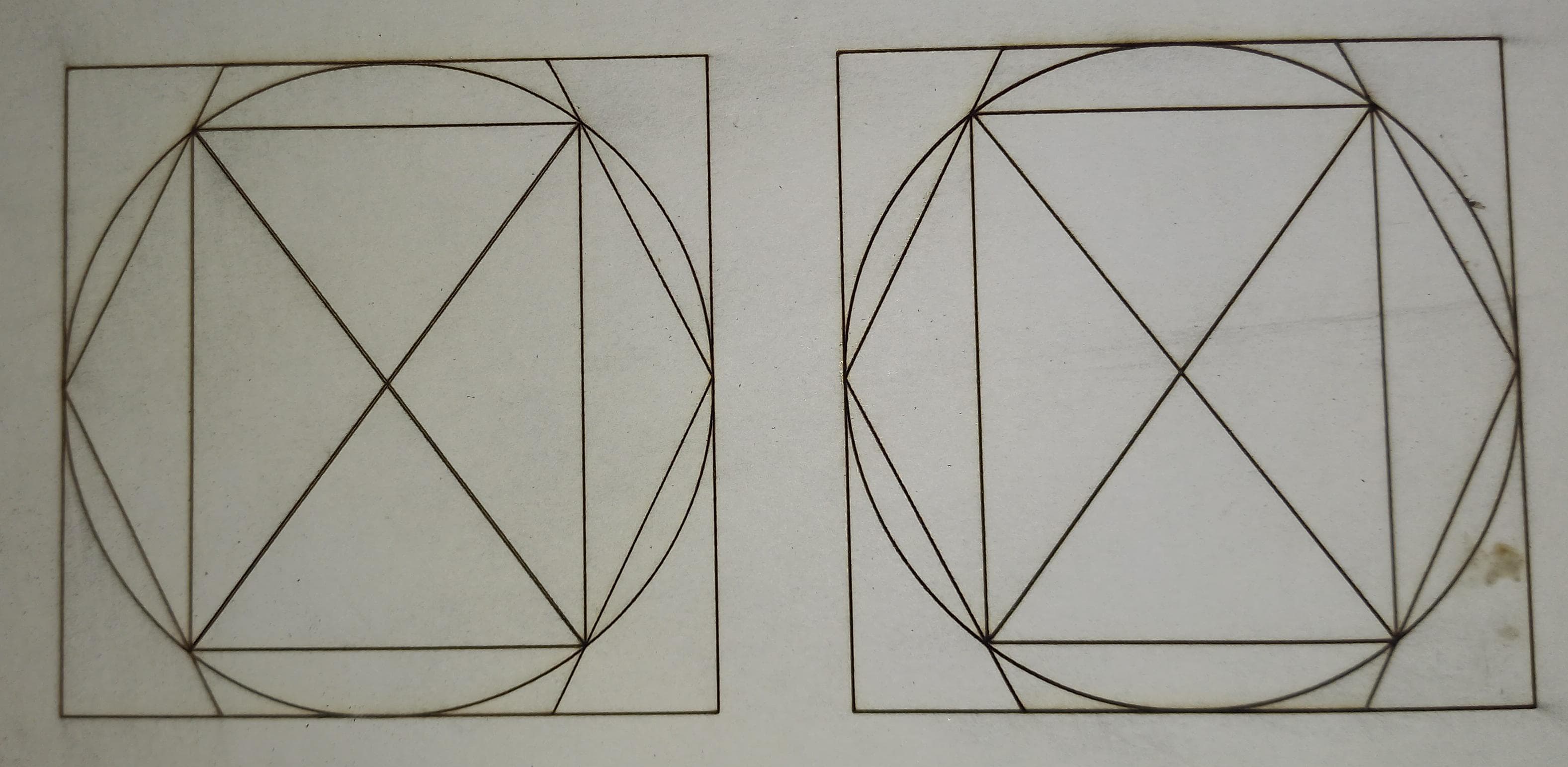
in the left is the 4 pass job and in the right is the many jobs without re-homing. On top of that i did a 100x100 engrave of the same shape with both tests on top of each other to see if there was any misalignment and there wasn’t any as i kinda expected with line layers.
In other news, my messi test with 0,05 interval gave interesting results.

If you look close enough you can se that the error is still there, bit it is way smaller than before.
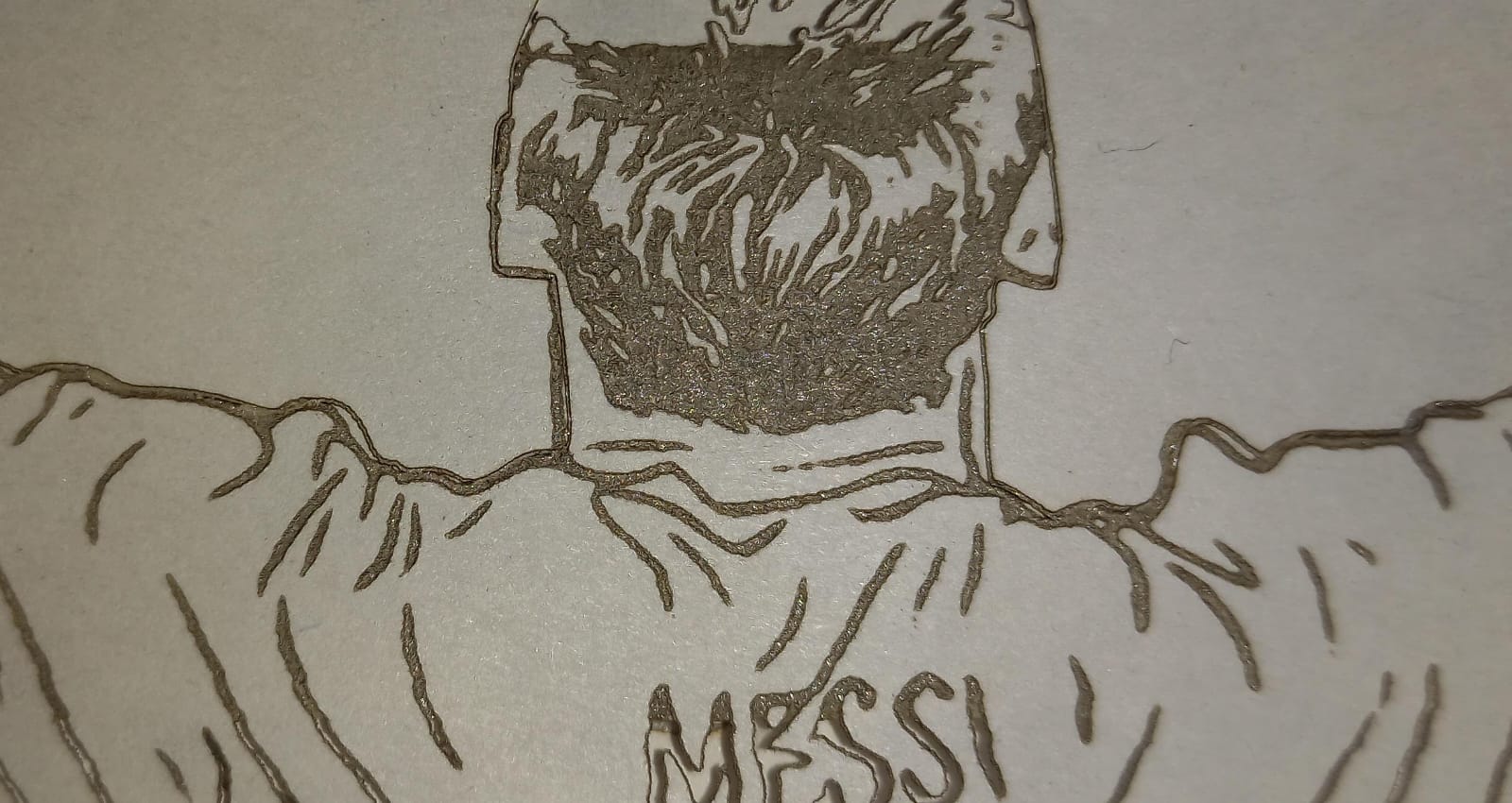
I think these are interesting results, but since i don’t really know much about engravers, i don’t know what to make of them. hopefully one of you does.
That’s typical for multi-pass. If you want the entire design to cut and then repeat you can create multiple duplicates sublayers instead of adding multiple passes.
Based on this I don’t see a fundamental issue with losing steps within the job or across jobs. In that case, I suspect what you were seeing before was repeatability problems with the homing process… This is fairly typical. There are strategies for getting homing more repeatable but it’s not at all uncommon to see sub-millimeter or even millimeter level differences during homing.
I’m curious where this leaves the issue with engraving. I’m not convinced that interval size has anything to do with the issue. In your previous tests there was always a dirty edge on the engraving. It sounds like you’ve corrected that now.
If you run a square now, how does it measure?
Still following this with interest, but I am stumped.
I am too, but only because I am not seeing (old tired eyes?) the “error” in the Messi image. I am thinking we have drilled down to the point where machine repeatability and positional resolution are coming into play. Remember most of these are not $250K CNC machines with rigid cast iron frames. If you zoom in far enuff, you will see wiggles and deflections you cannot remove or compensate for.