What started last Sunday as a experiment, is actually running. I was curious to see what it took to build on LB/MM and Prusa API web tool. Really like this new ability in LB/MM to add tools a user can design. What this does is you open new project, import a image, then hit webtools and excute this tool, it pops a web page from LB/MM and then does something I have not seen before. It grabs the current image, converts to grayscale, then autogenerates via Prusa Slicer API, layers with a matching default operation assigned. Each layer has a Z range, and its organinsed to divide total Z by number of layers which is the grayscale range of the original image. it has the ability to apply contrast, brightness, gamma, set up auto layer alignment mark for easy tool changes, adjustable ranges of layers from 1-256 for lasers, and 16bit for CNC that are closed loop and have 1 micron resolution. (Note most CNC’s and lasers are .1mm resolution and the materials and tools required for higher resolution are much more complex discussion). It also has a very cool viewer that works with mouse or Nintendo Switch game controller via USB. makes tweaking layers and view really fun. How was this done Google Gemini in 3 days. Still learning a lot about API, CNC and Lasers. One thing to know is I used slicer to invert the gcode order. CNC and Lasers cut, 3d printers like CoreOne deposit layers. The math however is the same. We just in mill mode work top down vs 3D printer bottom up. would be interested in talking to other developers and LB/MM to learn more things we can play with.
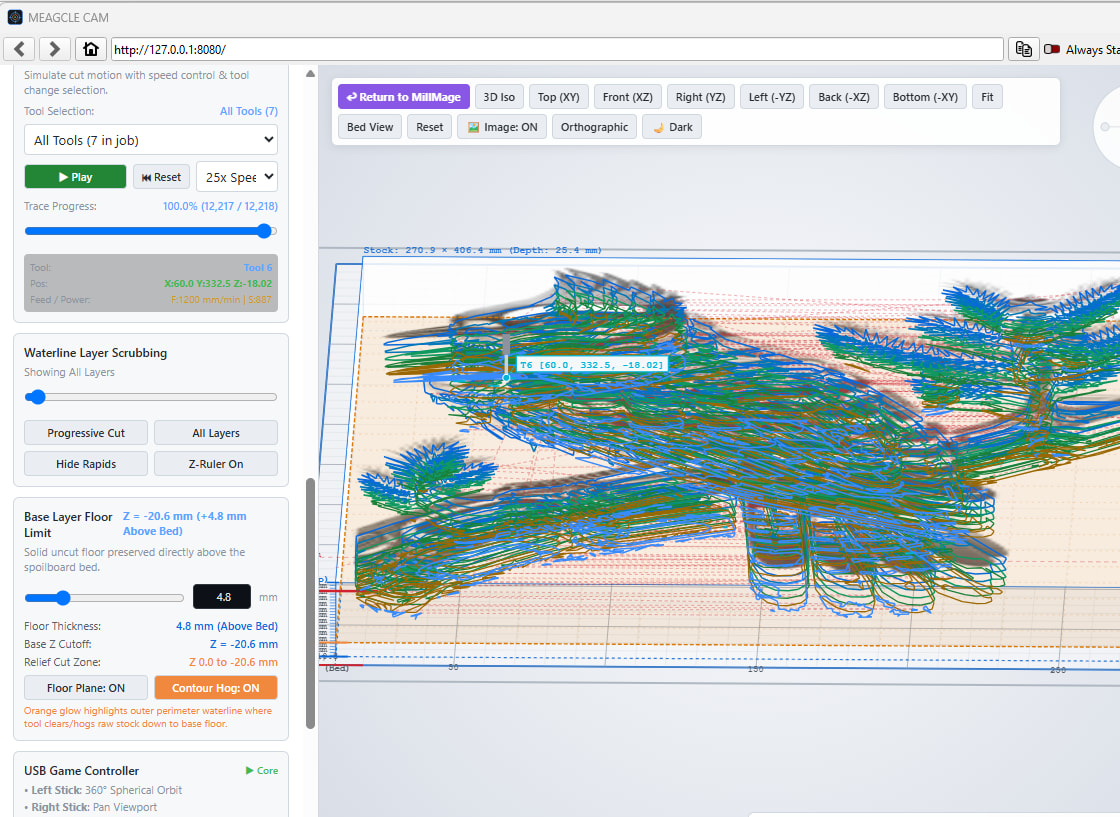
Looks pretty neat - it’s a lot of fun using ai tools! So you were looking for a waterline machining strategy? I was trying to figure out what the bird was and then realised the clue might be in your name!
I was experimenting to see what was possible. The image is something I have been making art with. Thanks for your comments J