Quite often in Lightburn when I duplicate an object ie: a rectangle I drag over it select ‘copy’ then select ‘paste’ the new object appears on screen, then I click to drag the new object only to find I now have 2 new rectangles. I have carefully tested this it only happens in Lightburn.
Never happened to me. You might install it again and check. Or just use ctrl + D to duplicate objects, not copy & paste.
A flakey mouse can cause strange results. Happened to me.
Hi @albumMan1
Try this in a new file with a single rectangle, using Ctrl+C then Ctrl+V once rather than the mouse menus. Does that still create two copies?
Also, when you see the extra copy, press Ctrl+Z once. Does one copy disappear, or do both disappear together?
That should help establish whether LightBurn is actually performing Paste twice, or creating two objects from a single Paste command.
If it still happens using the keyboard, also let us know your LightBurn version and operating system.
OK Here is what happens after experimenting I find that as I only have a trackpad on my MacBook Pro I use Ctrl+C then Ctrl+V. However it depends how long I take to press Ctrl+V
if I do a light press I get 1 copy if I am a bit slow I get 2 copies. In fact If I hold down Ctrl+V I get multiple copies until I stop. Ctrl+VCtrl+VCtrl+VCtrl+VCtrl+VCtrl+VCtrl+VCtrl+V
It does the same in here!
UPDATE:
it is not Lightburn I have just Googled it and I was unaware that my keyboard has settings to control this - I have now turned it OFF.
This has never happened in any other App which is why I blamed Lightburn.
PROBLEM SOLVED - many thanks ALL!!!
Problem not solved. Even with these changes it is still happening. If I want to delete text I have to press delete repeatedly. But Crtl-V still gives 2 copies in LightBurn.
Which version of LightBurn are you using? It’s in the title bar of the app.
If you draw a new circle. Select said circle, then Cmd+C, then move your cursor and Cmd+V elsewhere, can you confirm that pastes the circle twice?
LightBurn Pro 2.1.00-RC-2
Yes that is exactly what happens.
If I do a soft tap it gives 1 but a firm press gives 2 immediately on top of each other.
Again - if I hold my finger down for a second I get 3 copies. It also does it on Crtl-D if I press firmly.
That sounds like Key Repeat is messing with you. I think there is a setting where you can increase the delay before it starts repeating.
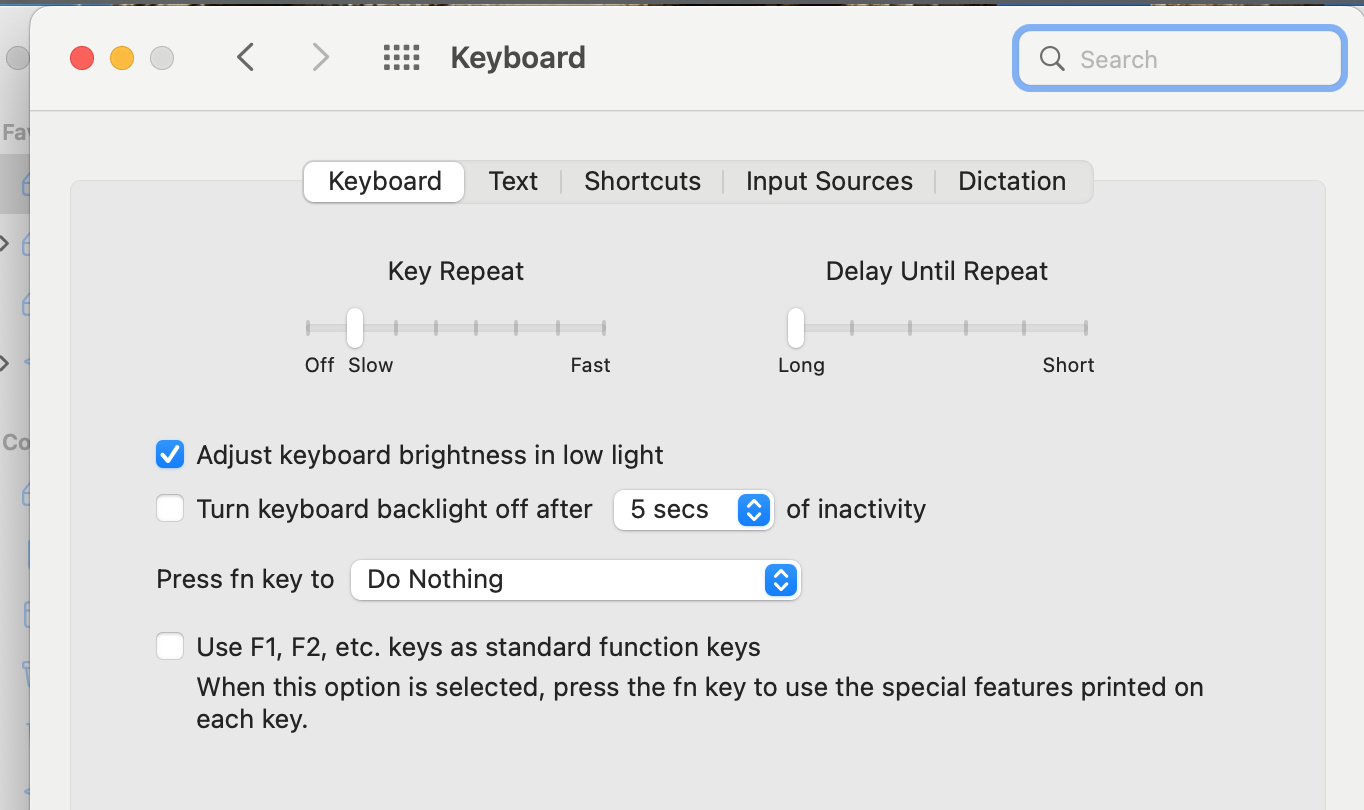
Yes, I have checked that but apart from turning it off altogether? I have set them as slow as poss and a long delay. But the copies still happen. I also use Affinity and other Apps and whilst a long press will give extra copies, it is nothing like as quick as in Lightburn. To delete a line of text, by pressing back button, there will be a 1 second delay per character. Here are the settings of the Mac.
Anyway, never mind - I will just have to work around it.
I wasn’t able to replicate this on Windows.
I have to press “ungroup” repeatedly.