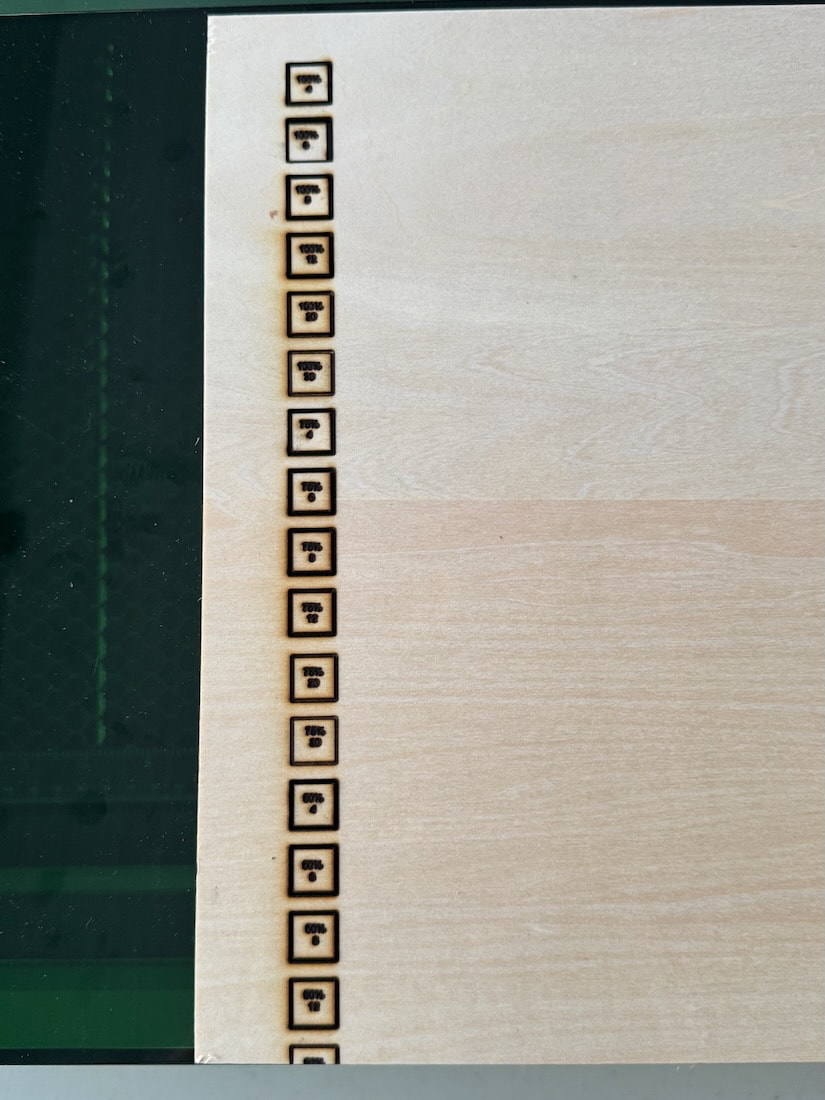
I created a test set and ran on 1/16 basswood sheet (which is my primary medium for the laser.)
The column is top to bottom speeds of 4, 6, 8, 12, 20, 30 mm/sec, at powers 100%, 75% and 50%.
The winner seems to be 4mm/sec at 50%, with 6mm/sec at 75% in second place. The winner wasn’t completely burned through, there were some splinters when I punched it out. That’s OK, running an X-Acto knife to finish the job isn’t a big impediment for me.
Yeah, the lettering (run at 150 mm/sec & 25%) was too dark.
I’m surprised at the amount of scorching on ALL of the samples.
This is my first real attempt at trying to use the laser beyond the XTool test pieces (which are on 1/8 basswood plywood. Those cut very well using whatever the XTool default settings were for that material, nowhere near the level of scorching I’m seeing here.)
Now maybe I missed a critical step in the job flow (I just plugged in the laser and ran the job - did I miss something?)
I figured out what I did wrong. I -thought- I was working in mm/minfor the laser speed settings. Instead I was working in IN/MIN. That would make a difference!
As a check, I launched XTool Studio and ran their material test. That produced very good results at 10mm/sec at 78% and 100%, with no burn. So I’ll rework my test and try again tomorrow (on a fresh piece of wood…)
By the way, I also had an anomaly with the S1. The auto focus system was not working in XTool Studio. The Bill Gates Technique (restarting ) resolved that. But that does raise a question for me about Lightburn: Does it use the XTool auto focus? If not, how do I set laser focus when change materials?
Just so you know, [1] the “standard” for diode lasers is mm/m. Your numbers have to be converted so we know they are in the appropriate range.
100, 150, 200, 300, 500, 1000 is also a log scale, but diodes are fairly linear within their operating range. 500 → 1000 is a pretty big jump in a material test.
And [2] using multiple passes often reduces both charring and actual cut time. My 10w diode cuts 1/8" basswood in 3 passes, 1000mm/m, 90% - clean through 100% of the time. Engraving fairly deep is done using 3000mm/m, 65% power, and 1 pass.
I am not saying you should use my settings, but to show you other options.
I ran the XTool Studio material test, speeds 10-150, power 10-100, 10 steps each.
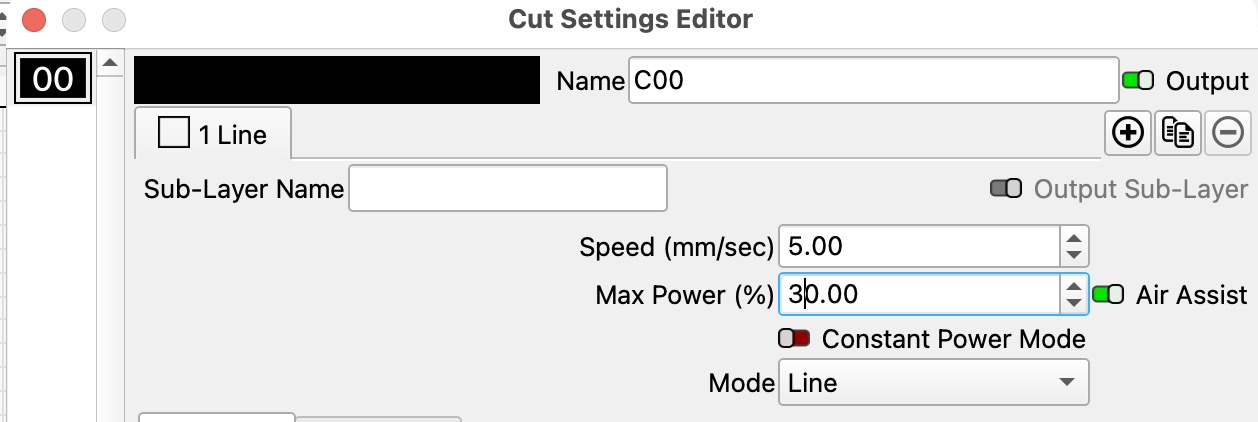
That produced a MUCH Better result, with the best results at 5 mm/sec, 30% power. Higher speeds didn’t cut through even at 100%. Cutting started at 20%, but not a complete cut-through. MUCH DIFFERENT RESULTS with those values.
But until I figure out the problem I’m having with Lightburn not moving along the X axis, I’ll be stuck with XTool Studio.
I recognize your name, so I am sure that is being worked in another Topic.
There are a lot of users with the same machine you have, and they are running. Due to how xTool does things, I expect you need to focus on the .lbdev written specifically for your machine. I have seen where Lightburn comes up with something workable, with no help from xTool, then xTool puts it on their site. Keep picking at it, you will get it going.
I’ve fixed the scorching problem. After loading the .lbdev file into current Lightburn, I go to the Move tab, and press the “Focus Z” button. That does the S1’s 2 step focus action, and then the burn is correct.
On 1/16 basswood sheet, my best results were speed 5/power 30%.
You might be able to speed it up a bit by using Constant Power when cutting. If your cutouts are having trouble cutting through at the corners, this will help. That is where power is being reduced because it is slowing down for the direction change.

 ) resolved that. But that does raise a question for me about Lightburn: Does it use the XTool auto focus? If not, how do I set laser focus when change materials?