Well I guess there is a need and when can we expect it in Lightburn?
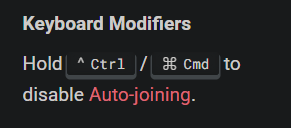
We tend to try to find workarounds, but I am sure there is no GLOBAL command because…
Can you imagine the confusion where you have a gazillion line segments not joined to anything, then you tell it to auto join? Riddle me this Batman, which line connects to which line?
There are some fantastic tools to manipulate the vector paths. I for one prefer to avoid chaos.
You are correct. I’m certain that having the default nature of trim shapes to auto-join has saved us more headache in support than it would worth be to allow a global switch. 99.9% of the time I expect it to join my vectors after I trim.
For the remaining use cases having the keyboard shortcut is adequate.
Vectric does have a global switch. From my experience, For whatever reason sometimes when you open a new project the default changes and auto-rejoin is not selected. That has constantly annoyed me and I have never not sworn loudly when it does happen.
I get where the OP is coming from. Sometimes it is easier to just draw lines and arcs and not connect them to anything. The CAD programs that I’ve used give you that option. They also let you offset individual lines, and arcs. Something that would be nice to do in LB.
One nice feature that LB does that I can’t do in CAD, is offset a bunch of single lines and arcs in both directions, connect them, and delete the originals. That task can be easily done in other graphic programs that allow you to create a stroke width, and then outline the stroke.