Okay I have a easy cat 3D laser that has three focal distances. 100 mm 220 and 300.. I don’t change out a physical lens and easy cat I just select different versions of the easy cat software to work with that lens distance. I am unable to do this in lightburn because it doesn’t change it for me. Does anyone know how to do this because as of right now what I do is I connect my laser to my older PC that still has EzCAD3 to switch the homing for the x-axis and the z-axis and then I reconnected to my PC that has lightburn so I can use either the 100 or the 220 for the 300. Is there anyway I can avoid the need for this?
Hi Joe - similar to EZCad, in LightBurn you would calibrate each lens and save a new device profile for that lens. We have a guide and video here to walk you through the steps: Changing a Galvo Laser Lens - LightBurn User Guide
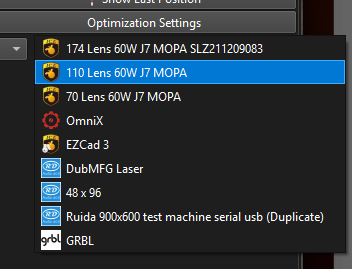
Here’s what my device list looks like, set up with 3 different lenses.
If the guide leaves you stumped, let me know where and I’m happy to help you through the process.