Hi!
I have just created a light and easy to use .GCode / .GC files viewer for windows. Should work with .NC files too.
Just download at https://ampostata.org/miniaps/GCode-Viewer.zip
If you have a file that does not work, just contact me.
Hi!
I have just created a light and easy to use .GCode / .GC files viewer for windows. Should work with .NC files too.
Just download at https://ampostata.org/miniaps/GCode-Viewer.zip
If you have a file that does not work, just contact me.
Both Lightburn and MillMage have built-in Preview. Importing a GCode file is rare because it does not carry the design information and severely limits editing of the process.
What is the advantage of your viewer?
Photoshop can import jpg files, why does windows need a jpg files viewer?
It is just a simple and easy way to see/check files. If you don’t need it, just ignore it.
I understand this, but you posted on a Lightburn Forum.
Folks should be wary of a ZIP file. Normally, I’d delete a post offering a ZIP file but I’m on the fence with this one.
@ampos has been around since 2021.
GCode viewers are useful for comparing the output from LightBurn against what a GCode laser produces when results are not as anticipated.
It splits the problem in half.
A separate GCode Viewer allows a user to compare the GCode produced by LightBurn to what the user is attempting or expecting to produce by making the GCode output viewable.
A separate GCode Viewer can also show mechanical or electrical issues with a Machine when the finished project doesn’t match the GCode seen in the GCode Viewer.
I usually put many burn files in an SD, and forgot if one has been cut or not.
You can open up a ZIP file and view the contents without extracting. It is the EXE and MSI files that scare me!
Nice!
Worked well with .gcode and .nc files
It would be better than perfect if one can rotate the .gcode image. Similar to the way Prusa’s G-code viewer works. (I’d delete Prusa in a heart beat it if did)
Rotate? Do you mean rotate 90º / -90º / 180º ?
This software is a keeper
360° by dragging it with a mouse
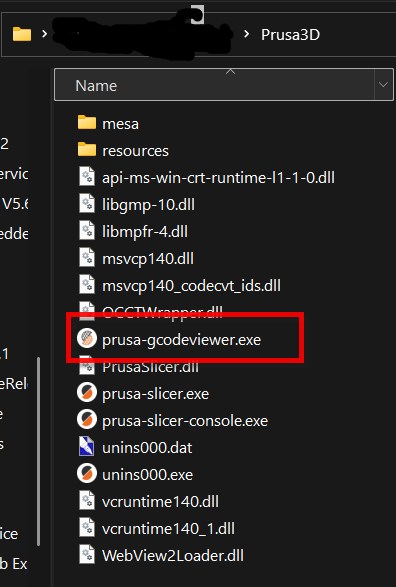
To see what I’m talking about download the free software.
The viewer is located in it’s directory.
Why would you need 3d view in a 2d image? I installed prusa and shows nothing with my gcode files.
It’s a laser viewer, so it shows files in 2D (laser files have no Z). .nc files from lasers work fine; CNC files with depth will show flat.
How about those folks that do coins? A 3D image could be helpful.
Prusa shows my gcode files, but not my nc files.
Upload one of your gcode files and I’ll take a look.
Try temporarily renaming the .nc file to .gcode. That works on other viewers that I have used.
Nah, I will keeping using my own program 
This was the main reason I created this tool on the first place 
Updated to 1.02 for some fixes and better support.
MikeyH if you use a grbl cut file created in Vcarve Pro with the grbl post processor you need to view your file. Vectrics save the file with a Gcode extension.
I should clarify here. If you Import a .gc file into Lightburn, LB will read what it can from the GCode file and present a result in the LB design grid. Although the original design work is lost, you can still modify the new import as needed. You can also use the Preview window to visualize the laser path.
Don’t get me wrong, we can always use new tools. When the old tools are not up to the task.