Grid Array – Vertical vs. Horizontal Numbering: How can I do this in LightBurn? Feature Request
Hello everyone!
I’m looking for a way to change the order in which Auto-Increment Variable Text numbers objects created with the Grid Array tool.
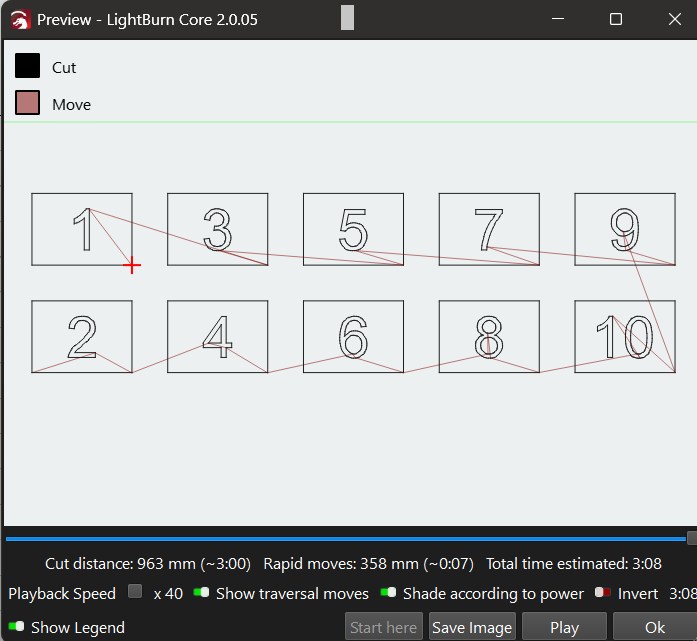
Currently, LightBurn increments copies horizontally, from left to right, and then moves to the next row.
For example, with a 4-column × 2-row array:
Current numbering (horizontal):
1   2   3   4
5   6   7   8
What I need (vertical):
1   3   5   7
2   4   6   8
In other words, I need numbering to progress vertically, column by column, rather than horizontally, row by row.
1. Is there currently a way to achieve this automatically?
Is there a way to do this directly in LightBurn, without manually changing offsets, rearranging objects, or preparing complicated workarounds?
I’m asking because I need to produce large batches of stickers, each with a unique serial number. There can be hundreds or even thousands of stickers, so manually adjusting the numbering is simply not practical.
2. Why is vertical numbering important for production?
There is also a technical reason why I believe vertical processing would be a much better solution.
With horizontal numbering, the laser processes the entire first row, then the second, third, and so on.
If something goes wrong during production (for example, the laser stops unexpectedly, loses its position, or the job is interrupted), several rows may be affected. Depending on how many rows fit within the working area of the lens, this could mean losing 4 or more rows of stickers.
With vertical numbering and column-by-column processing, only one column would potentially be affected if production is interrupted. The remaining columns could stay intact.
This would significantly reduce material waste, simplify quality control, and make batch production more reliable.
3. EZCAD already has this functionality
I’ve used EZCAD, and it already provides a similar option for choosing the marking order of an array: horizontal or vertical.
[SCREENSHOT – EZCAD array marking direction selection]
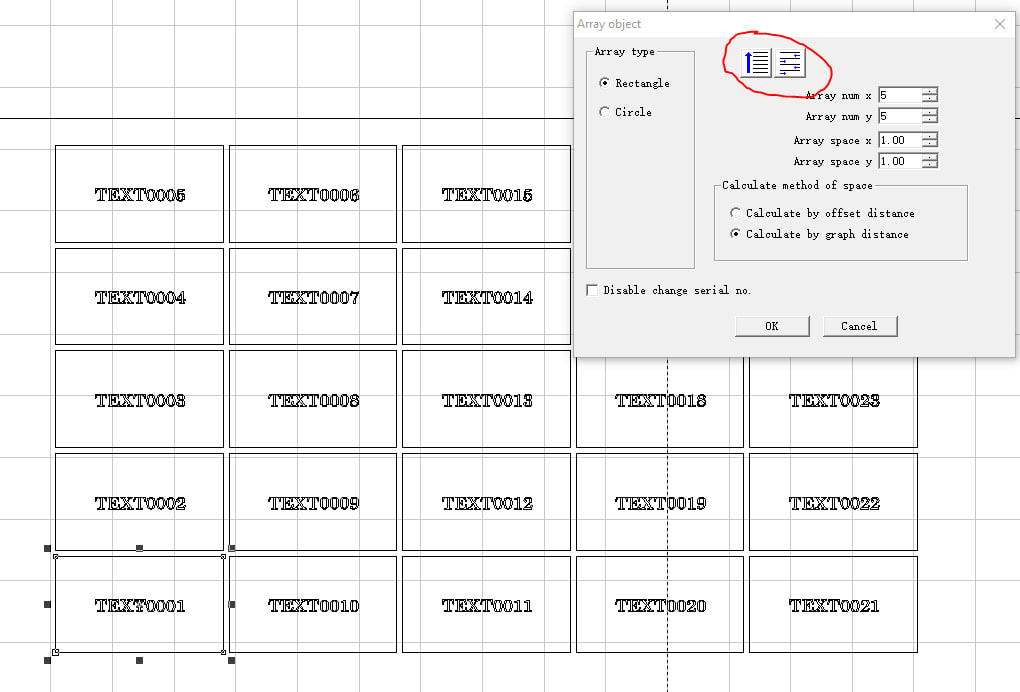
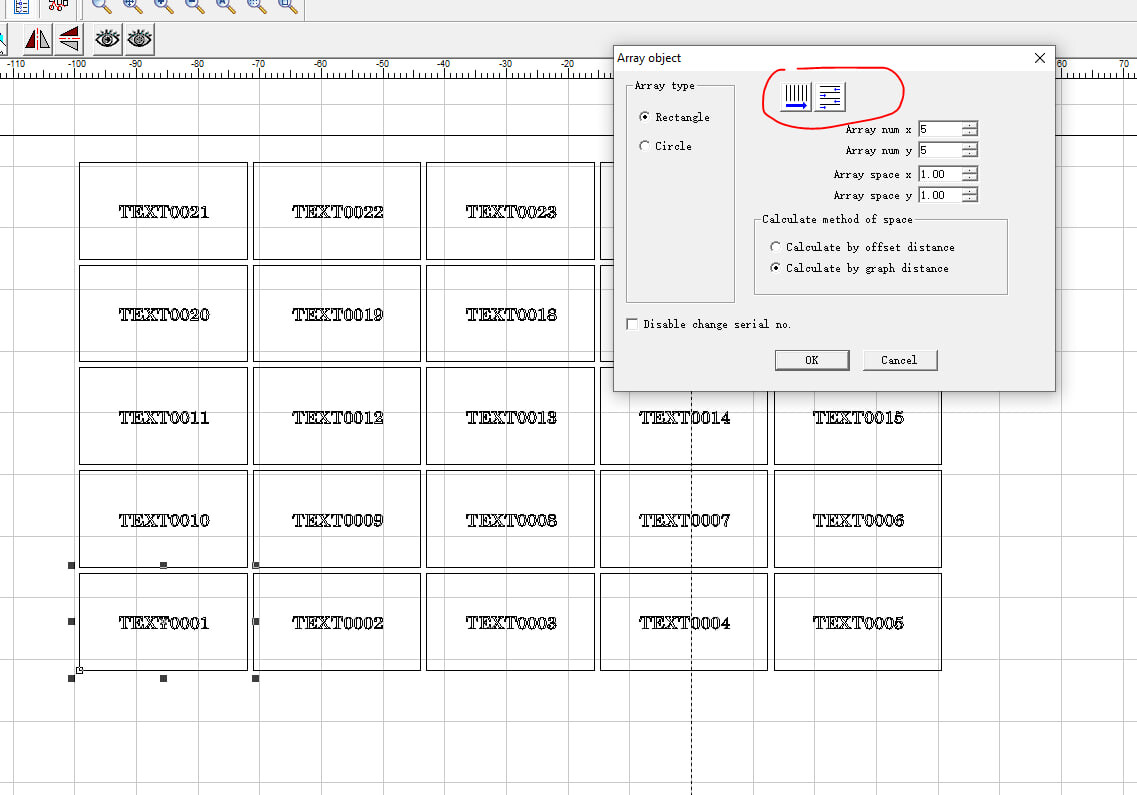
It would be great to have the same functionality in LightBurn.
4. Feature request – a simple one-click solution
Would it be possible to add a simple button or toggle directly to the Grid Array window to switch between:
- Horizontal (Row by Row) – current behavior.
- Vertical (Column by Column) – requested functionality.
Ideally, this would work directly with Auto-Increment Variable Text, Serial Numbers, and CSV data.
A simple one-click direction switch, similar to the one available in EZCAD, would be extremely convenient. There would be no need for manual offsets, additional sorting, or external spreadsheet manipulation.
I would really appreciate any suggestions for achieving this with the current version of LightBurn.
And if this functionality is not currently available, I hope the developers will consider adding it.
I believe this would be a valuable improvement for anyone doing serial-numbered engraving, labels, stickers, or other large-scale batch production.
Thank you!