Hi,
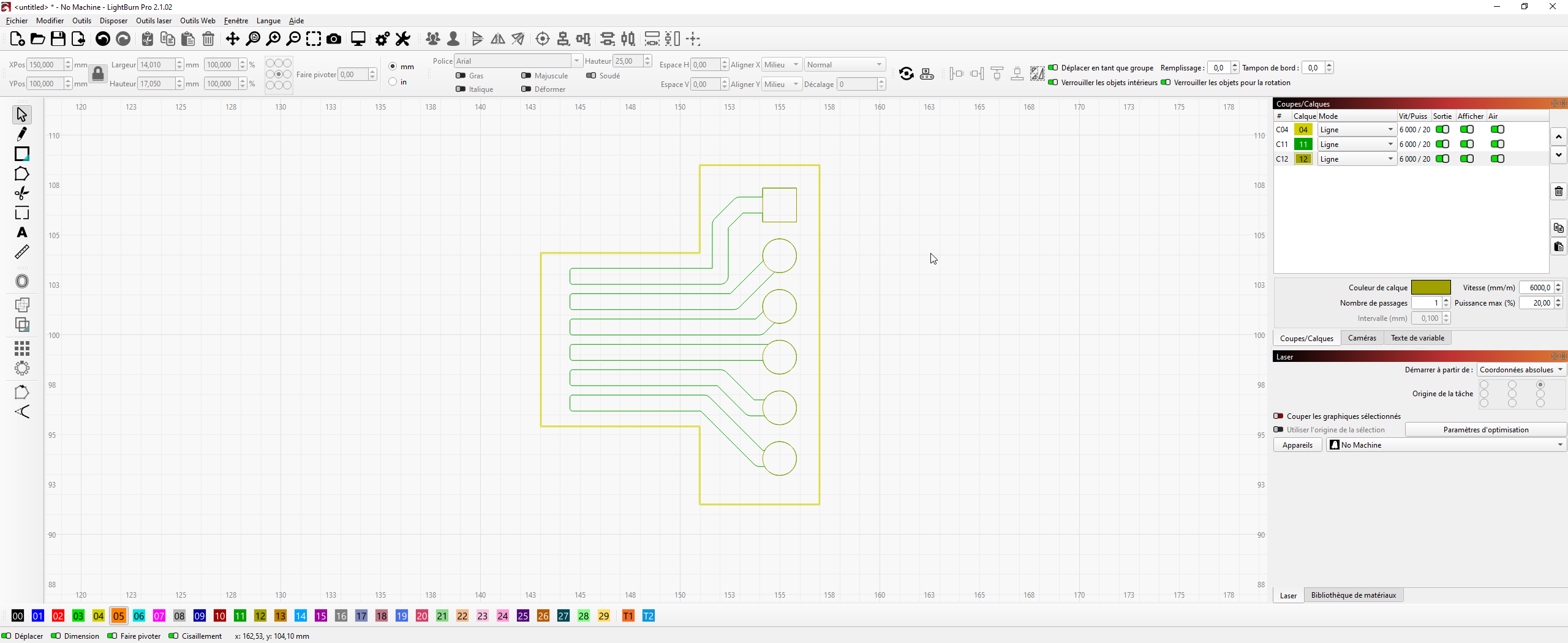
I order my first laser fiber engraver and im new user with lightburn. I try to import my pcb that i do with Kicad. I export in DXF files but i have some prbs with the orign. The draw are not on the right place. Have solution to import on the right place ?
Regards
Kicad does not, in general, produce usable DXF files without careful attention to detail. You may get better results with SVG files, again with careful adjustments.
You say you have a hobby laser, is this a fiber? What kind of wattage? MOPA?
I had little issues getting a pc layout to Lightburn, just had some very stinky problems with FR4 material and the laser. Lots of people do it on a fiber, I’m just not comfortable doing that.
Open your Settings window, Import/Export tab. So a screen capture (CTRL+WinKey+S) and put it in a Reply. This may help explain why you are getting unexpected results.
Fiber machines generally have an origin as front/left. You can’t modify it anyway, so what are you doing that this is an issue? If we understand the problem, maybe we can be of more help.
If none of the workarounds in those discussions help, then the least-awful way to use a Kicad layout may be to create a high-resolution PNG image of the layout, import it into LightBurn, then trace it to get the outlines.
Part of the problem comes from the way Kicad produces the output files:
@ednisley thanks for your reply ! i think i fin solutions can export in DXF but need to export in one files. I don’t put the holes yet but i have this i think is good now.