I believe the next iteration should bring everything together nicely. Some of these upgrades were necessary IMO, but we also dont want to change things too much that it disrupts existing users too much..
To answer your question @bernd.dk, I believe more alignment points will only help to a degree. Non-linearities resulting from an imperfect lens model can never be fully corrected during alignment. Unless we switch up the underlying approach. But it does look like you are managing to avarage out the error a bit better with your quadrant approach. Possibly adding more tags is an option we can provide in future..
That sounds great and I’m also quite optimistic that LB will find a good balance with the upcoming changes and the (working) existing camera features.
I’m glad you’re taking the matter so constructively, as my fearful suspicion was that we (I) have “confused” you too much.
Barrel distortion, which has a relatively large influence on the coordination precision of the camera image position, could be compensated for with lens profiles for LB cameras.
Easier(?) and more universal, however, would be the possibility of a simple barrel distortion correction tool, which is available in most image processing programs. It would probably be best if this correction is performed before or in conjunction with the LB lens calibration, right at the start.
Thanks! Your inputs here have been very help with this process.
We do attempt to compensate for this barrel distortion during calibration. There is a lens distortion model in play. Which does manage to take care of some of these non-linearites. But extreme fish eye lenses can still be a bit problematic, leaving some distortion remaining around the edges. Adding an additional barrel correction tool is an interresting idea… I have never though about doing this process manually before. But it could make sense as an additional step. Although, in an ideal world our automated procedures do all of this automatically. Thanks for these ideas! They will be discussed more internally for sure.
Thanks for the reply Gabriel,
I’m not sure what camera lenses LightBurn has built into their cameras, I have a “standard” 3840x2160, 90 degree LightBurn camera in use and I don’t think it’s an ultra wide angle/fisheye.
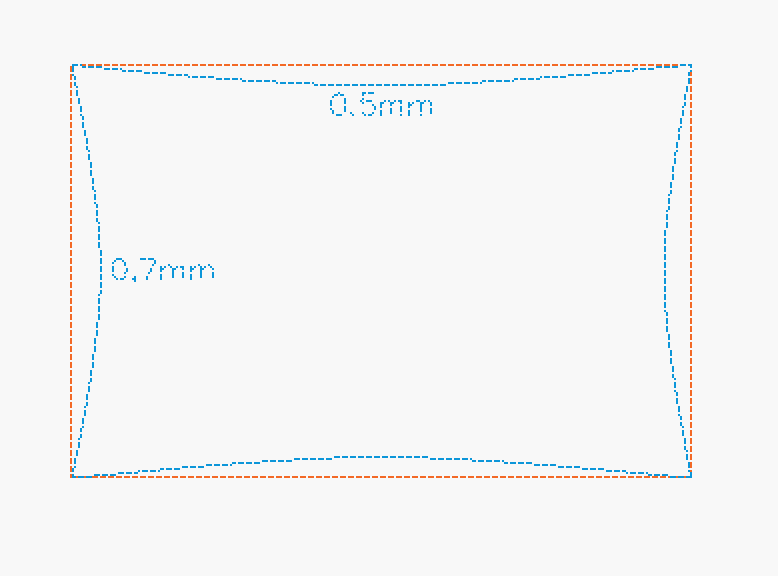
The barrel distortion after lens calibration is approx. X= 0.5mm and Y= 0.7mm, measured with the options I have.
Ah. Ok. This is far from fish eye. Our calibration should do a decent job at modeling this distortion. How much does the error improve for you after manual adjustments?
The resolution of your camera may just be the limiting factor of our alignment accuracy then. But I can see how adding more targets might average away this pixel resolution based error now…
This is precisely the dilemma I am trying to explain, you cannot “correct” for this type of error manually.
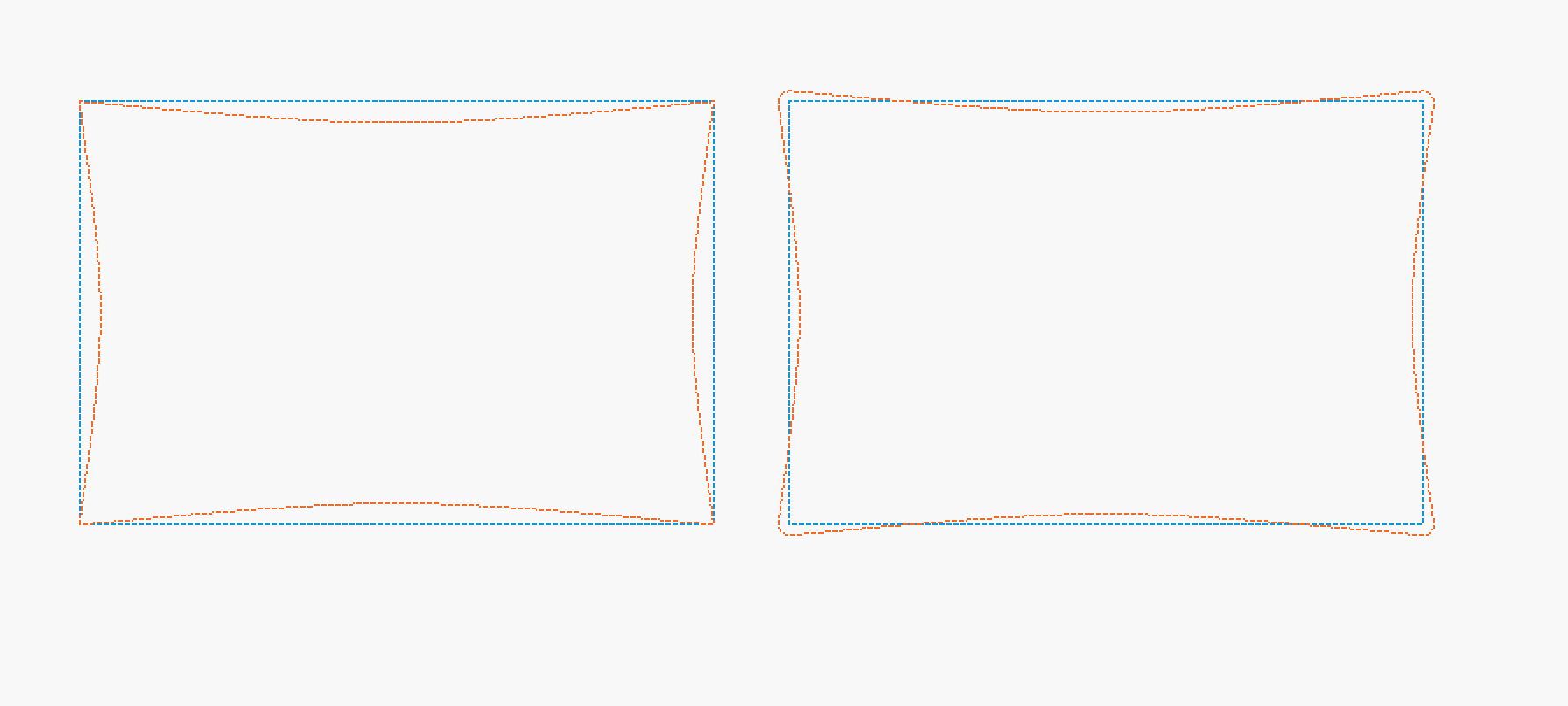
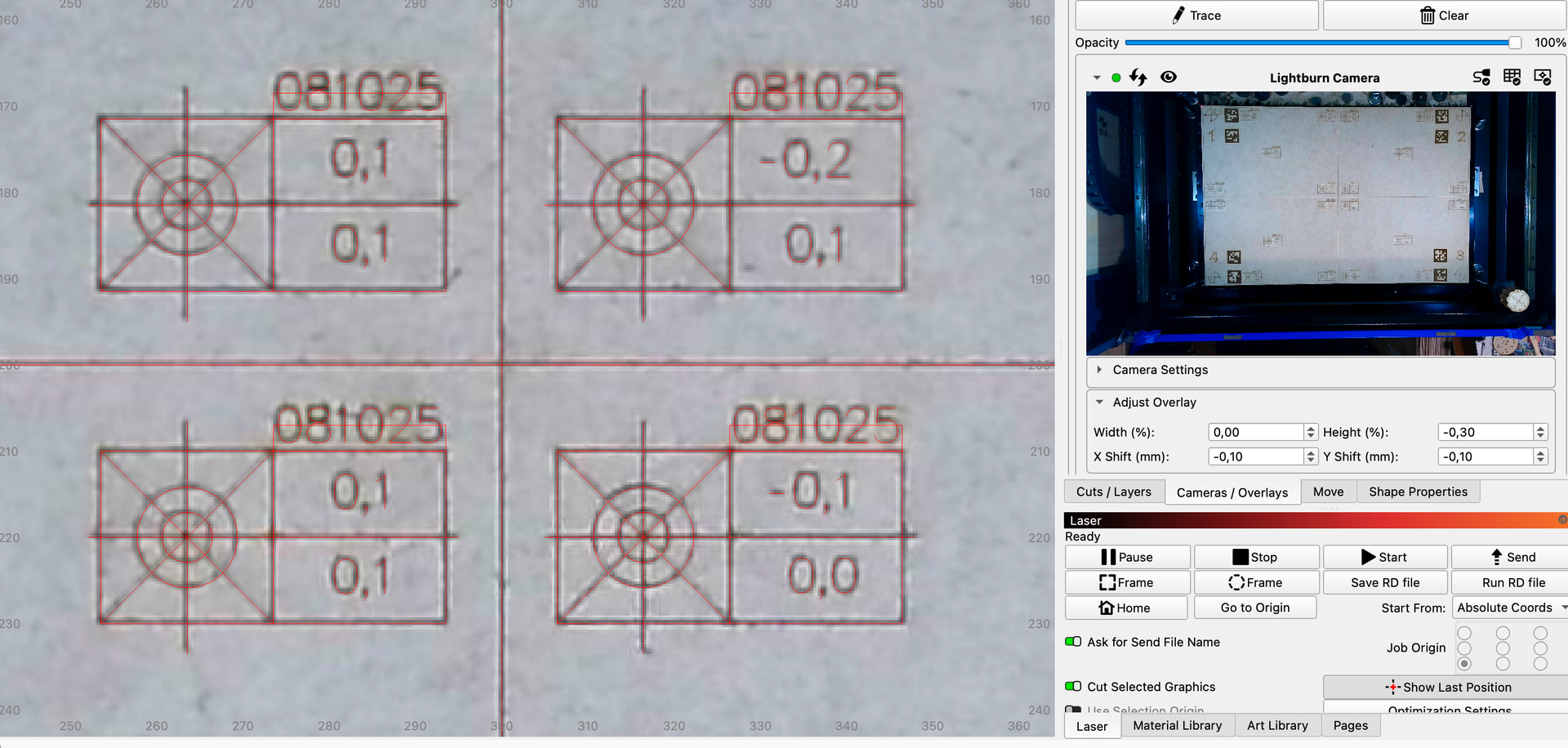
What I do is that I try to distribute the problem as evenly as possible, but I am well aware that this will cause other problems with precision elsewhere. The sketch shows what I am doing, (schematically )
It is also interesting that the center of the camera overlay for most of the tests is reasonably precisely centered, before manual adjustment. This clearly shows that it is barrel distortions that we (I) are struggling with.
This is probably due to a combination of less pixels resulting from the lens compression at the edges and some calibration error. From your measurements it looks like you’re getting decent precision for this camera setup though. Under 0.5 mm error for a 3.6 pix/mm alignment is not bad I think.
I really recommend adding a head camera if you’re after perfect resolution. The overhead camera is still great for quick bed scans, but then the head camera also offers additional resolution for region’s of interest.
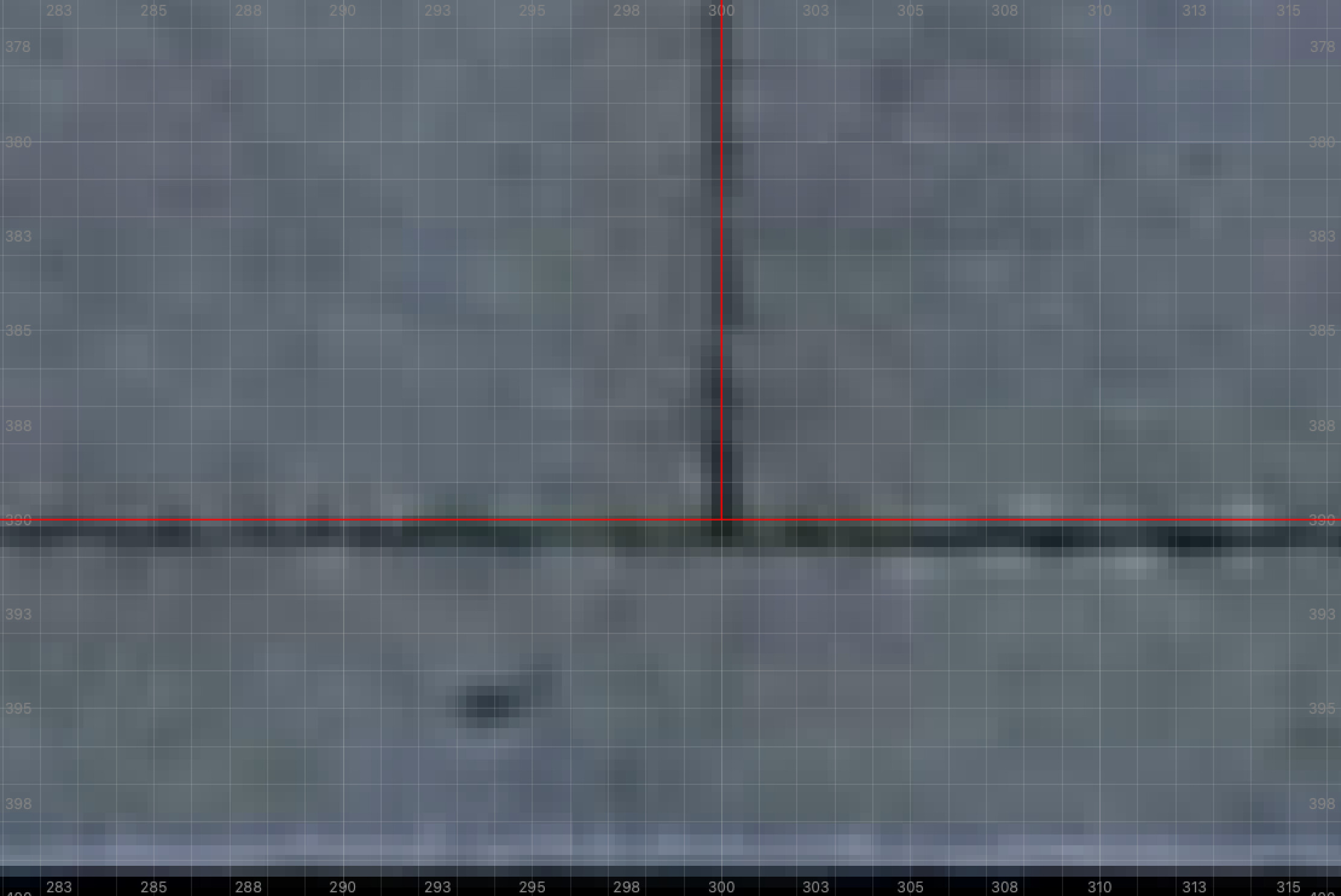
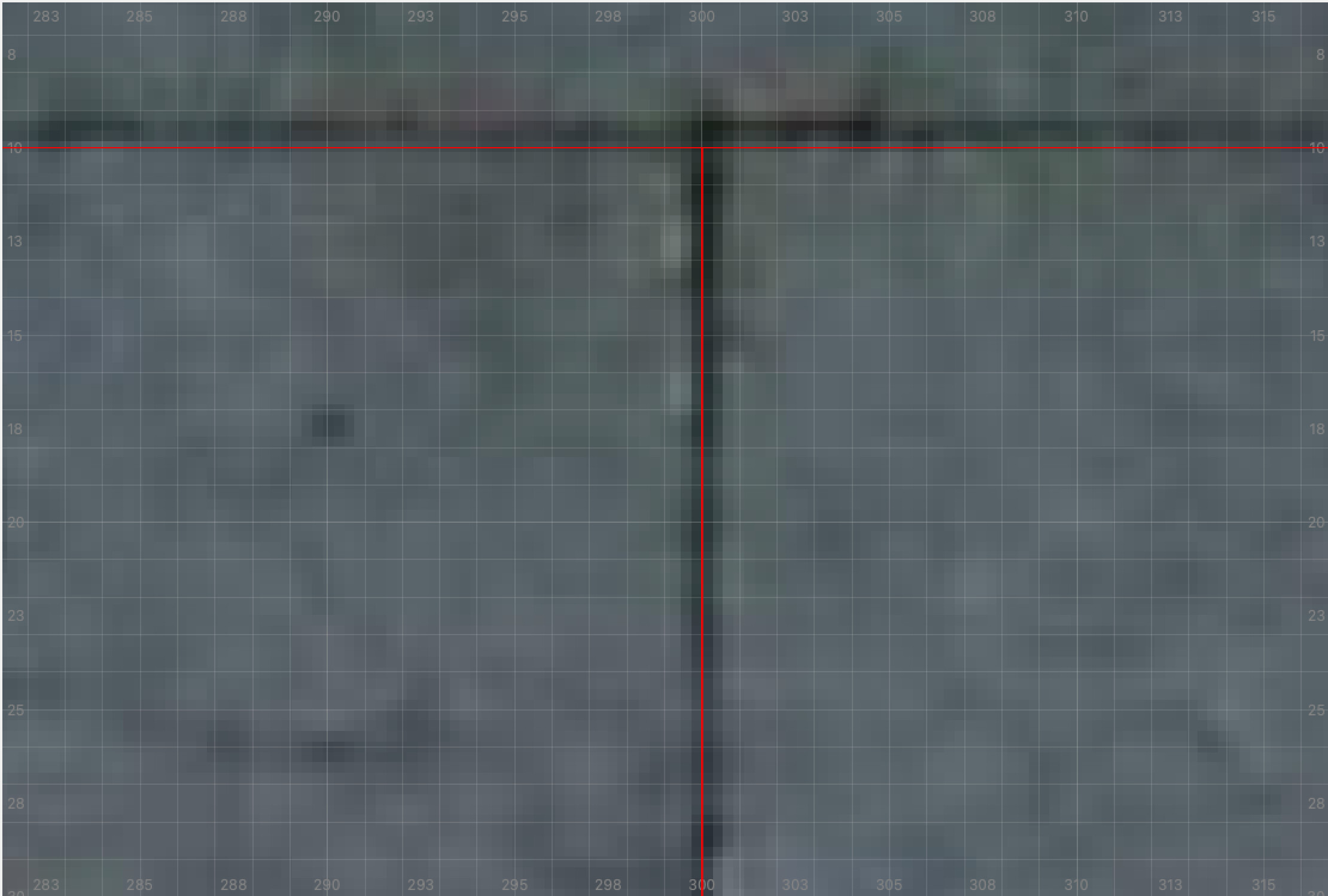
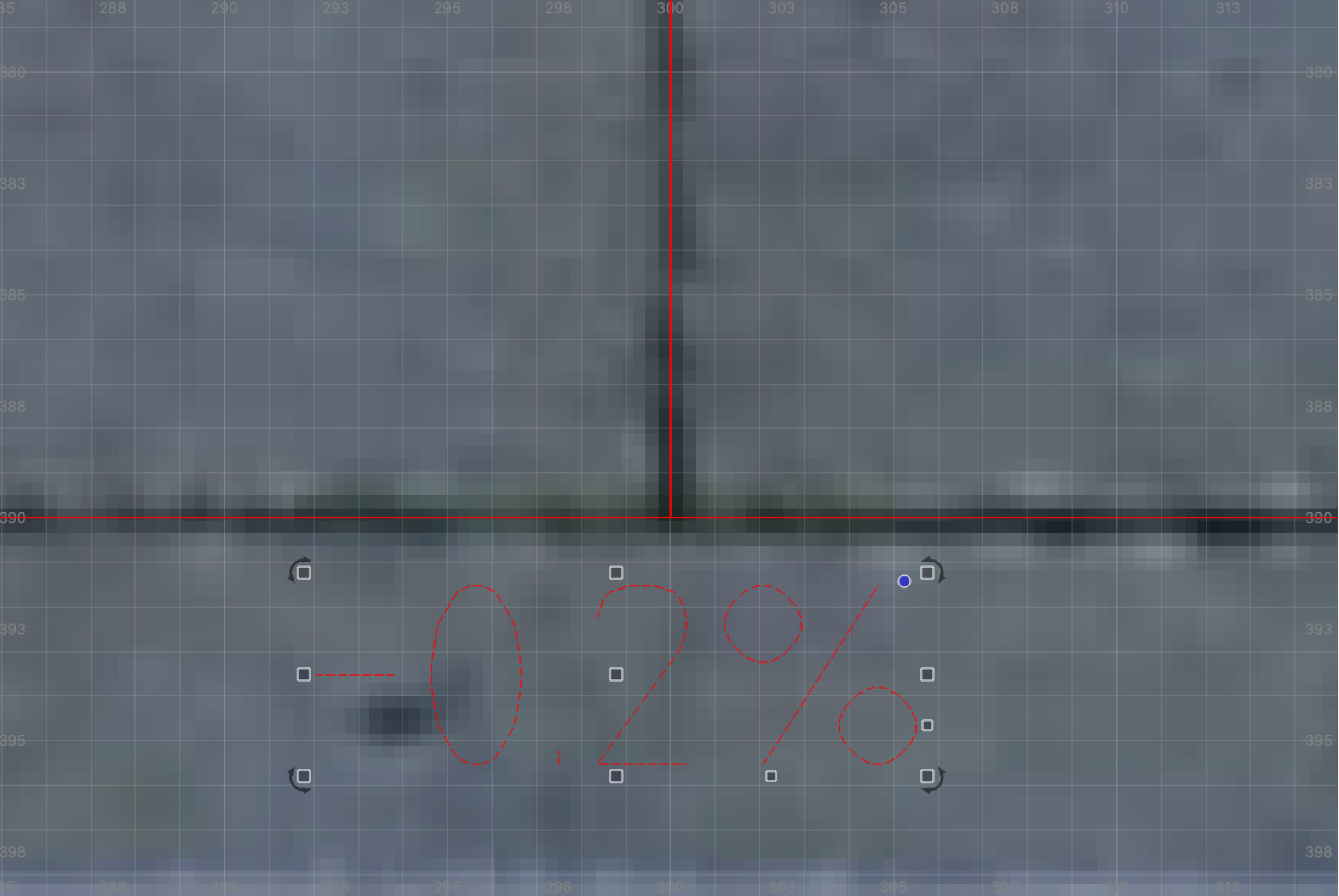
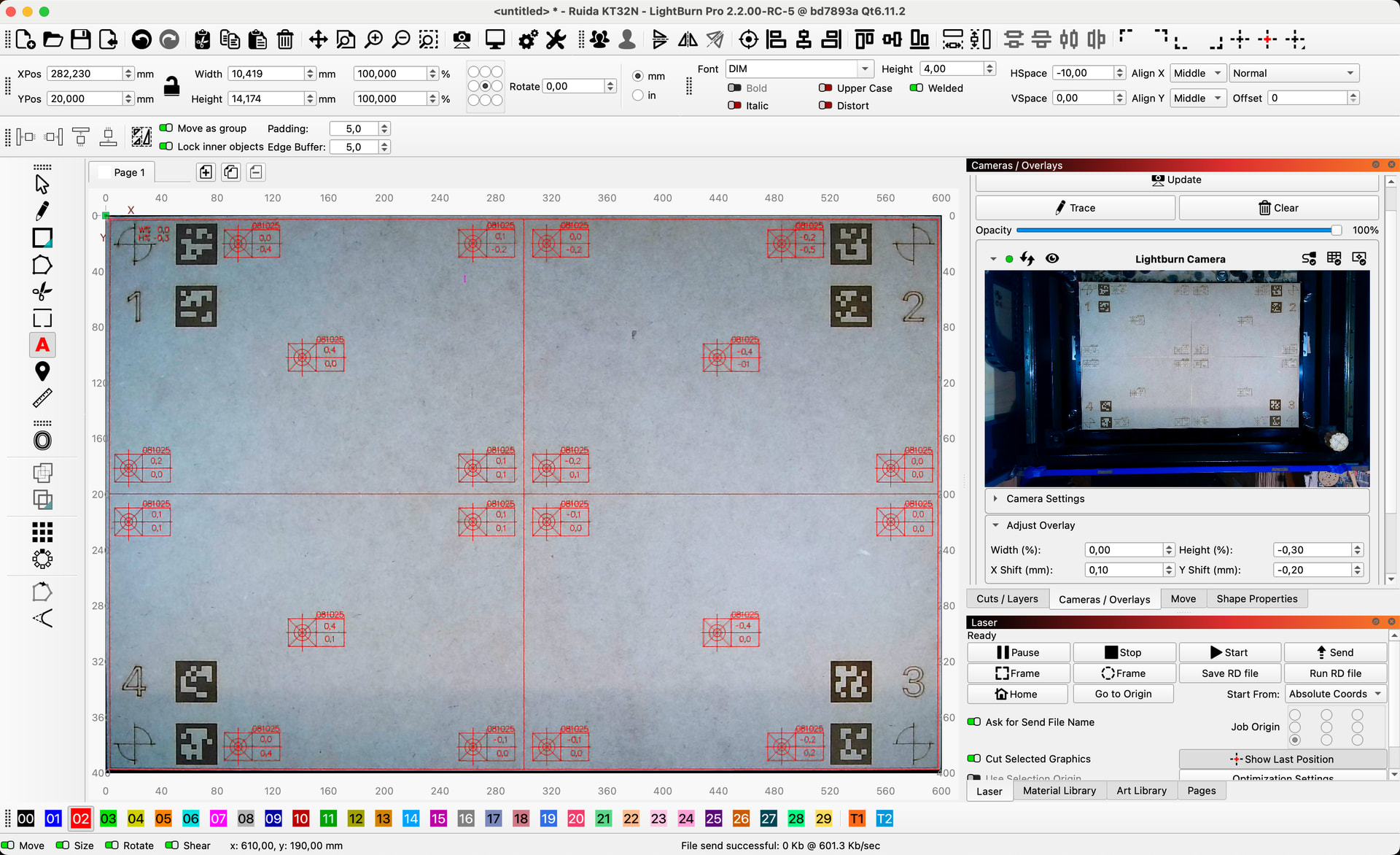
Hi Gabriel, I have spent some time fine-tuning again and I managed to achieve very satisfactory results with a new target sheet. It has been an (for me) interesting and enjoyable journey.
There is a single 0.5 mm deviation and some 0.4s there too, but considering that it is over 400x600 mm, I am satisfied with the result.
LB RC-5 new “Labs” functions such as Auto Capture and Refine Corners did not work for me. Auto Capture did not work at all and Refine Corners did not give visible improvements here with me.
Here are a couple of pictures, if there is anything I can contribute to further improvements of the LB camera part, I am happy to be at your disposal.
Hi Bernd, Im happy to hear you managed to achieve satisfactory results.
Can you elaborate what step in the auto capture process didnt work for you? Some pattern positions can be a bit tricky to reproduce. So please feel free to skip any you struggle with. Also the text above the preview should help guide you though the process.
I know this process can take a bit longer, but it should lead to better calibrations and hence to smaller diviations in your alignements. And seeing as you only need to do this once per camera. I think its worth taking the extra time to get it right if you can.
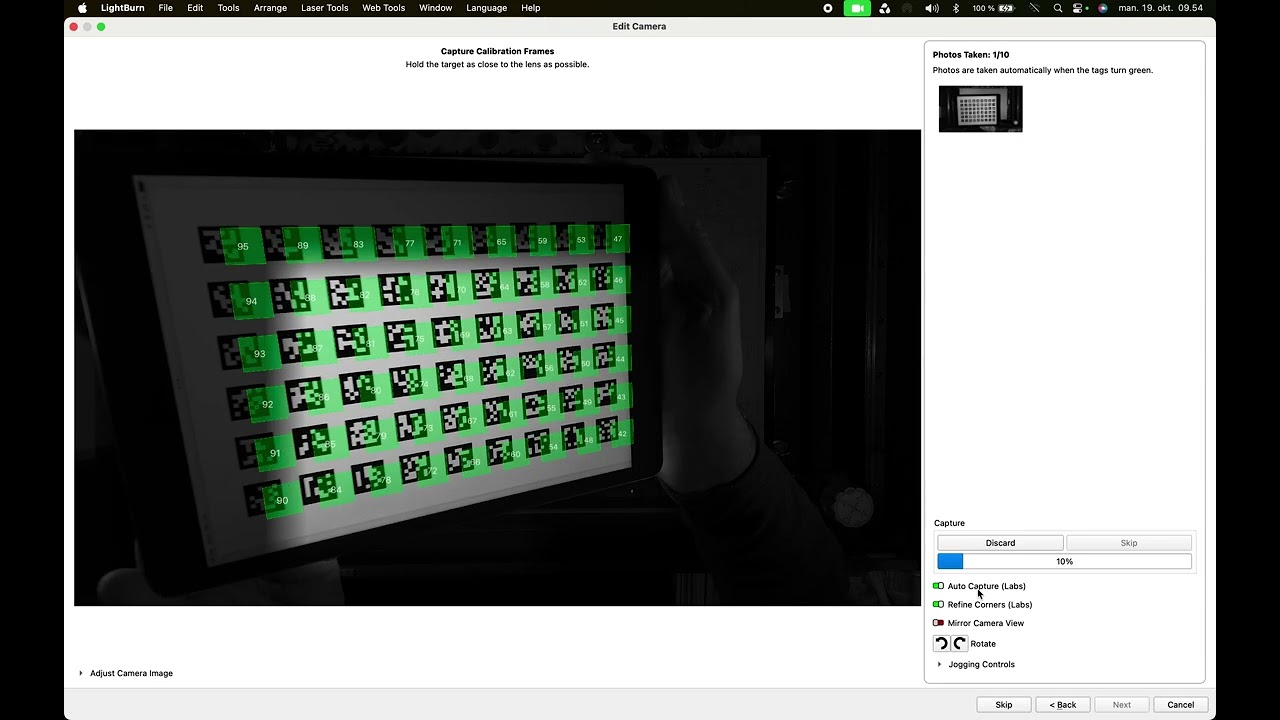
My 3 different lens calibration targets (size and color are different and are well recognized in the “normal” lens calibration) are extremely poorly recognized by the new “auto” recognition process. The info text pops up and disappears too quickly again, I can however assume what is being asked. Partly I was asked to move the target board closer to the camera…, even though it was already about 10 cm from the lens and could not capture the whole image at all.
It is regrettable that even though I spent all the necessary time and tried my best, it does not work for me here.
The “normal” lens calibration works without problems. I always take many extra pictures and do not experience any delay or other problems here.
I also experimented a bit with the “test function” to compensate for corner distortion. My (not yet documented) subjective feeling is that using this option improves the precision in the corners a little, but at the expense of the center region, where the deviations are now larger.
However, it should be remembered that I am still within a reasonable tolerance overall. So it is just an observation.
@gabriel1
I can/must revise this statement.
After some more proper tests, the result is clearly different.
I calibrated the lens with “corner correction” turned on and the recommended profile was 90%.
The deviation over the diagonal of my work area (approx. 721mm) is minimal and the difference between corners and center is nicely averaged.
It must be said that I have not manually adjusted for barrel distortion at all (width and height %), it was not necessary!
You have done a fine job with the camera part, I am very satisfied and impressed.
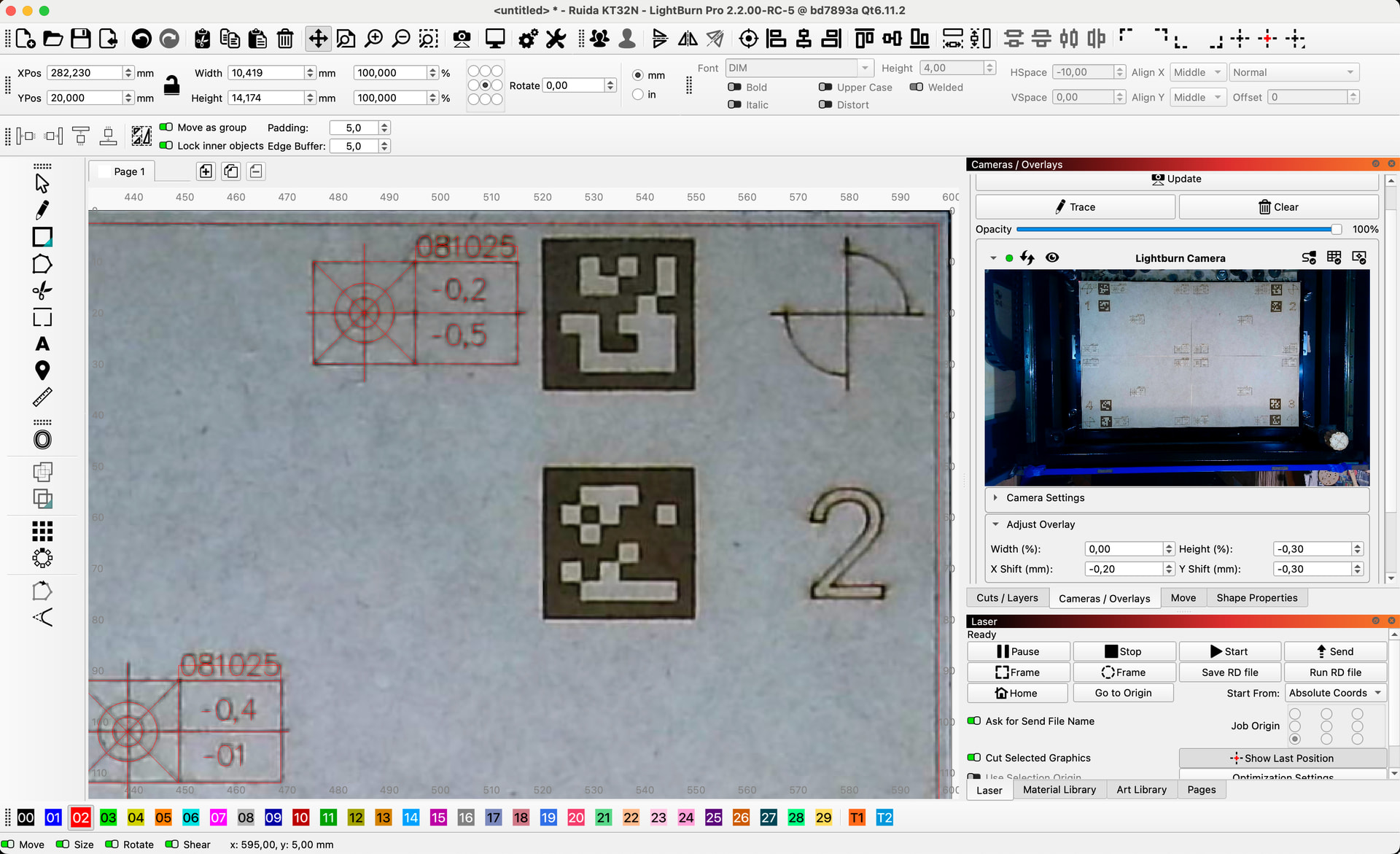
The only small thing is that I prefer the structure of the old camera menu compared to the new one. If you work a lot with fine adjustments, the locked “Update” and “Adjust Overlay” at the top of the camera window are more intuitive and you do not have to scroll in the window to switch between adjustment and update.
Could it be that the target was not properly in focus anymore at close range? Maybe a larger target could work better for you? Tag color, red → green, can also be used as guidance.
The latest RC has the hints displayed a bit more clearly. Then with the dialog in full screen it should now be easier to follow the instructions at a distance.
If you do manage to get a screenshot of the problematic capture scenario that would also be very helpful.
The refined corners feature was implemented by @JediJeremy. He will be happy to hear it has improved the accuracy for your setup.
The Adjust Overlay overly feature is now per camera, to give multicamera users the ability to adjust individual camera alignments, and for this reason had to be moved into the individual camera section.
As always, this feedback is very much appreciated.
It is almost impossible to make a screenshot with the instructions to follow and the computer 2m from the laser machine…
I will test it again tomorrow, if it works for you it should work here too.
What is the difference/advantage between the “auto recognition” and the “classic” 5 point calibration? Is it at all necessary to change something that works fast and precisely?
With a standard camera I can do the complete setup in less than 5 minutes with satisfactory results, how much can it be improved?
…I meant you as the team who did a great job, but then JediJeremy will have an extra beer on my bill
That makes sense, I just forgot about it because I don’t use my nozzle-mounted camera anymore. Maybe I should start using it again to test the improvements in “print and cut”.
I am happy to be able to contribute/give something back.
No worries if a screenshot is difficult to capture with your setup. I am just intrigued to understand why the process isnt working well in your case. If the april tags are not detected at close range, then focus is most likely the issue, which could be solved with a larger calibration pattern. Low fps cameras will also be more difficult to calibrate in auto capture mode. 30 fps is recommended.
The new algorthim ensures more pose diversity of the captured calibration patterns. E.g. Varying the tilt and distance of the pattern. This is especially important for cameras with greater lens distortions. That being said. If the current process works well for your camera and you are satisfied with the resulting alignment, then the auto capture procedure might not be necessary.
We are also very excited about the new print and cut feature. If you do manage to test this out as well. Your feedback would be appreciated.
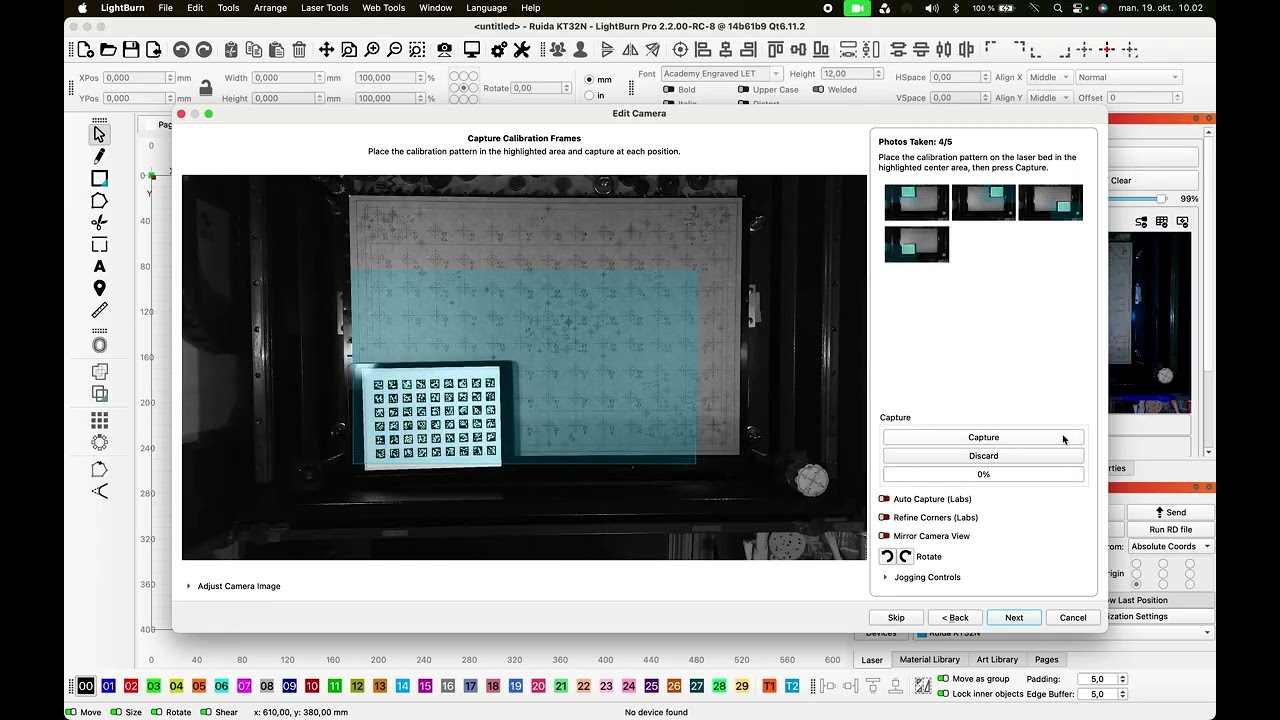
Hi Gabriel, I have found a way to document my lens calibration problems in auto mode. As a “reference” the standard calibration which takes under 2 minutes.
The screen itself during /auto) calibration is also relatively dark and the bright zone not very large…
If you have a recommendation how to do it right I would like to try again.
The dark zones are the areas of the image where capture data is still missing. As soon as you get captures in these regions, they become brighter. Goal is to get as much data as possible over the entire image area.
It also doesn’t look like you’re getting the promised 30fps there. I have made some performance improvements to make the preview more responsive. These should be available in the first 2.2 patch fix.

 and the computer 2m from the laser machine…