I see, you have the Vision Pro. I’m not sure how they differ from each other.
It might be better to do this if you run into any issues:
-
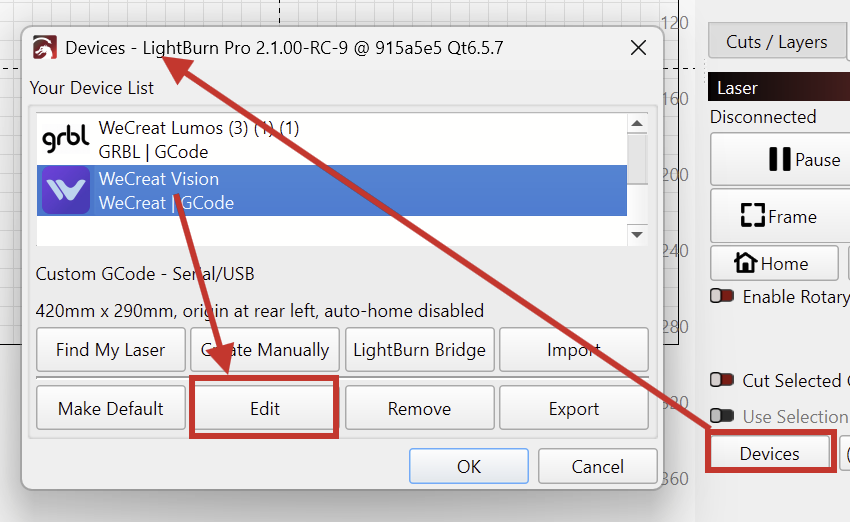
Open the Devices Menu
-
Select your old device, and Edit
-
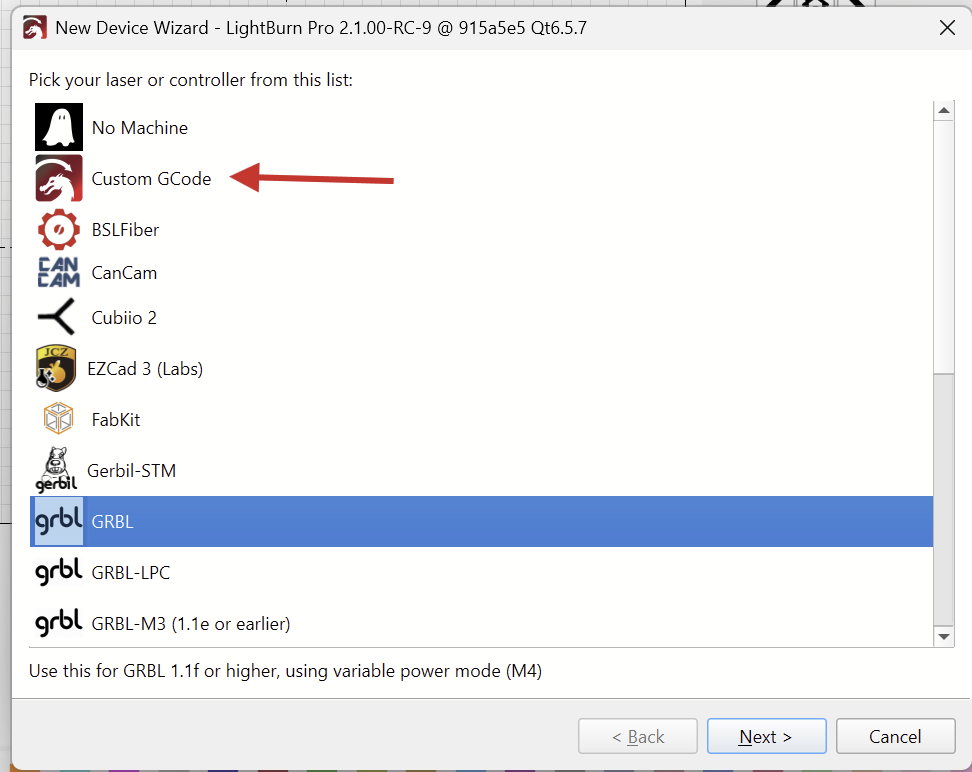
Change it from “GRBL” to “Custom GCode” and click Next a couple times, leaving everything else
-
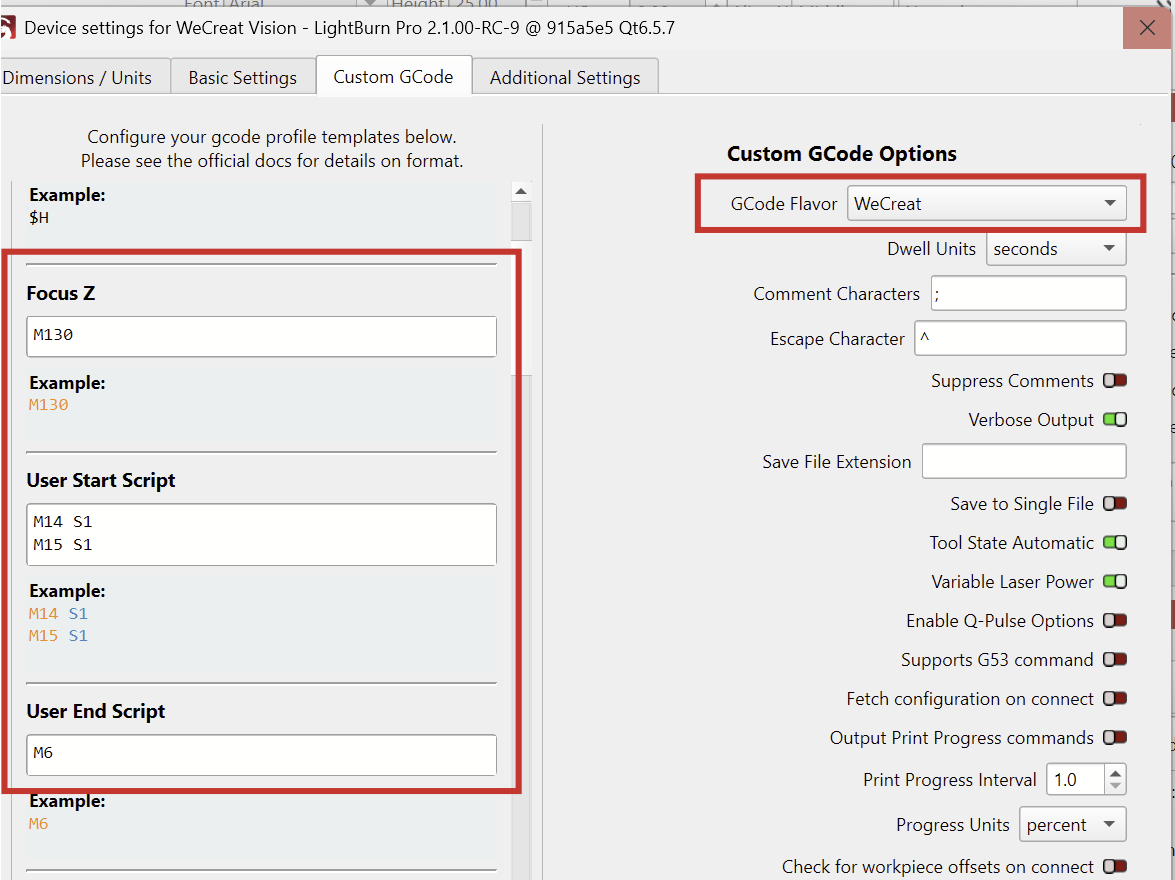
Then select this device and open “Laser Tools > Device Settings”
-
In the "Custom GCode tab, select the “WeCreat” flavor, and enter these commands in the “Focus Z”, Start- and End Scripts:
I’ve downloaded WeCreat’s device profile and performed the steps listed above.
Here’s the resulting device profile to import:
WeCreat_Vision_Pro_2026.lbzip (25.1 KB)