Hi
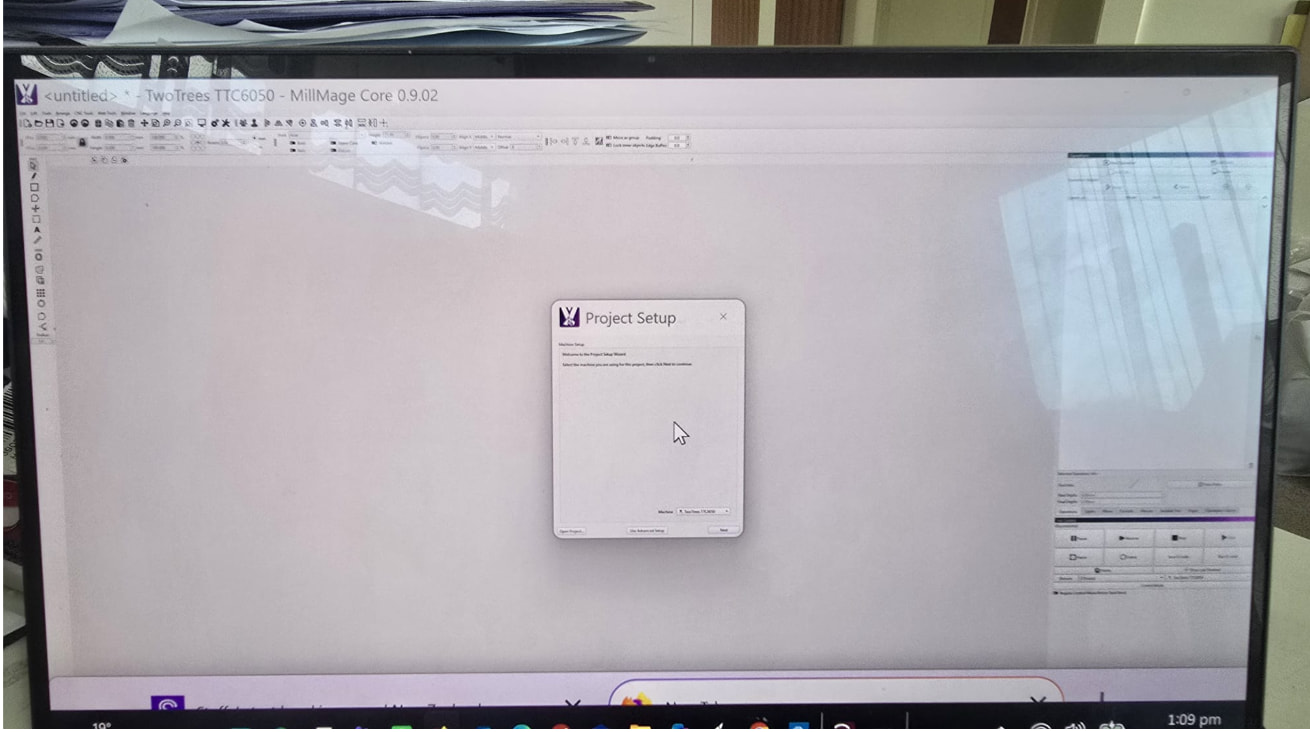
I have taken the plunge and purchased a MillMage Licence. I have it on my Desktop And it works well. I have tried to load it onto my Laptop. Unfortunately even although the screen (and MillMage) is full size everything within MillMage on the laptop is ultra small. I have to use a magnifying glass to read it. I made txt and icons larger on my laptop but that has not increased the size inside MillMage. I uninstalled it and reinstalled it with the same issue. I noticed when I uninstalled it that some information remained as it knew what machine I had. I have attached a photo. sorry I tried to screen dump but it would not let me. It must be something simple but I haven’t been able to fix it.

My capture is Lightburn, but MillMage is the same without the Camera tab.
These settings only affect MillMage and have nothing to do with Windows display settings. But make Windows good first.
Same here. I solved it with a 27" monitor. 
Thanks Mike
Its very hard working in the miniature size I have to work with. When I click on settings I get the setting for my CNC machine. I once somehow managed to get to Display settings and made the icons larger and some text but when I went out of it they returned to when I started. Text in the settings box remained very small.

Fantastic Vincent
It seem all ok now. Thanks heaps
Russell