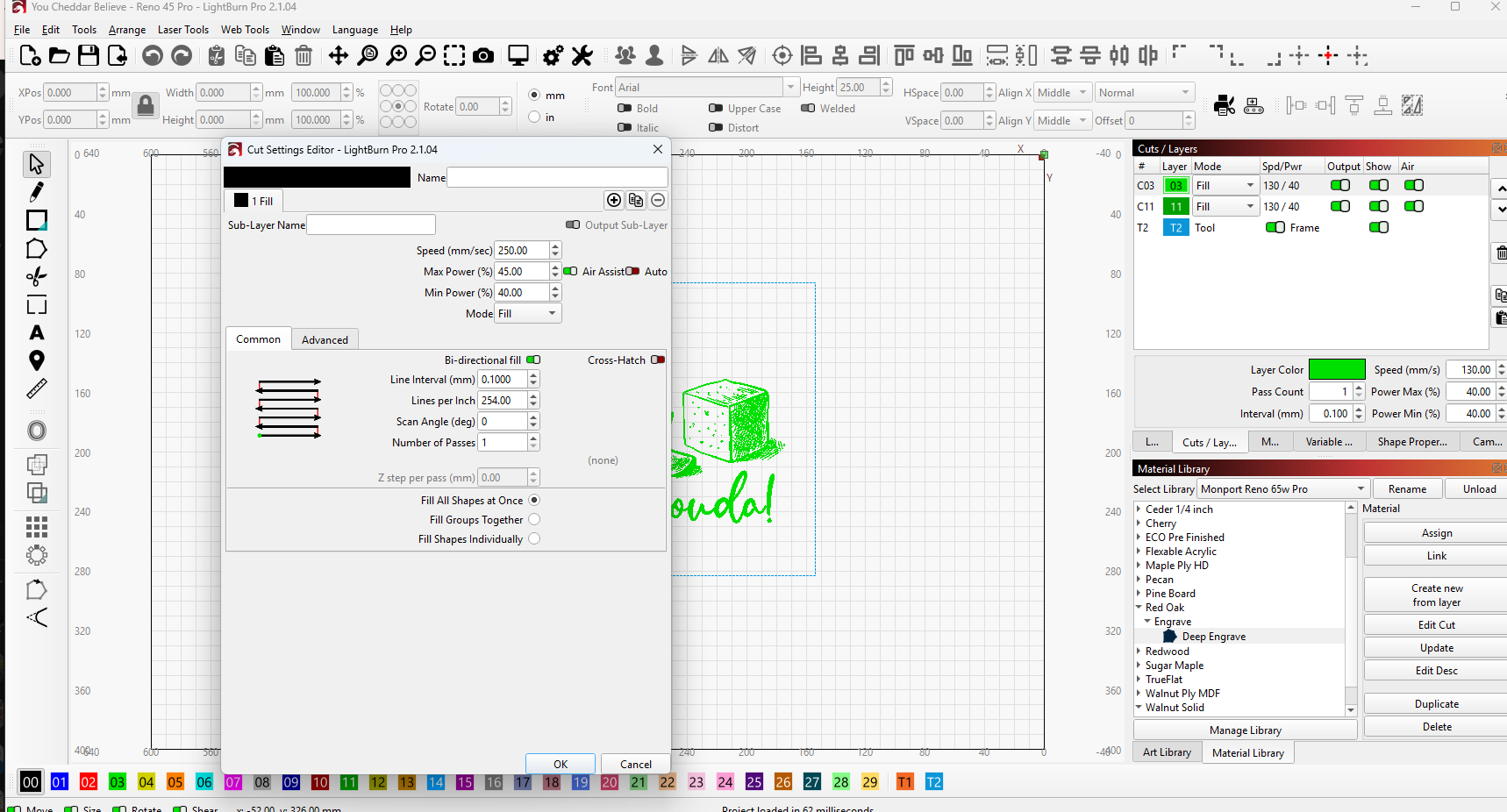
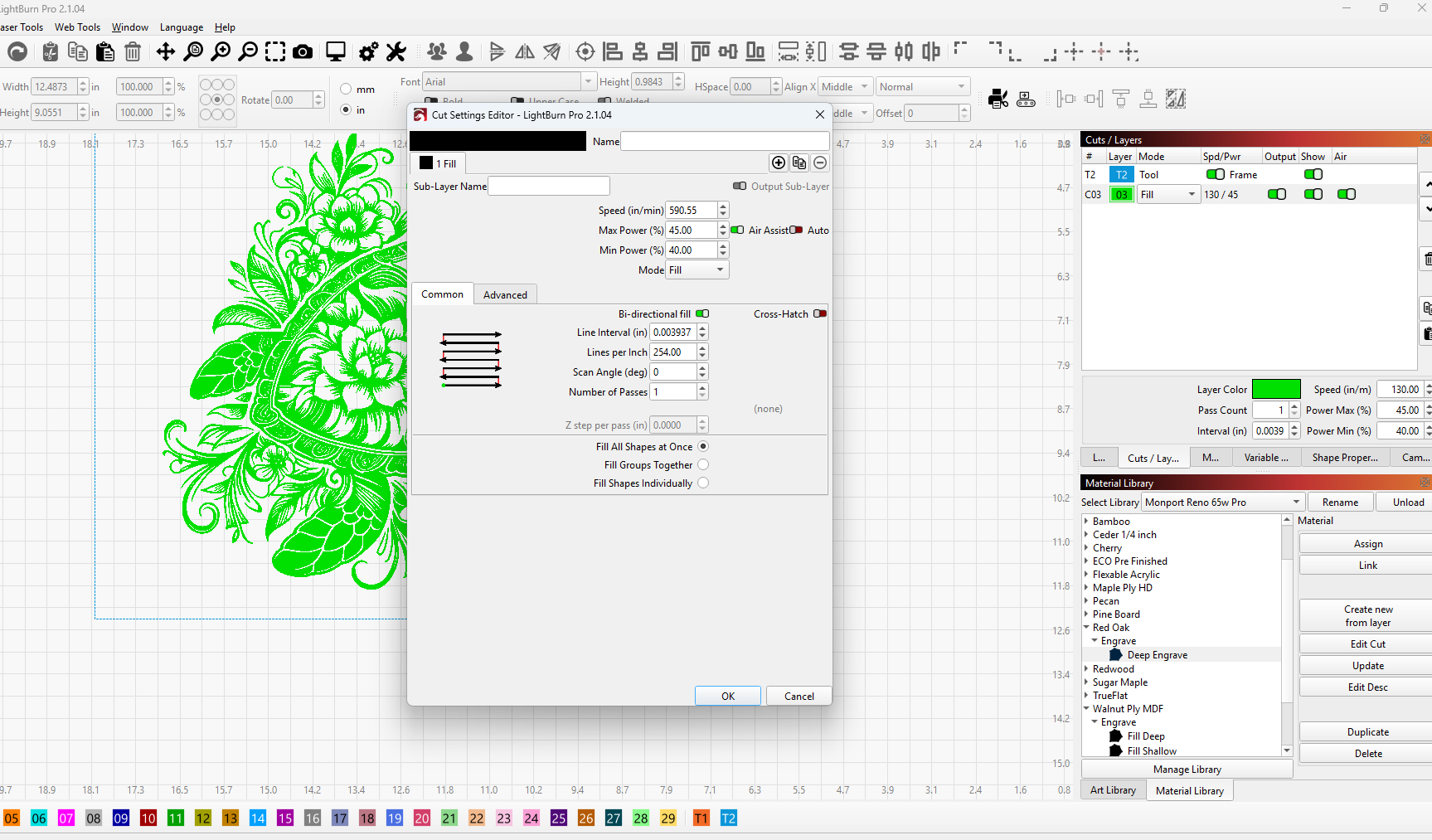
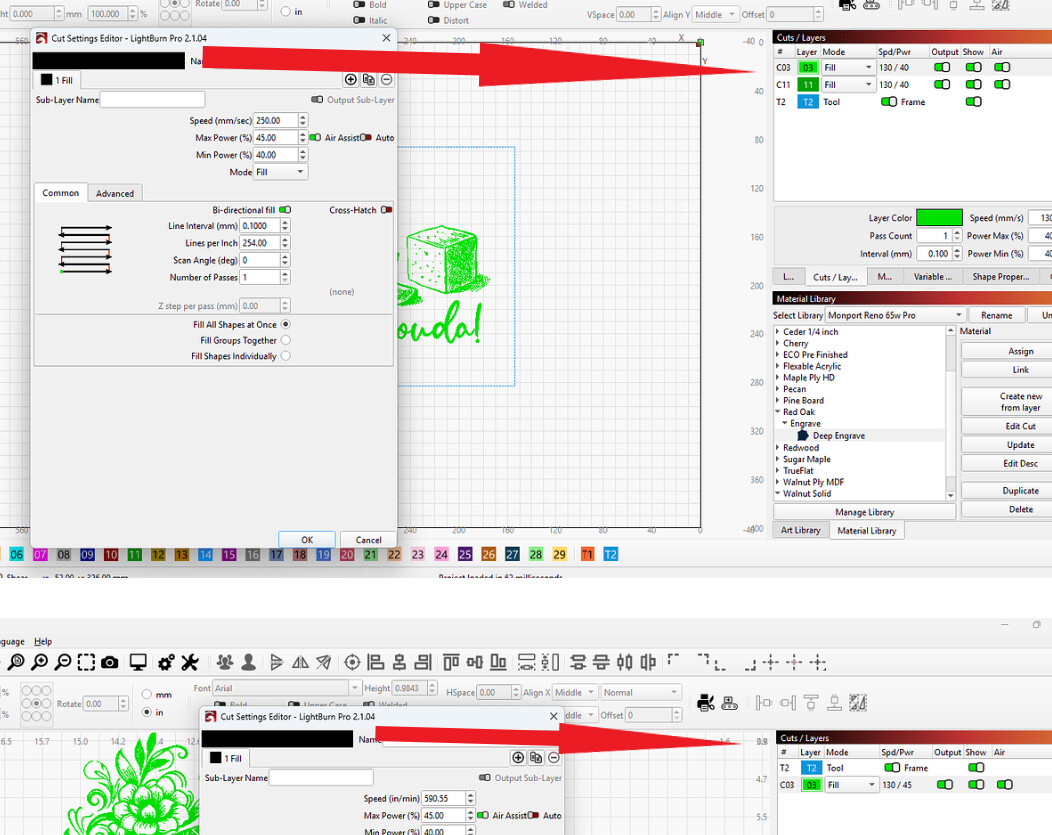
Monport Reno 65 Pro / Win11, I opened a new project and selected my cut from my Library, and it looked off, so i opened another project done on the same machine and this is what i found.
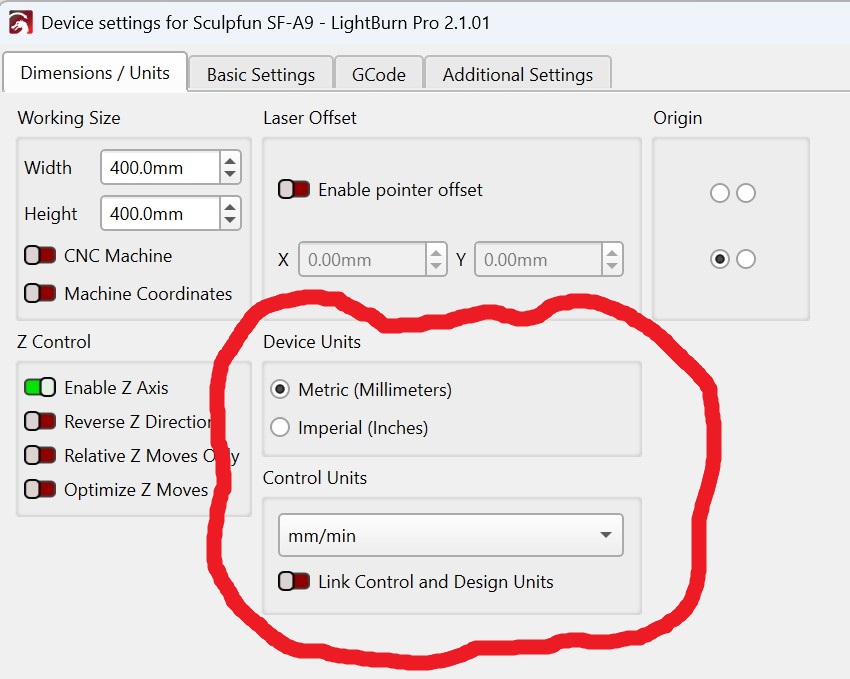
Very accurate hmm thinking! Lightburn changed how we manage control (laser) and design (grid) settings. They can now be linked with a switch. Design and run in same units = switch on. Design in inches and run in mm (or the other way around) = switch off. Turn the switch off and recheck all your settings.
i would agree with you but when i open the library up on 2 projects on the same computer, same laser… one would think the setting will be the same… so I am getting 2 different readouts in the same library for the same material. hmm
It entirely depends on what you are currently viewing the workspace in, because you have Design and Machine units linked. If one window is set to MM, and one window is set to IN, you will see two different numbers there. They are effectively the same, just displayed in different units based on what your workspace’s current setting is. Turn linked units off to prevent this.