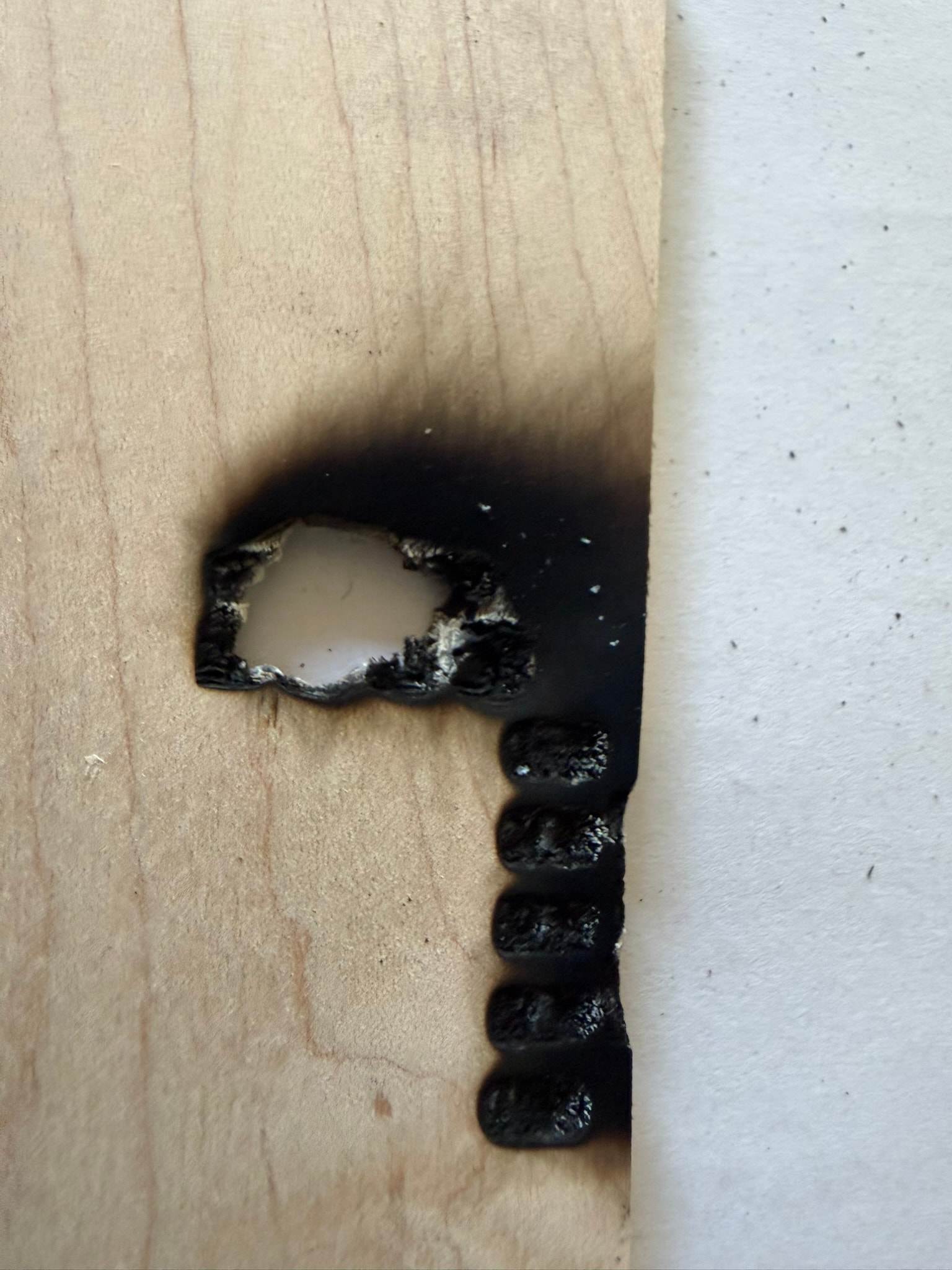
I have an xTooll S1 40 W laser. I need some help with the settings. I listened to several youtube video and seemed to be lost. I am trying to generate a test grid for solid maple 3mm but seem to burning holes and not generating a good grid. I am not sure how to configure the cutsetting Editor. I don’t want to cut anything. I may have other setting issues, too.
with the settings provided, here is a photo of what I got. I tryied stopping the burn by hitting stop, hitting pause, and those two didn’t stop the laser so I powered it off.
Was not sure what the .lbmt contained, but that was not it. When someone asks for your “settings”, they are looking for stuff from the Cut Settings Editor window.
Correction: I drew a square and got unexpected fill-ins there, so…
If you have 8000mm/m, 70% power, not Constant Power, 4% Overscan, and 276.09LPI, then we have what I was asking for. Based on these numbers, and the fact that I also have a 40w machine, I am going to comment…
You can run 8000, but I rarely exceed 6000mm/m on a fill, single pass.
70% power is likely too much. Try 30% at 6000mm/m.
276.09LPI cannot be obtained by your laser. Your dot at focus is likely closer to 0.15mm. That means the best resolution you can obtain is 170LPI. Any finer and you are double burning a portion of the previous path. In your case it is about an 80% overlap.
Your 3mm Maple likely burns like 3mm Basswood, which is a whole lot cheaper to practice on.
If I got the right data from your uploaded file, we should have good answers. If not, these are still good answers. I have 10w and 40w lasers. One is my scalpel, the other is my chainsaw.
One last comment, if your air assist does not run at low speed when engraving, turn it on. If you do not have air assist, you risk gunk on the laser lens and a repair in the near future.
xTool is not fully 100% GRBL compatible, so this may be an issue with your machine. Research to find out if there is an .lbdev file for your S1 model. The Lightburn developers have done a remarkable job trying to get xTool lasers compatible.