PreRelease 2.2 RC-2, Epilog, macOS

Epilog Fusion Pro48, 80 Watt. macOS Lightburn

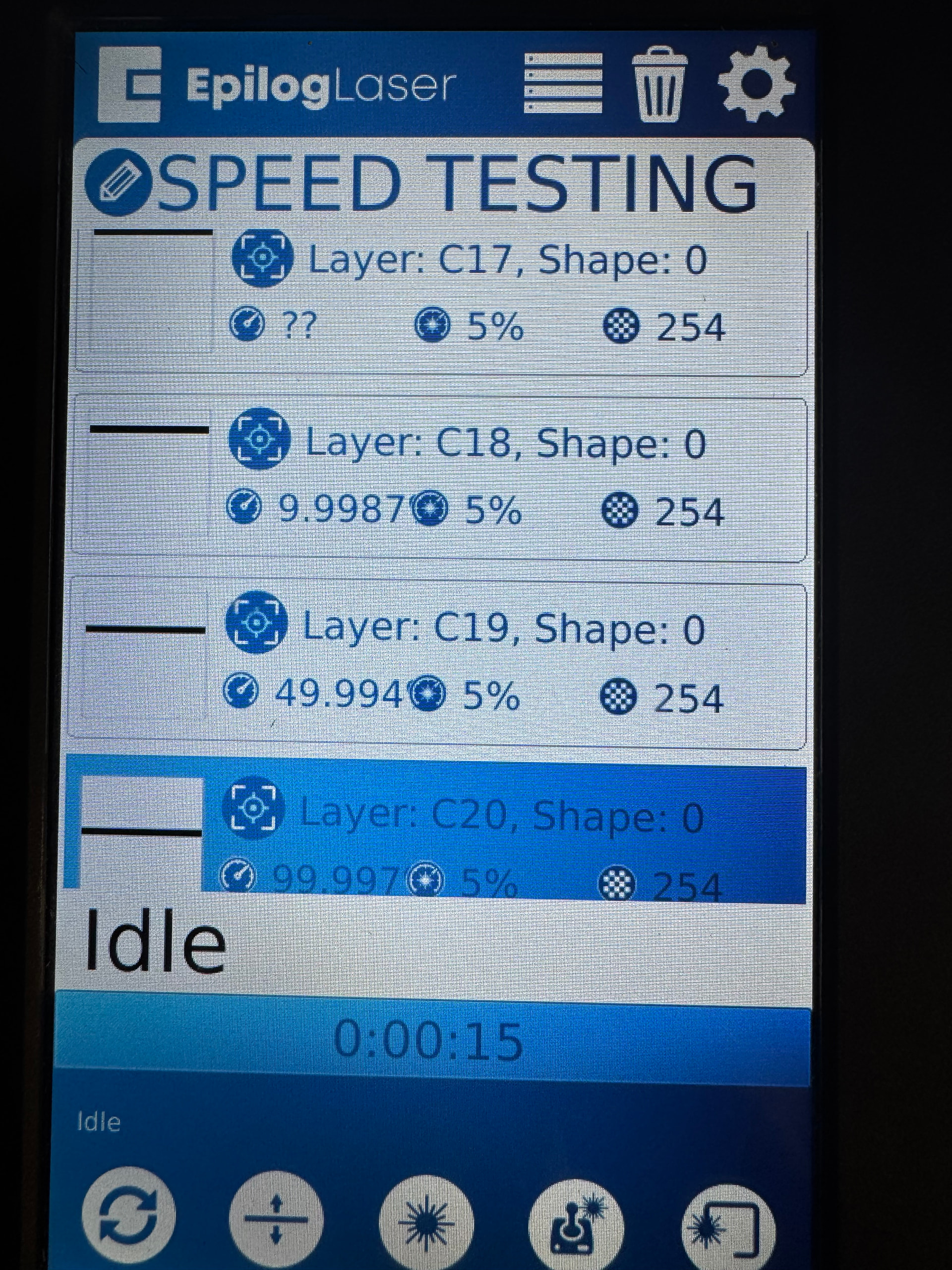
I sent a few test jobs to my Fusion Pro. The laser doesn’t appear to acknowledge or recognize the speed settings from Lightburn. No matter what speed I send, it seems to run at the same speed. I tried 10% speed, 50%, and 100%. The interface on the laser show “???” for the speed for each job I send.

Hi Dan,

Presumably you are sending the job to your Epilog using the ‘Print (Keep Colors)’. This means only limited job information can be transmitted from LightBurn - like shape geometry and layer colors, Cut Settings like speed and power will have to be applied with the Epilog software.

I believe you can use ‘color mapping’ to make this easier - to map LightBurn layers to preset material settings? - something like this:

Sending directly to the laser from lightburn. The Epilog Software Suite doesn’t support macOS.

The laser recognizes power settings, just not the speed settings.

@NicholasL we (quietly) added Epilog support in the 2.2 RC-2 ! :wink:

The speed uses mm/min by default. Were you referring to the Laser Power % instead?
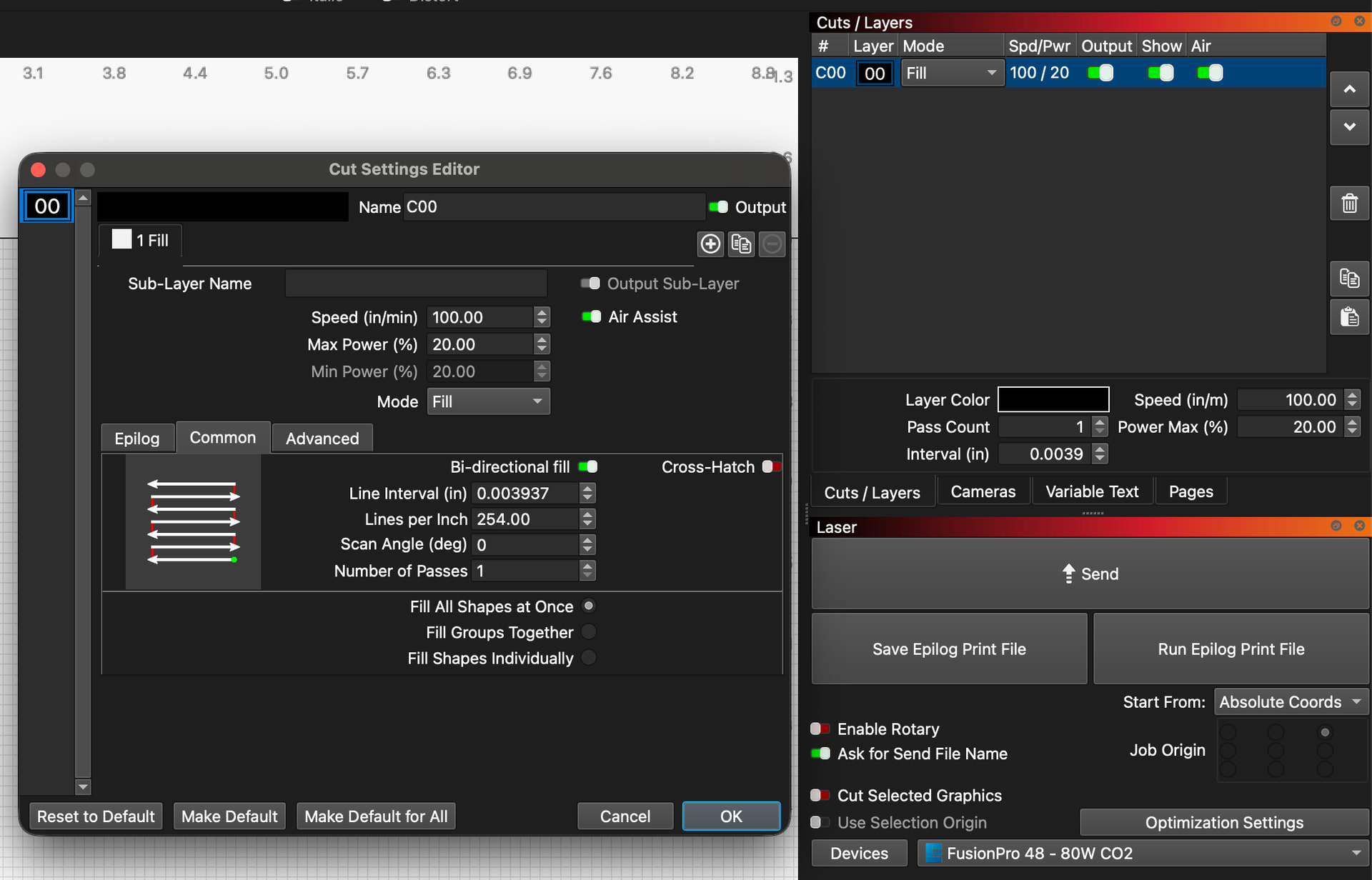
Please also confirm that you selected the correct device type as shown in the “Laser” window here:


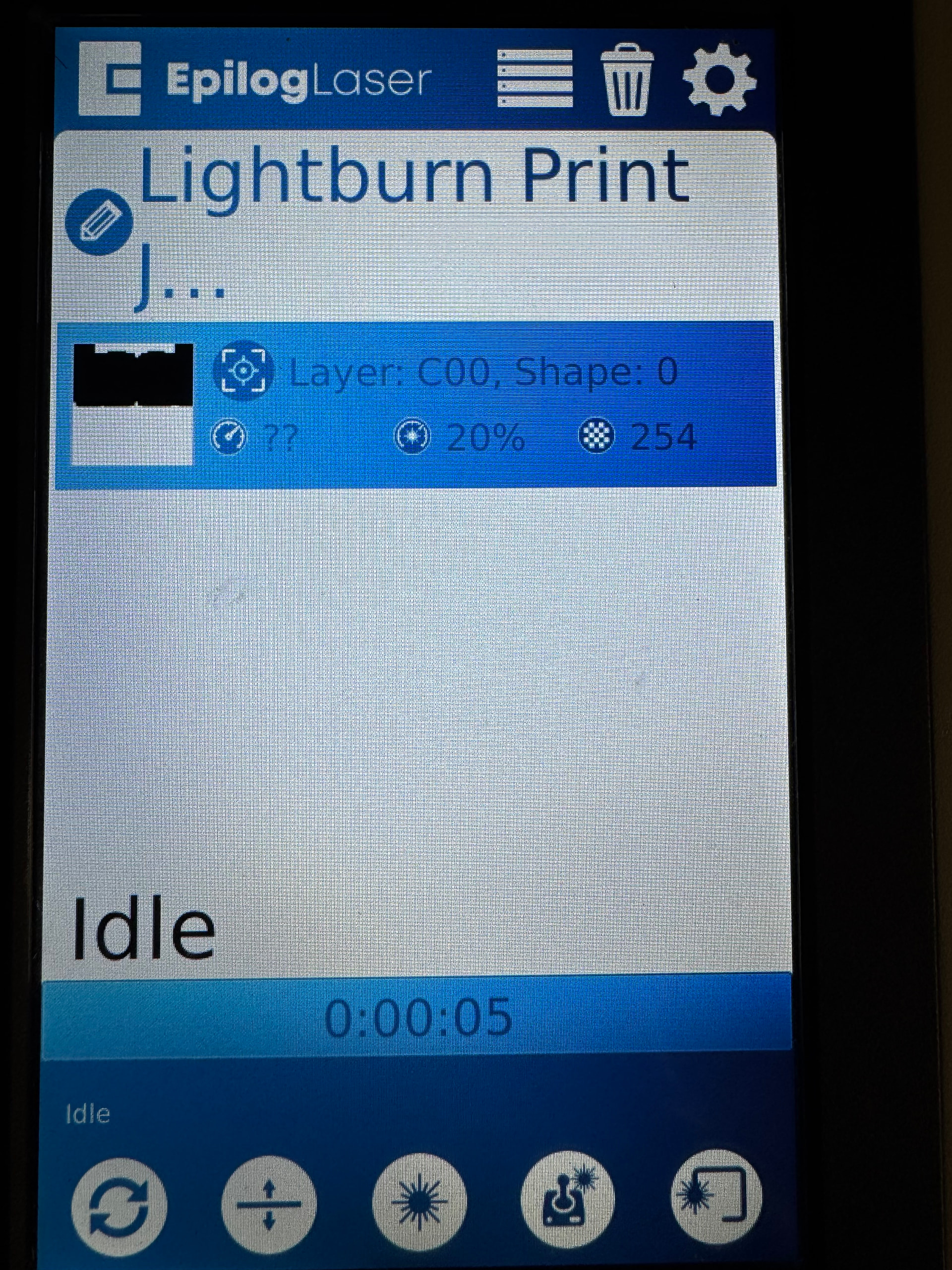
Could you send us a screenshot of the cut settings, and the mentioned “???” on the laser’s interface?

I completely missed that one! :sweat_smile:

Ok, I figured out what was going on.

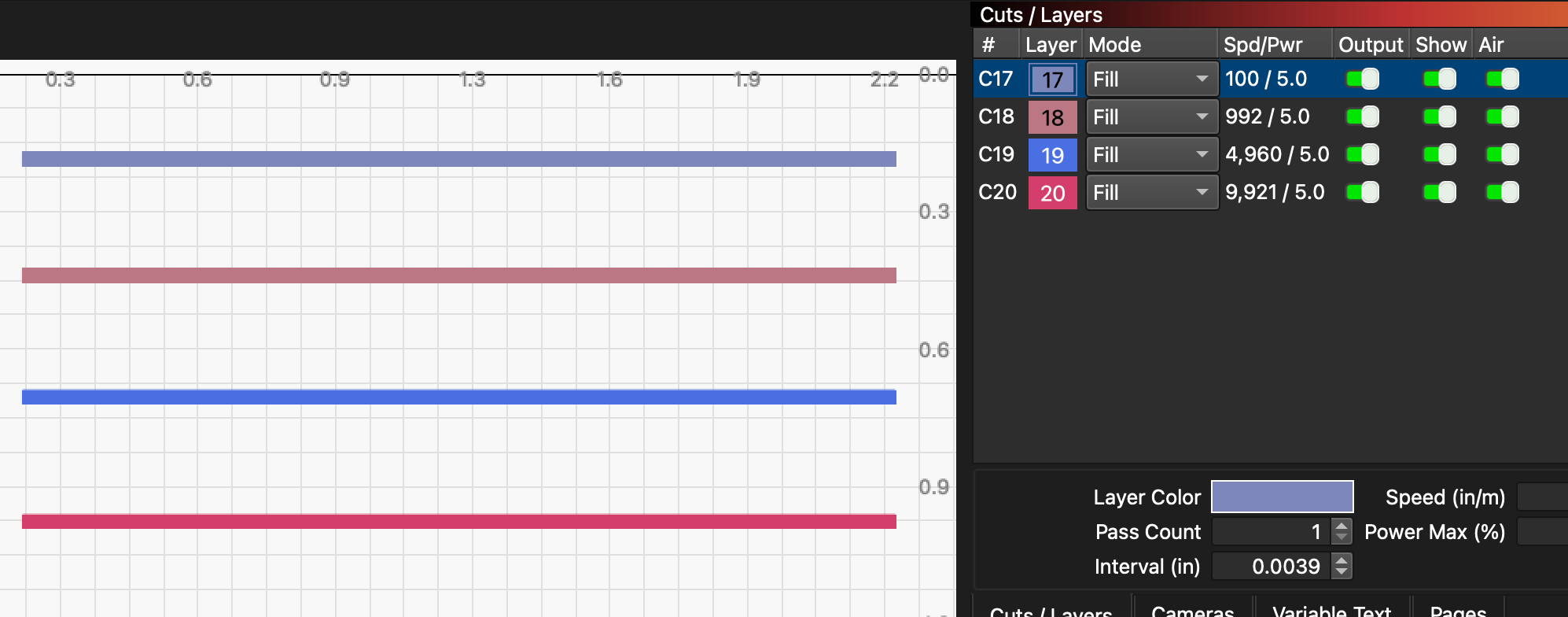
I am so used to setting cut parameters for this laser in a percentage format. So I set the speed to 50, which in my head was 50% speed when it was actually 50in/min. Apparently 0.5% speed is below the threshold that the laser will recognize? I set the speed to 992 in/min which is approximately 10% speed, and things worked as expected.

But, if I set the speed to 99.21in/min which should be 1% the laser travel speed is a lot faster than it should be. The laser control screen show ?? for the speed.

Nice!
Thanks for the explanation and pictures.
I’ll see if we can integrate some checks to mittigate this.

In fact, a dev confirmed that this shouldn’t happen in the first place.
As the tooltip for the speed states:
“…tops out at 9,921 in/min. Faster Settings are reduced to that when the job is sent”

So they should display 9,921 in/min on the device display, never “??”.

We’re working on a fix. Thanks for bringing this to our attention!

Thats unusual regarding the low speed - what happens if you change that to exactly 100 in/min? still super fast? still ‘??’

Yes, 100in/min is still fast. The laser should recognize this as 1% speed but it doesn’t.

The screen on the laser reads out percentages instead of in/min for speed. The laser is capable of run as low as 1% speed all the way up to 100% speed.

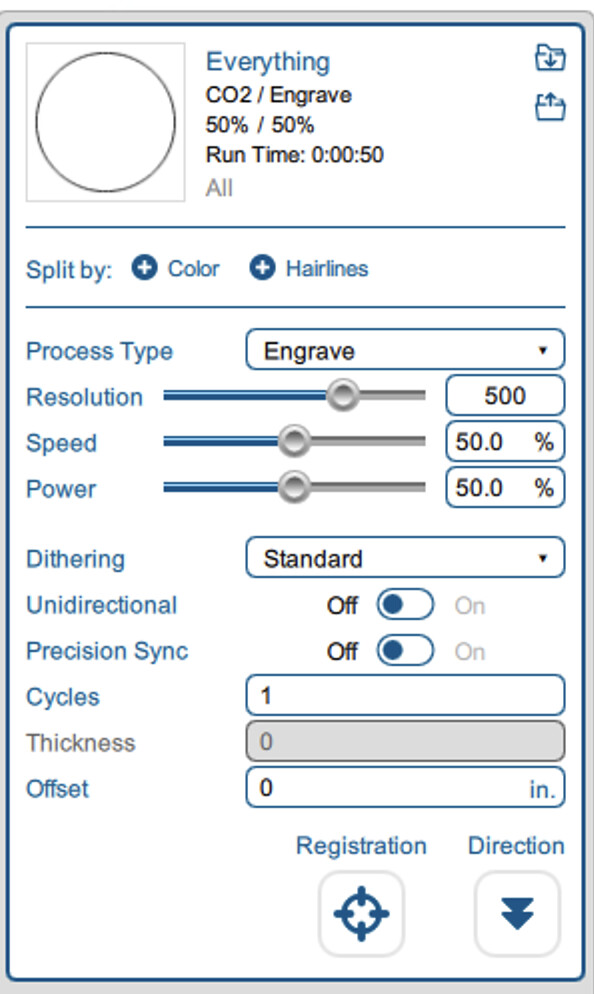
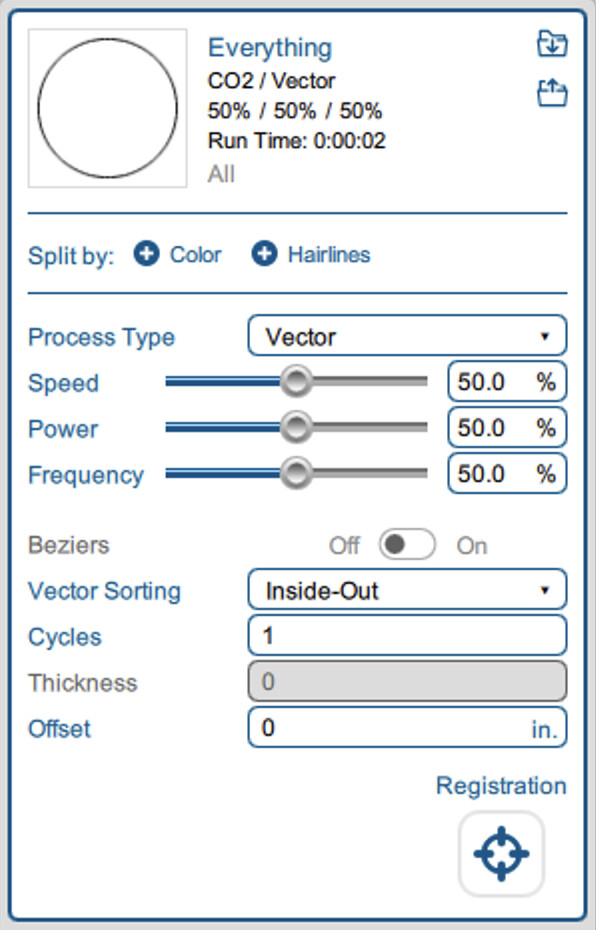
Here’s a couple screen shots of the epilogue dashboard engrave/cut settings from my windows machine. As you can see, speed/power/frequency are all percentages.

How fast is “a lot faster” - how does it compare to the 10% speed @ 992 in/min? - less or more? What would you guess in %

Non-owner here, but is your laser actually capable of 9921in/min (9+MPH)? That 1% is 1% of max laser speed, not max Lightburn input box.

If I ran my 40w diode laser 100% power at 1200in/min, I doubt it would even mark photosensitive coating. If I am way out in left field, let me know.

I’ll run some tests tomorrow (Saturday).

Yes. The Epilog Fusion Pro48 is capable of 165 inches per second, so about 9.3 mph.

Wow! Keep your fingers out of that thing! :rofl:

That’s for engraving, but still keep your fingers away :slight_smile:

Ok, there is a definite speed change but the 1% speed is faster than the 10% speed. I ran 4 different speeds as shown in the screen shots.

Youtube video of speed comparison test → https://youtu.be/2WTPieRU7Bc

While doing this, I notice that the laser doesn’t seem to follow the power settings either so I ran a ramp test for that also.

Here is a YouTube video for the power ramp test → https://youtu.be/aGsI0pBo-ps

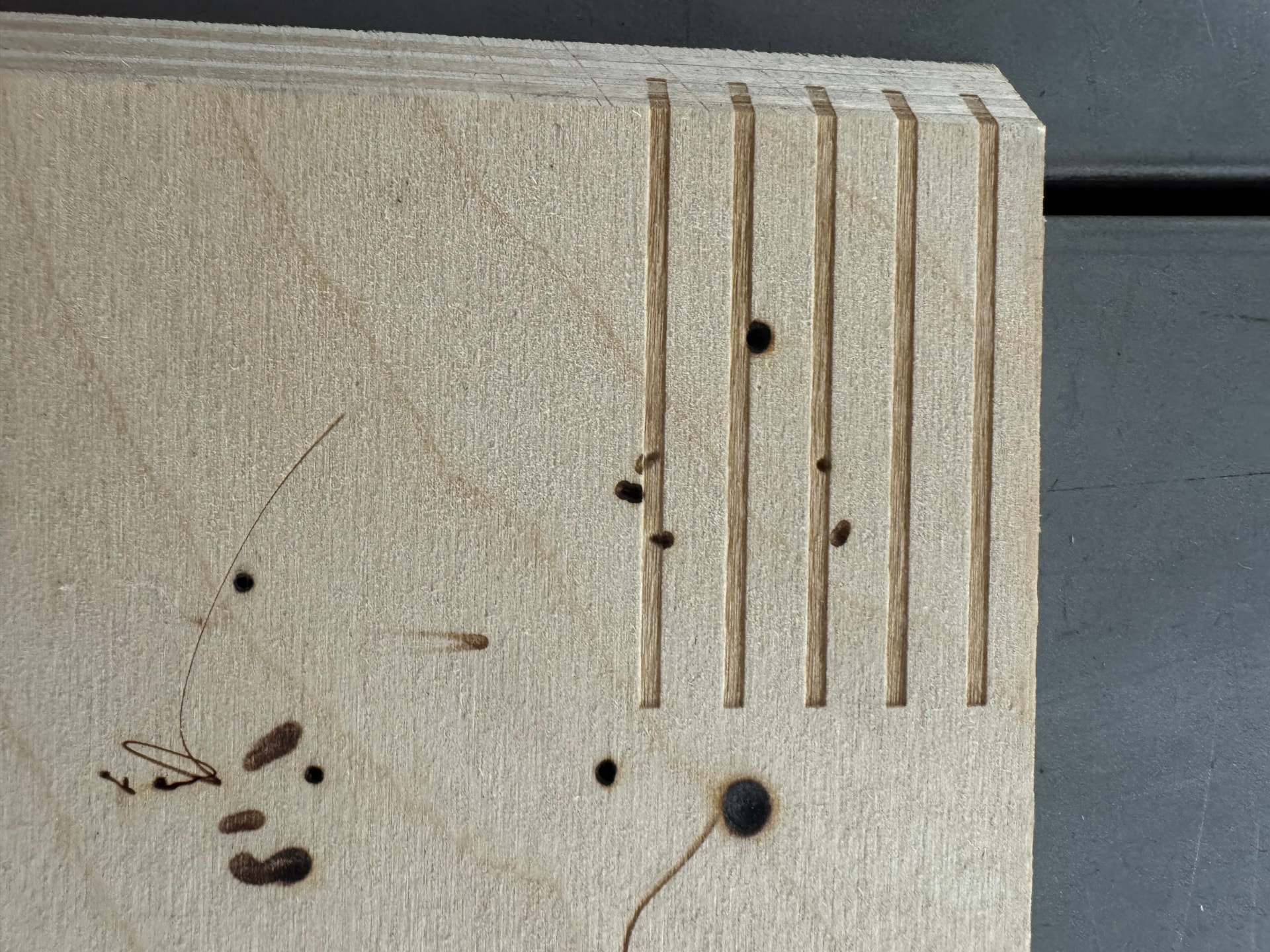
Here is a picture of the results, no noticeable difference in the burn despite the power changes.

Thanks again for the report, @DanLand !

There was a bug in the Epilog job creation routine by falsely applying of 100% power value instead of honoring the LightBurn provided values.

The speed on the display showing as “??” was something else, and also fixed for an upcoming release.