Hello!
When I open or import a file (svg, dxf, gcode…), the design is placed in the center. How can I open it using original coordinates? My use case: I use a CNC for milling PCB traces (using gcode for that). The same CNC supports also a laser module, which I want to use for removing the solder mask over the pads, so I need to keep the original coordinates.
Thank you,
Dan
The best you can do is draw a reference line in your file before you export it. If you are working off of a 0,0 in the CAD program, draw a singe line from 0,0 to another point that does not touch any shapes. When you import into LB, move the entire image using the 0,0 endpoint to where you want it.
It depends on what you are using for a reference in your CAD program. Most people use 0,0
1 Like
If you have matching coordinate systems on the two machines (my CNC in MillMage matches my Lasers in Lightburn) and you use Absolute Coordinates, you should be able to switch back and forth with ease. Maybe I got lucke, but it wirks here.
How to use Absolute Coordinates? I believe this is all I need, but only mention of it is in “Start From:” field, which doesn’t help. I am using absolute coordinates in the gcode that I import to LightBurn, but still the design is moved to the center and, after saving the imported file, the coordinates are altered, corresponding to the center of the table.
The reference is half of an issue, in my case. My project uses 0,0 as reference, but the CAD considers the origin to be in the upper left corner, so a translation is necessary. However, my CAM (CopperCAM) takes care of that and outputs gcode files having the origin in the lower left corner, but that gcode is still translated to the center of the table. Can’t use directly the gcode from CopperCAM because that one is for mill bits and there are a lot of changes to repeatedly turn the laser on and off.
My workaround is somehow similar with yours, but I don’t like it much - I open with a text editor the gcode generated by my CAM and look for the lowest values for X and Y, then open the svg for the same layer in LightBurn (should work with gcode, too, but I believe LightBurn generates better paths for laser), select the entire design, set the reference to lower left corner and change XPos and YPos to the values taken from the original gcode. The mill bit diameter is set to be the same as laser beam diameter.
The attached LB file is a 30mm square with the lower left corner at 0.0 in the workspace. Power is set at 0.20% so it will not mark anything.
Load it up and tell us what it does…
GCode files do not have coordinate information. They just have motion commands. If it is a G90 file (absolute coordinates), it uses your machine Origin as a starting point. That Origin can be anywhere and is not the same as the Home position, which is fixed in location.
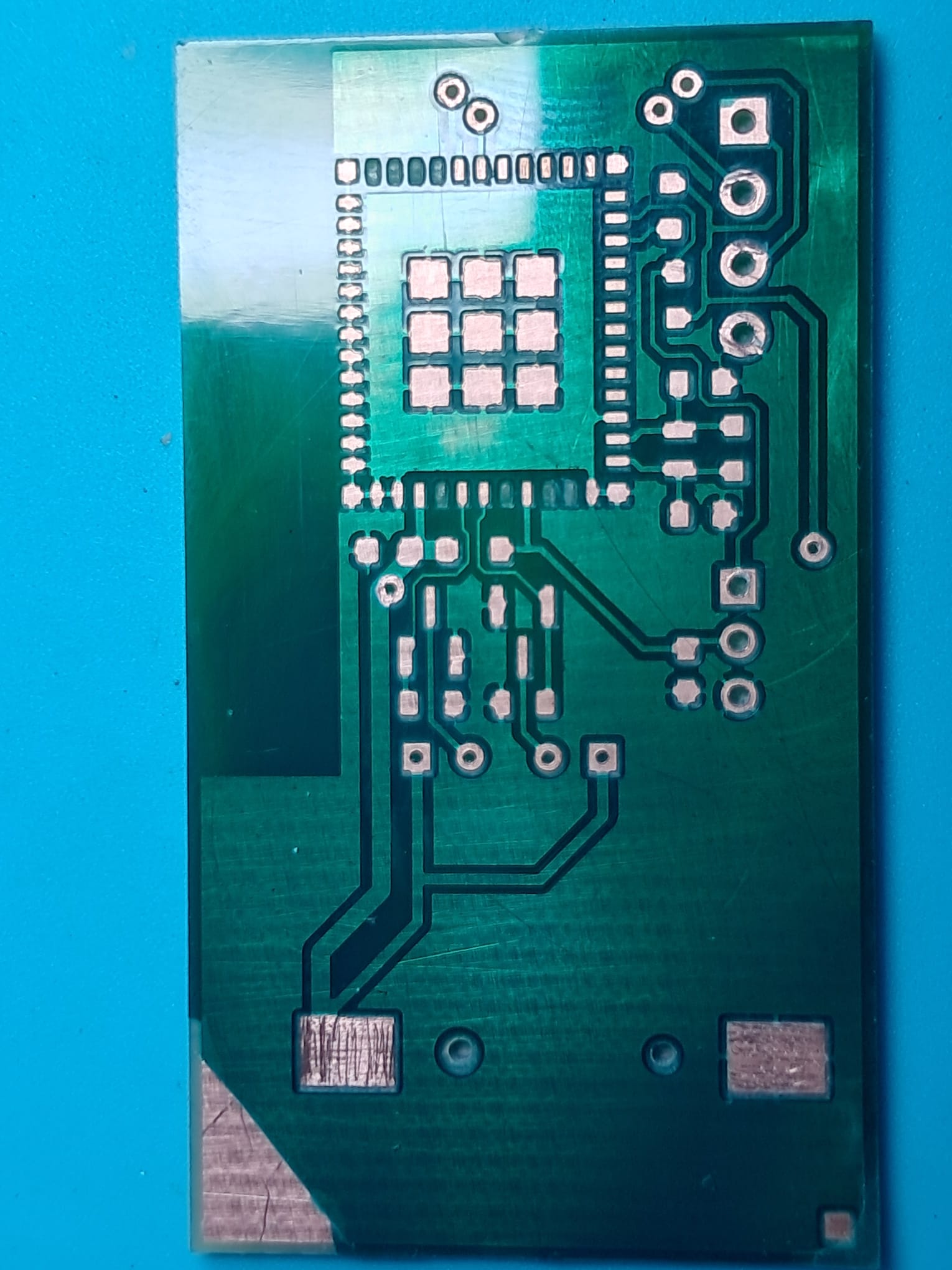
I can’t see any attached file. Anyway, I am aware of G90/G91 commands in g-code and G90 is close enough to absolute coordinates for me. The problem is that LightBurn shows the image centered, even though the input file contains coordinates. And if I tell Lightburn to use (0, 0) as reference, it will draw the first element of the image starting at (0, 0), even if in the original design that element was at a different position (let’s say my file contains only a 1mm square having the lower left corner at (1, 2) - LightBurn will put the lower left corner at (0, 0)). I corrected this by finding the lowest X and lowest Y in the original design and using them as offsets in LightBurn, but it’s a supplementary step and I was hoping to avoid it. Attached is the current result - green layer was burnt with laser, the traces behind it were milled.
Sorry, I am on the road. It was a Lightburn file with a 30mm square, lower left corner at the 0,0 position in Lightburn. You can easily duplicate it and use Absolute Coords.
G90 specifies absolute coordinates. There is no “close enough” involved.
An imported file, be it SVG or DXF, will be located by Lightburn where the file says it wants to be located. This does not apply to other file formats, like NC, AI, PDF, and JPEG. These have no coordinate information.
Only .lbrn2 files should be “opened”. All others should be either imported or drag and dropped.
I apologize for not providing better feedback, but my car broke down enroute and screwed up my schedule.
G90 sets coordinates relative to workspace origin, which is not necessarily machine origin, that’s why I added “close enough”. I agree, it was not absolutely necessary.
Below is a snippet of a nc file generated by LightBurn, which has coordinate information. It will instruct the machine to go first to (0.72, 1.45) position relative to the workspace origin, then to do some motions relative to current position. If I load it into a CNC controller software, it will be shown at some offset from zero (lowest left point of the design will not be at zero). If I import this file in LightBurn again, that offset is lost. My point: nc files DO contain coordinates information (meaning exact placement of the entire design on the workspace), but LightBurn is only interested in the relative positions of the engraving paths, ignoring the original position of the whole design. That’s probably normal, since this application is meant to be used with laser engravers, not CNCs. About using LightBurn projects, it does not help much because I still need to manually add those offsets before saving the design as project.
I believe the topic can be closed, and maybe used as a suggestion for developers to add the possibility to preserve the original coordinates.
G00 G17 G40 G21 G54
G90
M3
; Scan @ 600 mm/min, 20% power
M107
G0 X0.72Y1.45
G0 Z0
; Layer C00 Pass 1 of 3
G91
G1 X0.15F600S0
There is nothing in the NC code that establishes a reference location to start from. That is determined by the current position of the machine. If this is not true, please show me the code.
I believe that is not in the NC Code Standard.
Copy that. We seem to not be able to agree on the mechanics of how CNC machines and NC code operates. Without that, discussing coordinates in Lightburn is futile.
This topic was automatically closed 30 days after the last reply. New replies are no longer allowed.