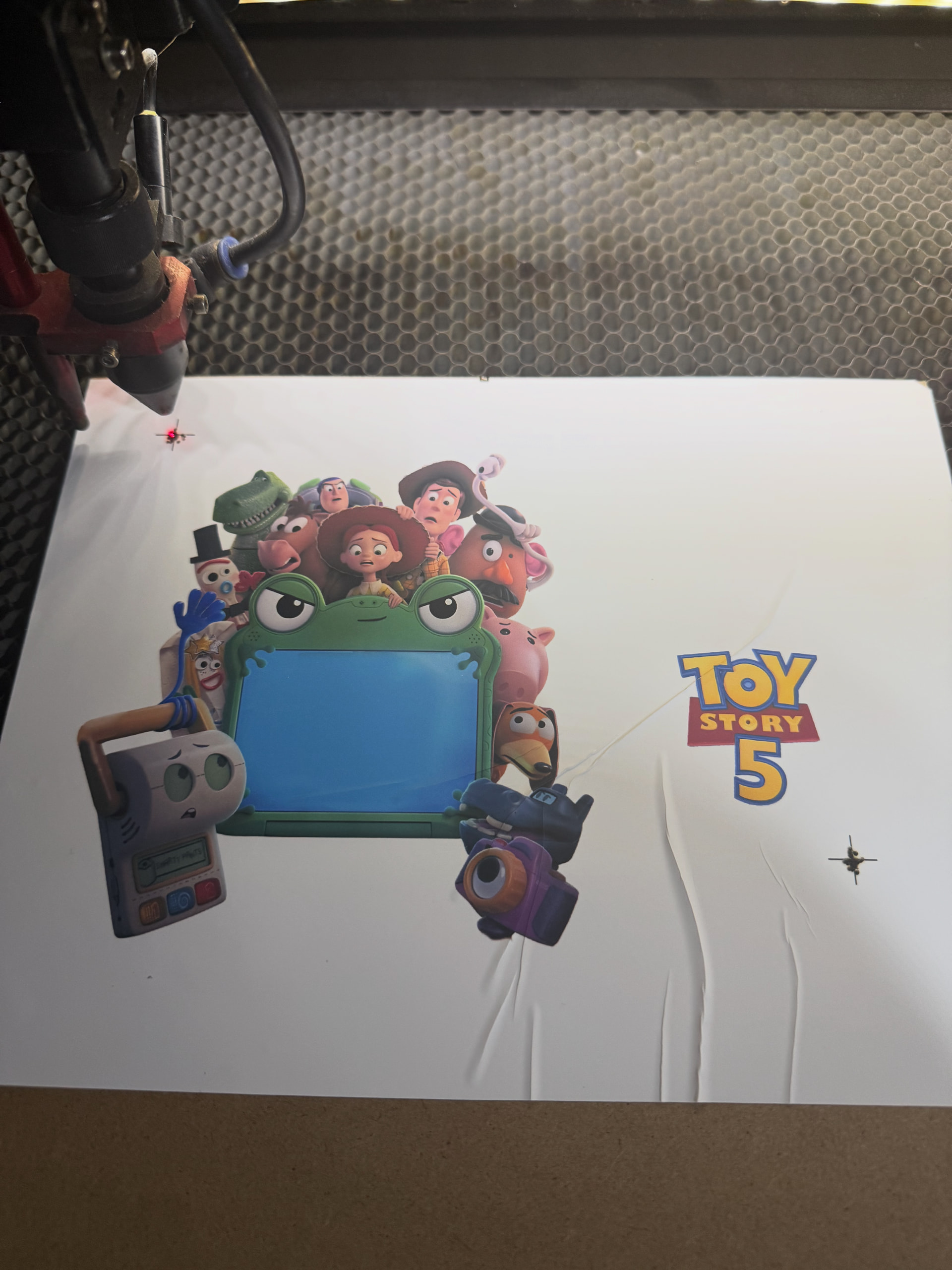
When I try to perform a Print & Cut job in LightBurn, the cut is not aligning correctly with the printed design. The registration marks are being detected in the correct locations, but the design is being cut off to the side. Based on the settings shown in the images, can you identify what I may be doing incorrectly?



Your profile says “Ortur Laser Master 2”, which definitely isn’t the macine in question; based on the LightBurn Move window, I assume it’s a big CO₂ laser with a Ruida controller. You can update your profile through the link at the bottom of the License Management tab in the upper right of the forum meu bar.
The layout orientation in the two photos of the material on the platform does not match the outline shown on the controller console: the latter looks like it’s rotated by 90° clockwise.
The number scales along the LightBurn workspace suggest the Machine Origin is in the front left corner, which is possible, but unusual. An incorrect origin would account for the rotation.
The Machine Origin in the Device Settings must match the corner where the machine homes when you turn it on:
The controller also has a screen origin setting, which should be correctly set by the seller and must match the home corner. You can (probably) get to that setting on the machine’s display under Menu → Controller Setting → Screen Origin.
If those don’t fix the problem, upload screenshots (not phone pictures) of:
- The
Device Settingswith theDimension / Unitstab active - A screenshot of the LightBurn workspace in
Absolute Coordinatesmode showing the machine and design origin markers
Plus a photo of the Screen Origin setting so we can confirm what you see.