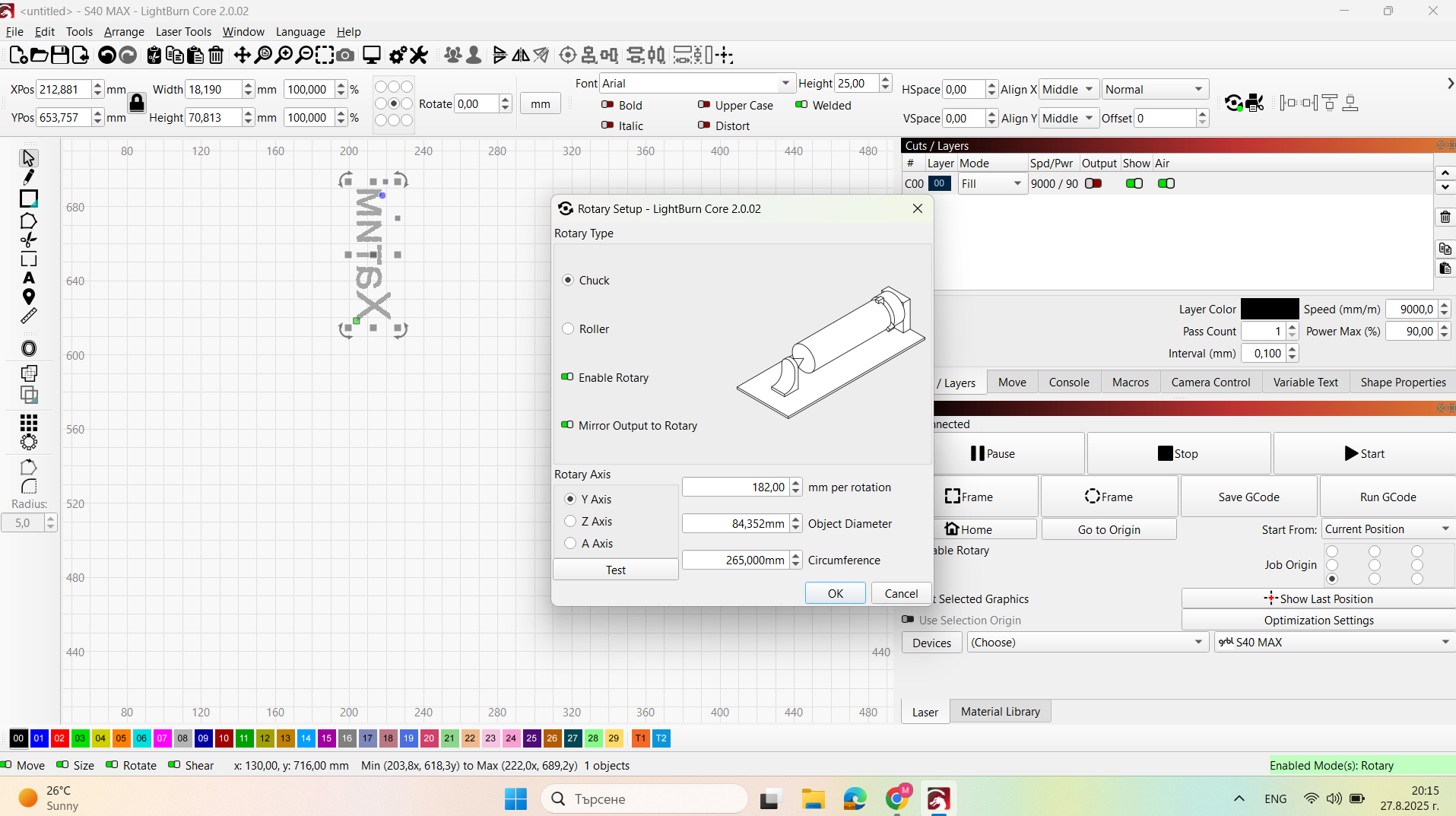
I’m using a Sculpfun S40 Pro Max with a Chuck Rotary. Everything seems correct:
Chuck enabled in LightBurn
Correct diameter entered
Start From → Current Position
182mm per rotation
Job Origin set
Auto-home disabled
Problem: When I start a job, the laser and chuck move to the wrong position, completely offset from where I set the origin. Framing looks fine, but engraving is misplaced.
Has anyone experienced this? Could it be a firmware, rotary setting, or hardware issue?
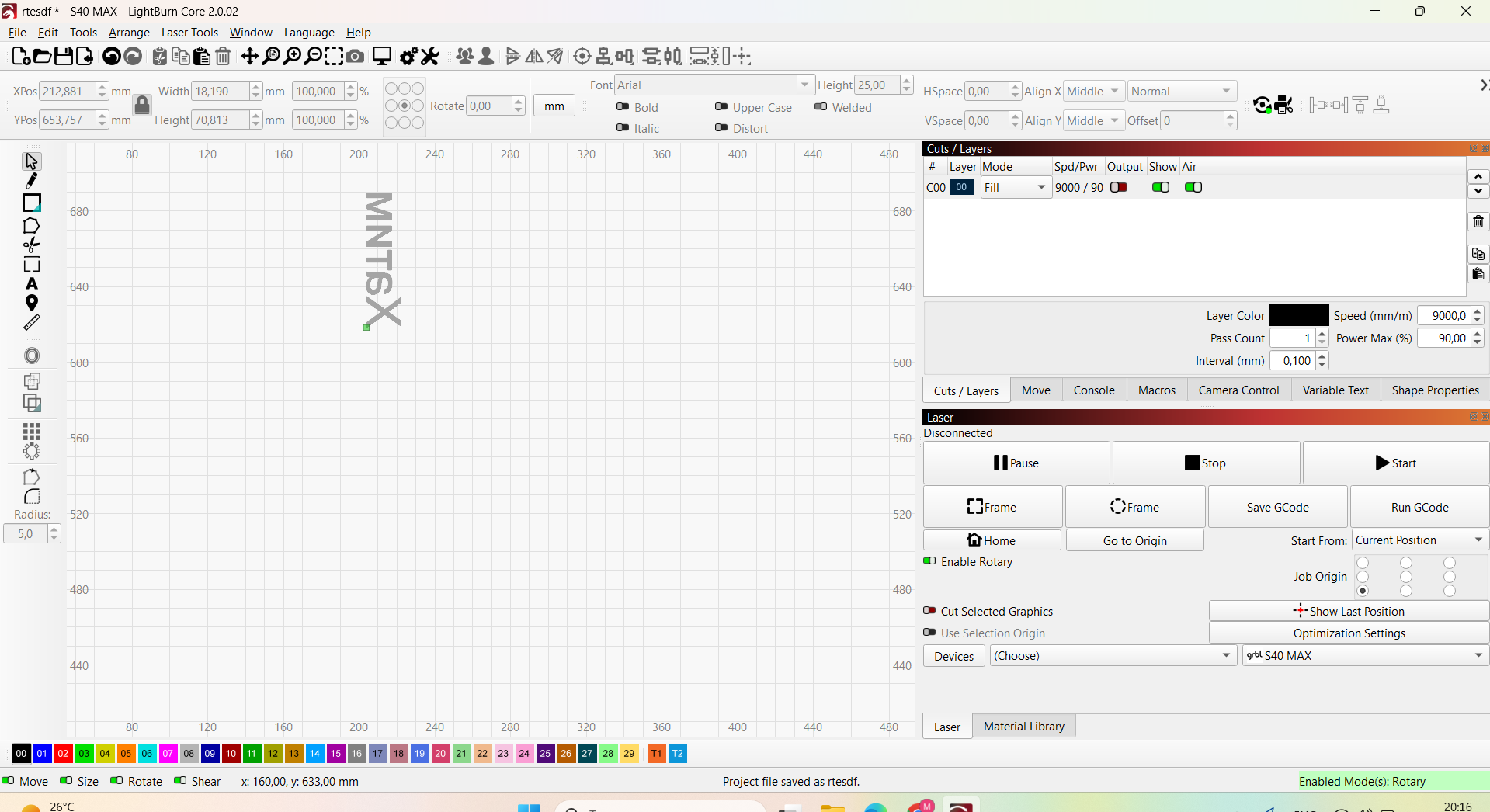
I’m not seeing an obvious problem here except, when I select mirror rotary, my origin position changes by the size of the engraving. See the green origin position in my screenshots. Not sure what it means as that’s not my workflow. I don’t need to mirror anything.
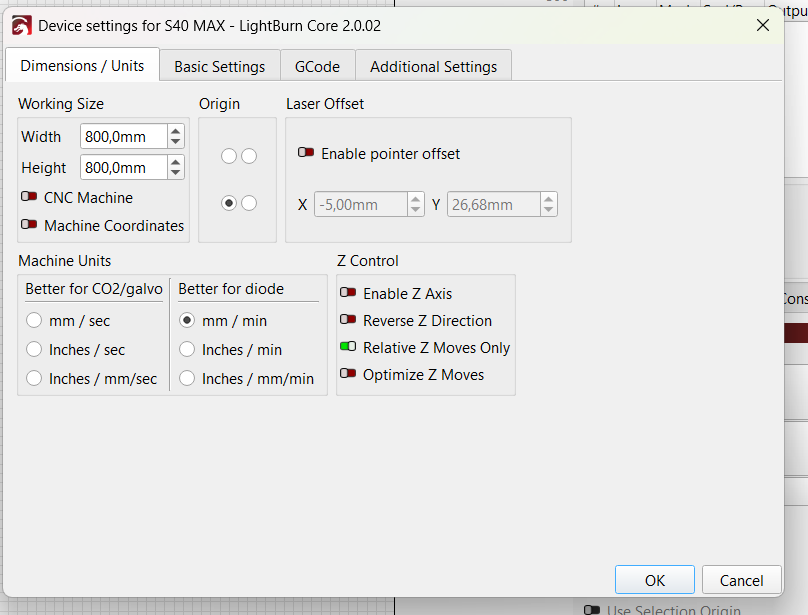
Without mirror enabled, the situation is the same, I did everything. Very strange situation. I remove the pointer offset that was enabled in machine settings and then the laser starts engrave closer to the frame, but it’s not enough.
I understand, what the problem is, but dont know how to fix it. The laser start engrave, where the fire blue point is, not in the frame teritory. However, dont know why
Here’s some instructions i wrote on how to use the chuck. This may help
This is a word doc so change the extension from txt to docx.
Also i noticed you have commas instead of periods in all your settings. That doesn’t seem right but may have something to do with your machine or cimputer. ie 182,00 instead of 182.00
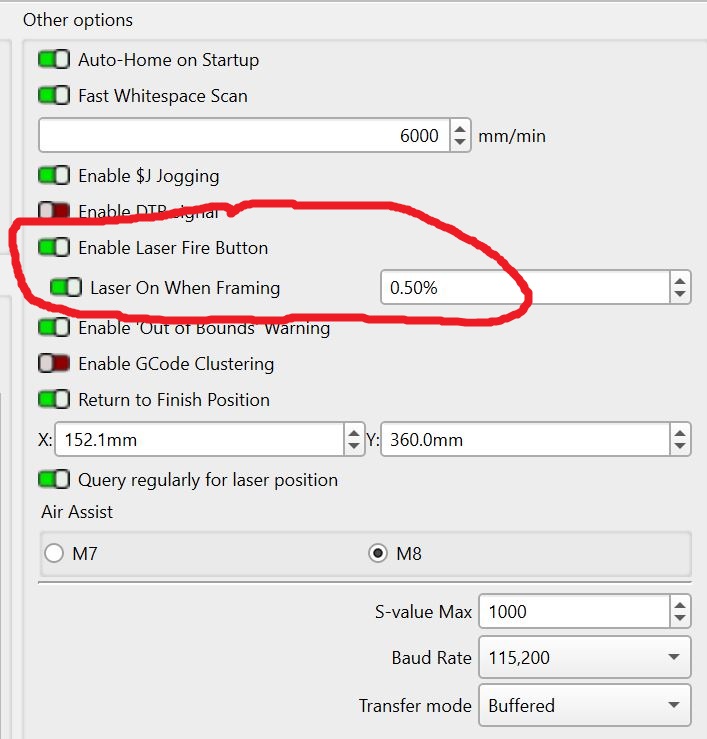
I am pretty sure there is no separate framing light on your laser. When Framing, these settings are used to turn on the laser beam (blue light). I set my diode lasers at about 0.2% power for good visibility.