ronnie123
November 18, 2025, 10:23am
1
tussenschotten.lbrn2 (30.6 KB)
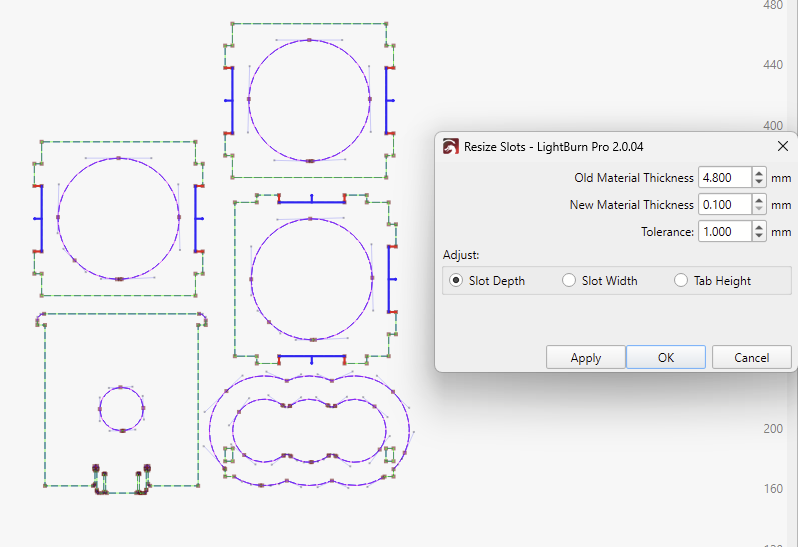
Hello, in the attachment I have a file where I want to change the slot depth from 4.8 to 3.2, but it does not respond to these components (with other components it worked fine), does anyone know what the problem could be? Thanks, Ronald.
Aaron.F
November 18, 2025, 11:49am
2
Hi Roland,
Yes! I stumbled across a similar situation the other day.
First:Ctrl + U) , so that each design element is on its own.
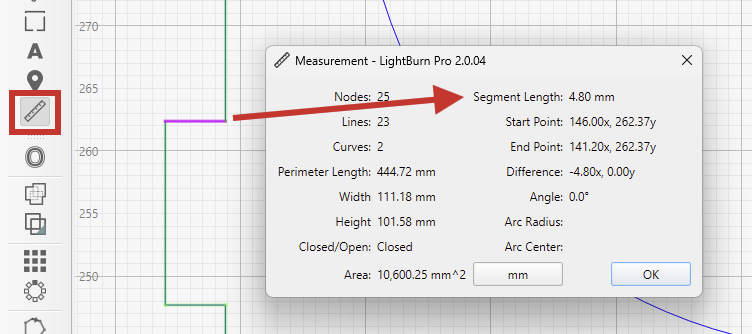
Use the Measure Tool to find the current length of the tabs:
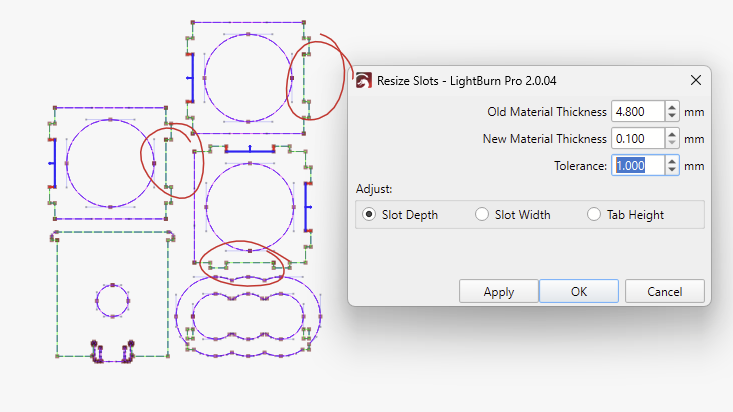
Select everything and open the Resize Slots Tool
Enter the “Old Material Thickness” 4.8mm
Notice, how these three slots aren’t properly detected, even when you enable a detection “Tolerance”:
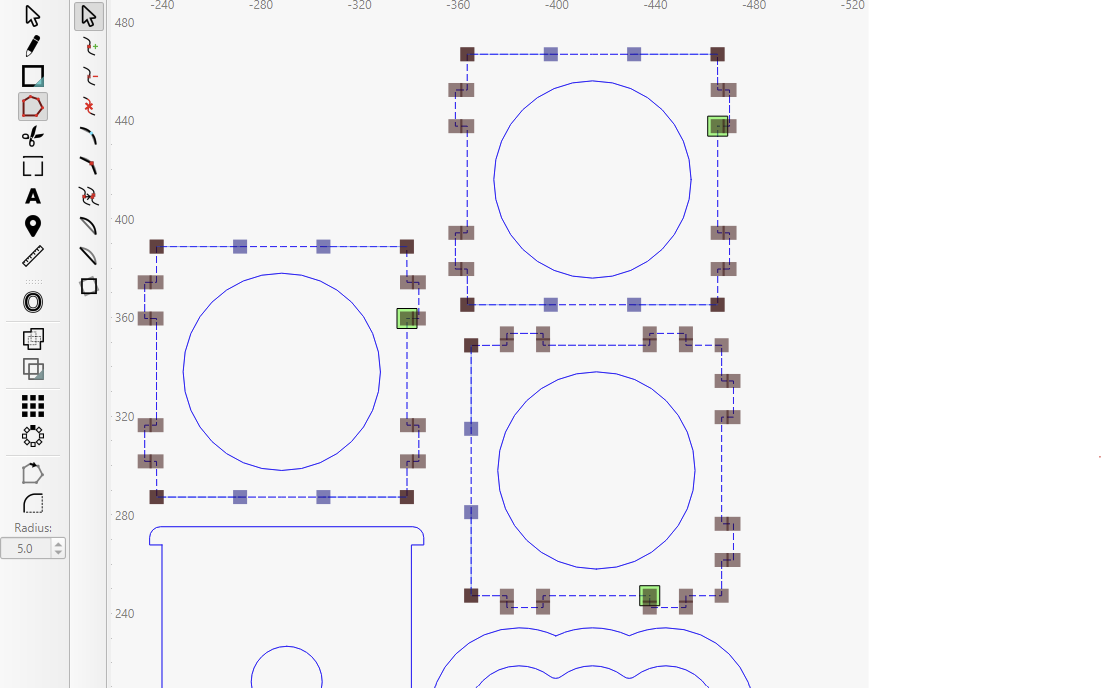
Let me show you why with the Edit Nodes tool
There are extra nodes in the corners here:
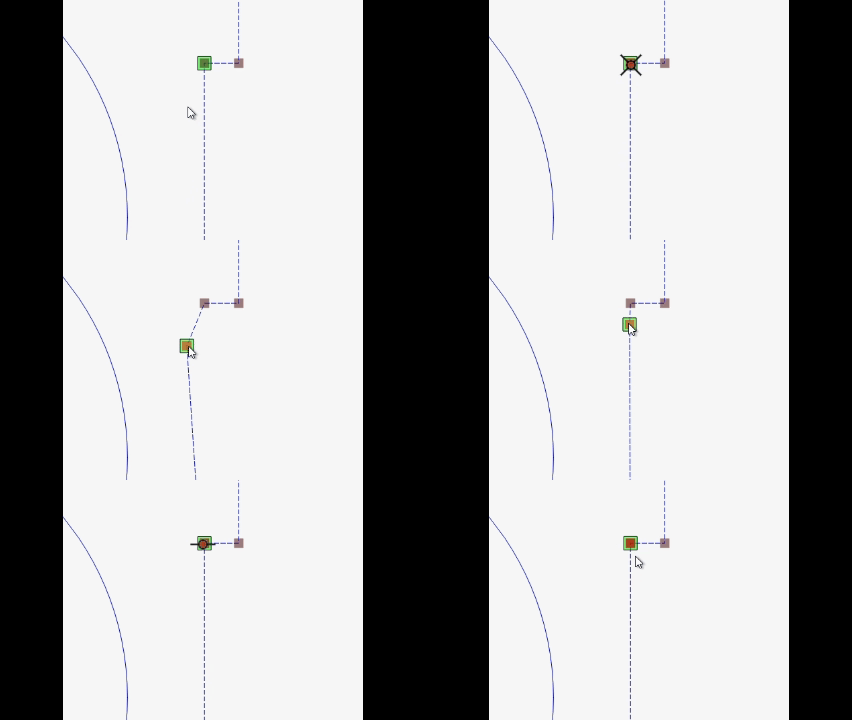
The green square represents the start and end of the closed shape. There is an extra, confusing red node underneath it
The manual approach is to delete the extra node by hovering over it and pressing the D key.
For some reason, the Optimize Shapes tool is not properly detecting the extraneous nodes on the circles. (We are looking into improving this.)
Offset Shapes by 0mm also works to get rid of them.
Resize Slots now detects all the slots correctly:
1 Like
ronnie123
November 18, 2025, 12:09pm
3
bedankt voor de duidelijke uitleg ga het proberen
ronnie123
November 18, 2025, 1:49pm
4
Hi Aaron, I can’t do it. Could you please edit the file for me?
Aaron.F
November 18, 2025, 2:11pm
5
Sure!tussenschotten-clean-nodes.lbrn2 (28.8 KB)
Can you tell us how you created the file, or where you got it from?
ronnie123
November 18, 2025, 2:19pm
6
I bought it through Etsy and then modified it to fit a wider bottle
ronnie123
November 18, 2025, 3:34pm
7
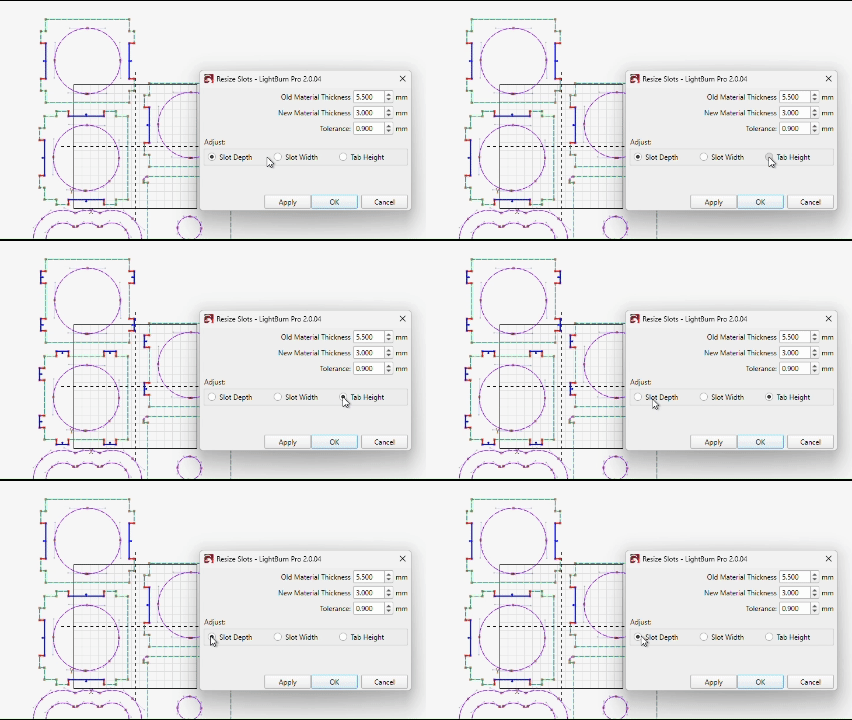
Can you still check why only the inside is adjusted?
Aaron.F
November 18, 2025, 10:42pm
8
The insides are the Slot Depth, while the small tabs are the Tab Height.