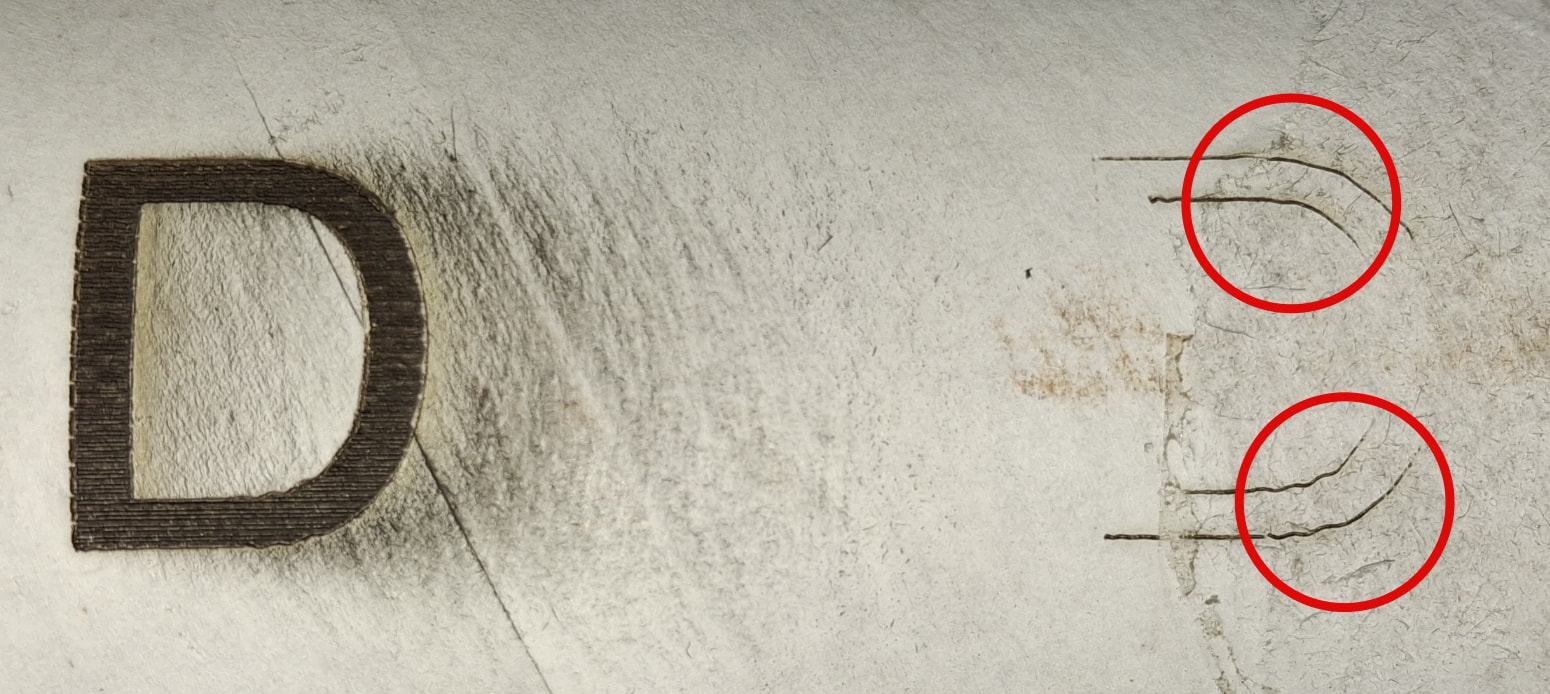
Hi all,
I have a couple post on other websites trying to get to the bottom of this problem,
Falcon2 22w and Rotary pro
Latest firmware for it
LB: 2.0.05
Windows 10
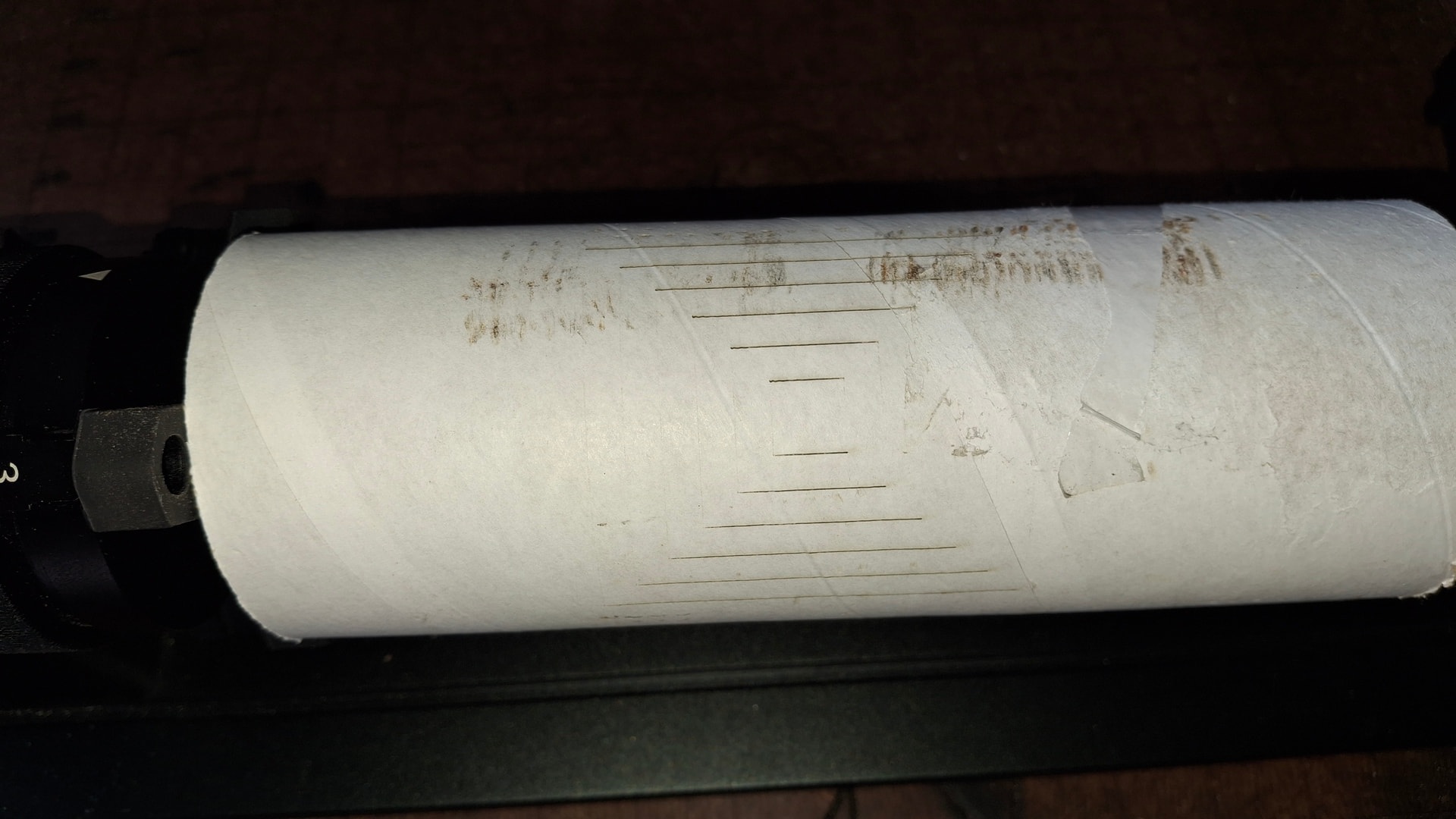
The problem I am getting is when I do a burn the laser is not burning in the Y Axis
If you’ve already raised the issue elsewhere, it would be helpful to state what has already been done and failed, so that time isn’t wasted giving options that haven’t been tested.
If it hasn’t been done yet, what I would do is check if the laser is actually activated or not when the Y-axis is occurring.
I don’t believe that’s the case, but in laser modules where the focal point is rectangular instead of square, and the laser power is at the minimum limit to burn the material, it may happen that where the focal point covers more material there isn’t enough power to burn it.
Increasing the power by about 20% in a test clarifies this doubt.
As @Kuth points out, this most likely due to the rectangular shape of the focused spot. If it’s wider than it is tall, then horizontal motions deposit more energy = burn darker than vertical motions.
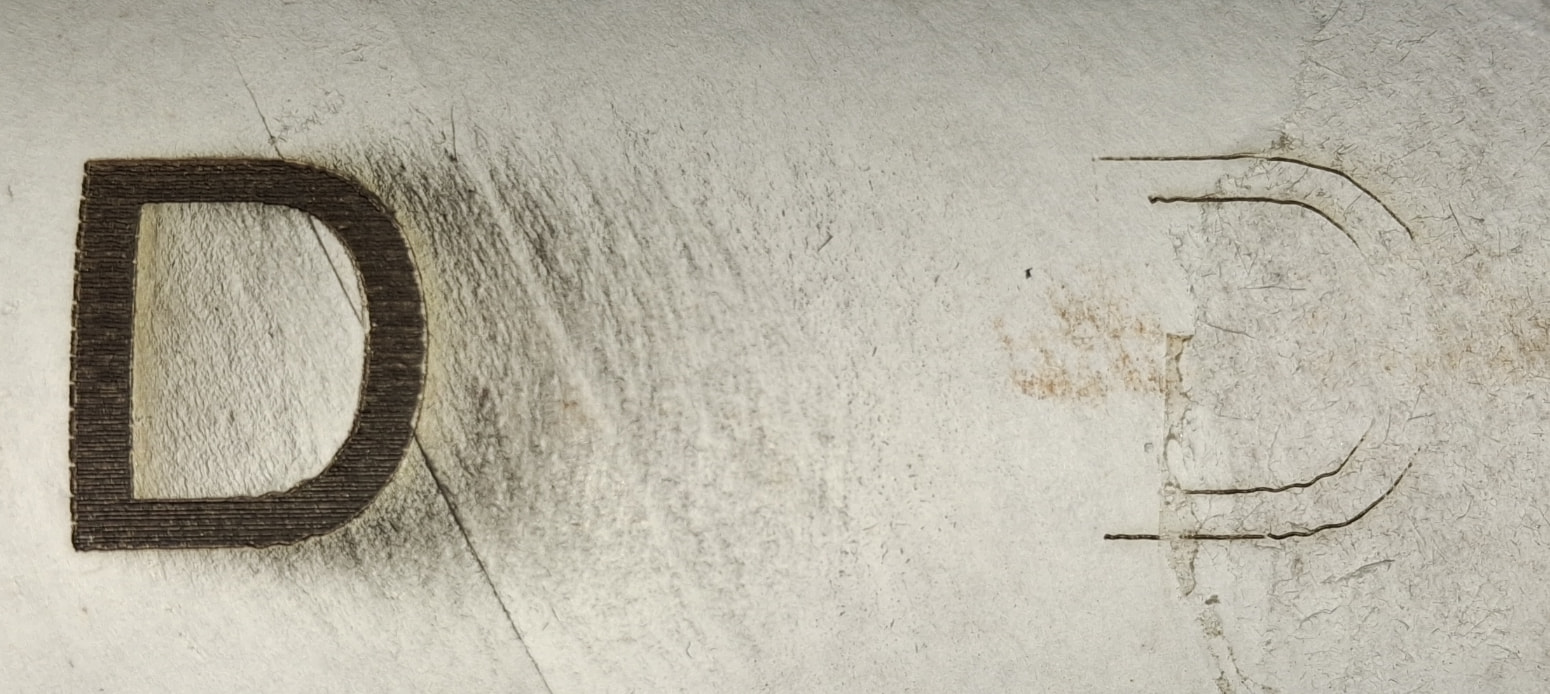
That’s obvious in the D shape, where the burn simply fades away as the angle goes beyond 45° to the horizontal.
The solution is to use more power (or less speed) to deposit enough energy for the results you want. This will be a delicate balance between too much in horizontal motions and too little in the vertical, but … that’s the story of lasering.
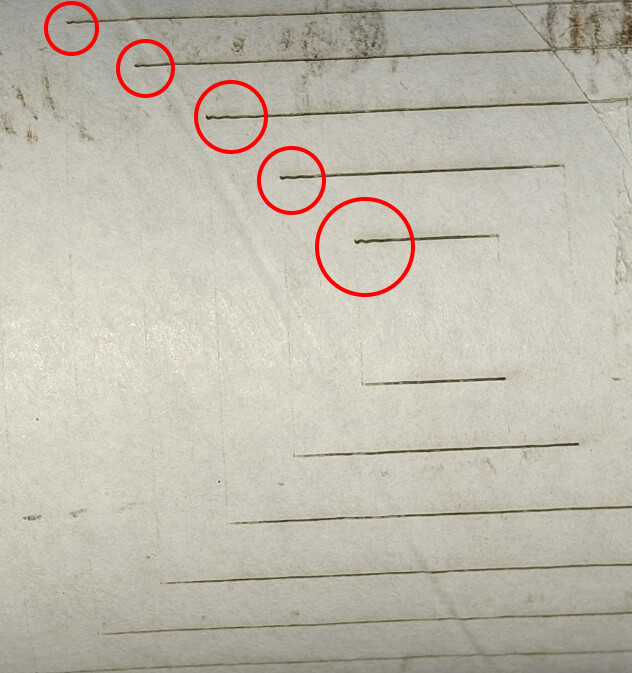
This image tells me two things:
1 - The wiggly line means that the machine is probably working at speeds that are too high to properly handle inertia and small mechanical clearances.
2 - The line at letter D, as it increases in length towards the Y-axis, should widen if the focal point is rectangular, and this does not seem to be happening.
Think of it this way: the middle part of the rectangle gets slightly more energy than either end, because the middle has hot neighbors on both sides. Even when the rectangle is uniformly illuminated (as it should be), the middle will be hotter.
As the laser head motion becomes more vertical, the middle of the rectangle continues to char because it’s hotter, but both ends fade away and the mark becomes thinner. As the speed parallel to Y increases, the middle of the beam just isn’t hot enough to char the material.
This could cause the fading in the Yaxis travel. On the arc transitioning from Xtravel to Ytravel, it just sort of fades out. What both @ednisley and @Kuth say works together to give you the result you are seeing. My guess is that running at Warp3 is your primary issue.
Ran more tests today I lowered the power and slowed the speed down and that fixed it.
I also ran a test on a flat piece of card board with the same setting as I was having problems with and it worked perfectly, So this shouldn’t of worked because its still running in the same direction, only difference is the item is moving instead of the laser head?
Look at your project as a flat sheet of paper that you are drawing lines on. You are moving the laser over the paper. Now instead of moving the laser, you move the paper instead. With that image, now view moving the laser only in the Xaxis and sliding the paper back and forth for the Yaxis. The last step is to roll the paper into a cylinder and roll it back and forth instead of sliding it. It is still your Yaxis, but now it is a rotary.
This is an over simplified version due to scaling, but it should help remove some fog.