Is there a way to edit text to a sentence so it can be cut out in one piece?
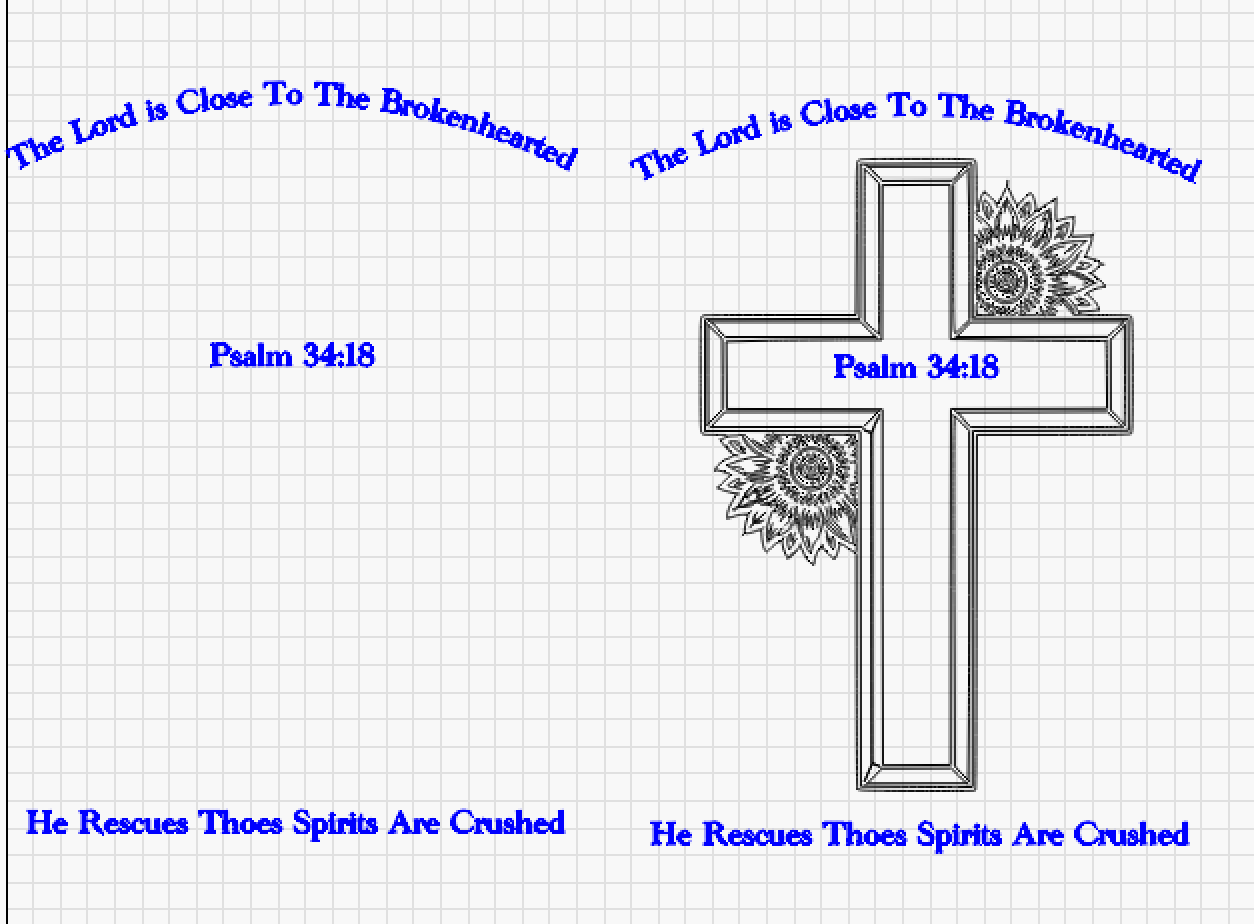
I would like to change this to a script font as well,I know I spelled “Whose” wrong but will fix it.
This is just a preview I did for my daughter/s approval. I will be making this project out of different types of wood but will add the text glued onto the background and the cross.It will end up being about 10" wide x 12" tall made of Cherry,Walnut,Maple with the text being cut from 1/8" birch plywood. I’ve cut the 2 sunflowers out of birch plywood thus far.

Is that an .svg object or an image (.jpeg etc)?
Use the trace command to convert an image into an object. Then ungroup the result. Delete the parts that you want to change. Create new text box for the font and size you require. Select all and group to maintain spacing and orientation.
Your going to glue text on. Are you asking about welding text together?
I’m asking how to “weld” all of a script text together so it’s easier to cut and pick it up in one piece making it fairly easy to glue onto the background and also onto the cross.
Also,I don’t see a script font that I like in lightburn so I’ll have to figure out how to find and “download” it into lightburn,but that’s another problem.
I will find a font that suits the task and use another layer for it.
The advantage is that you can freely position and edit the text and also handle the text as a group.
For example, you can see what I mean
Regarding new font, find a font you like and install it on your OS (Windows or MacOS) directly, it doesn’t really have anything to do with LB, LightBurn just has access to all your fonts on the computer.
P.S. The formatting of the text can of course be changed as needed and also redone - as long as the text is not converted to graphics.
Thanks
This is great information but I still need all the words in the sentence to be connected so that when I cut the sentence out it will be one piece.


You will not get all the words connected. Then it would just be one uninelligable word.
A few script fonts:
https://www.1001fonts.com/script-fonts.html
Depending on how much ugly you can withstand, putting the text within a border may suffice:
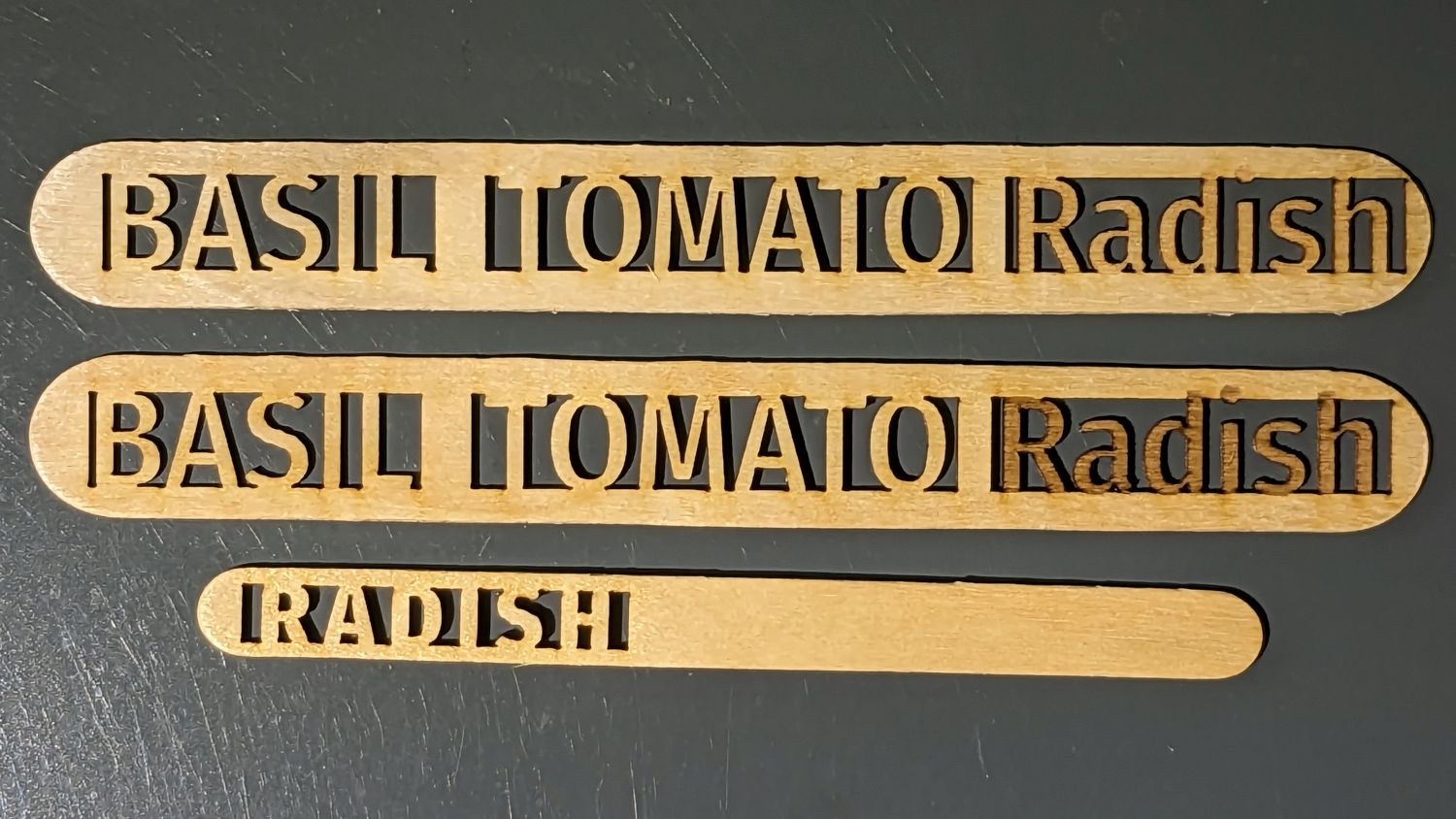
The font you show might work with a single underline
However, if the font doesn’t connect the letters within the words and an underline is too ugly, gluing the letters in place with a template as @parsec shows is the only way to get it done.
Text can be edited and fonts can be adjusted until it’s no longer text.
I can demonstrate and explain this a little.
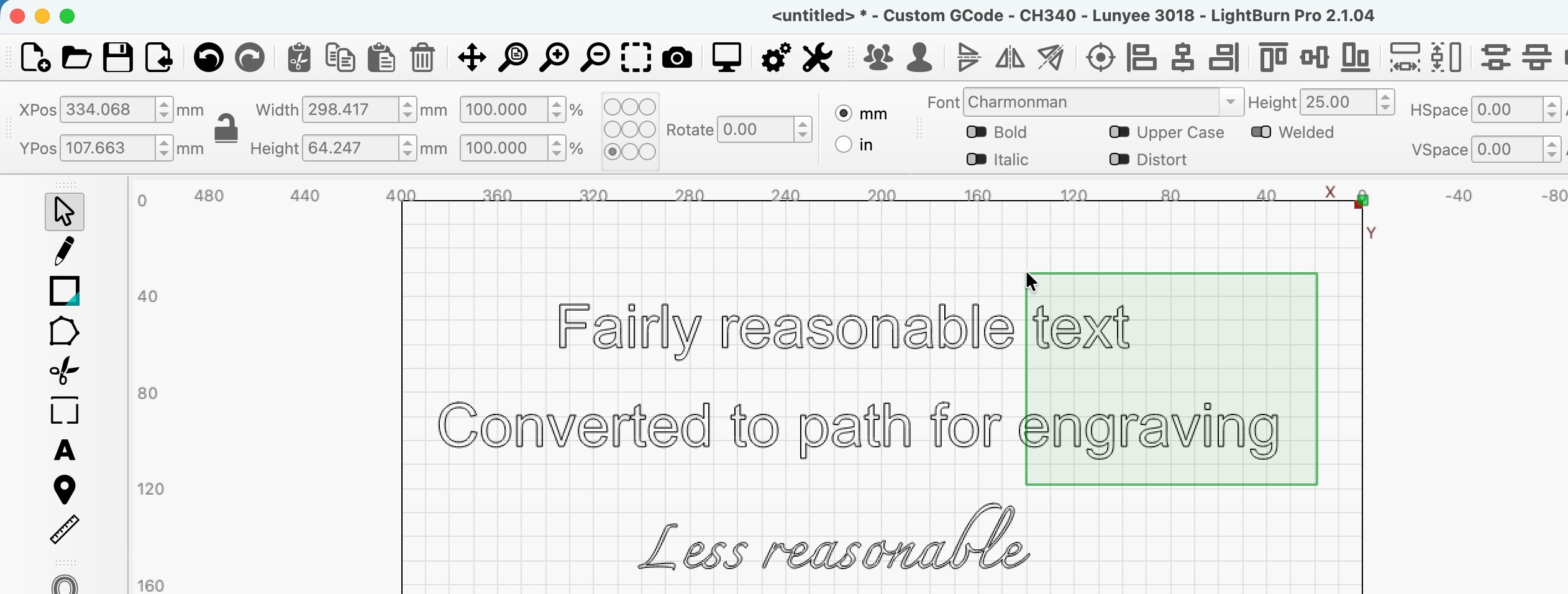
The first row of words is text and the second row of words has been converted to a path.
The second row isn’t text anymore. It looks like text but it behaves differently.
I’ve dragged the Left-Drag select box across two rows of words.
This selects anything within and anything crossing the boundary of the box.
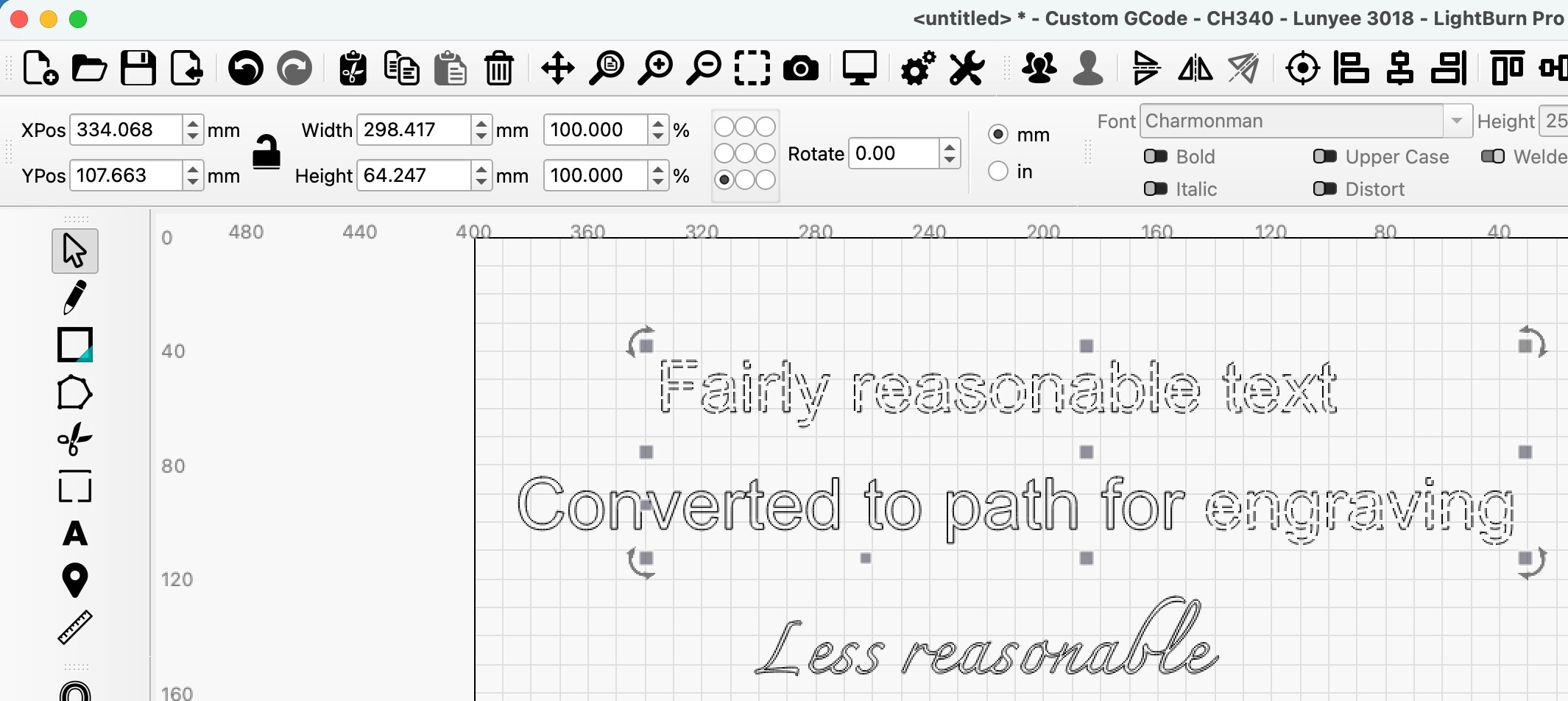
The selection here shows the first row of words selected and a different behavior for the second row of words.
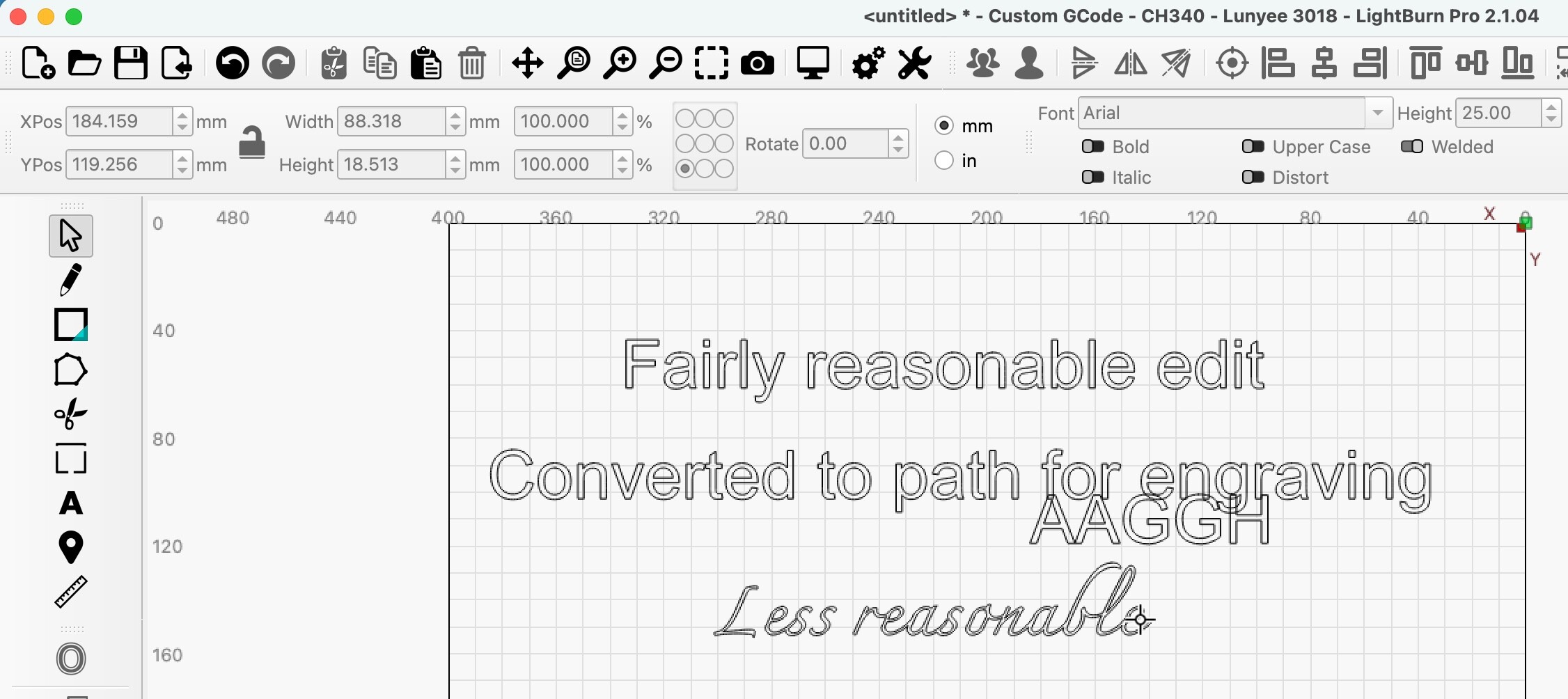
I edited the first row of words so the word edit appears at the end.
The second row of words could not be edited with the text tool because it isn’t text anymore.
You can change the text font to whatever you like. If the words aren’t text, the text tool will not select it for editing. It will just make new text.
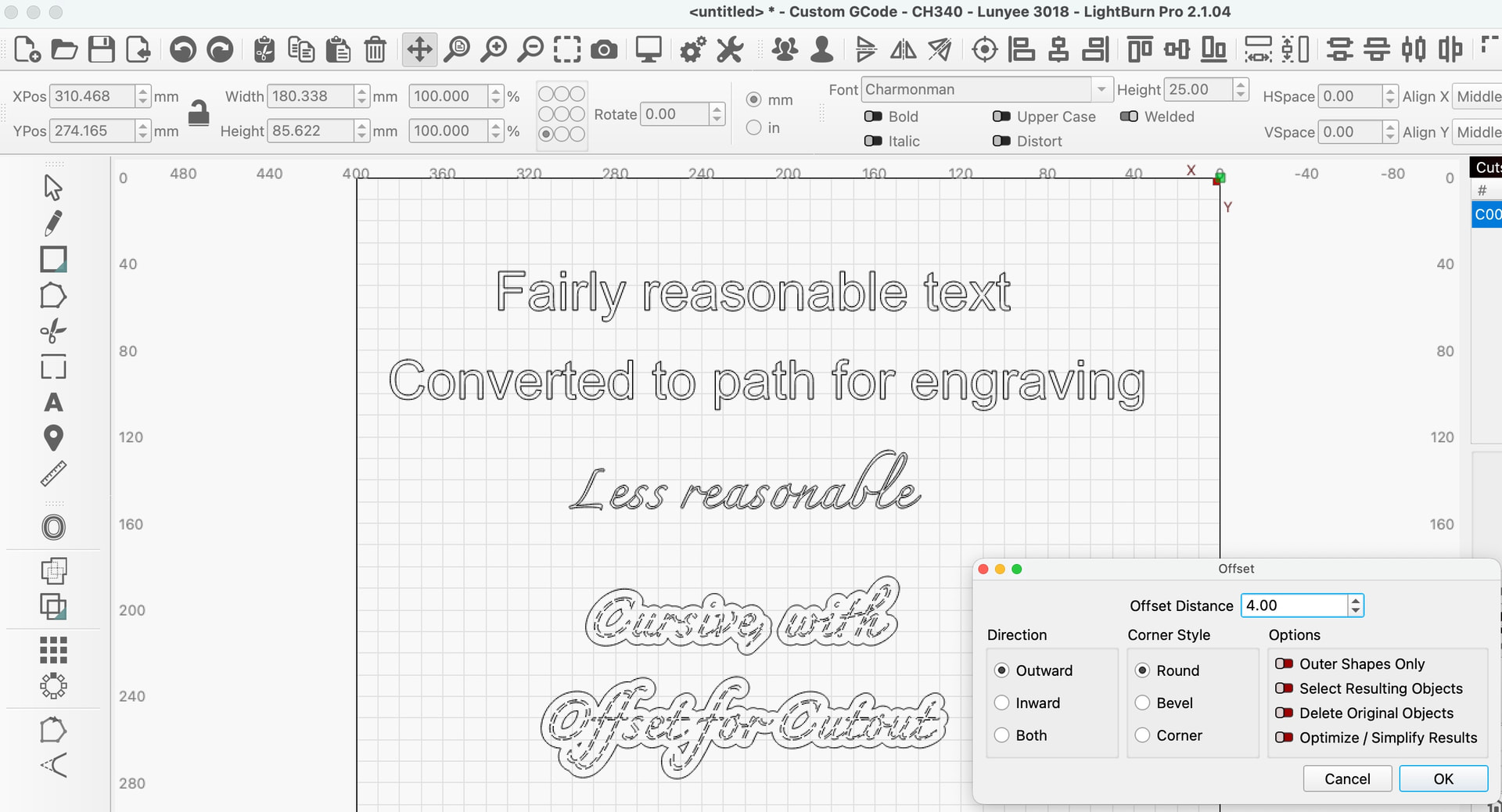
You may find value in using the Offset Shapes tool in LightBurn to make a joined boundary around the text. The boundary can be added to a different layer for cutting.
If you’re interested and willing to share the project file, we can see what state the words are in and how to help you get what you want.
Offset seems the least offensive way to keep a whole sentence connected.
I think this is the file
cross2.lbrn2 (417.8 KB)
Thank you everyone your help and response is amazing!
Tom
Did not see this mentioned, but most connected fonts are the script style.
As suggested I downloaded a few script fonts from the links and uses a very slight offset and a bit of welding and it came out amazing!!!
Thanks again,Tom
Bit late here, but for future reference, or others…
I think this was what you were actually asking for:
This will connect overlapping letters of a font. This obviously only works if the font itself overlaps. And words generally don’t connect with each other either, so all the jigs mentioned are still useful 
Never too late for help!
Thanks,
Tom