Continuing the discussion from I have finally got around to trying MillMage Software. Question re tool length measurement:
I am having an issue getting MillMage to go directly to a workpiece location. First my machine homes to the back right and the workpiece coordinates match that location. When I jog the tool head, the head will go in the direction selected at all times. When I leave the head in a particular position inside the work envelope, the coordinates correctly populate the Go To tab with Workpiece selected. Those values stay in the boxes, when the head is jogged again, and the Go To buttons on the right of the Go To dialogue box will return the head to the correct location. If values are entered into the dialogue boxes, then the Go To buttons are pressed, the head just goes in the reverse direction.
Any ideas as to how to fix this issue will be most welcome.
Location issue was my own stupidity… Not appending the minus sign in front of the values from home location.
The fix for the question of measuring tool length may have to come from the developer. I hate to bother them with something trivial but I cannot see ho0w to solve it. The same goes for the machine software wanting to place the design in the upper right quadrant (my home position) and make it 1/4 the size of expected.
the old shapeoko strikes again , there is another topic that had something similar to this , prob about 6 weeks ago, search shapeoko, it was a fairly long thread @MikeyH you might remember which thread its under
where is your project origin set to ? you have workpiece switch enabled , umm may be wrong but think if its on and you type cords it goes from origin point
As far as it reporting position once after a Jog, but not the second time, I am a total loss. Same for it moving in the wrong direction. That almost smells like corrupt software in the controller. And dealing with that is a whole new can of worms.
MillMage defaults to Absolute coordinates, so that tends to keep things simple. To shift the workspace coordinates so you can Home right-rear, but 0,0 is the front-left corner (making all moves positive locations), you can use the G10 (or G54) command. With the CNC and how MillMage works, this is not so important.
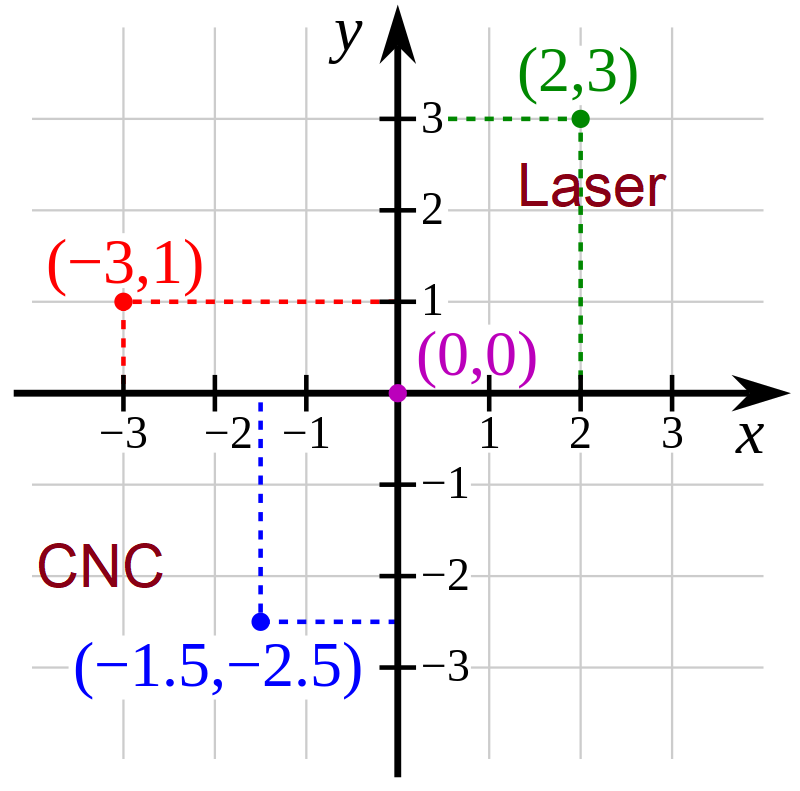
I set up all my machines (laser & CNC) so that both Home and 0,0 are the front left corner. That puts everything in the graphic First Quadrant, then I can just imagine my design grid hovering just above the machine work area. I am too old, tired, and cranky to play mental games anymore.
I had my SO3 since 2019. After several significant adjustments to the base machine, for ease of use and fettling, I don’t think tolerance values of ±0.001" are unacceptable for a belt driven machine. I keep the departures from that tolerance vale small because of high precision collets (0.0002") runout and meticulous cleaning of the collet, end mill bit and collet taper after every job.
The SO3 homes to the rear right hand side. The workpiece coordinates are the same and agree with the rear right as the place to begin measurements. I have not tried setting the workpiece home to the front left. I do not recall accurately but my recall when I first got the So3 was that there was a specific reason it had a home at the rear right of the machine, despite most machines choosing the front left side for home.
thanks for the reading material suggestion. I will look it over in due course.
Yes, me too. Reluctantly, I have sent a support e-mail message to the developers. I hope they can put me right. I only have a few days left of the trial and I would dearly like to give MillMaf=ge Pro my seal of approval before the trial period expires.
I would hope for another ten years! It is usually the software that creates the imperative to move on. As it happens, the developer has answered my crie de coeur and we will find a solution.
Thank you for the information, this may be very much my problem. I’m not exactly sure what that looks like. Put a - before it, but I’ve had trouble with setting it up and having it go exactly the opposite way that I expected it to. When I’m trying to work off the front left corner and I think everything set up and then I tell it to go. It tries to go off of the board and it’s the limits so maybe I’m missing a -somewhere.
Uppdate: Working through the issues with support it was discovered that G54 was set at 0 for XY & Z coordinates. This was because I had not touched off of the workpiece. The coordinates being used were the homing coordinates, which of course belonged to the machine workspace only because they were strictly where the machine was homed, which was the rear right as specified in the hardware controller.
I had also missed the fact that moving the spindle away from the home position required a minus sign to be appended to the start of the positive location integer. This solved the movement direction failure. I had assumed that that the machine would understand the pattern to mill from the home position, because that is the way it works with all other pieces of milling software I had used. The failure was caused by not telling the Millmage machine software where the workpiece actually was. I had assumed it was implicit in the home position and the pattern to be milled.
Once the machine knew where the workpiece was (touching off with the mill bit on the right rear corner of the workpiece) it moved the spindle correctly and milled the workpiece correctly. I also had enabled the tool length measurement in the settings and this had caused the tool length to be measured twice. That is when setting up the job and before the milling had begun when the spindle was started. Turning off the setting removed that issue.


 Is this it?
 It is usually the software that creates the imperative to move on. As it happens, the developer has answered my crie de coeur and we will find a solution.
