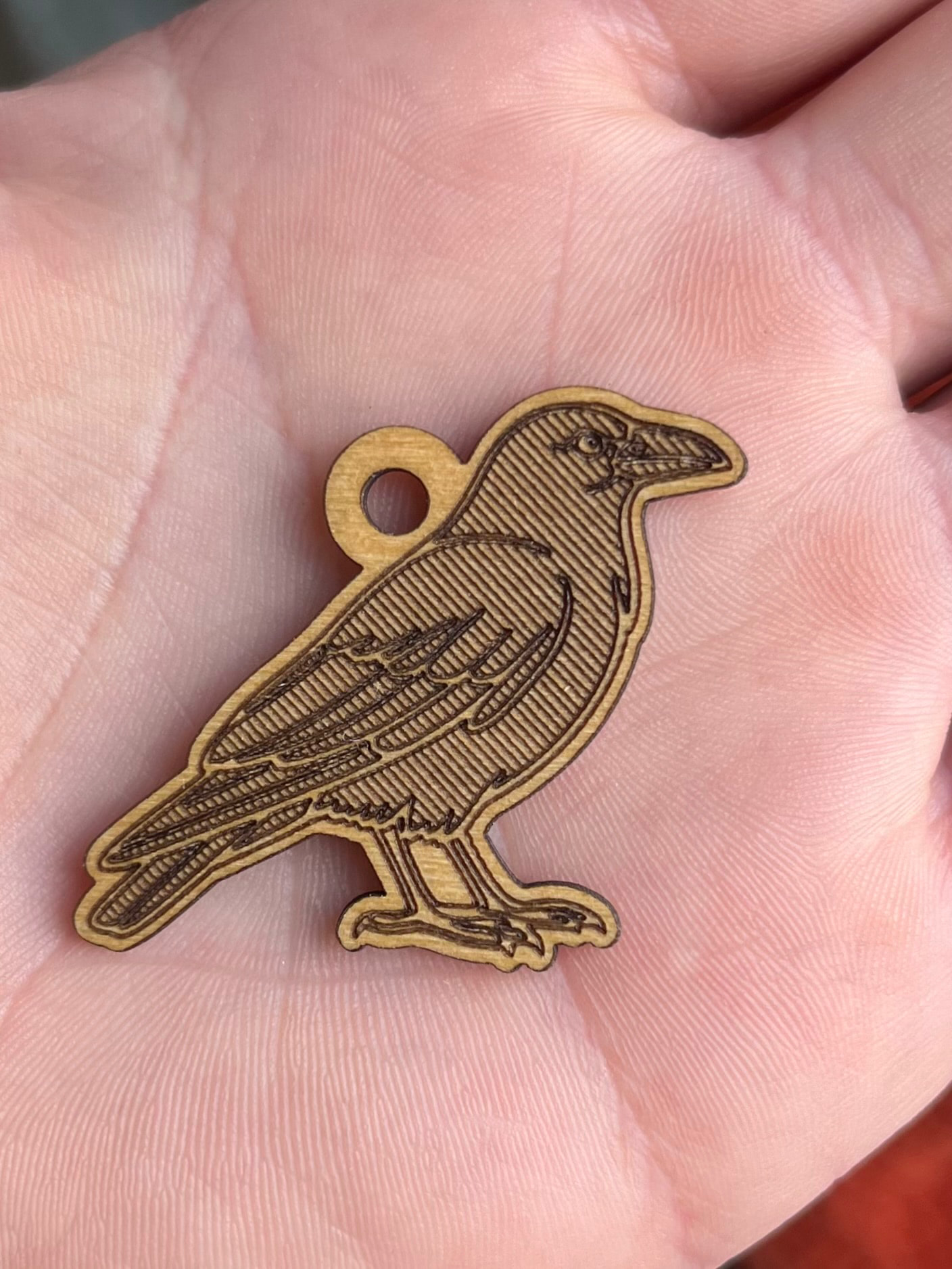
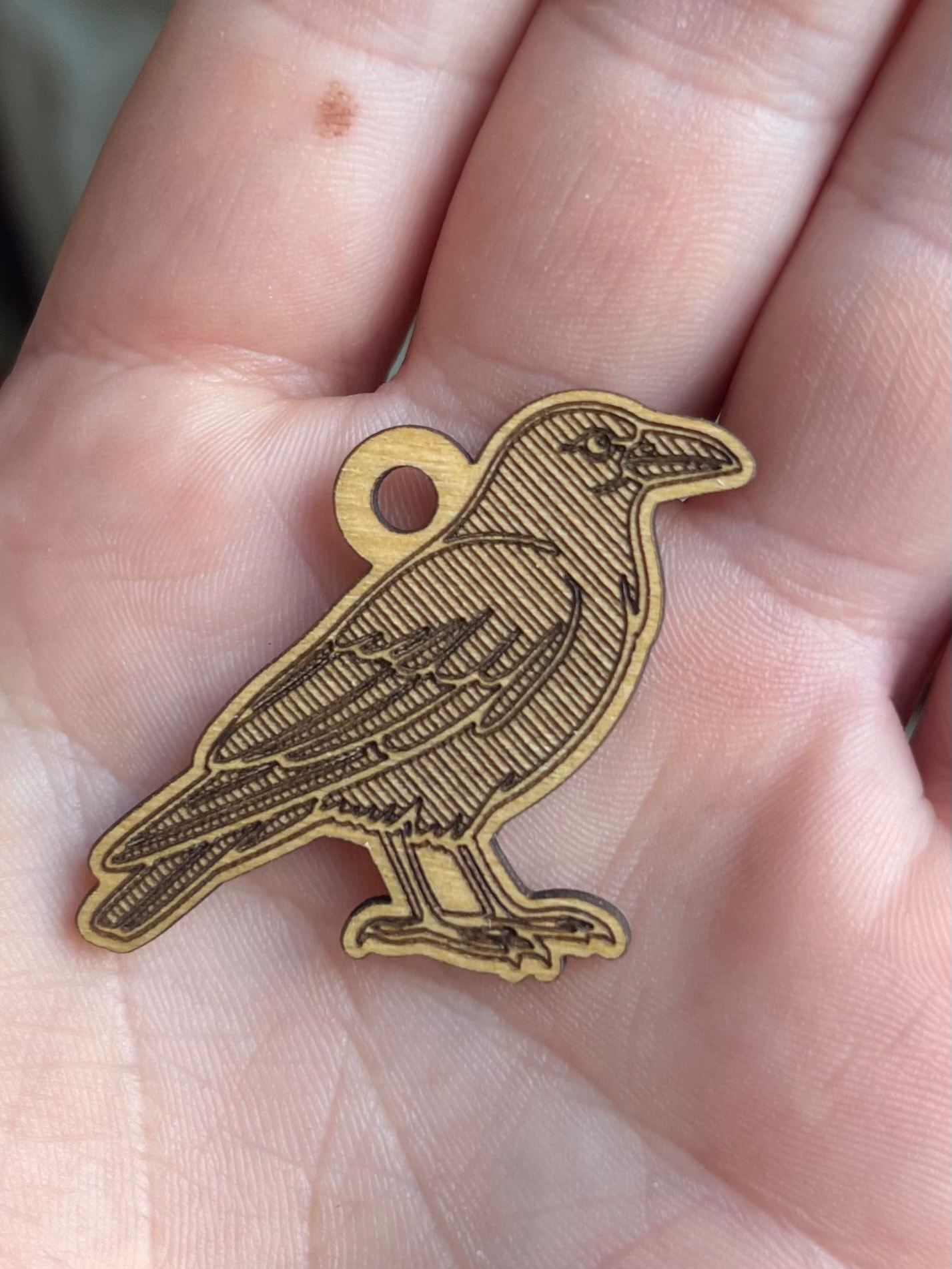
I’m having an issue where my fill is evenly spaced in some locations and not in others. I’m using a 0.5 interval, -45 degree, bi directional fill. Here is an example of two pieces completed in the same run but at different points on the bed.
If misalignments are only noticeable in certain areas of the work area, I suspect a mechanical problem. Probably debris on the tracks. It could also be worn belts in that area. Check if the laser head slides smoothly and evenly across the entire work area, or if there are areas where it slides with more difficulty.
Scale it uniformly to fill the platform and run it as fast as the machine will go in Line layer mode with Enable optimizations turned Off and power set to mark a sheet of cardboard. The differences from the design will be small, but you’re looking for small errors; crisp photos will let us look over your shoulder.
Are we observing a little ‘speed wobble’ toward the end of each line, and a dash of burn after it stops/corners and moves to the next line (working vertical or the opposite if decending ).
I will check the movement. I will say with my laser, the Acmer P3 which is a core XY gantry, it is quite stiff to move by hand which sort of makes it hard to tell.
Yes they are at different points on the bed and it appears that the birds on the left hand side of the bed demonstrate accurate spacing whilst those from the right hand side display uneven spacing.
My machine being a coreXY gantry does make it harder to pinpoint mechanical errors sometimes as it confuses me slightly compared to a traditional Cartesian.
In addition to belts & wheels, it’s entirely possible for the machine to have loose screws, brackets, lenses, bearings, pulleys, and other bits & pieces.
Your belts may be too tight, depending on what you mean by “quite stiff”. Not sure how Acmer specifies it, but Sculpfun has a thing called a “Tilt Test”. You tilt the laser frame 45 degrees both ways (front-back and sideways) and the laser module should fall slowly under its own weight.
I’m not familiar with this type of machine, although I admire them quite a lot.
However, I believe that in terms of belt drive, it shouldn’t be very different from others, unless specific belts are needed for this type of machine (I don’t know if that’s the case or not). If the belts are the same, my suggestion would be the same as @MikeyH, tilting it at 45º (no less than that), the module should move smoothly from one end to the other at a constant speed.