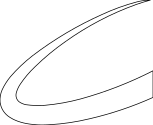
I am trying to v-carve the attached, super simple curve (uploaded the svg if you want to try it). When the machine gets to the area circled in red it stutters as if it were hitting a hard pocket in the wood and struggled to push through. I can feel/see the machine stutter.
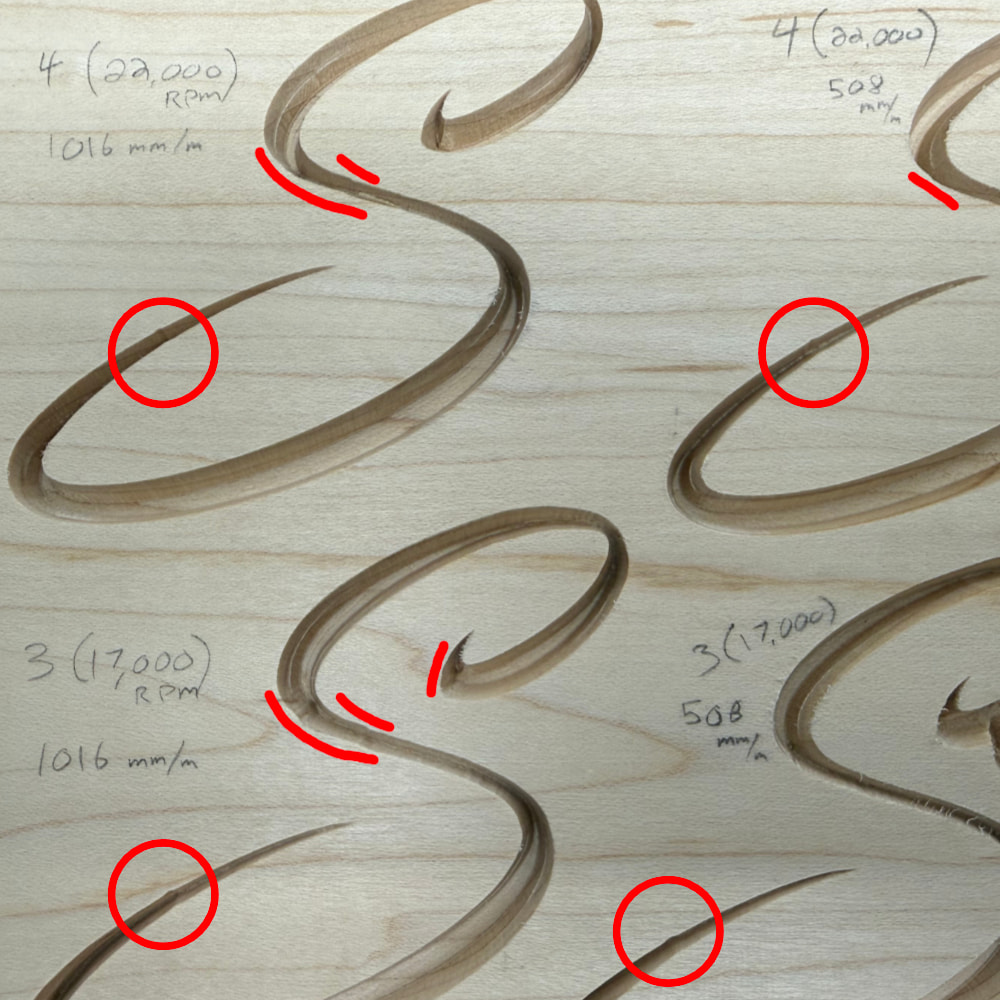
I have gotten to the point that I am simply testing the gcode, without a finish stepover, in midair, and it still stutters. Clearly not a material problem. I have tried this in different positions all over the bed, same result. I have tried loosening and tightening the belts (X and Y) and loosening and tightening the core. I’ve even tried the full range of curve tolerances from 0.5 to 0.005. Also attached are some examples when I was running the full letter S with a finish stepover, running at different RPM and feed rates. There are other areas highlighted where the machine stutters and turns a smooth curve into a wavy or straight line.
Strangely enough, If I replace the v-carve with a simple profile cut, there is no stutter (at least not that I can tell). This is a v carve of a full name and it happens throughout the design. If you open the test curve attached in any vector software you will see it is a few sweeping curves – there isn’t some pile of bad nodes causing this area to look bad. What the heck is happening here and what else can I try to resolve this? I don’t have any hair left to pull out!
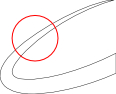
Short follow-up. I tried the same curve in Estlcam, that implements G2/G3 commands, and didn’t notice any stutter at all. Not sure if it is the G2/G3, or just that it was a different piece of software that generated the g-code.
theer is no svg attached
looking at your screenshot id say your vectors arnt true and with v carve MM reads every node and has to caculate the line and depth of each node , the area you have circled see there is a tiny notch that will prob be min dozen nodes in such a minute area, the bottom curve of the S so many extra nodes its a font problem, ive encounter it before
you can manually clean this up by editing the nodes
is this a MM font if so which one ?
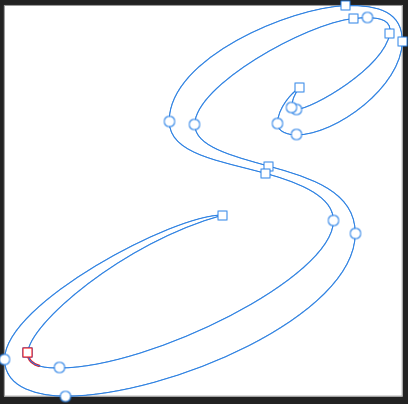
Unfortunately one of the first things I checked was for that same font problem and don’t see anything. The photo below shows the entire letter has less than two dozen nodes, none even in that problem area.
Today, I tried running at 960mm/m and 22000RPM but also doing only a single, deep pass. It’s improved but not eliminated.
I also reduced the finish stepover from 0.25mm to 0.1mm. I wonder if by taking smaller bites on each pass, the outermost cuts are dealing with less material and thus less cut resistance. I don’t know, just guessing now.
ccan u attach the .mage file so it can be looked at by others
If you can attach the .mage file, as Terry suggest, even if it’s just for that letter S by itself, with the V-Carve options applied, I could take a look.
It’s possible that our internal tolerances in the V-carve generator are too small and producing “heavy” GCode output.
I do see the original SVG attached up top with just that single curve section. I’ll see if I can repro with just that in the meantime, but it might take me a day or two.
Thank you both. I have changed that file so many times since I started this but I’ll see if I can get back to the simplest file with the error.
I’ve made changes to the VCarve output generator to improve the generated path smoothness and reduce the amount of gcode it outputs significantly.
We’re in beta for 1.0 now, and this change will be included in the 1.0 release.