Lavoiern
August 7, 2026, 10:28pm
1
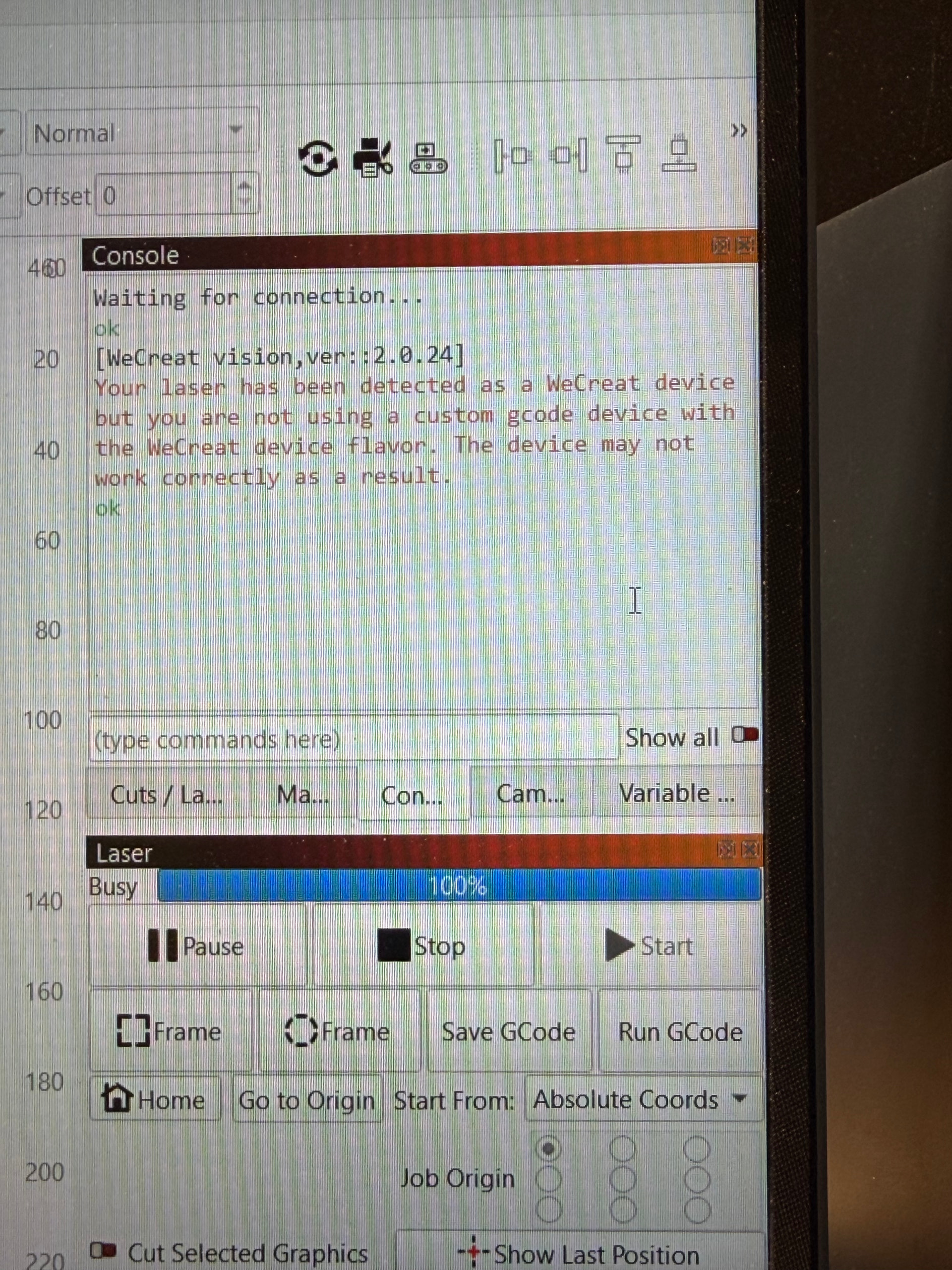
The message is it detects wecreate but not using gcode device with wecreate device flavor. The camera responds to focus and a picture of the bed is there. It frames and calibrates but stops when a-lining. The camera moves then stops
Lavoiern
August 7, 2026, 10:40pm
2
This is the message I get
soniclab
August 7, 2026, 11:12pm
3
You will need to select the GCode flavor during the New Device Setup
Go to Devices–> Create Manually, Select Custom GCode from the device list. Run through the device wizard and select the WeCreat flavor from the list.
Lavoiern
August 7, 2026, 11:48pm
4
I don’t have wecreate in that section I will try just GRBL.
MikeyH
August 7, 2026, 11:59pm
5
Me neither. You may have to import the .lbdev file from the manufacturer (or maybe the Lightburn version) to see it show up.
soniclab
August 8, 2026, 5:56am
6
What version of LB are you using ?
Pretty sure you’re going to need the Custom GCode option and not the bog standard GRBL profile according to the console message.
soniclab
August 8, 2026, 5:59am
7
That’s probably the best course of action if you’re using an older version of LightBurn.
It’s kinda hit and miss with the WeCreat at the moment.
Aaron.F
August 10, 2026, 12:54pm
8
The WeCreats work well if you’re using > 2.1.03 and the recommended settings.
You can download and import the settings file I posted here:
In Version 2.1, we added a dedicated WeCreat Flavor, which fixed known firmware compatibility issues.
Download the latest version again from here . You can install it over the old version without needing to uninstall first.
Then, download this device profile, and drag it to the workarea to add the device:WeCreat_Vision_40W_08_2026.lbzip (30.6 KB)
Or this one for the ProWeCreat_Vision_Pro_08_2026.lbzip (25.2 KB)
Please let us know how it goes.