Y axis inverted and offset on Neje max e4 v1

The new board may have stepper drivers with stall sensing using back-EMF feedback through the motors, rather than separate mechanical switches. Basically, the driver notes the change in the motor current waveform when the laser head / gantry hits the end of travel and reports back to the firmware.

The stepper drivers are more expensive, but getting rid of home switch jank would be a major tech support win.

Determining what’s in any particular laser machine is left as an exercise for the reader, because I have no clue. :grin:

1 Like

Yeah, I heard of that method. Thanks for the reminder.

Tough when we do not know what they have, and they do not either. :roll_eyes:

Hey, thanks for chipping in, that makes a lot of sense. And yes after checking with NEJE they indeed use “sensorless reset technology”

Yes thats correct: from where I’m standing with origin selected to bottom left X+ moves the laser to the right and Y+1 moves the laser away from me…

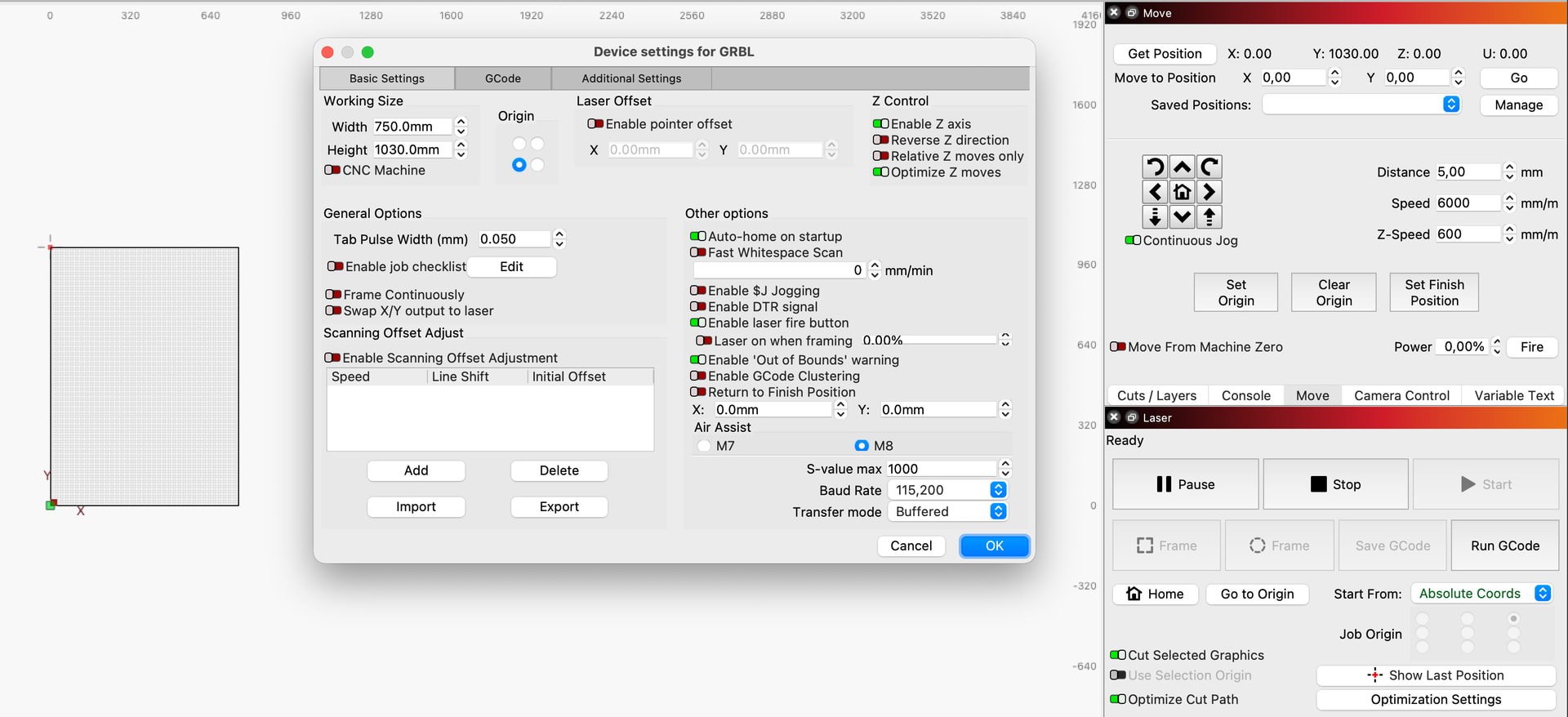
With the settings you suggest; after homing I get the a position of X:00 and Y:1030

Is that how it is supposed to be?

Thanks again.

You see that little red square with the cross hairs in the upper left corner of the design grid? That is your Home position.

You see that little green square in the lower left corner of the design grid? That is your Origin 0,0 location. Your design grid is in the first quadrant, so you should be ready to go.

How can this be? Home is a mechanical machine position. Origin is a software position. Although they can be the same location, they are not the same thing.

Use Absolute Coords and you should be able to avoid out of bounds messages.

Okay nice, so that’s settled. Origin vs Home is clear to me.

Now back to the fact that my Y-max travel distance value has to be set to $131=1950 in order to have my machine behave the way we just established. This is weird isn’t it?

You are just telling your machine it is bigger than it really is. Unless you have the Origin set in the middle of your Yaxis travel, it should have no impact on operation.

Set it back to the 1030 value and see if everything behaves normally.

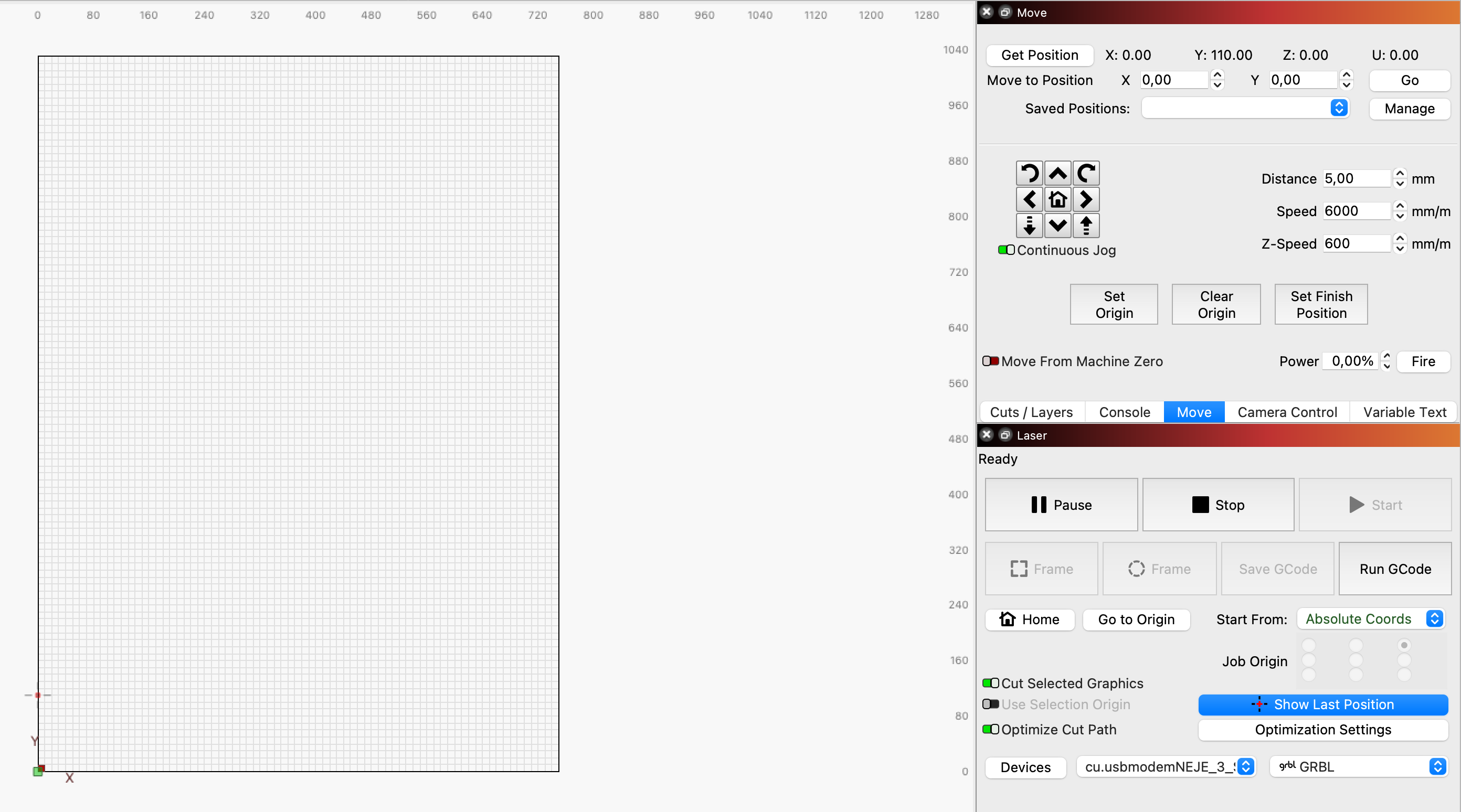
Okay I did, and now Im back to the original problem where after homing (still homes to the right corner) lightburn thinks the laser is at Y:110.

We have gone full circle, but now we know you are nearly done. You now have a +110mm offset in the Yaxis, right? I want to confirn that is not a stored offset, although I think we did this previously.

In the Console window, enter $# and post the results here. Please do not change anything or experiment.

Yup, Y is offset

I get a hunch that the numbers confirm it:

That 920 in the first line is exactly the nmbr it is offset with…

[G54:0.000,920.000,0.000,0.000]

[G55:0.000,0.000,0.000,0.000]

[G56:0.000,0.000,0.000,0.000]

[G57:0.000,0.000,0.000,0.000]

[G58:0.000,0.000,0.000,0.000]

[G59:0.000,0.000,0.000,0.000]

[G28:0.000,0.000,0.000,0.000]

[G30:0.000,0.000,0.000,0.000]

[G92:0.000,0.000,0.000,0.000]

[TLO:0.000]

[PRB:0.000,0.000,0.000,0.000:0]

1 Like

Look at the attached image and see if this makes sense:
In Console, enter G54 Y1030

The laser thinks it is at Y110. That is where it tells Lightburn it is located. If you add the 110 to the 930, then you are tellling the laser that X0 Y0 is in the location you want it to be.

This makes my machine go North, away from me, off it’s limits..

Try Y-1030 then…

Not understanding how adding 110 to the parameter makes it go in the wrong direction.

Not understanding that either.
Entering G54 Y-1030 moves it the other direction, towards me. but it moved 110 to far, off its limit.
So I tried again entering G54 Y-920 instead, that moves the laser to the exact origin.

Oh and then this:

  1. Is your laser workarea 36”x30” or 42”x30”? NOT the frame size.
  2. $130 and $131 should be set only once, then not touched. They establish the workarea of the laser.
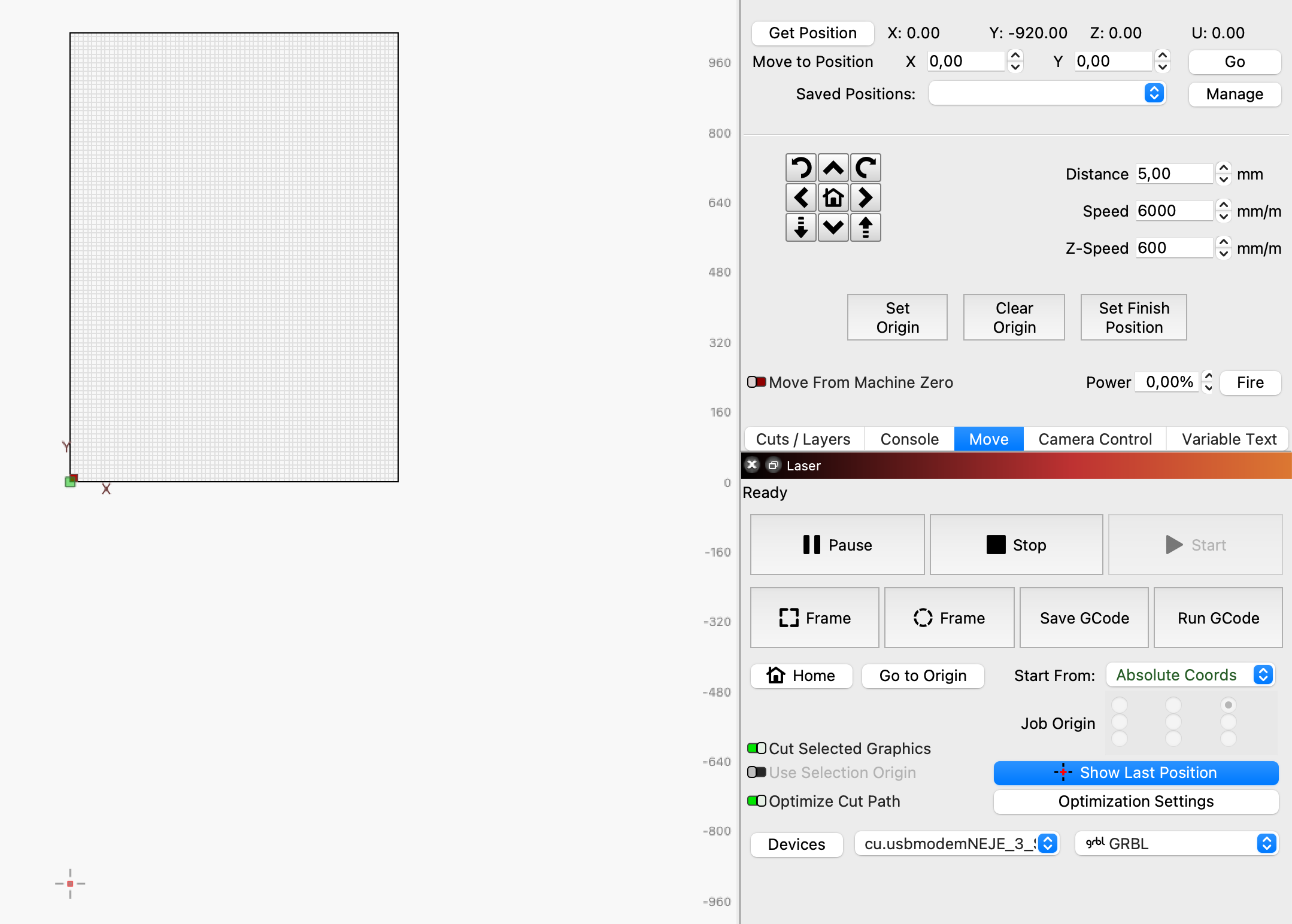
  3. When your laser is at the position shown (-920) in your Move window, where is it located in the machine, A or B?

I have a problem with that 1030 number when 920 seems to make things better. If Y-920 moves it to the “exact origin”, that suggests that is the correct G54 value.

If your laser does not Home at the 0,0 location, but Homes somewhere else, then you will not see X0, Y0 when it Homes. You will always see a Yaxis offset value because it will be located at an offset from 0,0.

Do a G54 Y-920 and and Home the machine. Then answer my questions #1 & #3 above. :nerd_face:

1: the workspace of my machine is: 1030mm x 750mm
2: ok
3:B

Yes I understand, when I home it moves to corner A. The feedback in Lightburn in the move window suggest Y:110 however…When it is actually at Y:1030

Also in my previous screenshot, you see the laser icon all the way at the bottom of the scrn, beyond the workarea of my laser…(920 beyond, that is…)

Yes, I saw that.

This would be Y=0 at that point. When you move it towards the Origin 0,0 point, the Machine coordinate will increase negatively to 920. Honestly, this suggests 920 is the correct Yaxis offset, not 1030. I do see it is advertised as 1030 when extended.

Enter $$ in the Console and report what the $10 parameter contains.

1 Like

$10=3

The y axis is movement is exactly 1030 mm, spot on.

Also I have been using this machine for over a year without problems…

I finally got in touch with a technician from NEJE, they suggest upgrading the firmware on my machine. How to do that, they haven’t told me yet… Communication is very slow with them.

At this point we go on hold until after the upgrade.

I was going to suggest changing $10 to 2 so it reports only Workspace coordinates. Try it if you want because the firmware upgrade will reset everything anyhow.

Yeah Im not updating anything yet….

Btw after having done this and after homing the y-position in the move window is back at Y:130 again. Not sure if that G54 is a permanent comment or just a temporary move.