First off - let me say BRAVO on an EXCELLENT first release for EZCAD3!! Surprising comprehensive, easy and functional!!!
A couple of things:
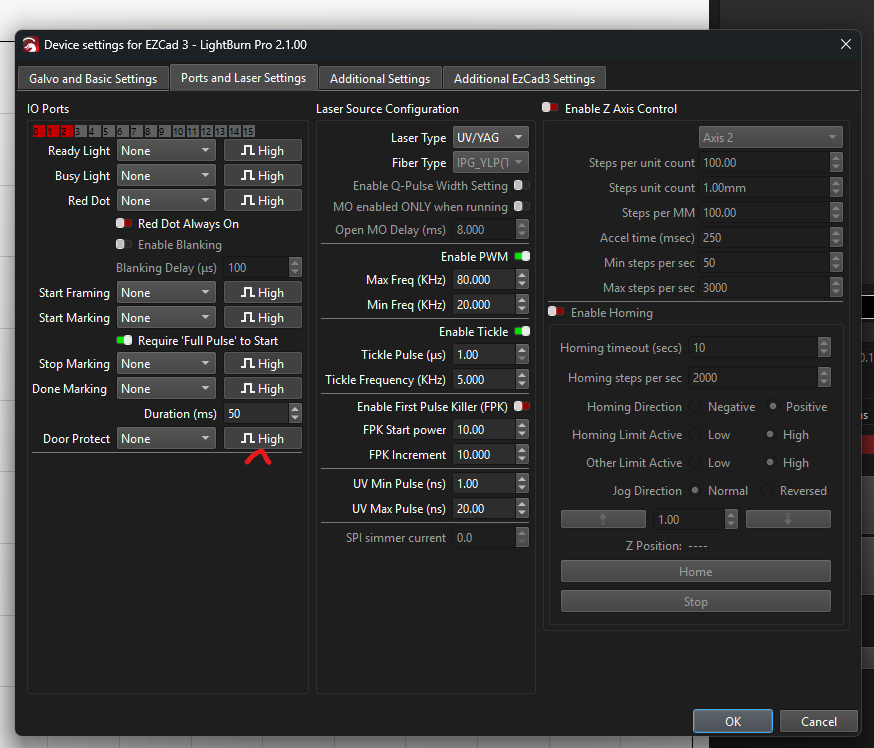
1.We use a door interlock. And despite the GPIO being green when door closed - we needed to reverse the polarity to “high” for it to allow laser to fire. It might be a bit of user error, but it seemed to impor tthe correct GPIO but not the correct polarity from my config import
I enabled Q-Pulse setting. (This probably should have IMPORTED as “enabled” for my laser)
After enabling q-pulse - it does show up in applicable setting (windows) - but really also expected it to show up as an option at the bottom of the “cuts/layers” pane, as do the other fundemental settings (like speed, power etc).
Also (q-pulse) thought it’s nice to be able to enter any value, EZCAD3 just gives a popup with several common settings (eg 2ns, 10ns, 50, 100, 200, 250). This is way easier than having to manually enter values. (Also may be unintuitive that “250” is max - at least on my laser? Should this be a config option?)
We’d be keen to have a copy of your config if you’re willing to share, so we can take a closer look to verify where the error is coming from - LightBurn, or the Config. For EZCAD3 devices, the configuration files are typically called markcfg0, Motors.ini, and COR.
2/3. Q-Pulse should be displayed on the main Cuts/Layers panel. We do this for devices that have Q-Pulse enabled in our other device profiles, and I’ve now confirmed it on my system to not be displayed on EZCad3 devices. I’ve made a bug report. Thanks for letting us know! This should be fixed soon.
4. I like this idea, mind putting it into our Feature Request page? lightburn.fider.io
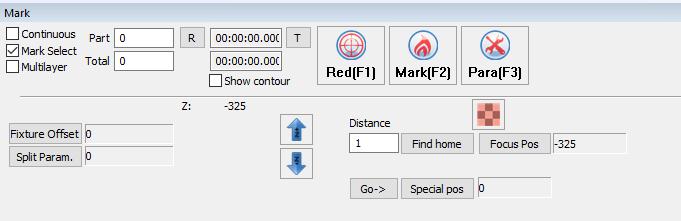
A screenshot of how it’s done in EZCad3 would help. Thanks!
Other files below will help you with the inverted doorlock GPIO (on import) and motor issues. ALso - just to clarify - the “up/down” buttons and HOME button (In Galvo-Z menu) worked correctly - it was ONLY the up down buttons in the SETTING page that gave me bad motor noises. i.e. these buttons DON’T do the same thing.


 )
)