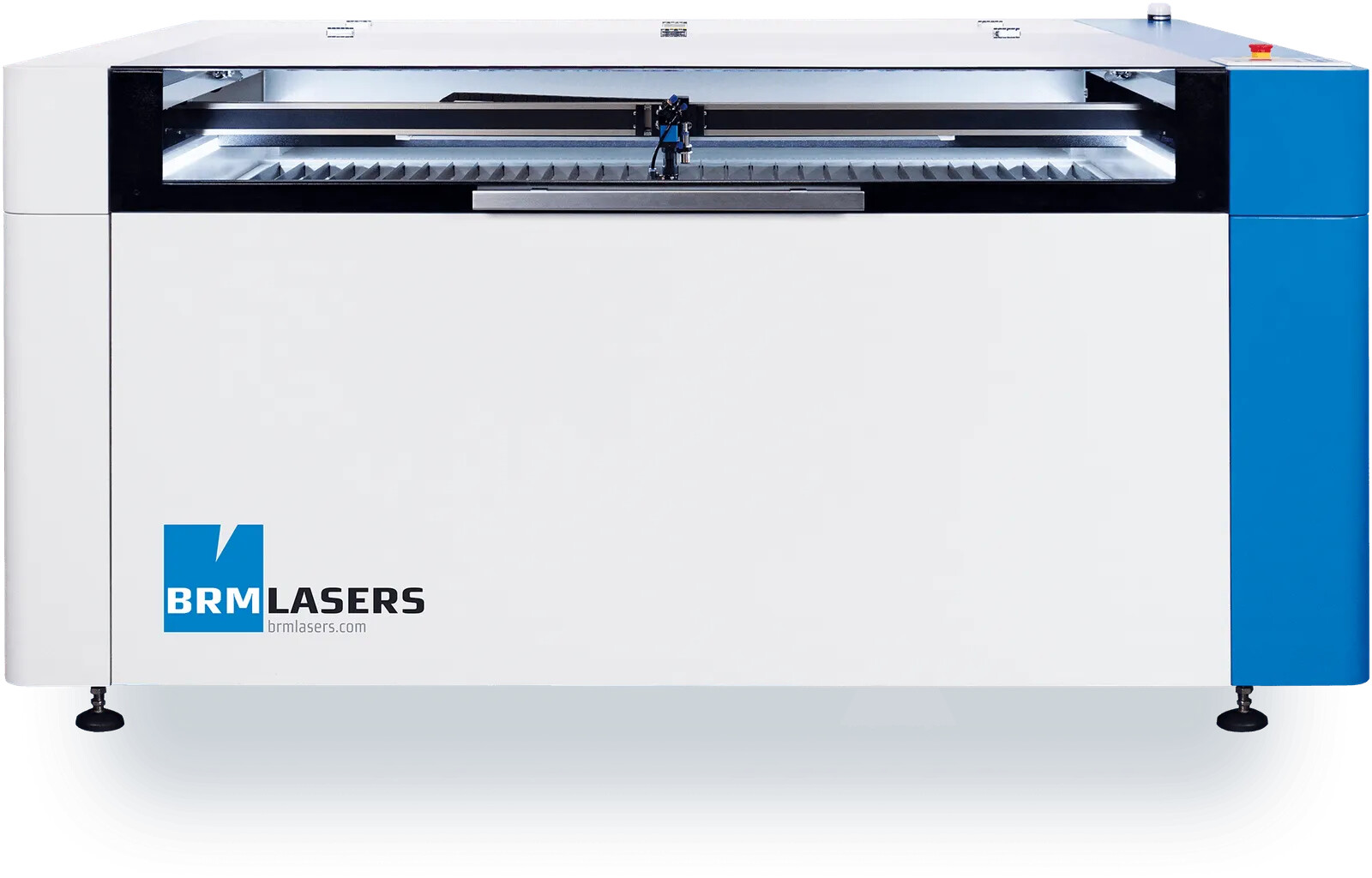
Looking forward to all the new updates in 2.1! I was wondering though what the ‘multi-cam’ support means / what its intended use is? In our lab we run an Epilog Fusion Pro (with its own dedicated software) and a BRM 1300 Pro with Lightburn. I was always a fan of the Epilog (it’s just a better way more advanced machine, but it’s less foolproof and the software is not as awesome as Lightburn). 95% of the time we use the Epilog with the camera for aligning our work. The Epilog has two camera’s that work together for a combined view of the surface from a close distance. This means that you can use a live camera overlay while the lid is closed (130x90cm) and its calibration is seamless / almost never needed.
The camera we use with Lightburn is a completely different story and we barely use it. The main problem is that the our BRM does not allow to jog the machine with the lid open. So our users (students / non-experienced laser users) constantly close / open the lid to make a new overlay image when the laser head is in the way. Yes, we can set it so that the laser head moves out of the way after each job, but that also has its downsides. Also the alignment was always a problem/unreliable. So off course I was excited to see updates coming to this wizard since we throw away sooo much material because the camera is not intuitive in our case.
I’ve read the new 2.1 docs, but I can’t seem to find information about the multi-cam feature. Does this mean I can build a similar setup as the Epilog? I.e. use two usb camera’s for a combined multiplex view of the whole large bed from close distance (so when the lid is closed?). that would be awesome! A live overview like on the Epilog would also be awesome in this case and makes sense since the lid can be closed anyway. Or is the multi-cam mainly meant for having a laser head camera and overview camera for example?
Thanks so much for all the continuous work on Lightburn! It’s an awesome software package and we’ll definitely upgrade to pro for the nesting features.
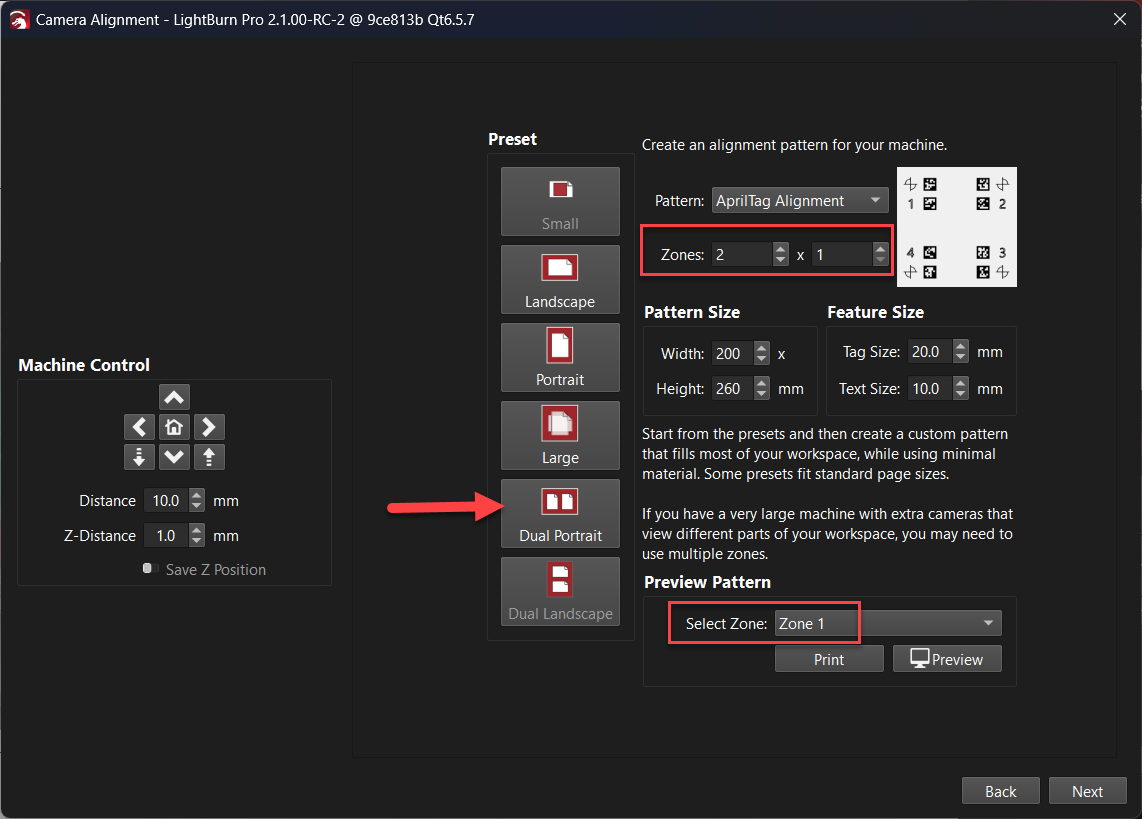
You should be able to build something similar for the BRM 1300 Pro, using the ‘Dual Portrait’ preset, you can align two cameras, each to one side of the workspace.
After you have aligned each camera to the pattern within it’s zone, using ‘Update Overlay’ will combine the images.
I’m not sure if there will be a live combined view available in the way you might expect, but you can stack the two live camera previews in side by side - @JediJeremy is the best person to speak to that.
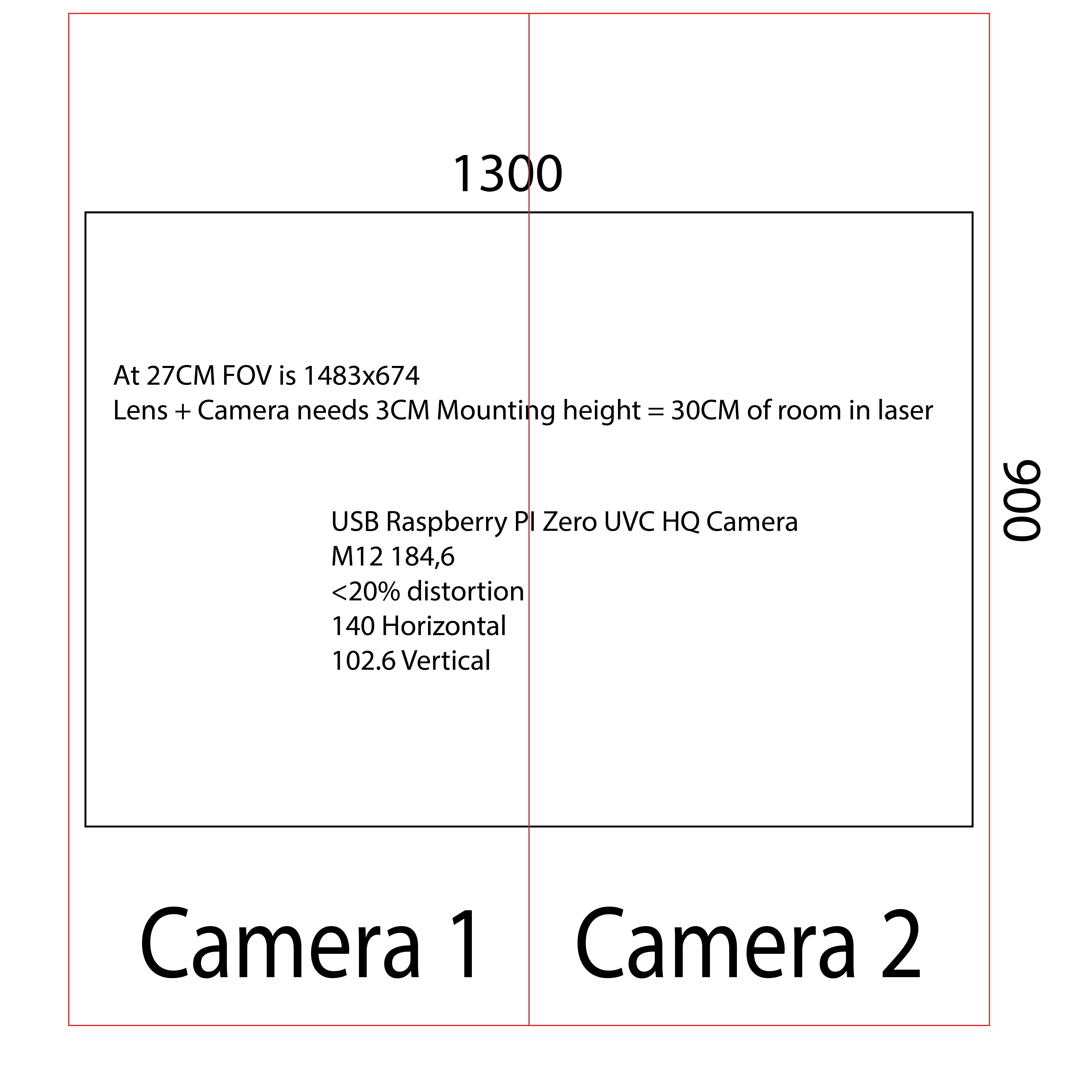
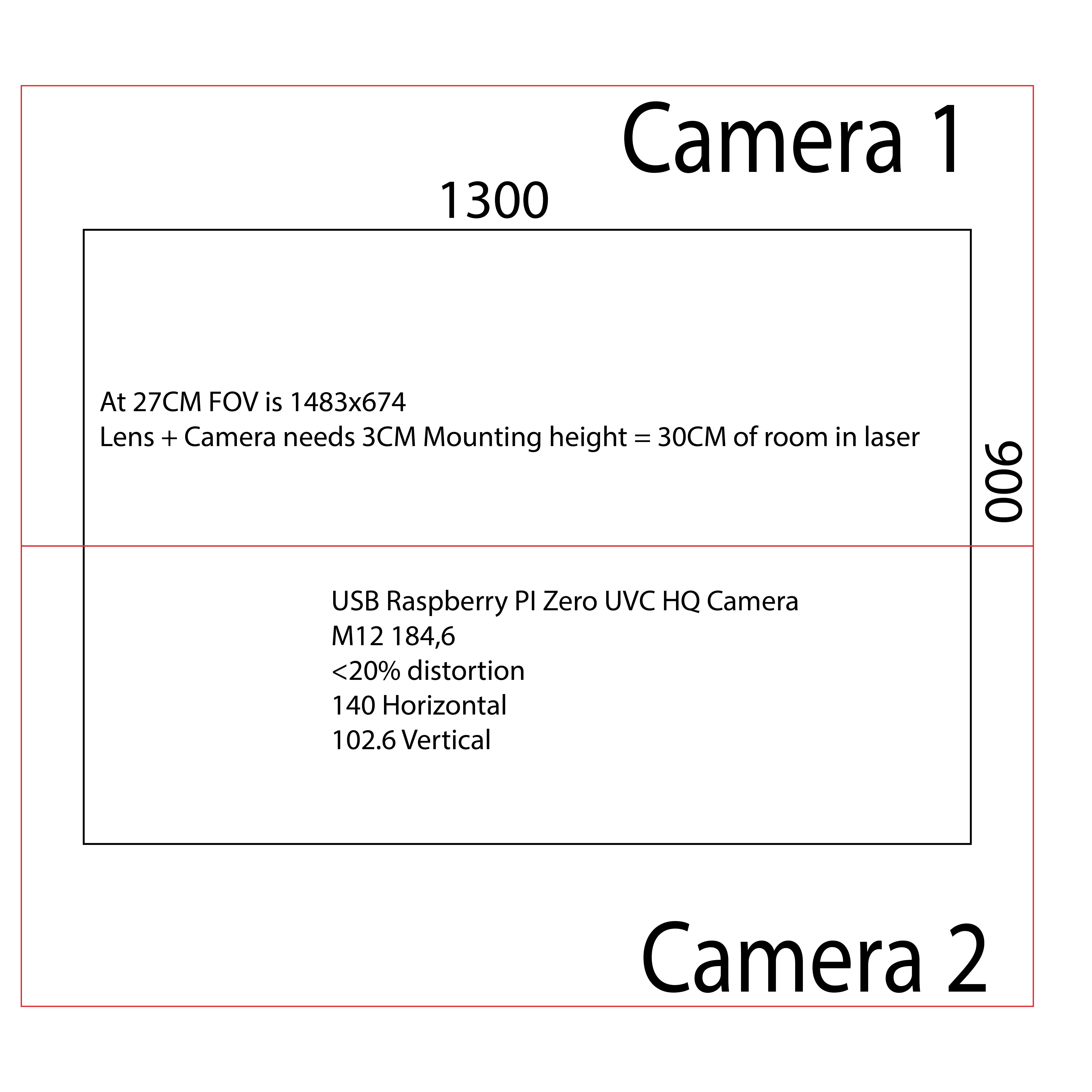
Thank you very much for the complete answer! Was this feature always there and did I just miss this or is this new in 2.1 (part of multi cam?)? I’m interested in building a solution for this and I like to experiment (really curious if the dual portrait option with two raspberry pi zero’s and two hq cameras as UVC with wide angle lenses would give good results. @JediJeremy Do you have experience with this or any input? I made some calculations and two standard m12 180 degree lenses should allow me to get the entire 130x90cm bed in view from around 30cm distance which means I could keep the lid closed in theory. Well maybe I should just try it.
Software wise experience would also be very much appreciated. I.e. how the two images are stitched together. Is this accurate like on the Epilog or is it more like a Formlabs 3Ll where two modules are combined and creating a model that overlaps the two modules gives a visible seamline/loss in accuracy. (I understand that it off course relies on how well everything is mounted, but I haven’t seen an example of this with Lightburn so I’m curious).
I’m not too sure how it would go if the resolution was very high?, with a 3MP capture I noticed already the captures felt like they took somewhere between 1/2 a second to a second, so 12MP might take take a good few seconds before you get the capture… if it will stream ok? You can only try I guess and let us know how it goes, or @JediJeremy may have tested higher resolutions?
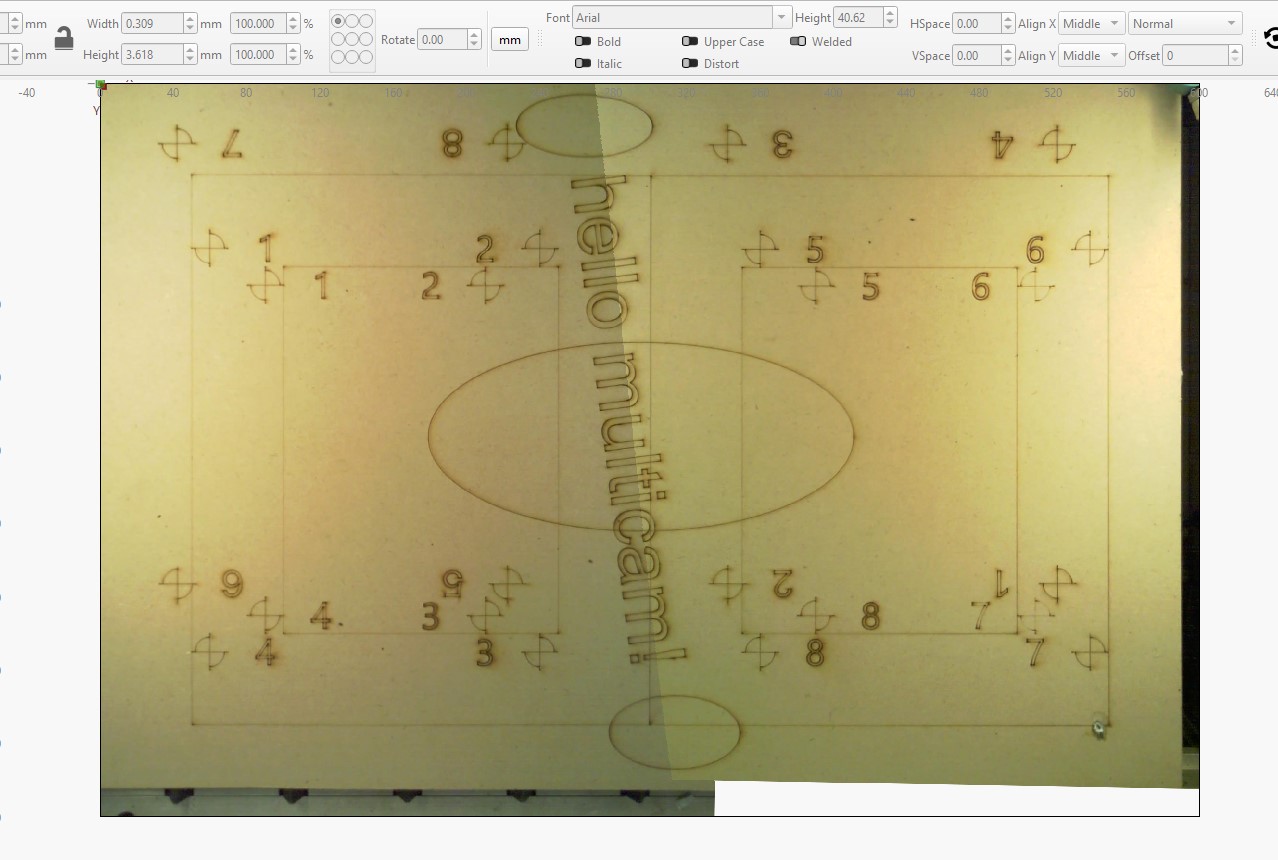
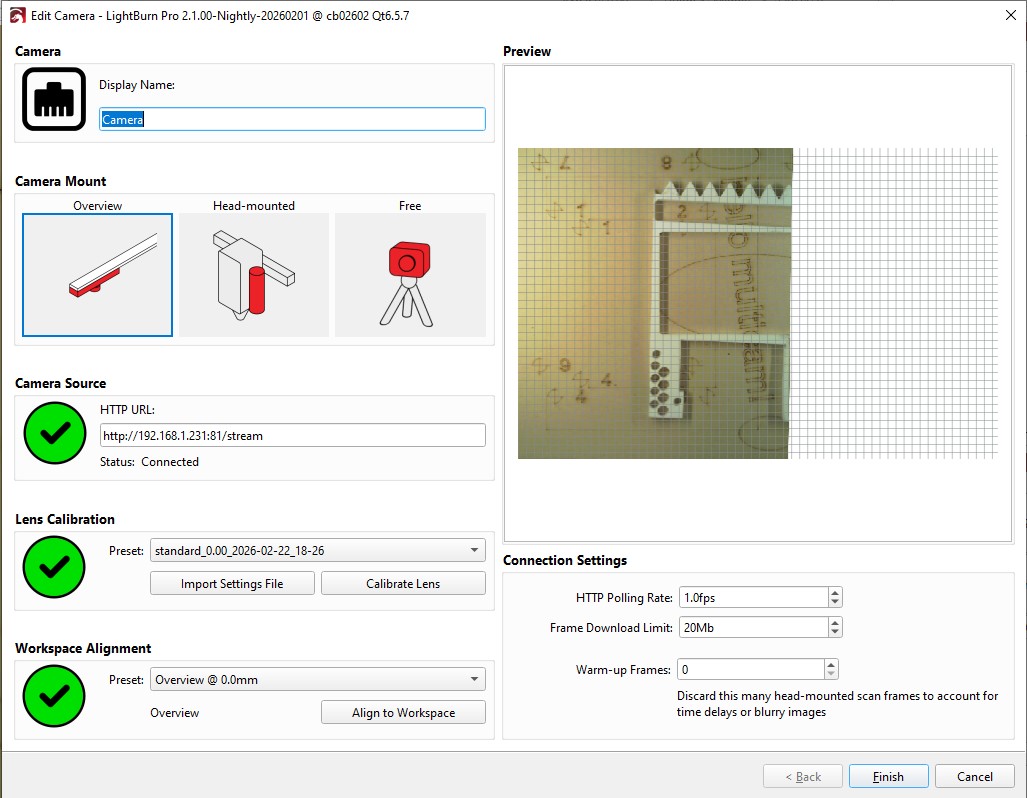
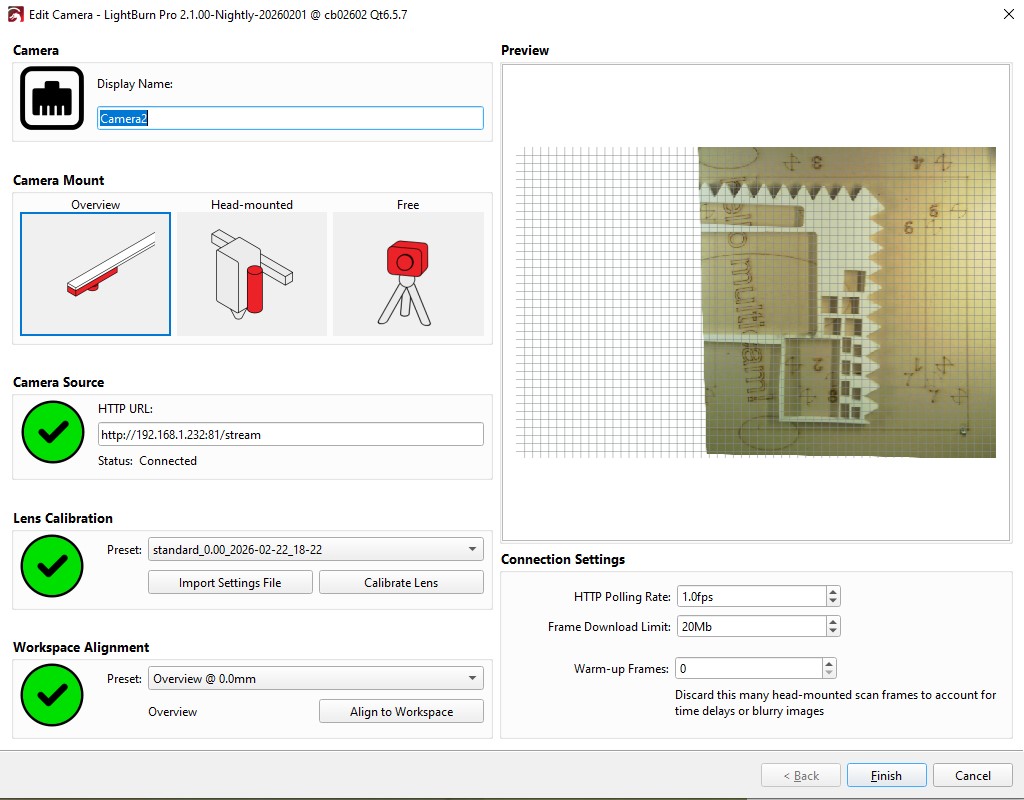
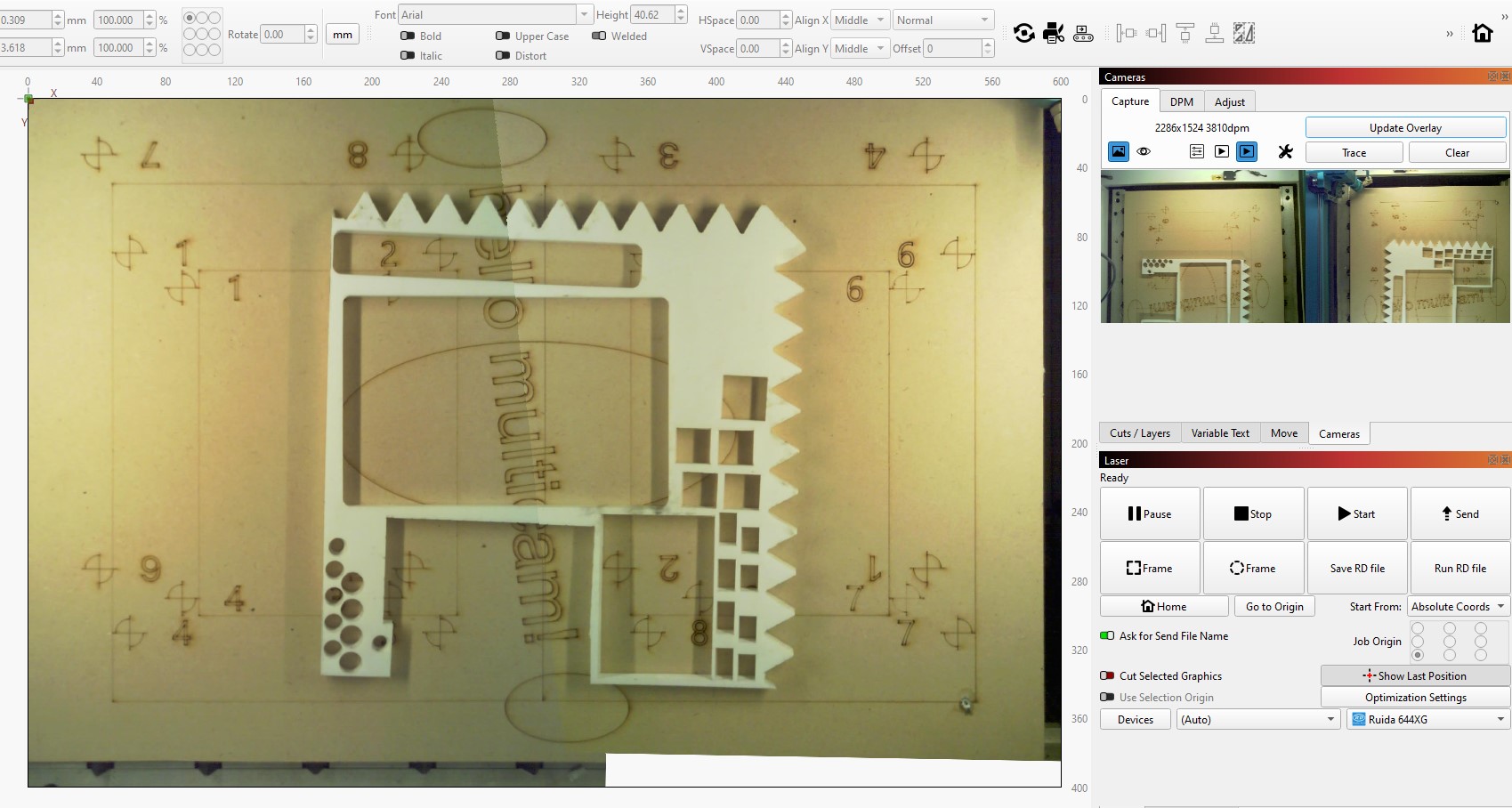
I dont think I have any suitable raspberry pi zero’s about, but over the weekend I hooked up a couple of ESP32’s and OV5640 cameras, so I could test this myself with wireless cameras, and give you an example of the view (in this case @ 2048x1536 resolution), and what it looks like at the seam.
Notes:
1: This is only a small (600x400mm) workbed and I had to set the cameras about 450mm away from the bed since they have a 69deg FOV.
2: The cameras I used were autofocus which is not great since I think they can slightly change the FOV which I’m sure would have resulted in a less than ideal lens correction and alignment:
3: In this test I used the manual alignment method and was messing with it so the board looks busy, so in case you were wondering - I used the middle set of alignment marks.
Image of a two-camera view, showing the seam.
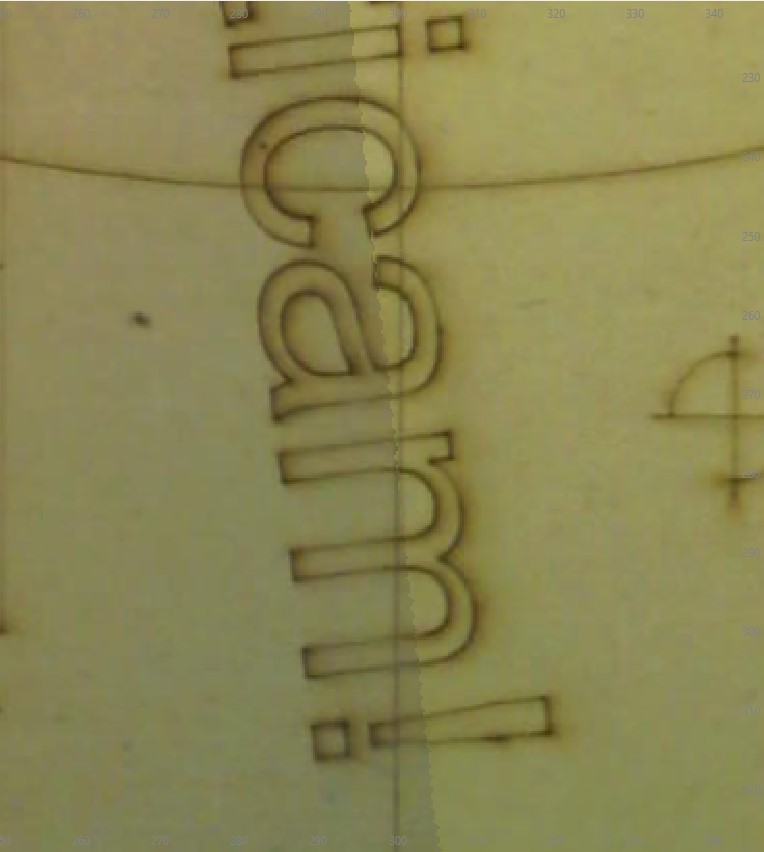
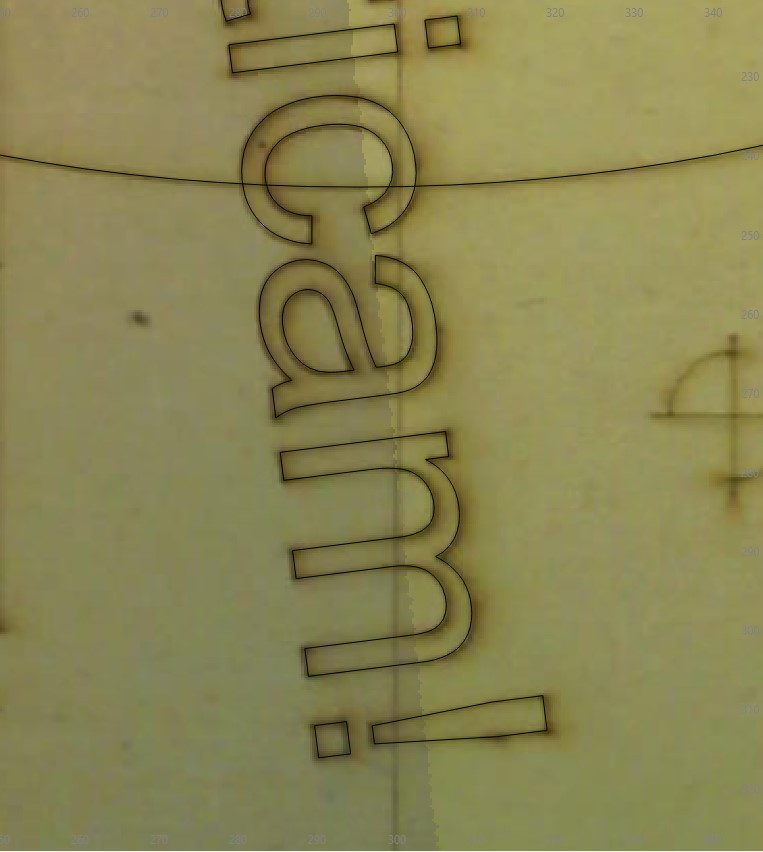
Then I burnt some text through the seam to see how it would look:
In the camera live preview in the Cameras window, the images are in landcape - that is because I setup each camera in portrait view to better accomodate the aspect of each side:
Here I put various thickness H-packers in the view just as I was curious to see how the seam would look with different thickness out-of-focus parts on it.
Wow that is awesome and exactly what I’m looking for! The results speak for themselves.
The idea of the raspberry pi’s was to just set them up as a usb uvc camera so not as an IP cam. That should speed things up a bit (https://www.raspberrypi.com/tutorials/plug-and-play-raspberry-pi-usb-webcam/). I’m at the machine again on Tuesday and will then be able to confirm if it will work with the lenses I’m thinking off (if I have enough height with a closed lid). If that is the case I’m going to order everything and start building!
Going beyond a 150deg fisheye lens may not provide you with an increase in useable view for the alignment, since I’d imagine you would lose a lot detail and uniformity of focus?
It might be better to have 4 x 150deg cameras if you have a 300mm gap?
The machine is actually way too big for what it is. Its dimensions are 2mx1.5mx1.2m. That’s significantly bigger than the Epilog Fusion Pro 48 with the same cutting dimensions. They just didn’t try really hard to make it fit more efficiently. Our old BRM was much smaller and also had the same cutting dimensions. So yeah not a big fan of that, but I hope it should be doable. Going to measure it exactly tomorrow.
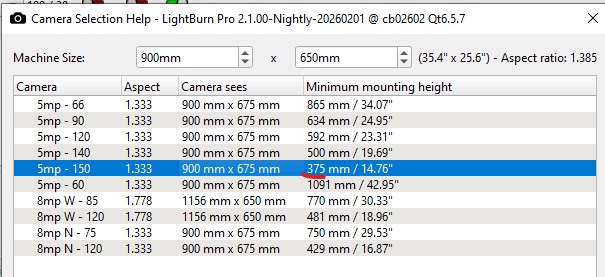
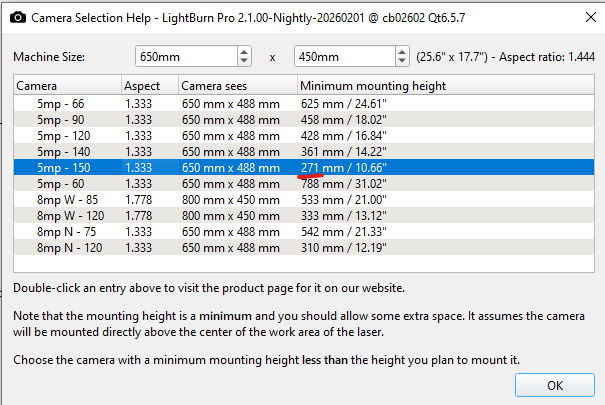
With just two camera’s I would have to following options if I have 30cm of mounting height (which I think I should have, but yeah I could be way off haha). Landscape is more efficient, but that means mounting two camera’s in the middle of the bed which is appearance wise not desirable. Portrait makes more sense (same as the Epilog) since the camera’s are more out of the way from the center. But yeah if I don’t have this height I might have to think of something else / just live with the constant opening / closing of the lid.
This is the sense I’m looking at: https://www.waveshare.com/ws1842714.htm?srsltid=AfmBOooikwz9u1h0l1Ox4hdsSkyLjdTo6X-nktQ0criwn6UFjIykNgNU. It’s the largest commonly available wide angle lense that does not have an insane distortion (according to the specs less than 20%. So a lot better than some other fisheye lenses). The best lense that I can find otherwise is a 113 degree one with almost no distortion, but then I would need 3 camera’s.