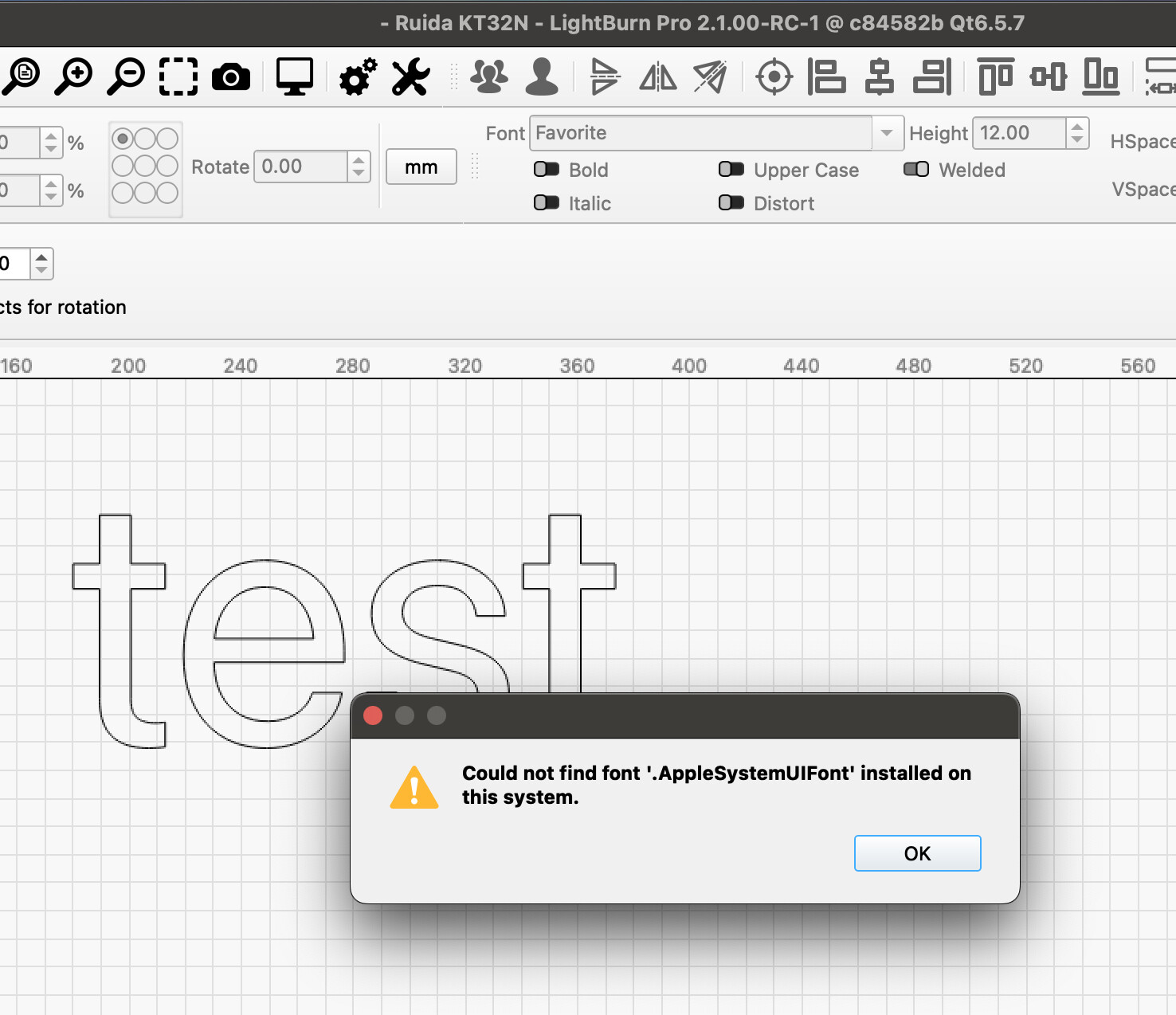
The error with the MacOS GU font is still there, I thought it was described as fixed in the RC log file… 
1 Like
It is, yes. But you are still experiencing it, so I will ask @girish to join this discussion.
…for me it will have to wait until tomorrow morning, it’s midnight and my bed is calling 
But I can say that the description I made in the beta group still fits the problem.
I have made a new file for you with the problem for exploration, if that helps.
Mac-GU-Font-Test.lbrn2 (24.2 KB)
1 Like
Can confirm, thank you. Will generate a report for follow-up with @girish. 
1 Like
Hi @bernd.dk
First of all, on behalf of the entire LightBurn team, warm wishes to you and your family for a very happy New Year. The bug you have reported is actually a combination of 2 separate issues.
-
Font header entries appearing as selectable fonts:
The entries such as “Favorite”, “Recent”, and “All Fonts” are font category headers and should never appear in the font dropdown’s edit box, nor be selectable as actual fonts.
In the December 2025 RC this behavior has been corrected so that:- These header entries are no longer shown in the edit box.
- They cannot be selected as the current font.
This behavior has been tested successfully on multiple Windows and macOS systems.
However, from the screenshots you posted on Jan6, your MacBook appears to allow “Favorite” to be selected as the active font.
In particular:- In the screenshot “Skærmbillede 2026-01-03 kl. 08.01.07”, Arial is shown as the active font.
- In the screenshots “Skærmbillede 2026-01-03 kl. 08.01.37” and “MacOS-LB-2100RC1”, “Favorite” is shown as the active font.
- The Windows screenshots “LB-Win10-autoExposure” and “LB-Win10-manuel” correctly display a valid font in the edit box.
This suggests that the font system behavior on your MacBook is erratic and does not match what is seen on other test systems. Understanding how your system is able to set “Favorite” as an active font is very important to us, as this is the more critical part of the problem.
If you are willing, any additional details you can share about:
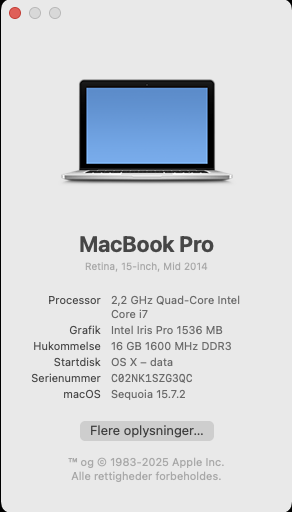
- Your exact macOS version
- Your system language/region settings
- Any font management tools or custom font configurations you use
would be extremely helpful in letting us reproduce this behavior reliably.
-
.AppleSystemUIFont warning in .lbrn2 files
LightBurn correctly shows a warning dialog on both Windows and macOS when it encounters .AppleSystemUIFont in an .lbrn2 file, because it cannot locate that font as an installable font on the system.So far, we have not been able to reproduce this particular situation on our own machines. At this point, I can only speculate that your macOS is, under some circumstances is itself generating .AppleSystemUIFont as an alias for a concrete system font, which then ends up being referenced in the file.
Both these issues are being actively monitored, and every effort will be made to resolve it as soon as the behavior can be reliably and consistently reproduced.
Many thanks again for your continued help and understanding.
Best regards,
Girish
3 Likes
Hi Girish,
Also to you and the entire LightBurn Team, my best New Year wishes to you.
I am splitting this answer into 2, because I am sending the information from the 2 Macs directly from the machines.
In addition to SHX fonts, I only have a few extra, not MacOS standard installed fonts, such as stencil fonts.
Both MacBooks are fairly similar in setup of LB, MBP1 I have always used as a construction and design computer for LightBurn while I used a Linux PC for the actual operation of the laser machine. The LB files are either sent over LAN or e-mail to each other. Since Linux support has stopped, I have started to prepare an MBP (no.2) to take over my Linux computer’s task of controlling the laser. Communication between all 3 machines takes place over LAN/Wifi, this of course also applies to my laser (standard OMT with Ruida clone)
Both MBP use LB 2.1.00 RC1
Here are the pictures from No.1 with system information, if you are missing specified information, please report back.
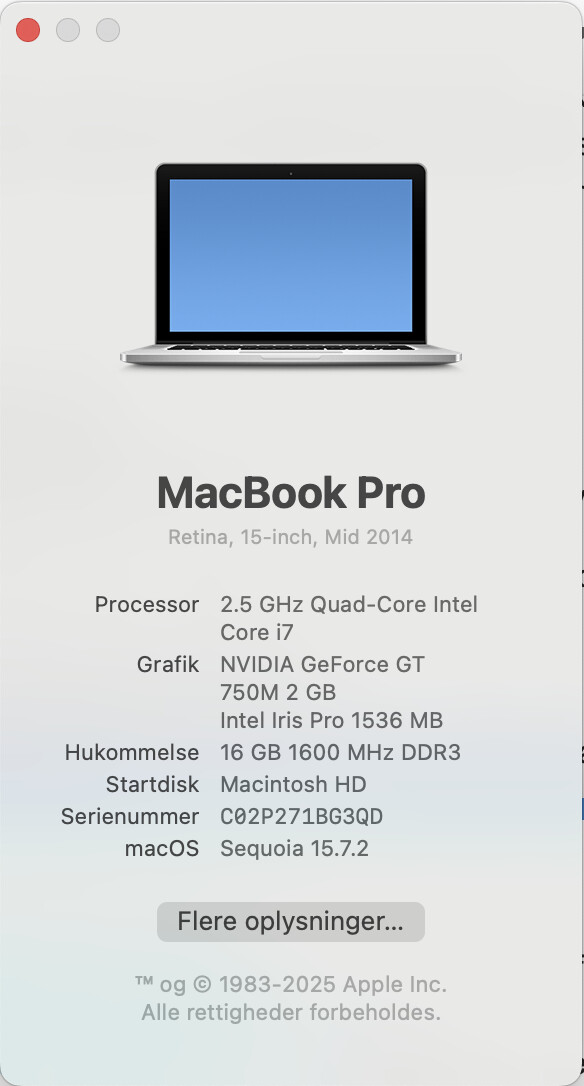
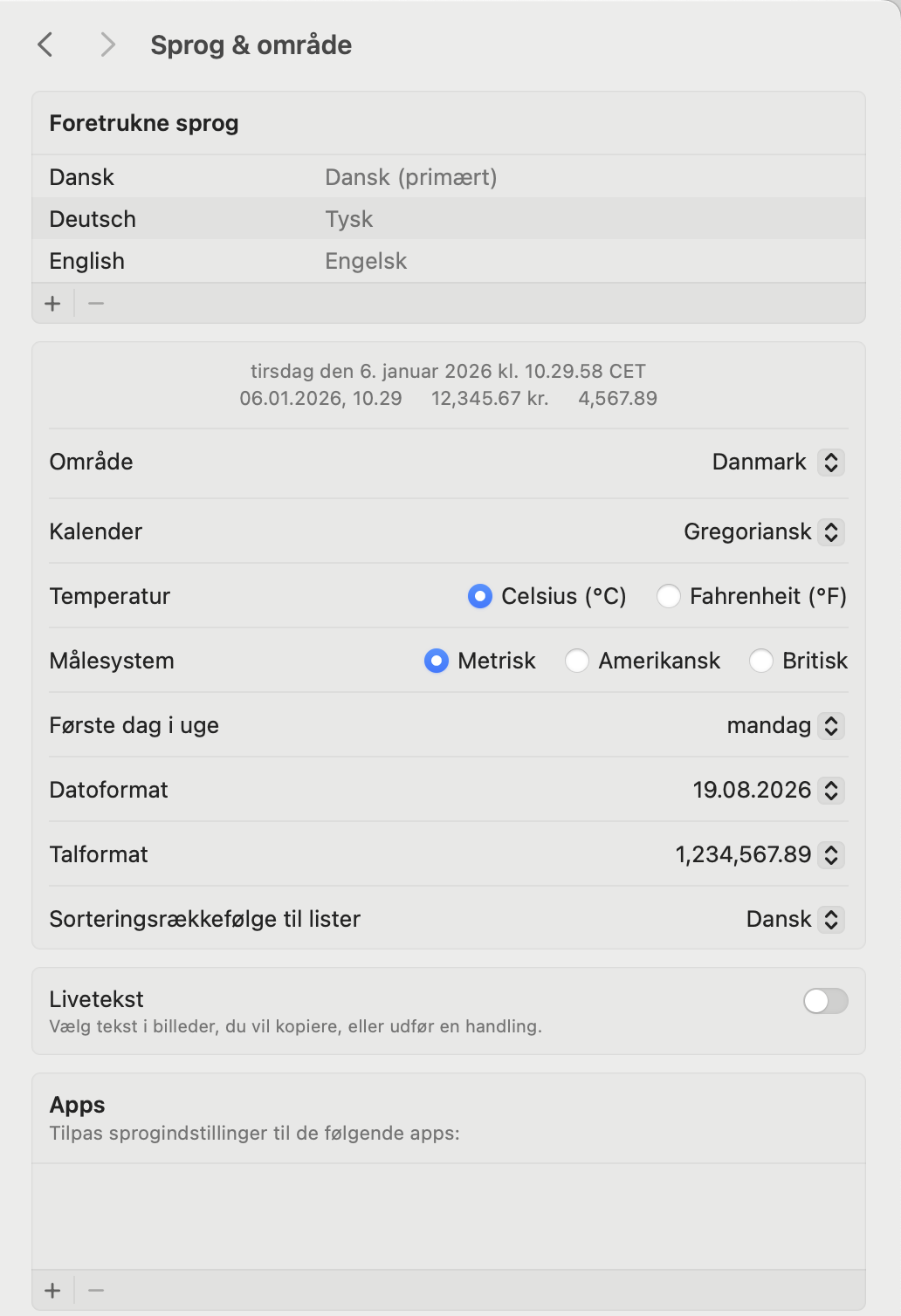
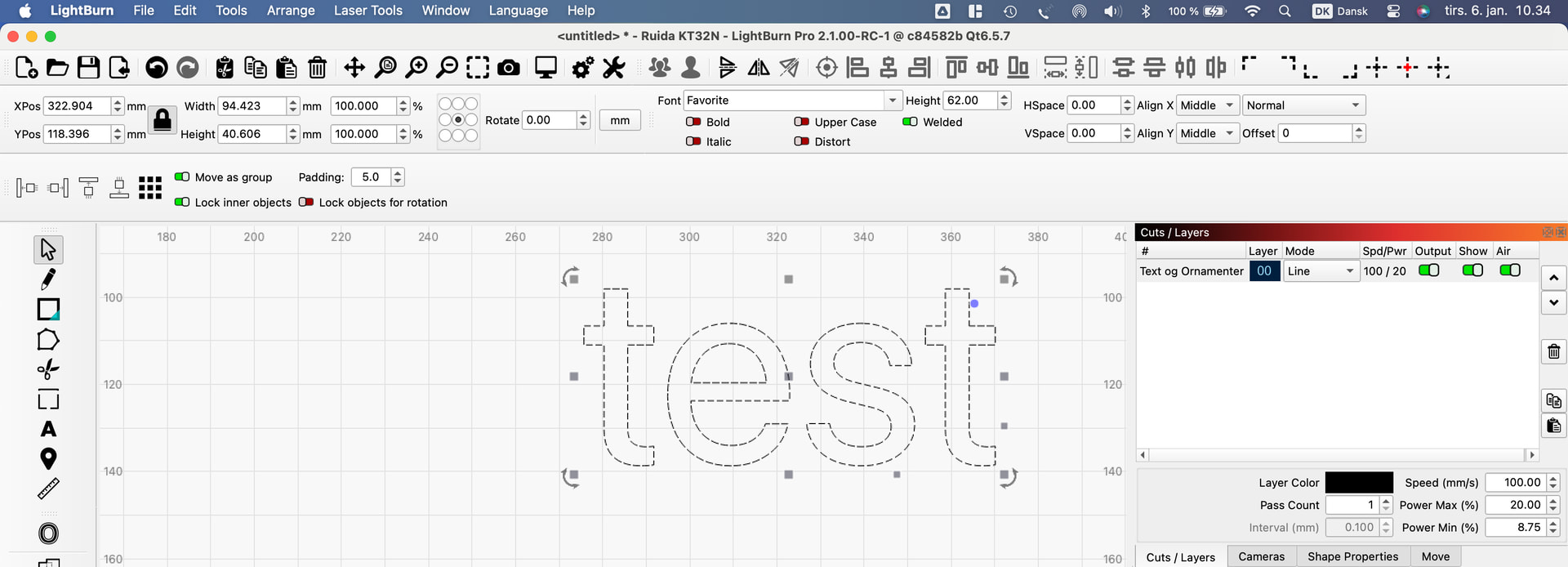
Kind regards
Bernd
I’m not allowed to send you a file again due to tightened security filters, so I’ll try editing my post “part 1” instead.
MBP nr.2
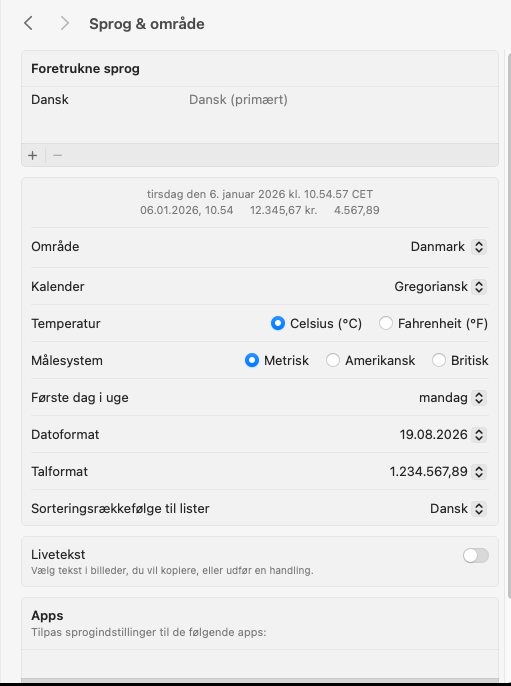

2 Likes
@bernd.dk I moved the font-related posts to this separate thread, to maintain an overview.
Thanks again for the report and all the additional info.
I ran some tests on my MacBook with Sequoia 15.6, and 15.7.3, but so far couldn’t make it display the “Favorite” font.
I also changed my system language to Danish - uden success.
Not sure, if you answered this already, but which default font did you set in the LightBurn Settings?
Your screenshots already confirm that you are working with a fresh project file. I would be curious to know which font name gets saved to the .lbrn2 file if you save one.
2 Likes
Also, if you don’t mind: If you simply open a new project without typing any text, does the font drop-down menu still display “Favorite”?
Thank you very much for that, I was also losing track of my own posts. This thread got very confusing at the end with all the different questions and bug reports.
I’m just starting my other computer so I can properly answer your questions about the font problem.
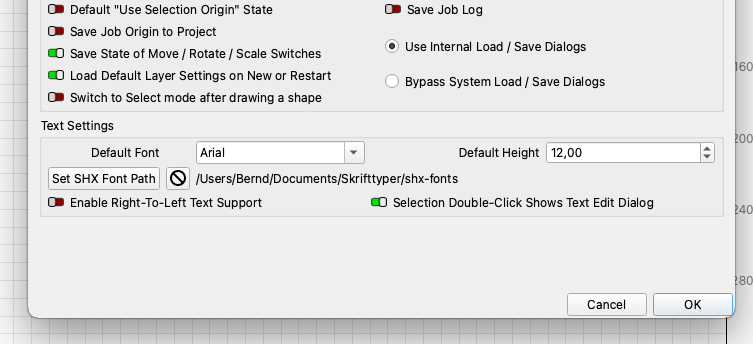
The projects are saved correctly with the font I selected, but when opened, the fonts are not my default font but are back to Favorite. When I click on “FontTest” does it change to ISO8.
fonttest.lbrn2 (11.4 KB)
Aron, I’m always happy to help if I can, so everything is fine.
Regarding your question, my new and empty LB project always starts up with “Favorite” as the “default” font in the little font selector box.
Hi guys,
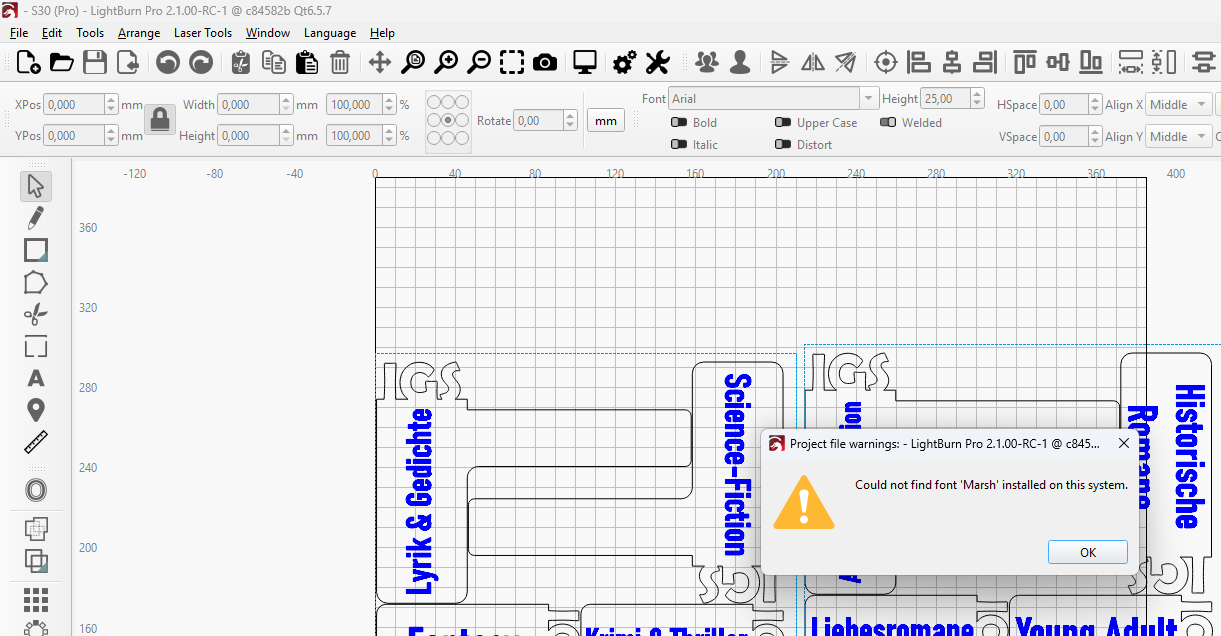
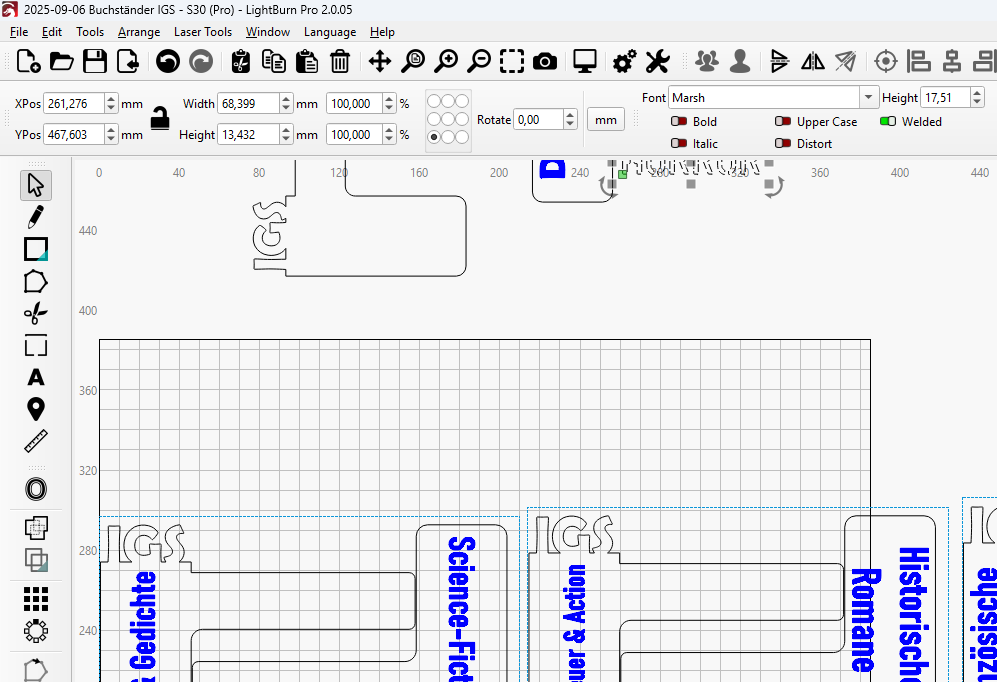
I have found another font issue, so I thought I might put it here. I have a project using a font “Marsh” (didn’t even really use it, was just for testing the design). I can open it without any issues in 2.0.0.5, but if I open the file with 2.1, I get the message that the font can’t be found. It’s on the same PC, both versions installed in parallel. It’s only that font, the file includes more fonts.
2.1:
2.0.0.5:
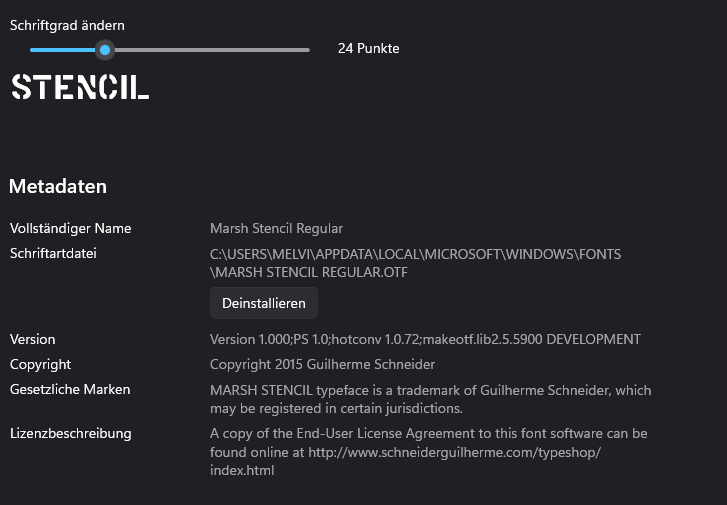
That’s what Windows says about the font:
Good to know that your default font is Arial. That’s the most standard one, and unlikely to be directly related then.
Interesting. I’ll talk to Girish to see what it might mean.
1 Like
Thank you for stepping in.
I do think that’s related. It seems as if another font name is being referenced, which then cannot be found.
We found this “Marsh Stencil Regular” font on fontget.com and will run some tests.
This topic was automatically closed 30 days after the last reply. New replies are no longer allowed.