I have a Creality Falcon T1, with the 20w Fiber Laser module, and it is a Galvo laser. I’m using the Lightburn Config file made by Creality to set it up: LightBurn Connection Guide | Creality Wiki
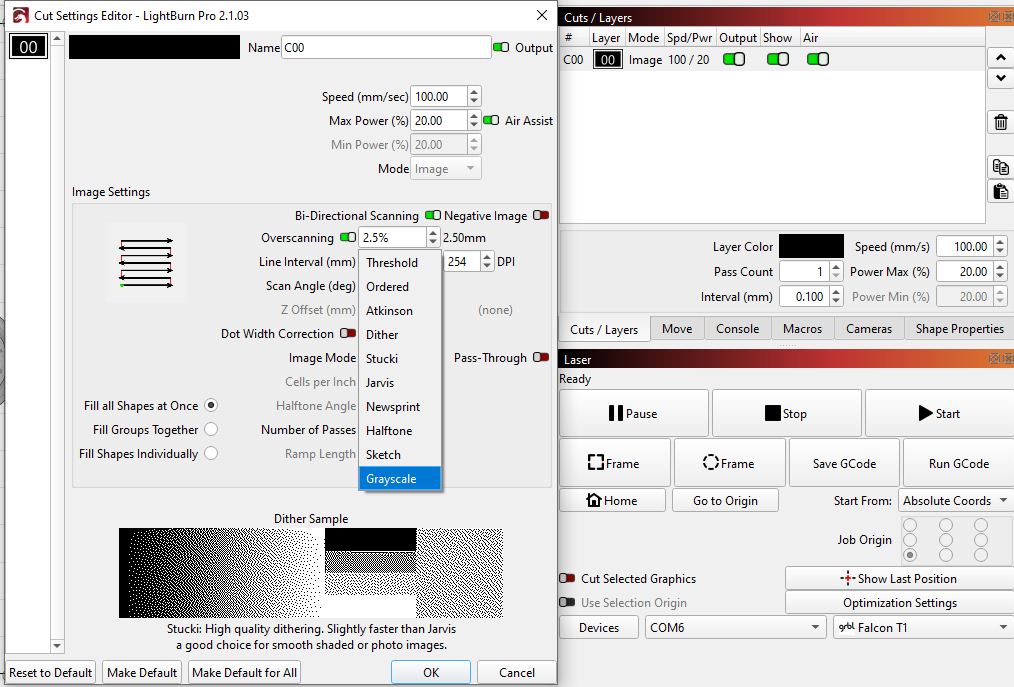
“3D Slice” doesn’t show up under the Cut settings for the layer I have my image on:
3D slice is not available at the moment for GCode devices. Since the Creality T1 is a fiber laser pretending to be a gantry laser, we can’t actually tell that it should have this option.
It’s only a fiber laser with the fiber module in it and sadly that means only their proprietary Falcon Design Space app works with it for anything. Are you going to have to detect which module is in the machine in a future update, seeing as it can have 5 modules with wildly different power levels?
You’d probably have to manually specify the module, but the power level isn’t the issue so much as the movement mechanics. A gantry laser moves much differently than a galvo, and the way you position work on them is different.
Honestly I’m unsure why it’s even formatted as a gantry laser beyond Creality just being lazy since all their other lasers are gantry style. The T1 is their first galvo style laser under their Falcon brand.