ACMER P2 33W network issure

OK Gang just got the Acmer P2 33w. I cannot get it to connect to my network it is stuck in AP mode cannot get it into STA mode. Using Lightburn and have tried with MKSlaser. I have tried many different $ settings still no cigar. Got to get it out of AP mode Thanks for any and all help
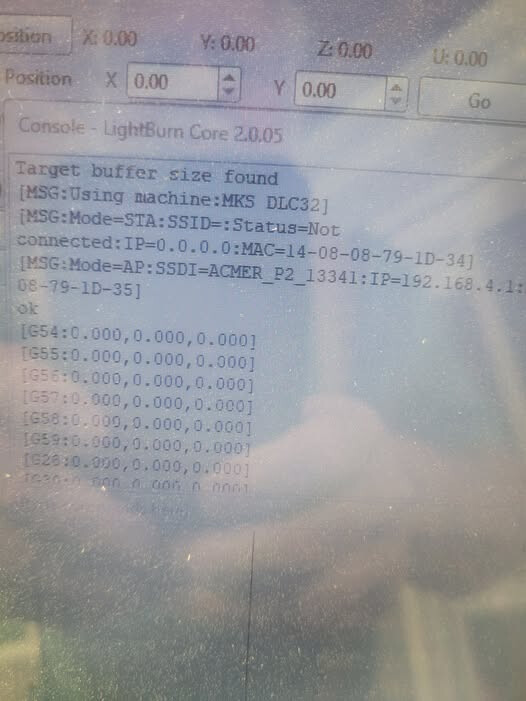
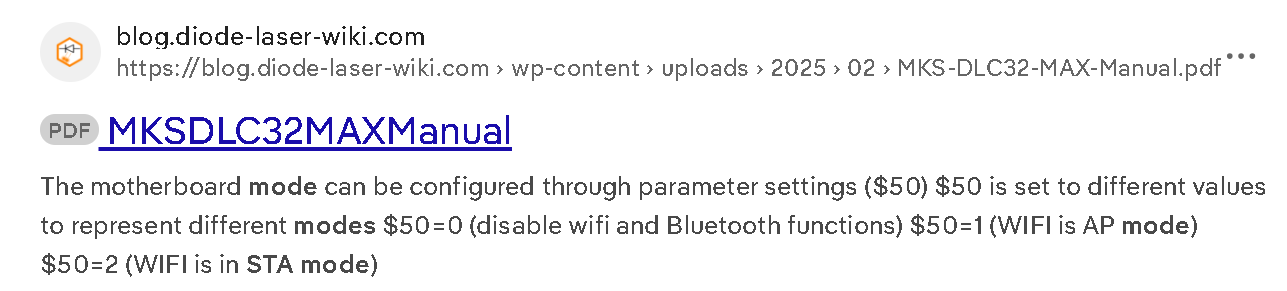
Connect with USB and type $50=2 then press Enter key in Console Window:

I will try again. But every time i have tried it says WIF disabled :frowning: but I will try again and thanks form the manual

1 Like

Every time I do the $50=2 it reverts back to $50=0

Did you follow page 17 of the manual:

Yes Sir sure did

Was going to show a video of what I did but videos not allowed :frowning:

You can append .txt at the end of your video filename as in “filename.mp4.txt”.

Theres link to my youtube video if that helps. ANd thanks for the help you are giving

  • You did a reset maybe the board WIFI is off now.

  • If you search for available networks do you find ACMER_P2_13341

  • In Console Window if you type $ESP115 what you get in response from the controller? if you get
    $ESP115
    OFF

  • Type $ESP115=ON and repeat the above steps to configure WIFI.

  • Pay attention that the board WIFI may only operate with 2.4GHZ networks.

  • You can also use the MakerBase tool to set WIFI.

Still no go :frowning:

Something is really not right. I turn on the Acmer AP mode yet the computer will still only connect per USB. I am starting to think I have a bad communication unit. Especially since the TF card also cannot be seen while in the tf slot

If you connect to Laser AP net - ACMER_P2_13341 then type 192.168.4.1 into a browser.
If you get something like this:


You can go to settings and change the WIFI parameters.

You can also try the MKS Laser Tool:

Radio appears to be stuck in permanant off I used $ESP115=on and still radio of. Used the setting in the MKSLaser tool and nothing

You are trying Bluelights but your network name seems to be Bluelights_2GEXT:

That was that one time.
Here is the kicker they are now telling me this is not a wifi unit it will only connect to ap and I misunderstood. How do you misunderstand a video of P2 video being shown to connect to wifi n

1 Like

they say this is not a wifi unit. AP ONLY. I say it is a wifi. Now they may have dumbed it down qith firmware but thay spells wifi to me

and what they are forgetting is that even ap mode as long as it wifi is of

f it is not going to work

Per the ESP32 specs it´s WIFI and BLUETHOOT capable…
You can input $I in Console Window and check (or post here) the controller firmware version.
After that you can try a firmware update if the current version is lower than “ACMER P2 Firmware V1.1_20230317”