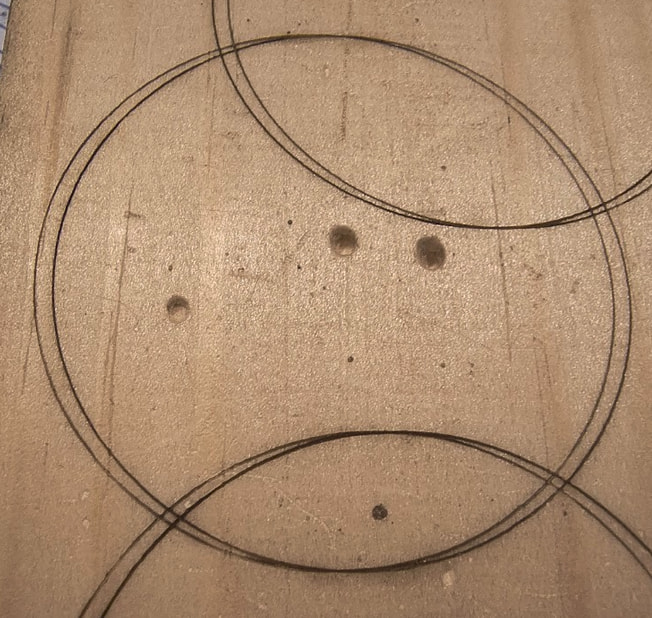
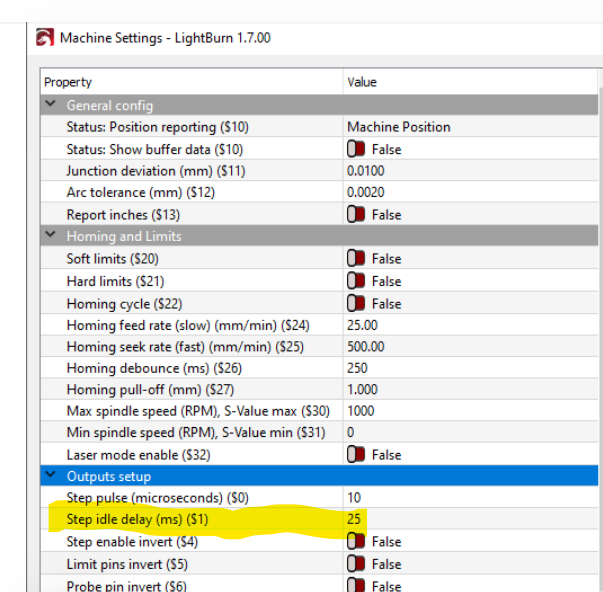
I bought an Atomstack P9 M50 some years ago, and didn’t really get on with it, so it had little to no use, mainly because the fumes meant I had to put it in the garage, and I didn’t have a PC, so had to use SD cards and it was a PITA if I wanted to change the design or parameters. I dabbled with a couple of minor jobs but gave up.
I recently acquired a laptop which was powerful enough, so I decided to try again and its making more sense.
But I am struggling to burn exactly where I want…
I watched a few videos which covered “Absolute Coordinates” and this will certainly work.. But I am having a problem. I have set ‘Start From’ to ‘Absolute Coords’ and proved that it works by moving stuff around the working area, which reflects on the physical bed.
So when its time to burn I do “home” and then send the job, it does it where I think.. But if I then if I hit start again, it does the same job, but this time 2mm to the right.
And from here on, I can do the same job over and over and its EXACTLY in the same place as the 2nd job.. Its perfect.. If I “home” again, the next print is in the 1st place.. And again the 2nd is 2mm to the right.
I can reproduce this at will.. If I draw a circle.. Go to ‘home’.. and then “start”, it burns in location X.. If I go ‘home’ and and “start”, it burns in exactly the same place… But if I “start” again (without homing) it will come out 2mm to the right.. And from then on, it will burn in the same position (2mm to the right) every single time.
I guess this is either a config thing in Lightburn, or a bug on the Atomstack. Does anyone know what I can do, if anything to fix this?
It is MUCH easier for the forum to give you concise solutions if you can help us see what you are working with.
Screen shots are the best - press SHIFT+WIN+S to open the clipping tool. Drag a box around what you want to copy, and then ctrl+V to paste that screenshot into the discussion.
Screenshot of your work space
Screenshot of your cuts and layers window
Screenshot of your Preview screen
With that info, we can usually diagnose your issue in one reply, rather than having to ask multiple questions.
It doesn’t matter what I design.. I havn’t even got that far yet.. i am just doing some experiments to familiarise myself with how everything works.. But I can’t get a cut to happen exactly where I want it because of this.. As long as cut ones after homing, and then don’t home again, it cuts in the same place every time, but I am sure its not ment to be like this.
If you make a third does it move again or stay the same as the second? My guess is you have play in your X drive probably due to loose set screws in the drive pulley.
Absolutely agree with Dskall. You have an issue with the axis where the drift is appearing (x axis I assume) Check your belts and bolts - it is 100% a mechanical issue rather than software. The forum hive-mind will help you get it sorted.
Also check you laser head mounting bolts - and anything else that can shift out of place.
I hear you.. But how am I able to burn at exactly the same spot, over and over and over.. it only happens when I ‘home’.. I don’t doubt you, but I am trying to imagine a scenario where the belt could slip when I ‘home’, but between jobs.
I will have a good look tomorrow and see if I can see anything obvious…
Homing shifts the shaft on the pully and you get one position, when it engraves it shifts again and stays in the new position which is why it will then engrave in the same spot again. Just tighten your set screws and you will solve the problem.
Make sure the laser and the wood don´t move.
The machine may also have some “belt tooth” tension at the home position, with the laser connected save your machine settings to a file before the next step, keep that file in a safe place for future use if needed.