after upgrading to 2.1.02 lost all camera control I wish to recalibrate cant cant find any controls
what do I have to do to get LB support I have waisted 3-4 days trying to get this working , could lb support me on this issue
I can understand that software development should improve , but in my opinion this setup has been made over complicated, my setup was working fine , when I updated to the latest everything went to pot . I use the camera a lot but now find I cannot calibrate it at all.. I have pulled my camera gantry apart trying to get the camera working I have managed to get it to a stage of allowing me to capture the Aprils. I achieved this by first centralising the camera using string across the corners of my honey comb and a pendulum from the camera. although it allowed me to get to capture stage the laser head is still 50mm of centre, had no response from LB posting here may encourage LB to offer support. I use a longitech 5mp hd cam. , unless this the latest update is so designed to force camera upgrades. not happy production is now down.
That really, really sucks for you, but the new calibration system for me was awesome! No more fighting with it to get the best image capture. It just worked. So I’m hoping for you, that it’s some type of compatibility issue with your hardware that lightburn can work out, because it is a far superior system when it works.
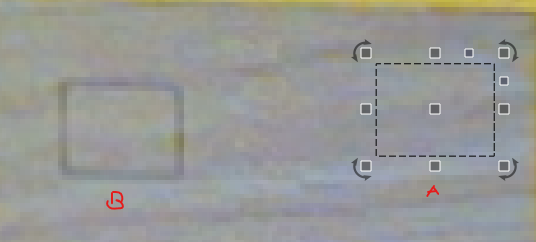
following from my last post should have mentioned that calibration /alignment all pass as they should any advice welcome
Have you emailed support, or just posted here? (I ask just because this is more a community and best-effort by us to keep up, where emailing directly will always get a response).
What kind of laser & camera system are you using? When you say “can’t find any controls”, can you elaborate?
If you are using a diode laser, can you type $# into the console and press enter, then paste what comes back from the laser here so we can see?
thanks for the advice , but think I may have cracked it 4 days of mucking (f) around , I am not sure but I think it was something to do with importing settings , I could not stop LB from doing it. thanks anyway at one point thought was being forced to upgrade my camera setup..
We’re actually not going to be selling cameras anymore - since the new system supports a much broader range, we don’t need to anymore. When you say “importing settings / could not stop LB from doing it”, what do you mean? Importing something from the laser itself, or previous camera settings?
It sounds like you’ve been affected by this:
The “New Camera” wizard, for some reason, detects your old camera settings in this step, and forces you to import them.
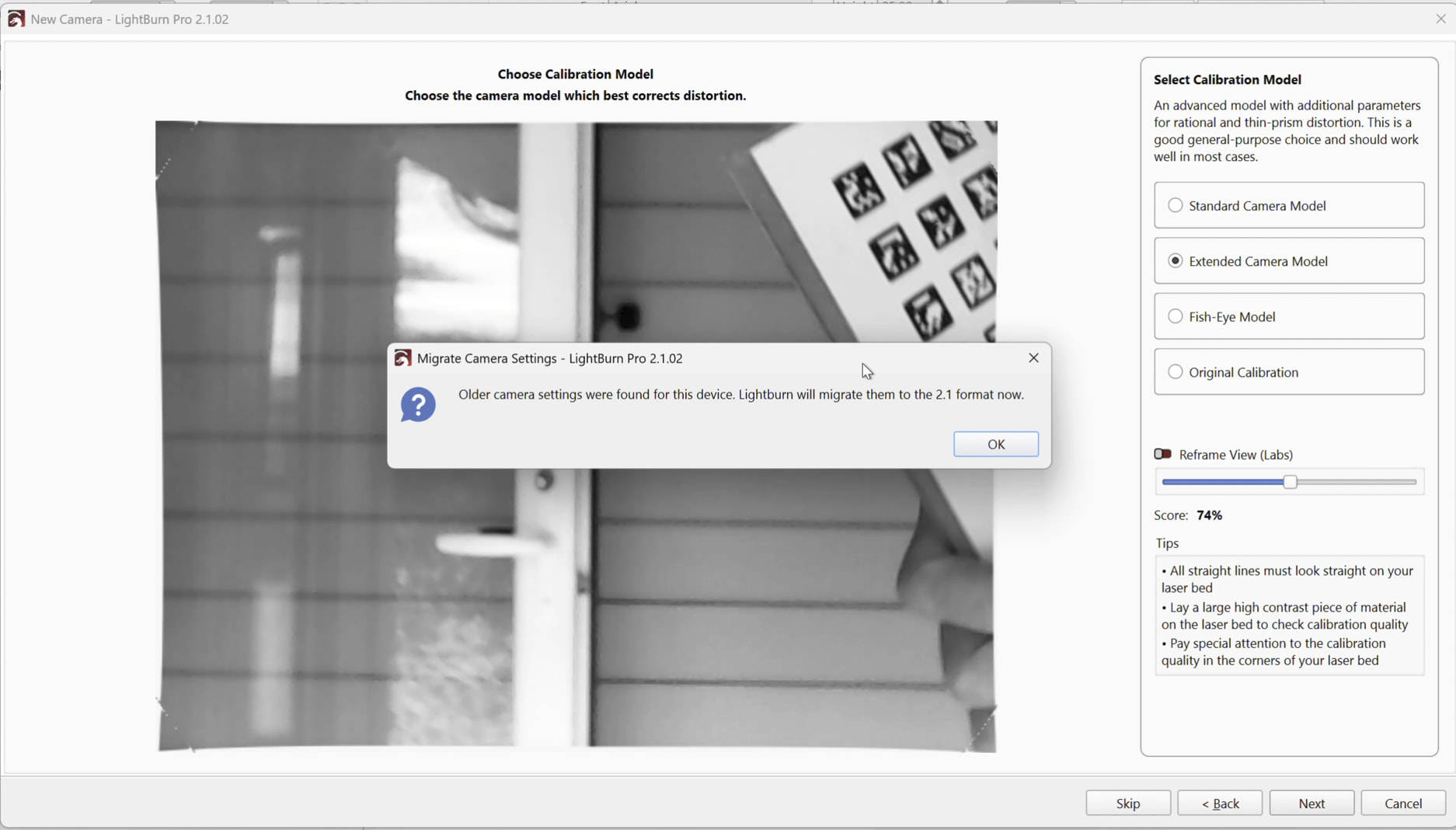
I’ve already reported this internally.
As a workaround until this gets fixed, you can start the Lens Calibration wizard from the Edit Camera window instead:
Double click the camera preview image, and click here:
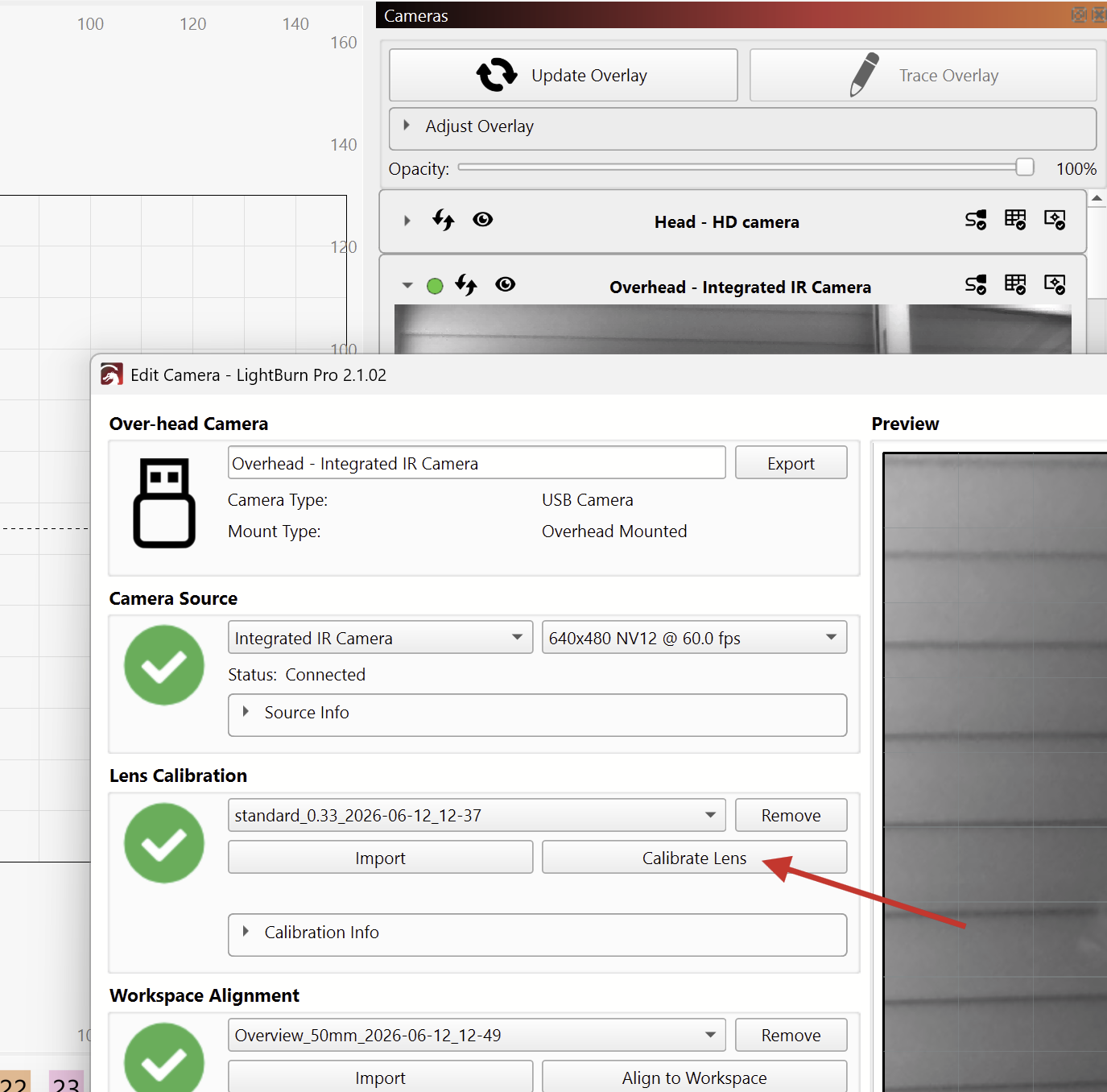
A Logitech 5MP camera should work fine if the lens can see the entire bed at the given mounting height. Just note that autofocus, or zoom lenses, will mess with the calibration.
Which exact camera are you using?
I’m not sure I follow what you described with the “pendulum from the camera.”
How did you mount your camera?
Honestly, I’ve encountered numerous camera detection issues across different versions, from V2.0 to V2.1.02. Every time it happens, I have to remove the device and go through the calibration process again, which has already cost me a significant amount of time.
This is not a user operation issue. In many cases, the problem is resolved simply by updating to a newer version, but then after the next update, the camera gets stuck showing “Connecting…” again. It’s extremely confusing.
The operating system can clearly detect and access the USB camera without any problem, but LightBurn seems to treat the camera as if it’s constantly switching between available and unavailable states. It feels like an endless cycle of camera connectivity issues, and I have no idea what’s actually causing it.
I am sorry you are experiencing these issues! Are you maybe running Lightburn on a mac? And does this happen for all cameras? If so, it might be a permissions issue. You should always install Lightburn in the Application folder and make sure to click allow after installing in the dialog like the one bellow after running for the first time.
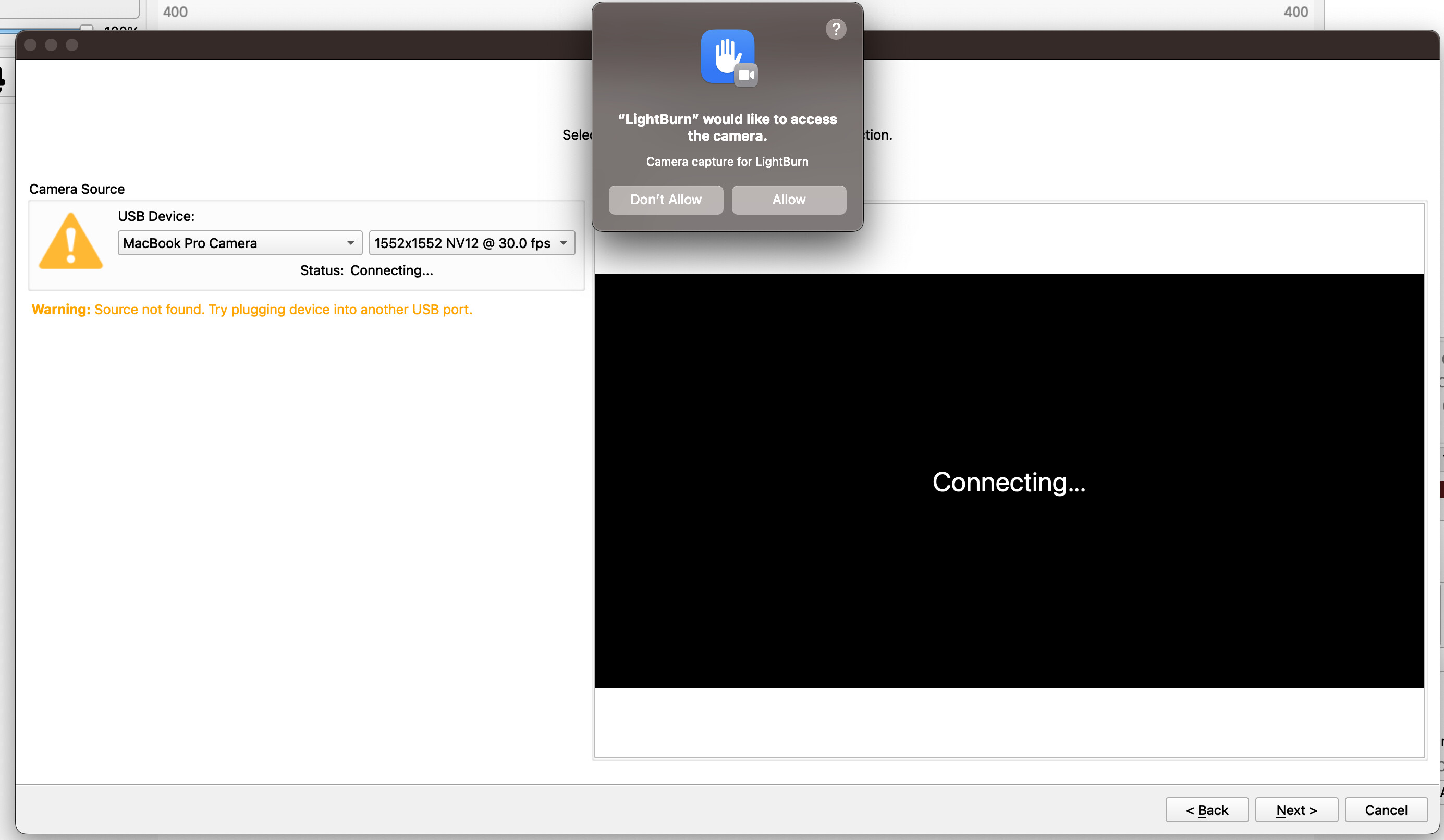
Or does this only happens with one specific camera? Then maybe try using a different USB port and always make sure to use a high end USB extension cables. Please also share which camera you are using?
Does your device allow adjusting the Support and/or Material height? Does it have the fields shown in the image bellow?
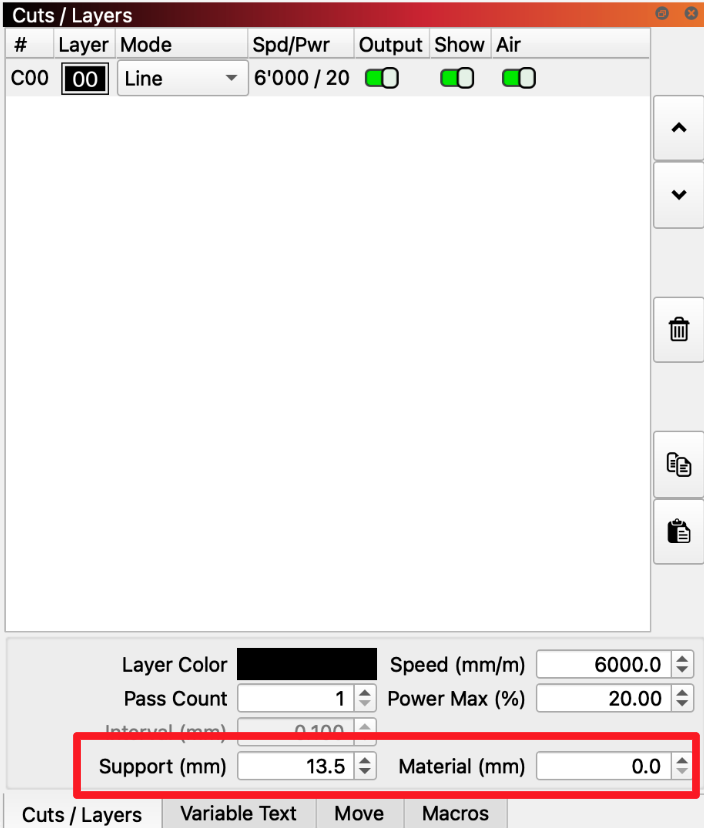
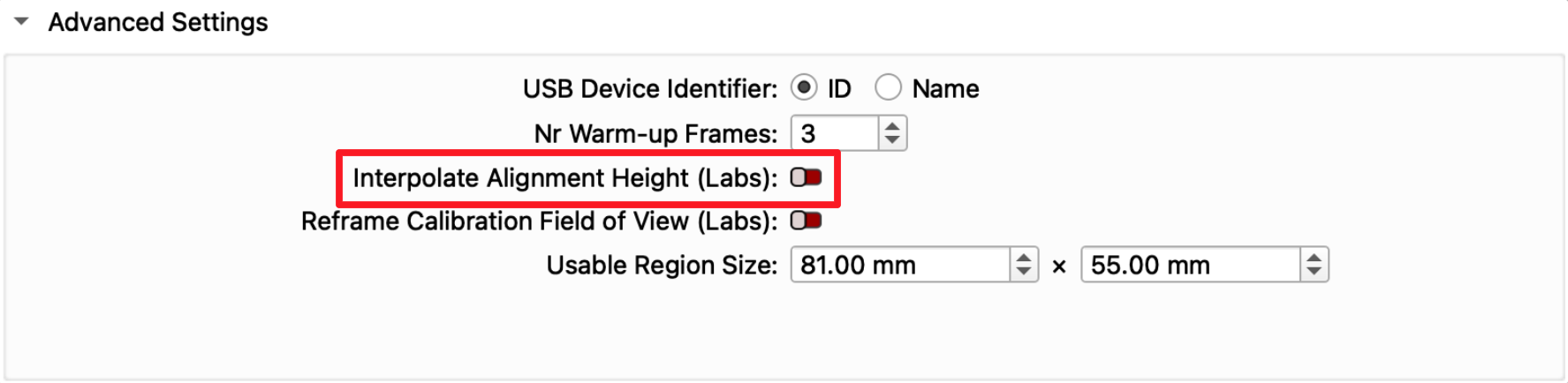
If so, and if you have have more than one alignment, lightburn might be interpolating between these alignments when you update overlay, based on the values set in these fields. The easiest fix is to turn this feature off in the camera edit window advanced panel, see image below. This will return the behaviour that the overlay image is only every effected by the currently selected alignment.
Hi Gabriel,
Thanks for getting back to me
Just to clear things up—I’m actually running LightBurn on Windows 11, not a Mac. Also, I’m using a Galvo machine.
Regarding the USB setup you mentioned: I’m already using active USB extension cable (the one with the built-in signal booster). This exact setup was rock solid and worked flawlessly on V2.1.01. But right after updating to V2.1.02, (V2.1.0 is not connecting too)
LightBurn just stopped detecting or capturing the camera entirely. I really hope the new update didn’t somehow mess with how LightBurn handles active extension cables.
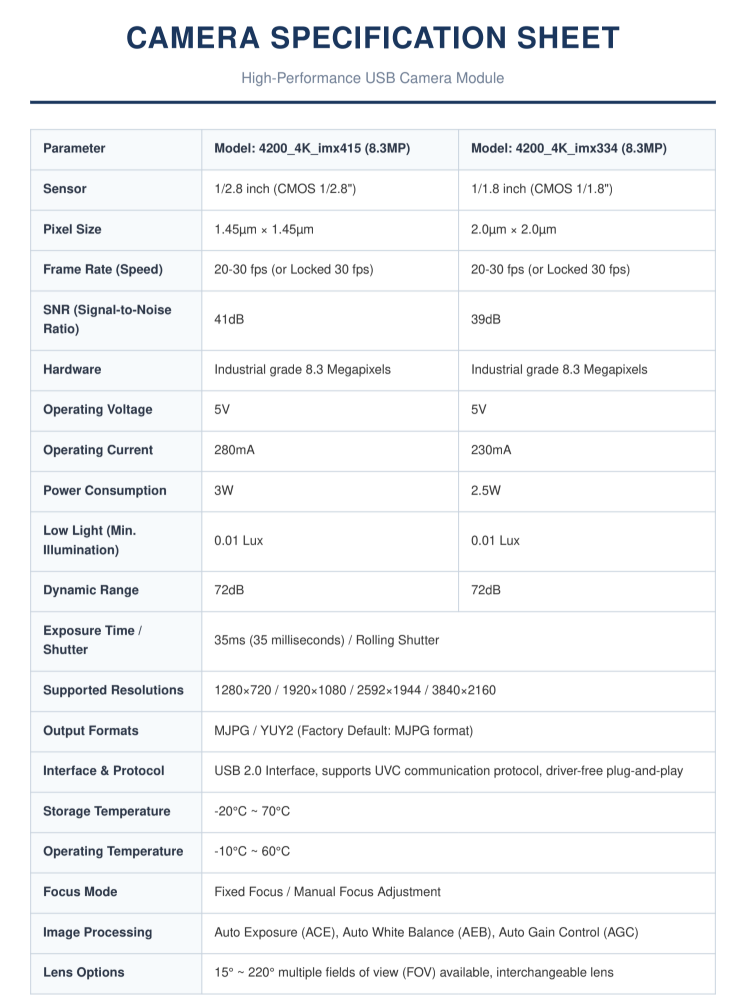
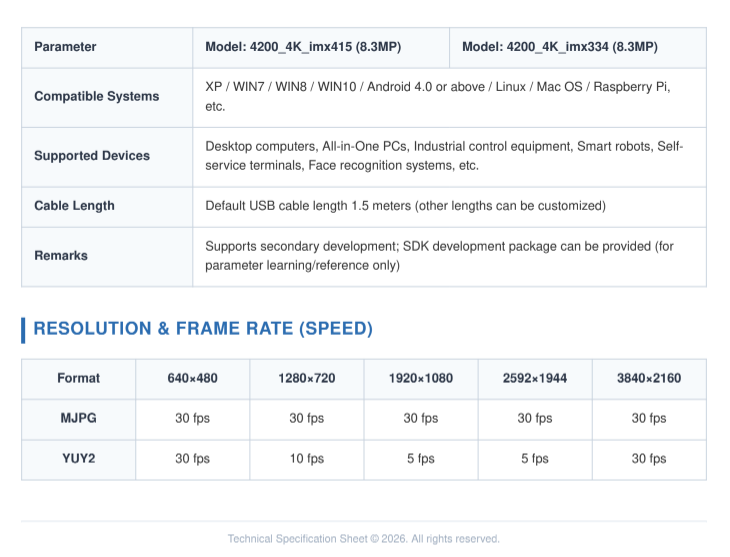
I only have this one USB camera hooked up. For reference, here are the specs for my module (I have the IMX415 version):
-
Sensor: 1/2.8" CMOS (IMX415)
-
Resolution: Up to 3840×2160 (4K)
-
Output Format: MJPG / YUY2 (Factory default is MJPG)
-
Protocol: Standard USB 2.0 / UVC (Plug-and-play, driver-free)
-
Focus: Fixed Focus / Manual Focus Adjustment
I haven’t tried completely deleting and re-adding the camera yet like I’ve had to do in past versions. I mean, I can do it if I have to, but a minor software update shouldn’t really force users to re-configure their hardware from scratch every single time.
Since everything was working perfectly on V2.1.01 just a day ago, it feels like something tweaked in the V2.1.02 camera backend broke the connection for this kind of standard UVC 4K camera on Win 11.
Any ideas on how to fix this? Thanks!
It shouldn’t have, as far as I can tell, but that’s easy to rule out if you can connect the camera directly to a port on the computer.
On Windows, open the “Camera privacy settings” and check if “let desktops access the camera” is still enabled. The “Recent Activity” tab should also list LightBurn.
Does the camera still work with the Windows Camera App?
If possible, send us a screenshot similar to this one with “Advanced Settings” showing:
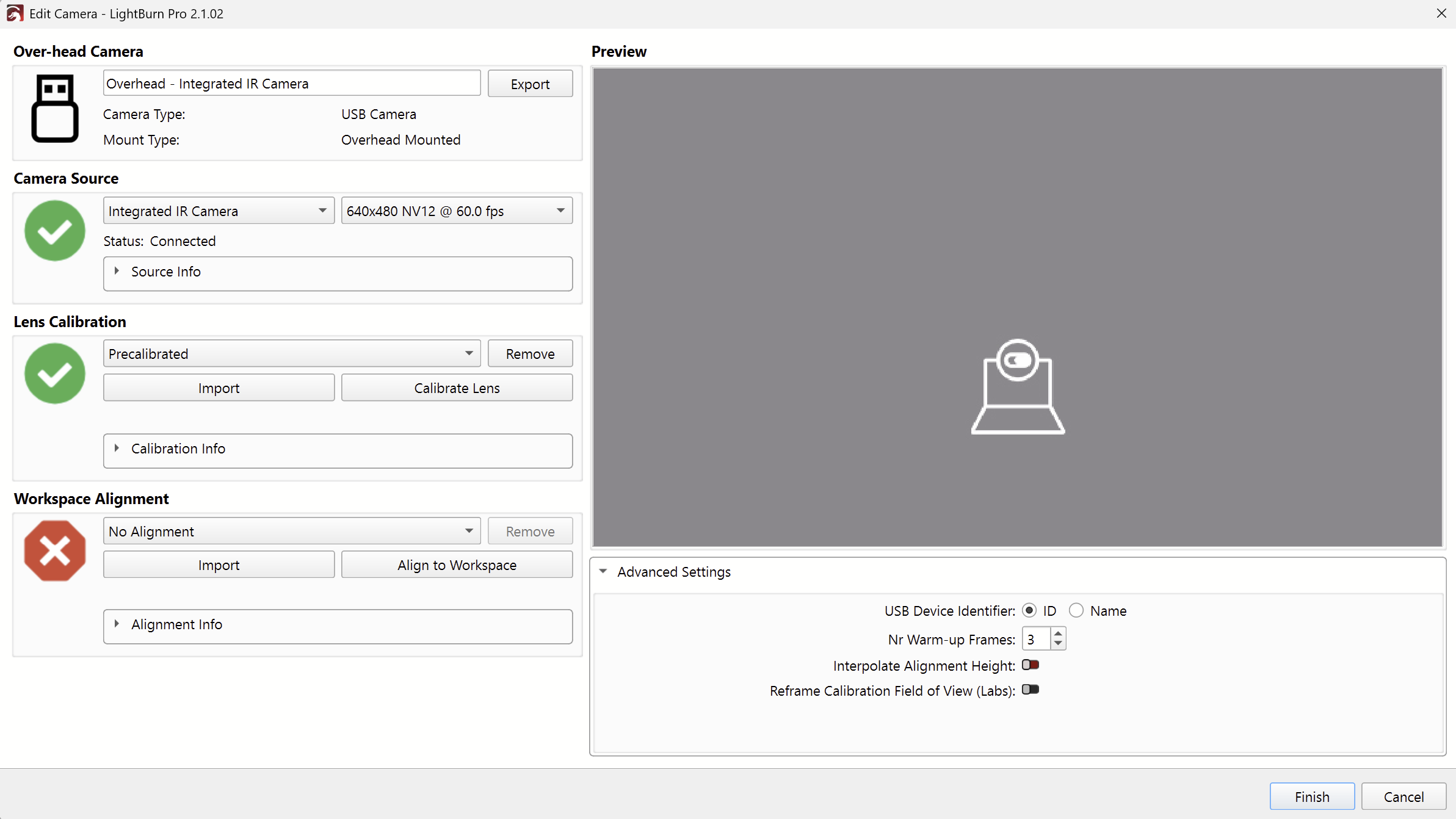
@MrWang Thanks for the detailed camera info! This camera should be supported. Does any other camera work with your V2.1.02 install?
The code changes made for this upgrade should not have any effect on connectivity as far as I can tell. I hope the advice Aaron gave helps you solve this problem. Please let us know if not.
I have 2.1.03 with a Lightburn camera on MacOS 15.7.7. I have it installed and it was working fine. Now it just keeps saying it is waiting for device. I have plugged it into the machine and two different USB hubs with o change.