I have been testing my first job. Once the job finishes the head just stops there at end point. I have to hit reset to get it to go home and be ready for the next job.
How can I tell the controller to go home when done? I mostly use “Absolute Control”
I’m not sure my son-in-law/daughter gave it to me so I’m just getting it set up for first runs here. Down to for several years but it used but never used it so they gave it to me.
But thanks for your input here. I will go check it out on not at home right now.
I jumped the gun. I thought it worked but after running the file again it is just stops at the end of the job and freezes control panel. I have to hit reset to get it ready for the next run.
Is there somethinng in my file I need to set to identify the end?
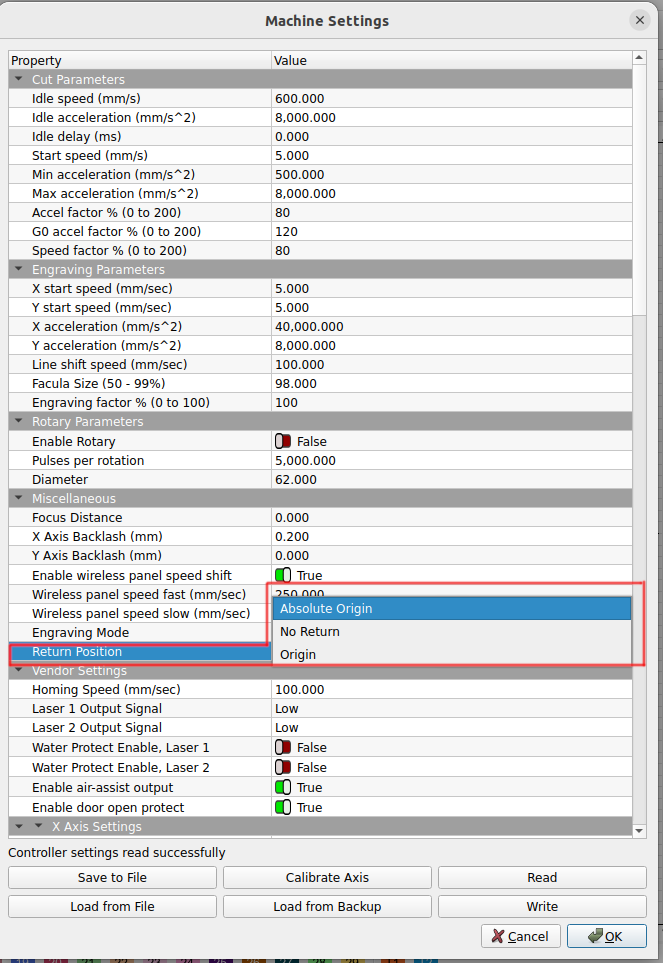
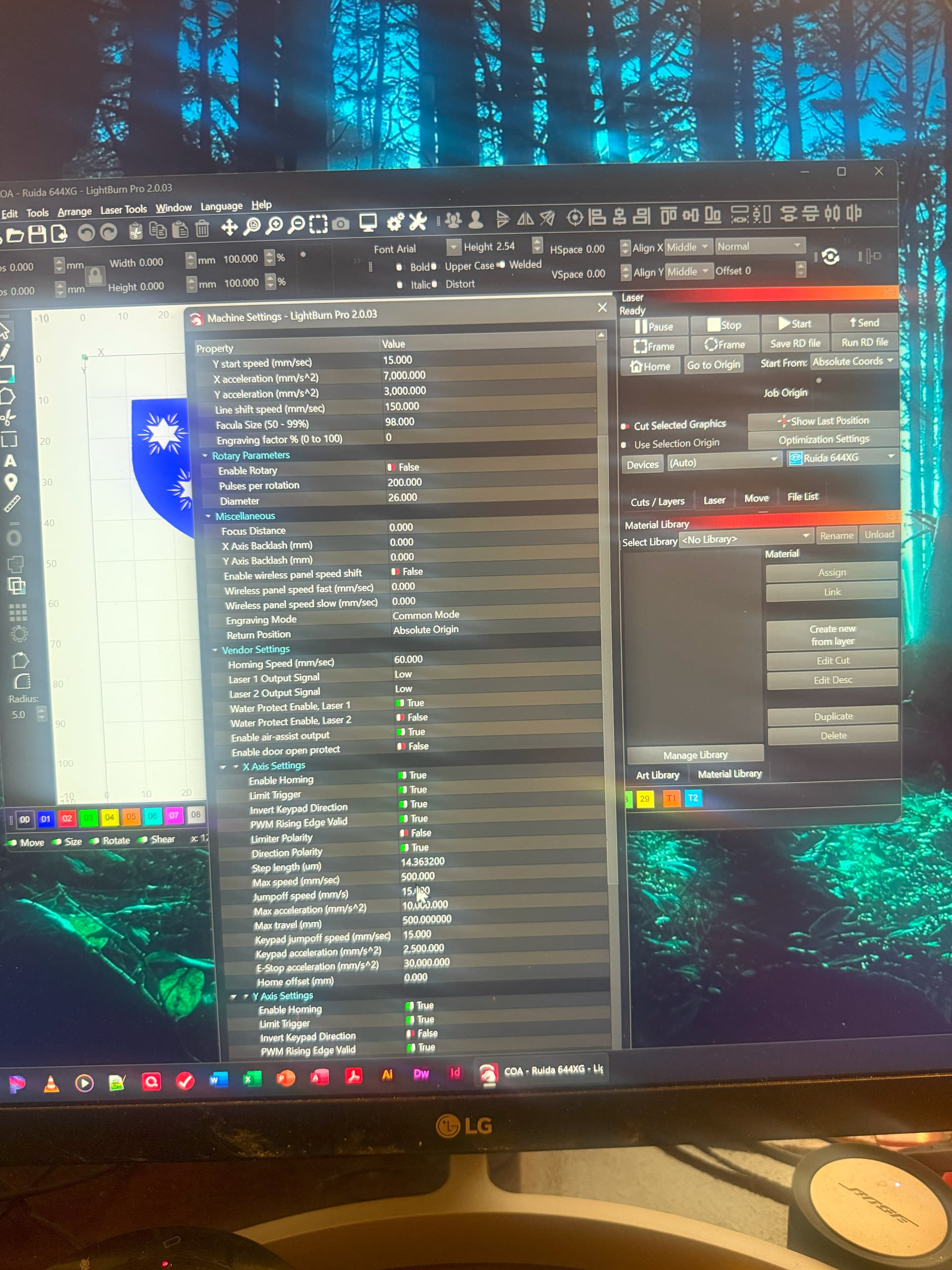
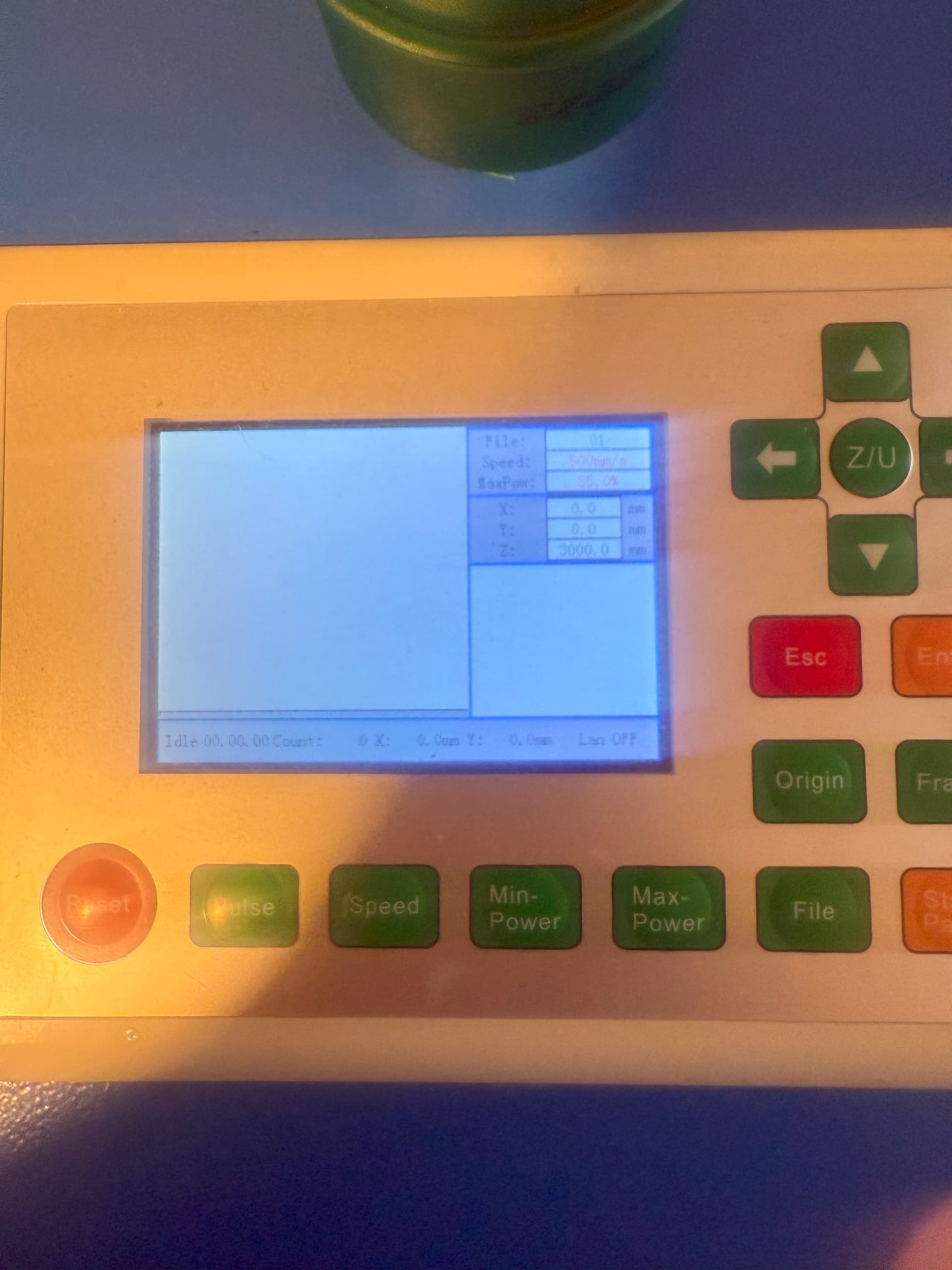
Per @jkwilborn’s recommendation, is the controller set to return to the machine origin at the end of the job? The 6442/6445 doc calls the Back Position, but that verbiage likely does not match what you’ll find in the Machine Settings or on the controller’s display, so a screen shot / photo will help us see what you see.
Do you use LightBurn’s Send or Start to get the job into the controller?
Given the controller’s history, you should delete all the job files stored in its flash memory, using either the LightBurn File List window or the controller’s display.
Controller’s Reset button re-homes the machine - Yes
Controller’s jog buttons move the laser head in the correct directions - Yes and hittig the center move button Homes it.
LightBurn origin in Device Settings matches the machine’s homing corner - Yes workspce is set to top righ, laser is set to “Absolute Coords” top right.and Machine settings are set to Absolute Origin.
I am not sure if it will fix the problem as the file is getting to the controller. I send then go to the controller | Open file | selectee the file | frame it | Run it.
II did reply I tried 2 other files and all 3 get to the end and freeze, in different places depending on the end point of the file. They just aren’t closing.
I will hook up the ethernet as it would be more solid.
Using Ethernet is much more dependable, so if possible I suggest you use it. You need to run it into your lan. Unless you’re good with Ethernet configurations, it’s much easier to just hang it off your lan.
Everything else confirms the machine is set up correctly and all the pieces seem functional, which is sometimes a completely unwarranted assumption. Thanks for the check!
My guess: they saved a buck by eliminating an Ethernet jumper cable.
As @jkwilborn notes, the controller’s flash memory file system is completely internal.
Perhaps you’re referring to a USB stick?
Wise man! You’ll go far around here!
One consequence of using Send, however, is the controller’s memory eventually fills up, which then causes all manner of peculiar problems. Use the LightBurn File List window to get rid of them, which is easier then doing it one-by-one standing at the laser.
Possibly, but more likely it’s noise in the USB connection, which is why we always recommend using Ethernet for Ruida controllers.
If you plug it into a LAN, ensure the router cannot assign the same IP address to another device using DHCP. The method varies according to the router, but this can cause baffling problems later on.
A long discussion covers many of the gotchas:
With any luck, your router will be frendlier.
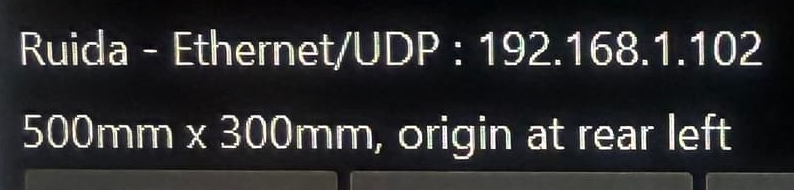
The Ruida config photo suggests there’s now a mismatch:
so I had to set the organ to top left of LB workspace and standing looking at the laser it homes to the rear and left. The Size setting came from the machine settings so I matched it. Why do you say it is a mismatch?
The photo of the Device Settings shows the machine origin is set to “rear left”
You had said "workspce is set to top right,
laser is set to “Absolute Coords” top right
If you’ve since corrected the last two to match the actual machine hardware in the first, you’re set!
In Absolute Coordinates mode, the LightBurn workspace will have a small red square and a small green square that should both be in the top left corner to match your machine’s home position. If not, something is amiss.