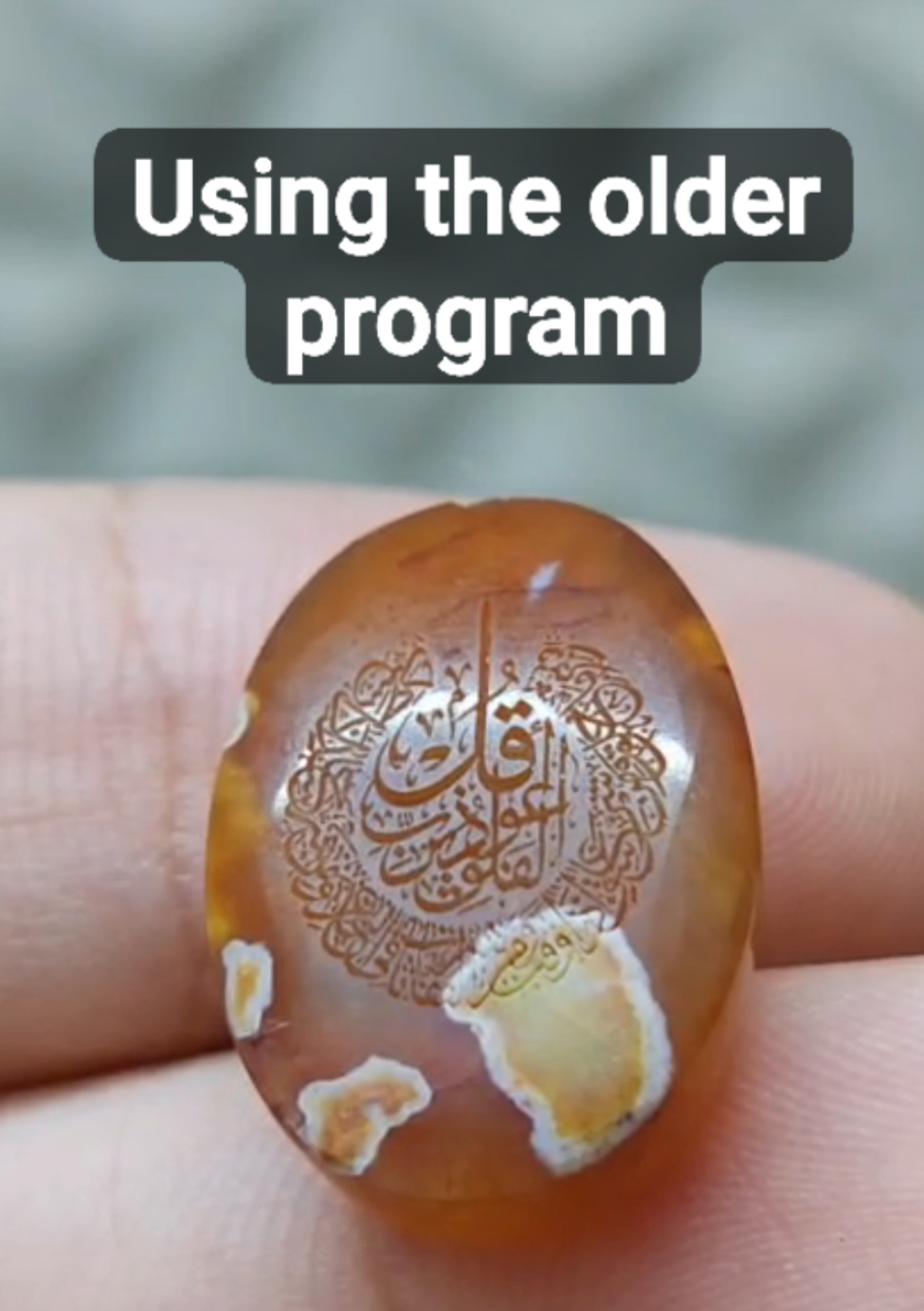
Hello, I have Galvo UV laser 5W with JPT source f=100mm lens
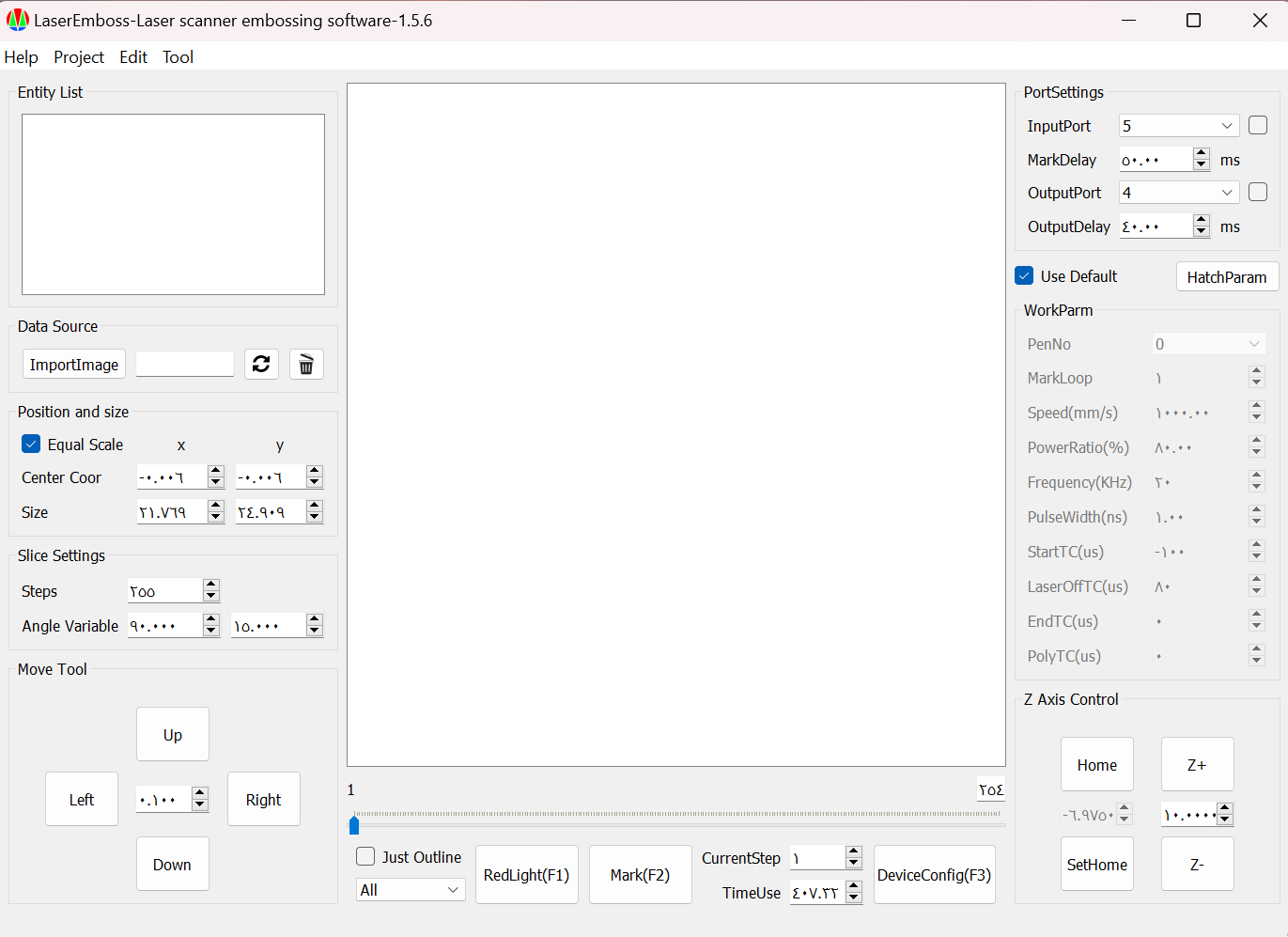
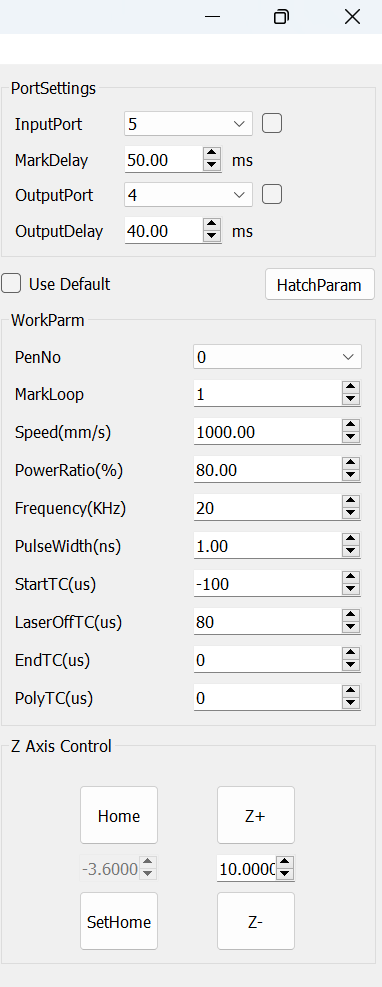
I have LaserEmboss program and it can deeply engrave agate
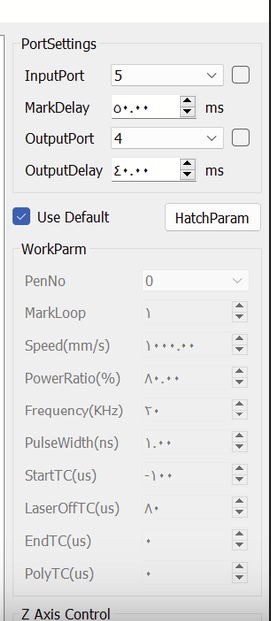
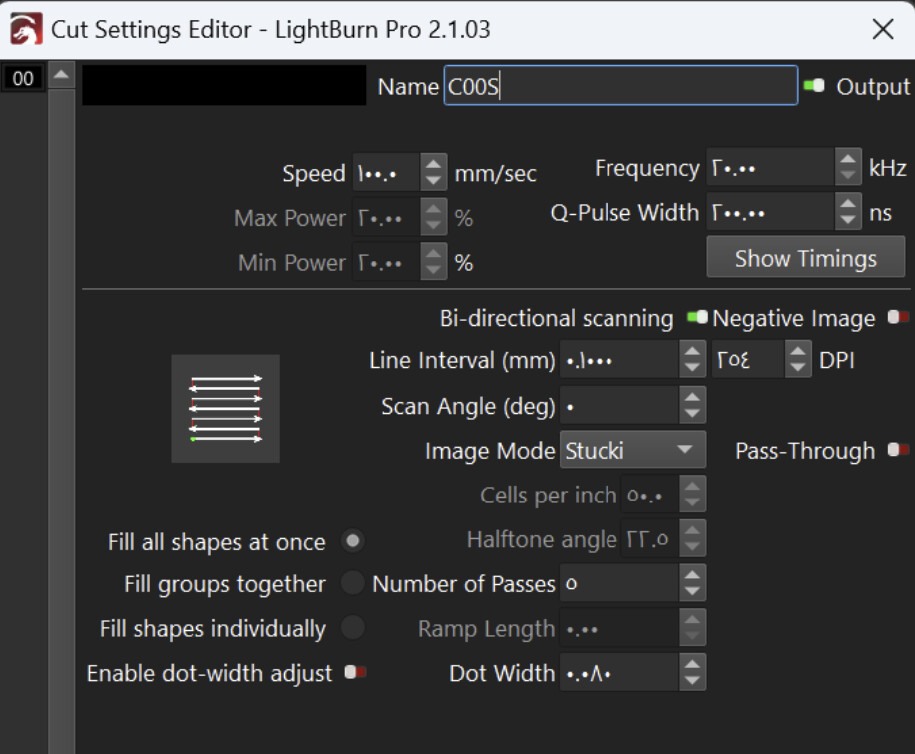
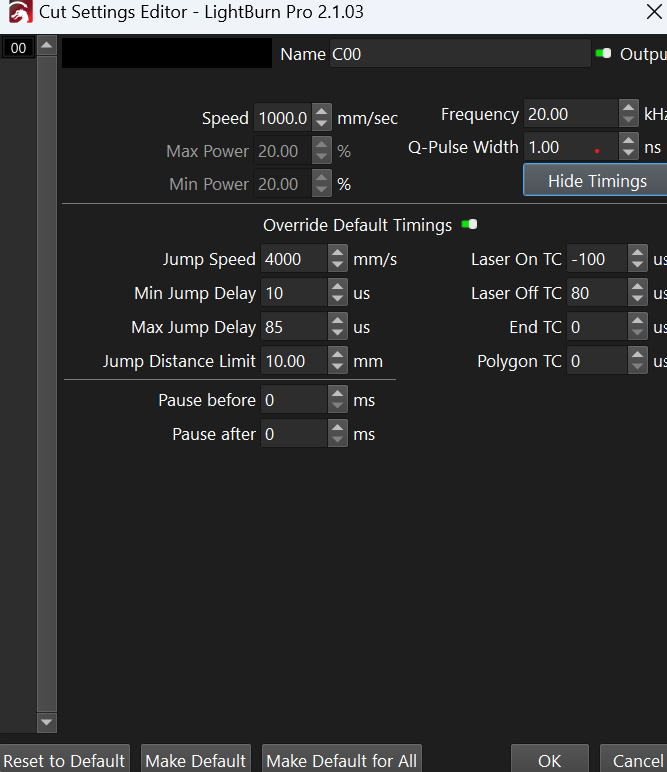
But I want to switch to LightBurn, how do I copy all the settings to lightburn and are there better settings for engraving agate stones with deep and high quality text?
You can see the settings in the program, the reason I want to switch is because LaserEmboss slices the image and makes it with lines and unreadable text when engraved, while I saw that lightburn gives best quality
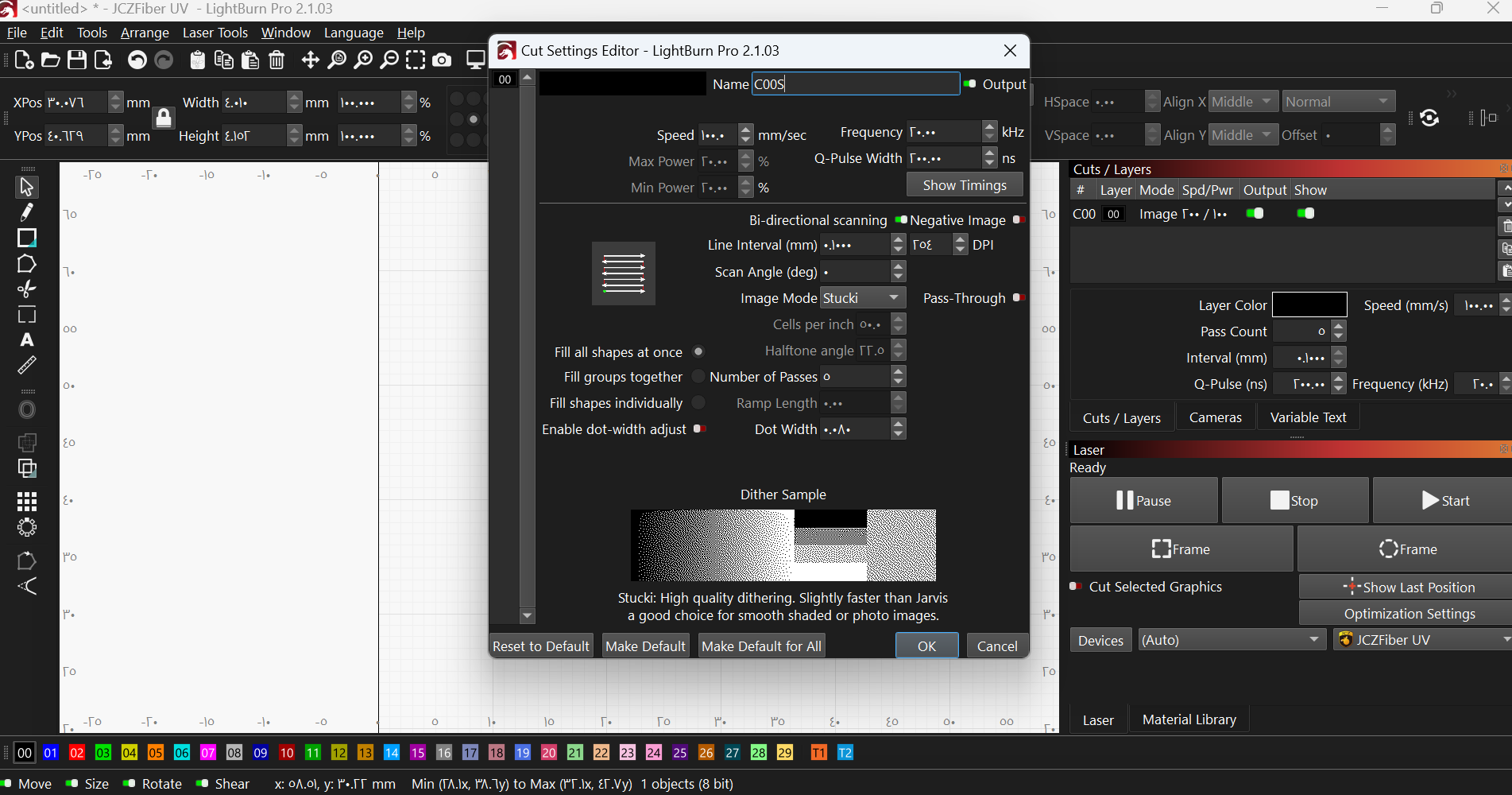
Hi I downloaded lightburn and imported markcfg7 but trying it I saw that it only slightly marks or burns the surface of the agate rather than engraving it deeply I think I have something wrong in the settings
I copied all the settings from laseremboss to lightburn but when I start it, even after 50 passes it gives shallow white marks on the stone with no engrave or details
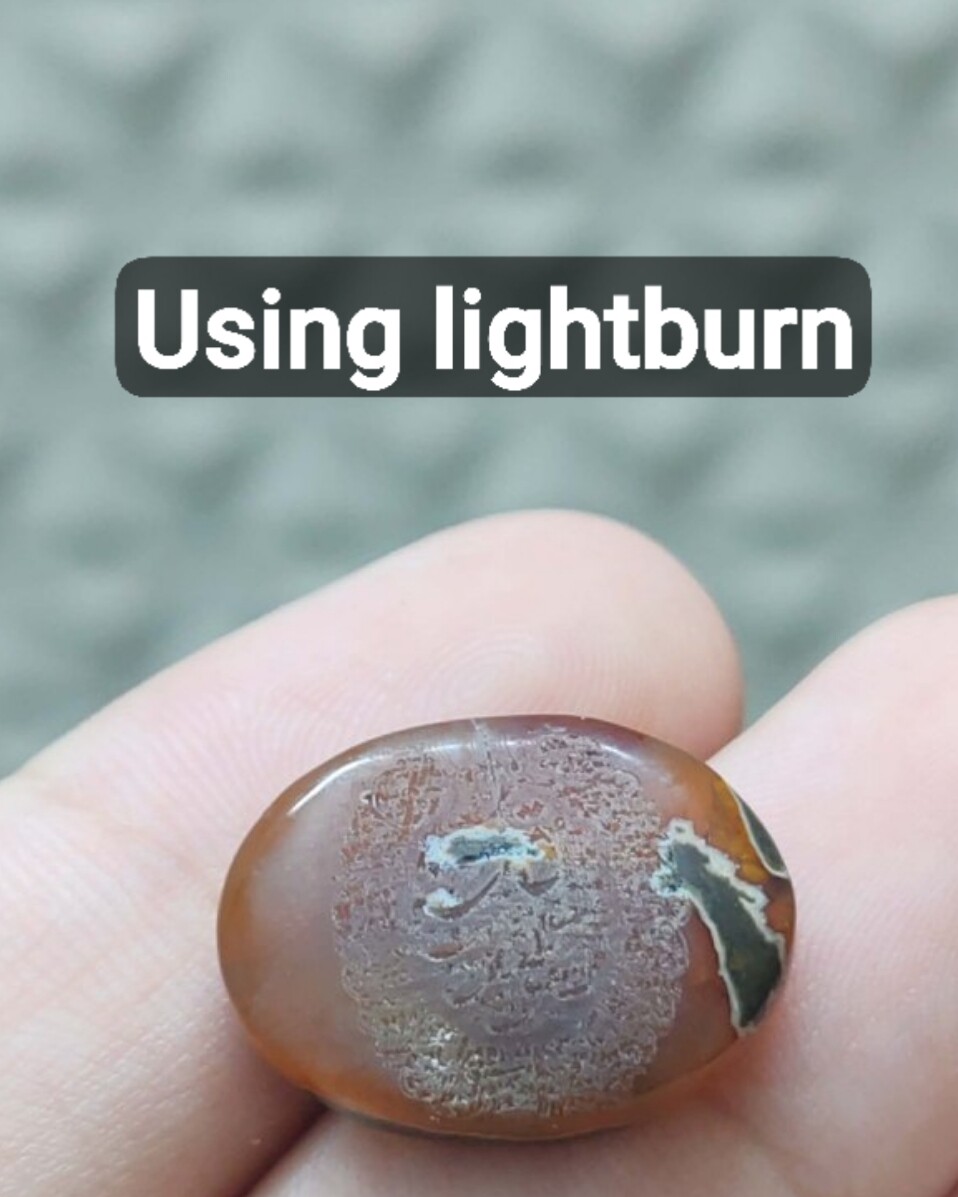
Here’s the difference and the text quality with deep carving I need vs what’s happening currently, I’m sure I’m doing something wrong but I’m new to this so bare with me please
What line interval did you set in LightBurn?
To me, it looks like you are using too large an interval.
I tested these pulse width, frequency, and speed settings using a 0.01 mm interval.
I achieved beautiful engraving on agate.
I think I’ve come to a conclusion but yet it’s not the answer
Using ezcad2 and Lightburn with SVG/DXF = deep agate engraving
Using ezcad2 and Lightburn with png/jpg/bitmap = shallow engraving almost burnt white surface
I tried lightening the png and disabling mark low grey point to 180 but still the same result, any tip or a way to make bitmap images engrave as powerful as svg/dxf files?