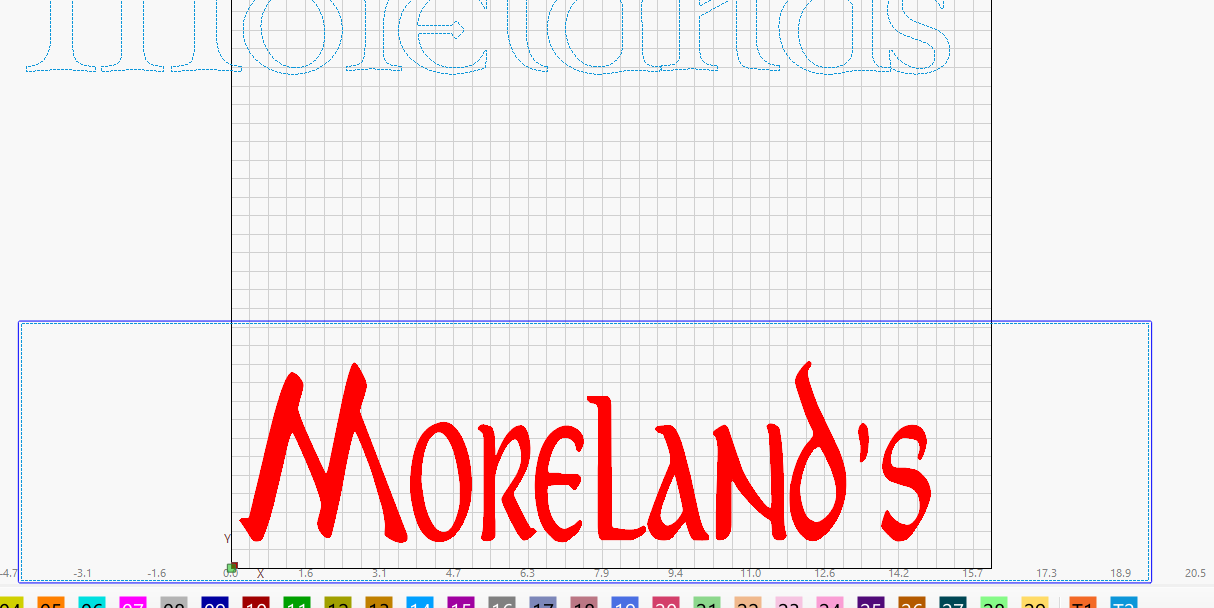
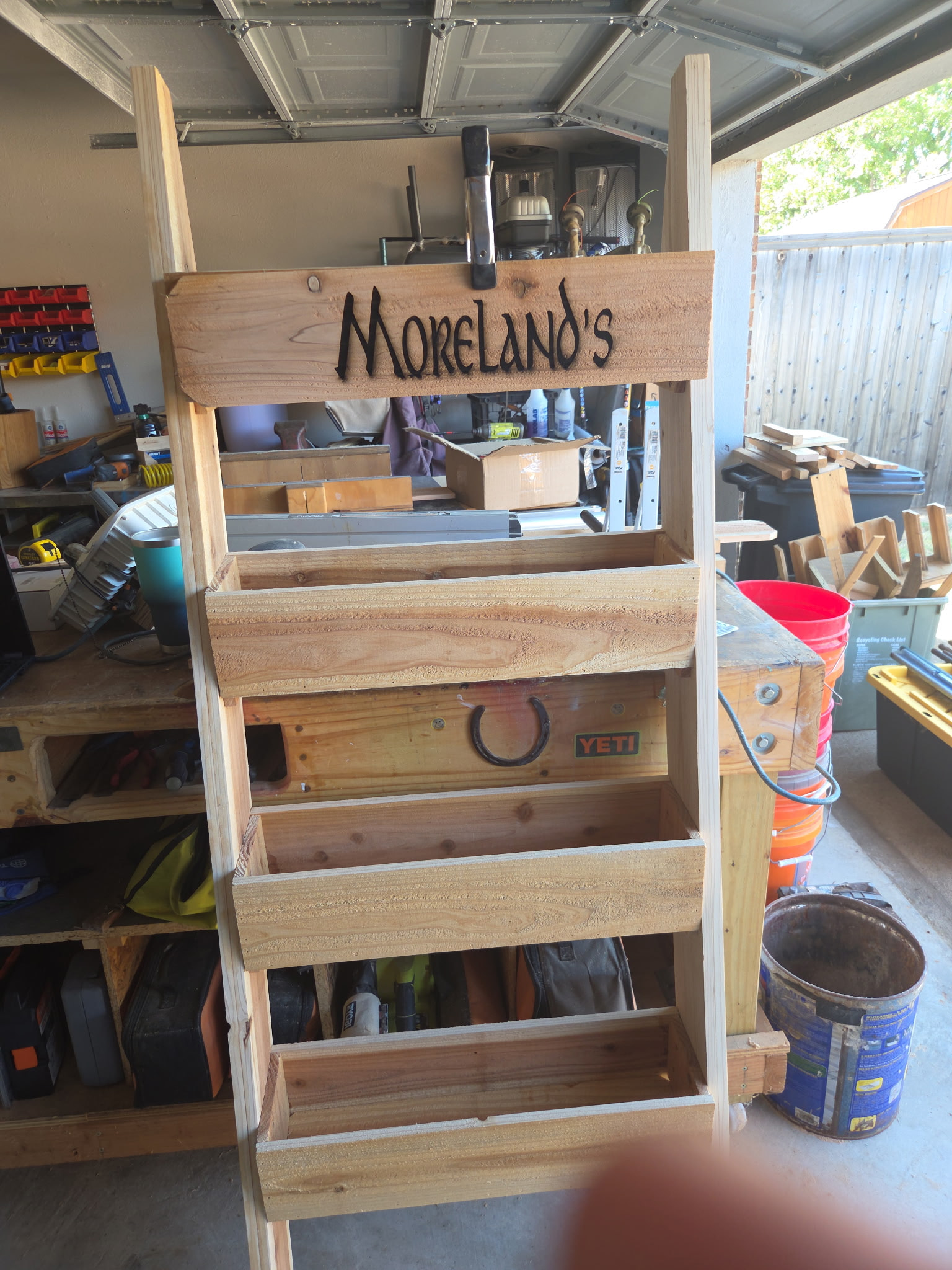
I am having an alignment issue. I made a tool path 24"X5.5" (bigger than my laser bed) to represent my work piece. I centered that to my grid on the X axis. I then centered the text to the tool path. During framing the laser went too far to the right and caused an error. I checked to make sure the tool path was not being output. framed again, same issue. I moved the text to lower left of grid and framed again. No issues this time. I ran the file and noticed it was off center by 2.5", I let it finish to see the laser power and speed results. I could not figure out why if I have the job centered it burns off center. I made a 2nd attempt by moving the board 1.25" to the right and got the text centered. But want to find the reason why I cannot get it right through Lightburn. Attached is a screen shot of the text and the location and a pic of how it was off center by 2.5"
Off by 2.5" is still an issue. It sounds like you have a coordinates issue. Are you using Absolute Coords? If you are using Current Position, you might be chasing the start position all over the place.
Use the Preview window to see where LightBurn thinks the pattern will be: the green border marks the machine’s travel limits.
If it’s not where you think it should be, then there’s likely an Origin misunderstanding or a problem with machine homing. As @MikeyH suggests, Absolute Coordinates is likely a better choice for platform-filling designs.
Also: Practice on cardboard until you’re certain everything works the way you expect.
Your image does not show this. I downloaded the image, put in Lightburn, and took some measurements. The Tool layer is not centered over your grid and the lettering is not centered in the Tool layer.
Do you have a trailing space in the text that caused the shift?