How can I get all the tool smaller on the right sida of
the desktop

Not sure what you mean by “on the right side”. Do you mean just the right side only?
You did not say which version of Lightburn, and there is a difference.
Grab the left edge of window and move window to right.
Try grabbing the row of dots and dragging it to the right.

You may be able to make a little bit more space by turning your your font size down a bit.
Yours looks already fairly small so that might not make a difference.
What is your screen resolution? Are you using Windows display scaling?
Thx for the hints,
but I don´t have that small dots on the left side
in the picture
It may be a bar with arrows.
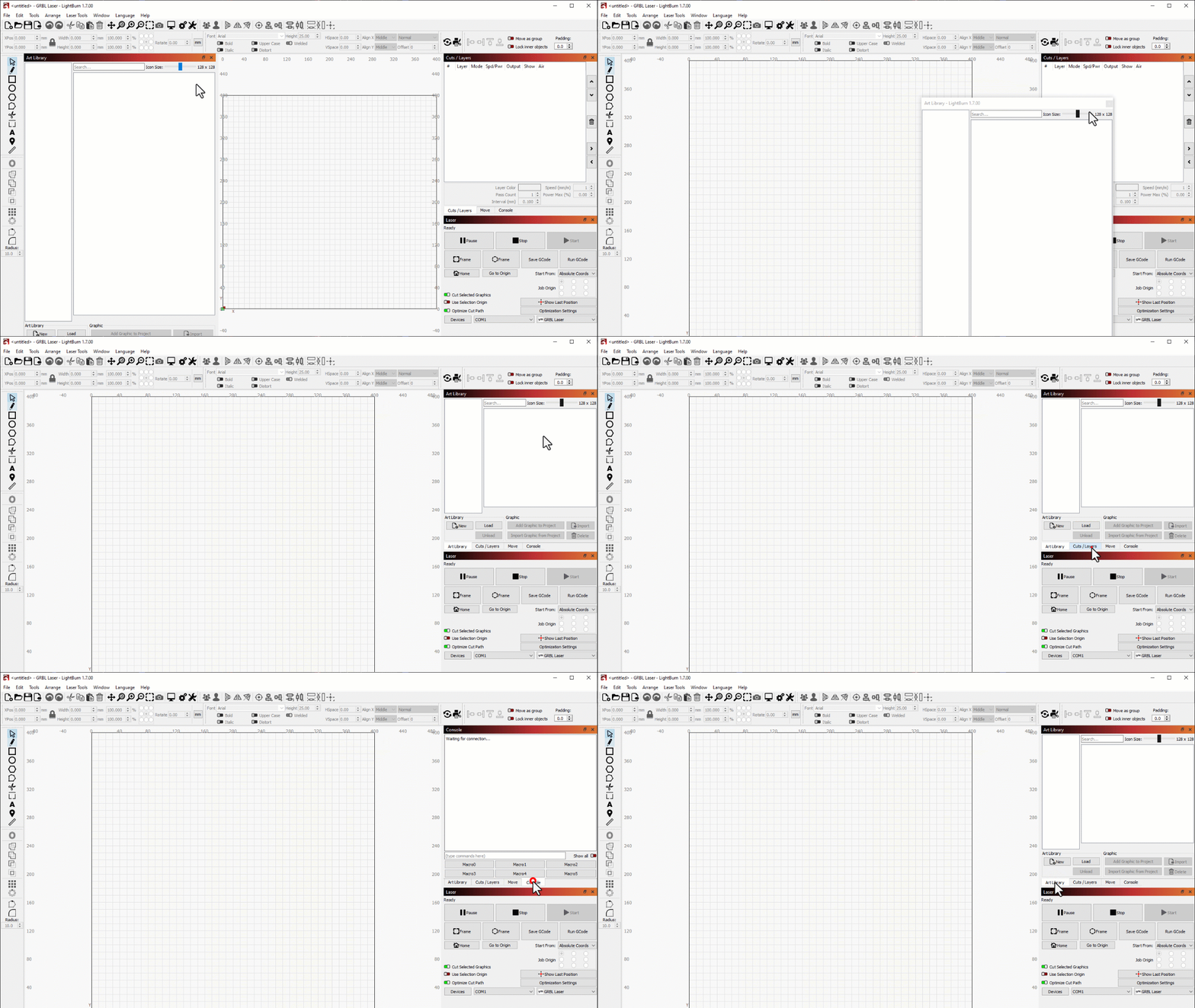
To move a window from its currently docked location, click and drag the title bar of that window. Drag to the far right and drop where you want it docked. We have more about window arrangement and layout customization in our documentation linked below. 
1 Like
This topic was automatically closed 30 days after the last reply. New replies are no longer allowed.