There are two versions of the machine.
The older Falcon2 Pro
And the apparent newer and better Falcon2 Pro S.

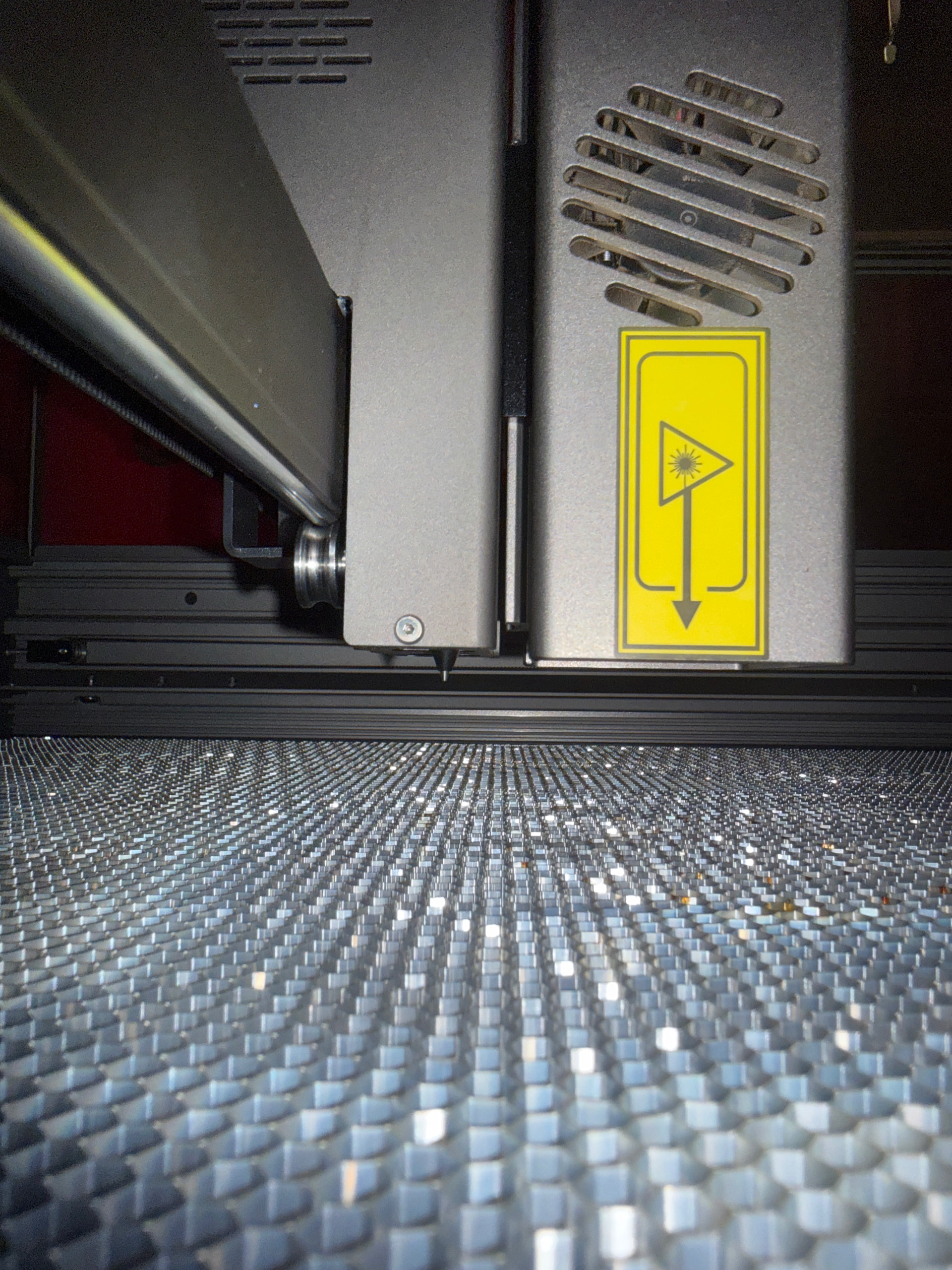
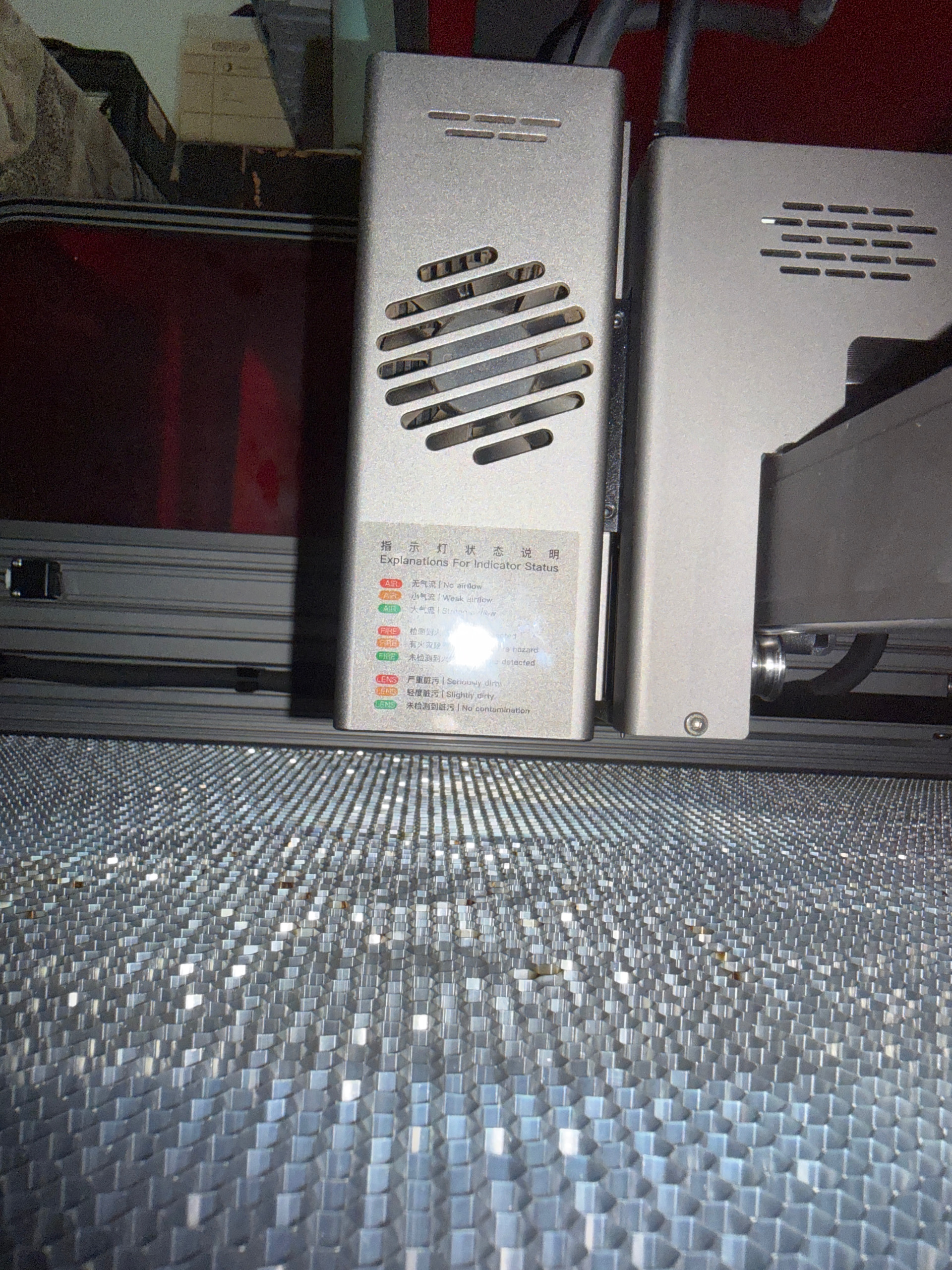
They do advertise the Falcon2 Pro S with autofocus.
Since there’s no thumbscrew on the side of your module, I’d say it does have a motorised Z-axis.
The wiki page for the Pro S appears to be missing:

Can you share the .LBDEV file you should have received on the SD card?
They might be using a macro to start the focus sequence.
I don’t even have the .LBDEV file you are mentioning. My machine was auto detected in LightBurn. The only “Setup Files” I do have are drivers for Windows 7.
I think I should contact Creality support to see if they can provide this LBDEV files
I see.
Yes, I would ask them how to use the autofocus in LightBurn.
If we know which command they are using, we can store it in a Macro, or even the dedicated “Focus-Z” button when using the Custom GCode device profile.
I’d be happy to help with this. Please keep us posted.
Sorry this is a delayed response to these questions, but because I have just been so busy. In the interim I have tried other materials, to see maybe there is something else I am missing. I created a design to cut out “medals” on MDF.
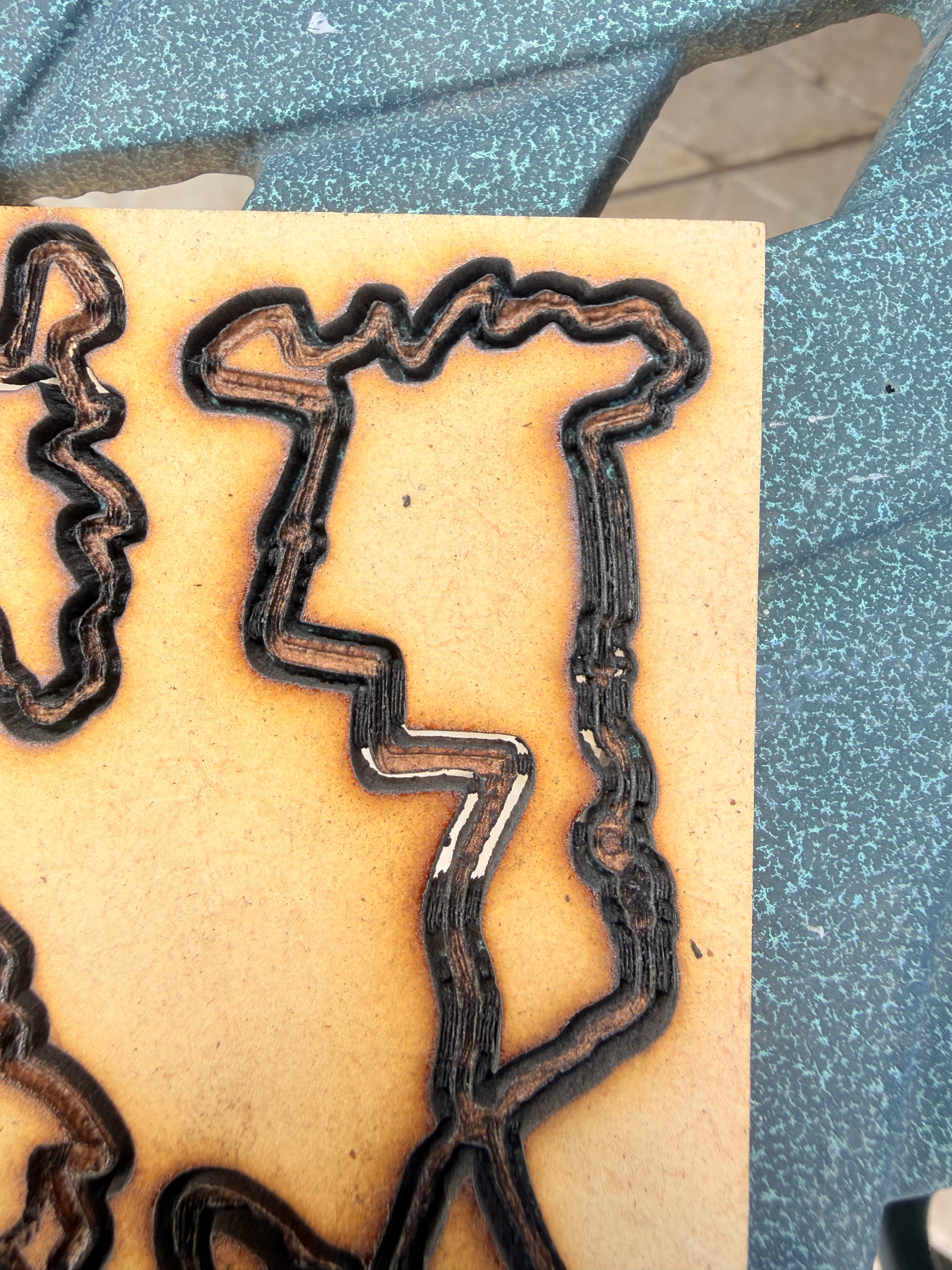
In this example, my laser isn’t cutting through the material. It is 3mm MDF so I really can’t see how there can be a problem cutting through such thin material. Multiple passes at various power, speeds etc and no luck.
The images show that it is not the design that is flawed, as you can see that in the various location the burn through is fine in different areas (there are 4 medals per sheet), although it consistently fails in the same “locations” on the work piece (if I repeat the project, the burn through’s fail in the same places).
I’m not sure if that explanation makes sense…
The burn is the result of me running multiple passes over multiple sessions.
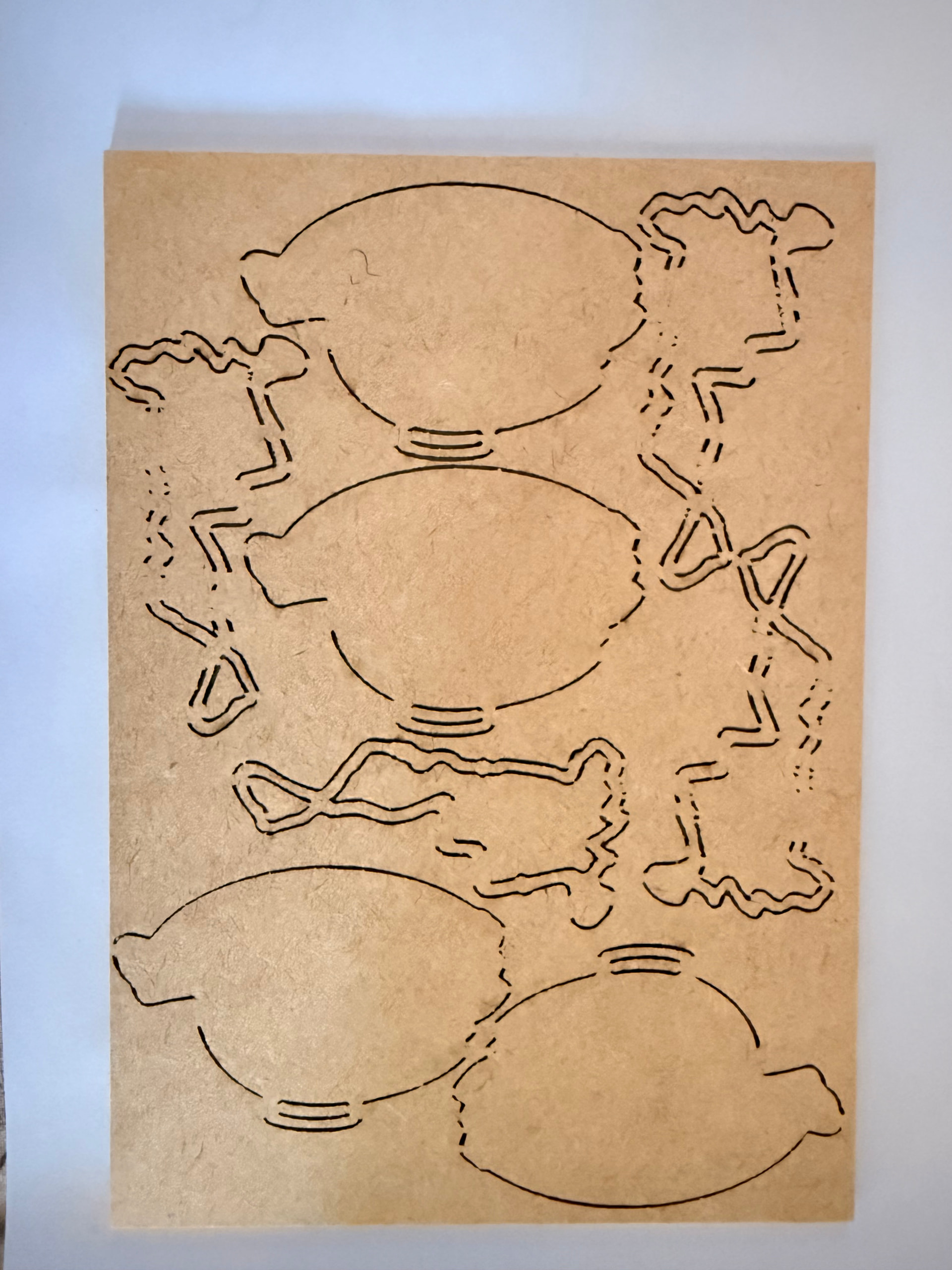

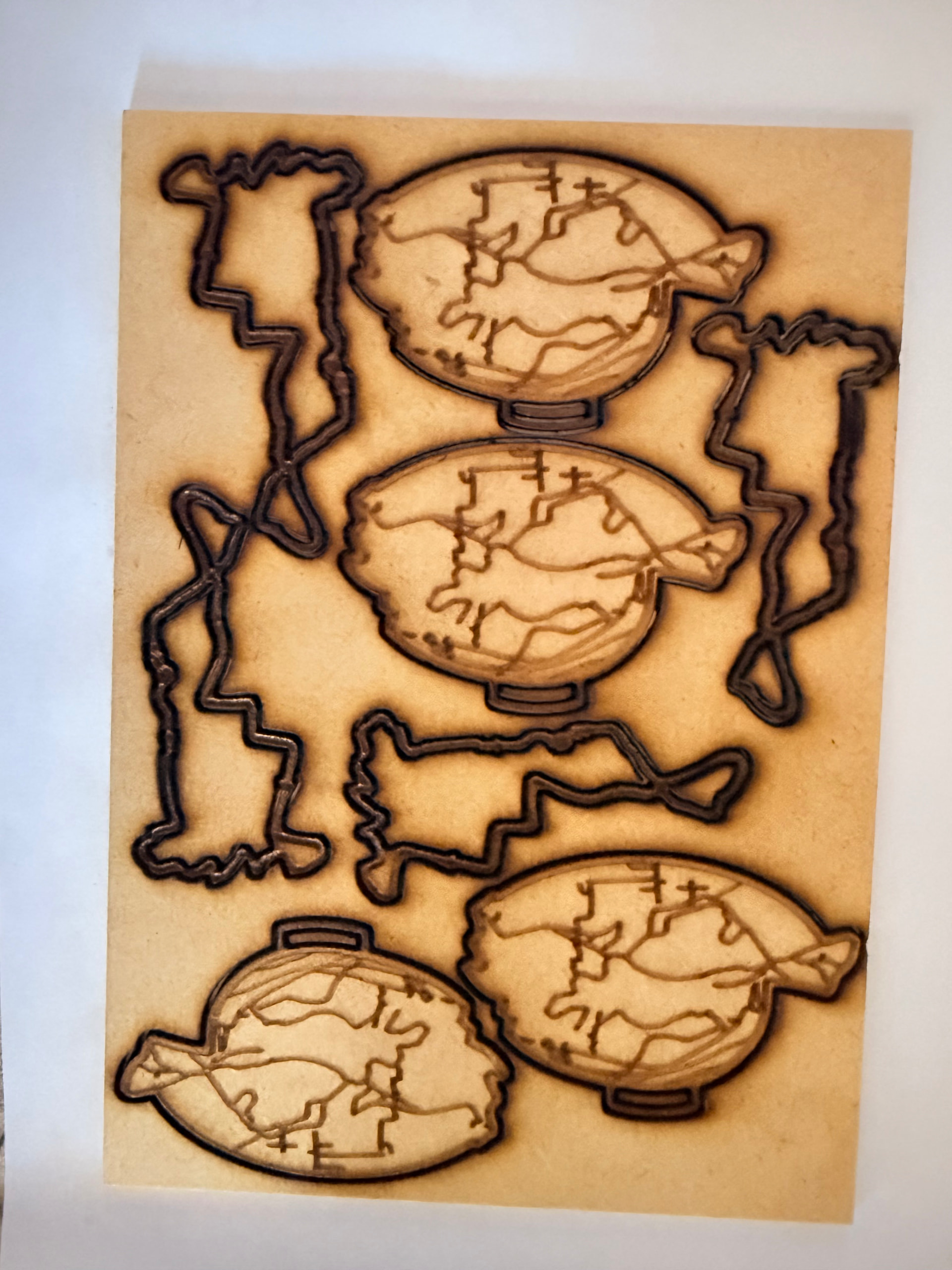
I received a LBDEV file from Creality, I will share this in the morning.
That first image is what I get when I am 1-2 passes short of having enough. Usually it is the long straights that do not make it because the head can reach programmed speeds, and thus put less power in a given spot. Yours instead looks like every fail is related to a curve. That may indicate the laser is reducing the power in the corners.
My new (2 weeks) experience cutting with 1/4” Home Depot MDF:
- 40w, 90% power
- 2500mm/m
- Constant Power Mode
- Air Assist
- Good focus
- 14 passes
Even with a little warp in the MDF (yes it can do that), I get 100% free cutouts and a lot less char on the edges than with Baltic Birch or Basswood plywood.
1,2 and 3 = These are your adjustables for the material.
3, 4, and 6 = Either you have it or you don’t. Each makes a big difference.
Falcon2 Pro S_1769086125402_acoxwq.lbdev (2.8 KB)
Here is the .lbdev file that they sent me. I was also sent a test “Focus” file but it has not layer settings so not sure what the wanted me to test with it.
Focus Test ±2(1)_1769478905626_7a79m_backup.lbrn2 (46.9 KB)
I’m starting to wonder if there isn’t some issue with the laser focus. The lines that aren’t cutting through happen on both corners and straight sections. I must have run 20+ passes and it jsut won’t cut through.
Some else I noticed in the sections that aren’t cutting through is that it is almost as if the material is getting stuck (burnt and staying behind like a small piece of ash / coal).
I just find it so odd that it keeps happening in the same places.
Looking at those last images, me too. So I downloaded that Focus Test file to see what they sent you and I am befuddled. I thought maybe you were supposed to run each number while adjusting it up or down in 1mm increments. Although it has settings, I could neither UnGroup or Group those numbers. And it is not an image file.
I have never seen anything like that in a Lightburn file, and could find no way to duplicate it. Then I Googled your machine…
【Auto-Focus & Dual Mode Operating】We recommend using Falcon Design Space software.
Apparently that .lbrn2 file is custom designed specifically for your machine’s Auto-focus feature. I am guessing you should just run it and report back to them which number has the best focus.
It came in at 3.6” wide, which is a bit too much for a business card. They expected you to run it on a fine-grained wood or size it down a bit. I say do both; Run it on wood, then shring is a little to fit on the business card.
In the meantime, I am asking @Rick how in the world did they manage that LBRN2 file?
1 Like
Don’t know if this is too late, but I had this problem on my (pretty new) Atomstack XMax 48W machine. it was. caused by a lens that was damaged. by smoke etching the glass. I replaced the lens with a new one and the problem dissappeared
Thanks for reaching out @MikeyH, I am not seeing anything unique in that file. I also suggest running the file and see if there is anything obviously noticeable in the output.
Indeed! Maybe it is a Programmer Problem, but I am curious how they could create a non-standard .lbrn2 file. Of course, that is the Programmer Curiosity in me.
@leon.claassen.trailhog might run the file and tell us what it does? 
UPDATE: I messed with that file some more and:
1. It ran like any other file on my SF-A9. Burn matched the LB display and Preview.
2. I cannot Group or Ungroup the vectors.
3. Fill, Offset Fill, and Flood Fill have no effect.
4. It only has 1 pass.
5. Z Offset and Z Step are both zero in the Cut Settings Editor window.
I have never seen #2 & #3 happen in a .lbrn2 file. What does Atomstack know that I do not?
I see this too. That’s odd.
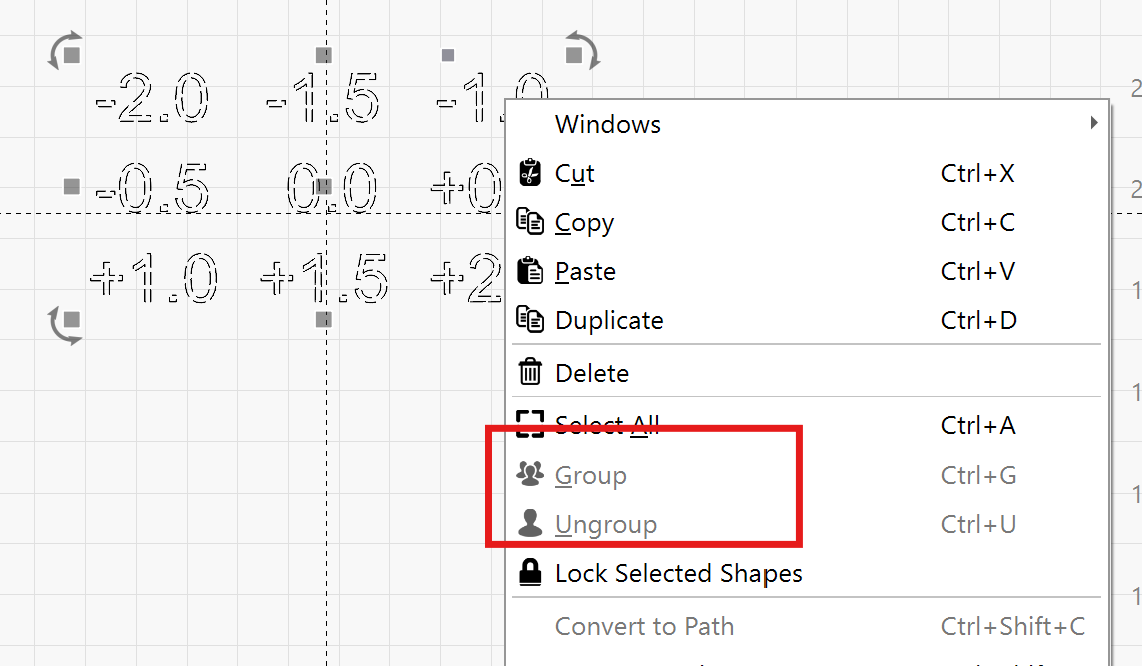
What’s more odd is that the cut settings in this layer don’t even change the focus height at all.
And: This .lbdev device profile doesn’t have the Z-Axis enabled in the first place.
@leon.claassen.trailhog I see that your Falcon 2 Pro S now has an autofocus feature.
Click on this Macro, or manually enter this command $HZ1
in the Console to tell the machine to run the autofocus sequence
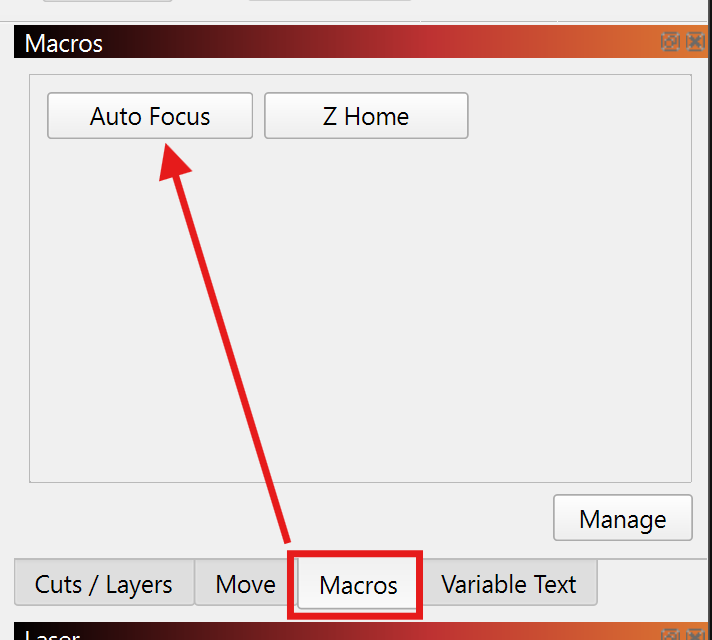
Please describe what the machine does exactly when you run this.
If you receive any errors in the Console window, please send us a screenshot.
What’s the distance between the diode’s nozzle and the material after it performed the autofocus sequence?
3 Likes
Thanks for all the input and support on this. As soon as I get a moment I will run all these tests. Unfortunately work is keeping me excessively occupied at the moment.
1 Like
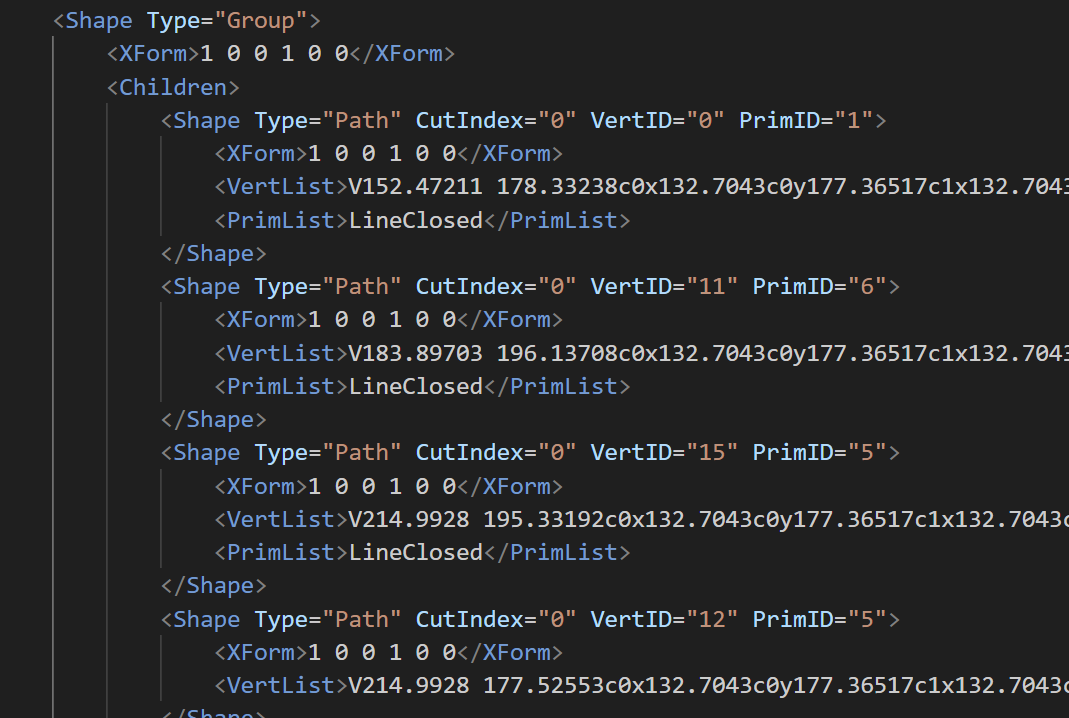
@MikeyH The text consists of only one shape, so there’s nothing to group, or ungroup. I’m not sure how they got there. (Maybe by importing a DXF)
.LBRN2 files contain XML formatted text and can be opened with any text editor. (I’ve used VS Code to get synthax highlighting)
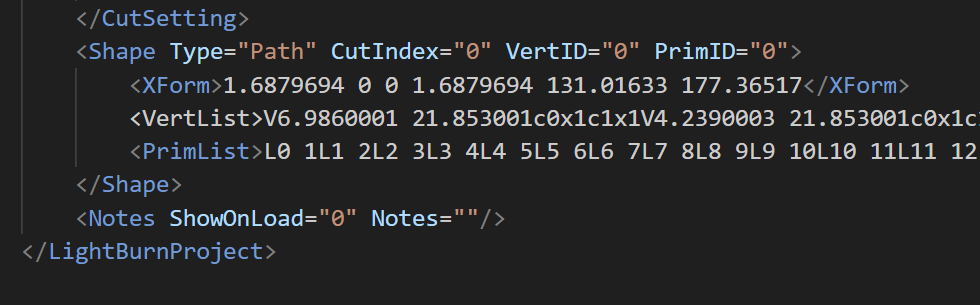
This part can be solved with these steps:
- select everything
- Break appart Alt + B
- Join Alt + J
That creates individual shapes that can be grouped, which looks like this in the project file
2 Likes
HA !!! Because I did not see any nodes when I selected the Node Tool, I never considered using any of the commands on it. Good to know!
Thanks!