Just a quick question.
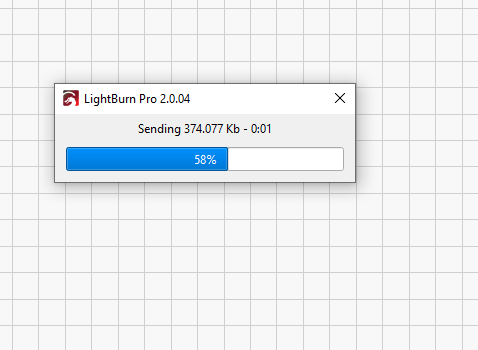
Referencing this image, did I just sent about “374Kb”, or about “374 thousands” Kb.
Thanks
Just a quick question.
Referencing this image, did I just sent about “374Kb”, or about “374 thousands” Kb.
Thanks
The answer (probably) depends on the Windows “Regional settings”, which govern the numeric format. Those settings may specify a comma as the “decimal symbol” and a period for the “digit grouping symbol”.
Assuming Windows is set for the proper region, you can tweak the numeric format. A casual search turned up this guide:
I think that’s correct, in which case the file is much larger than the machine’s Flash memory filesystem can handle; Ruida controllers can have up to 256 MB of Flash, but some of that is allocated for other purposes.
If the transfer stalled at the 58% point, then the controller absorbed about 216 MB: about as much as a 256 MB Flash file system can hold.
You can reduce the file size by increasing the Line Interval for images to about 0.2 mm. That’s roughly the focused spot size for a CO₂ laser, so smaller line spacing doesn’t buy much.
The transfer didn’t stall. It just happened I took the screen capture at that point.
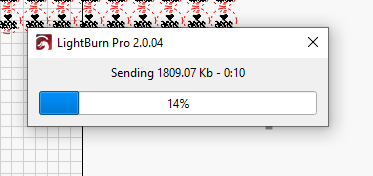
The next work I sent gave me this number, with just 2 decimal places.
So, with this evidence and the fact that my Ruida Controller (RDC6442G) has 128Mb of memory, I can fairly assume this means I sent about 1809 Kb this time, and about 374k in the previuous job.
I always set my machines to use comma as digit grouping, and period as decimal symbol.
Now we both know!