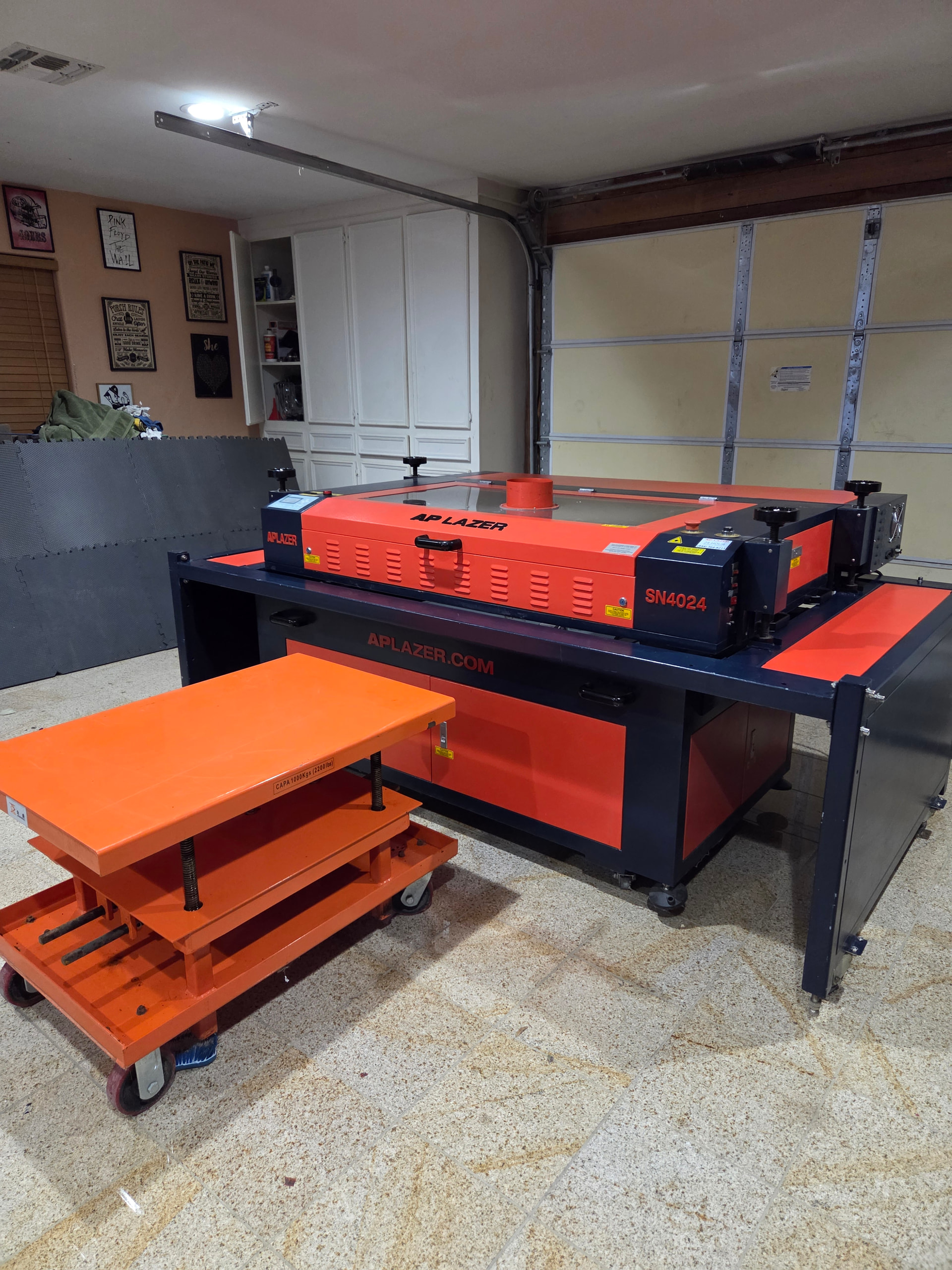
AP LAZER SN4024 leetro mpc6565 would like to upgrade to Ruida controller which one is best for this ap laser ??
9 mins ago
AP LAZER SN4024 leetro mpc6565 would like to upgrade to Ruida controller which one is best for this ap laser ??
9 mins ago
Assuming it’s similar to this:
Opinion
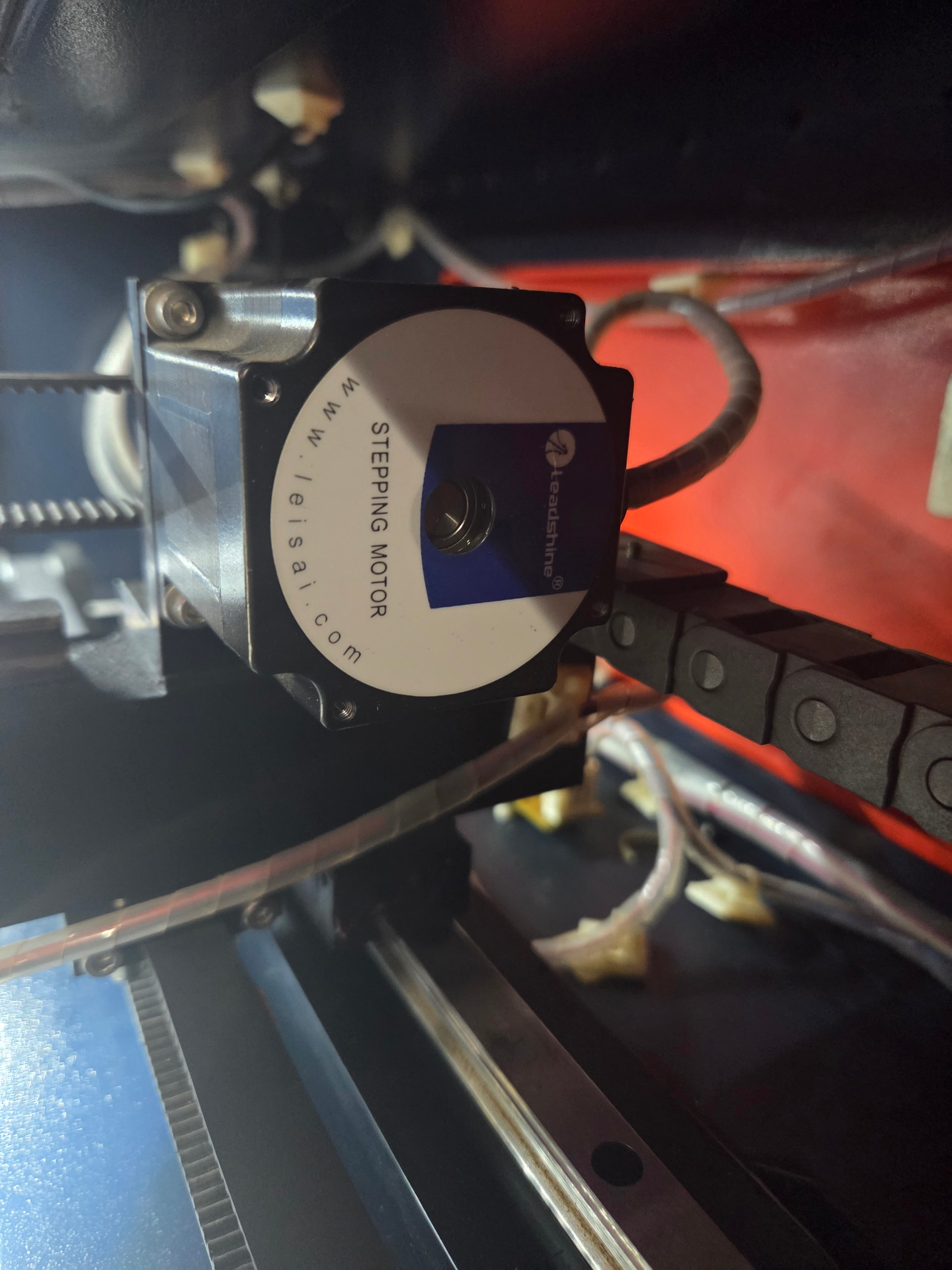
If it uses standard stepper motors and has a standard glass-tube laser, then any Ruida controller should work. If it has dual-laser MOPA heads or fancy camera handling, then standard Ruida controllers won’t work.
Previous discussions suggest you will encounter many problems:
https://forum.lightburnsoftware.com/search?q=leetro
You must configure the Ruida controller from bone-stock defaults, which will require deep knowledge of all the parameters and considerable testing to verify the new settings. Unless you’ve done that sort of thing before, making it work will absorb all the time you have available.
At one time, AP Lazer had a controller swap kit available that included the controller and wiring harness to just plug and play swap in a Ruida controller into the older Leetro based machines. Have you contacted AP Lazer to see if they still have this available?
Thank you for the info i am dead in the water dont have the lasercut 5.3 dongle to run the laser the laptop was reset to factory settetings and AP Lazer not been helpfull at all. Going with the ruida RDC 6442G hope i can find how the wirimg is done on an AP LAZER .
Yes i have they want to sem
nd a thech to my home to do the installation price is outrageous can’t get any info from AP LAZER.
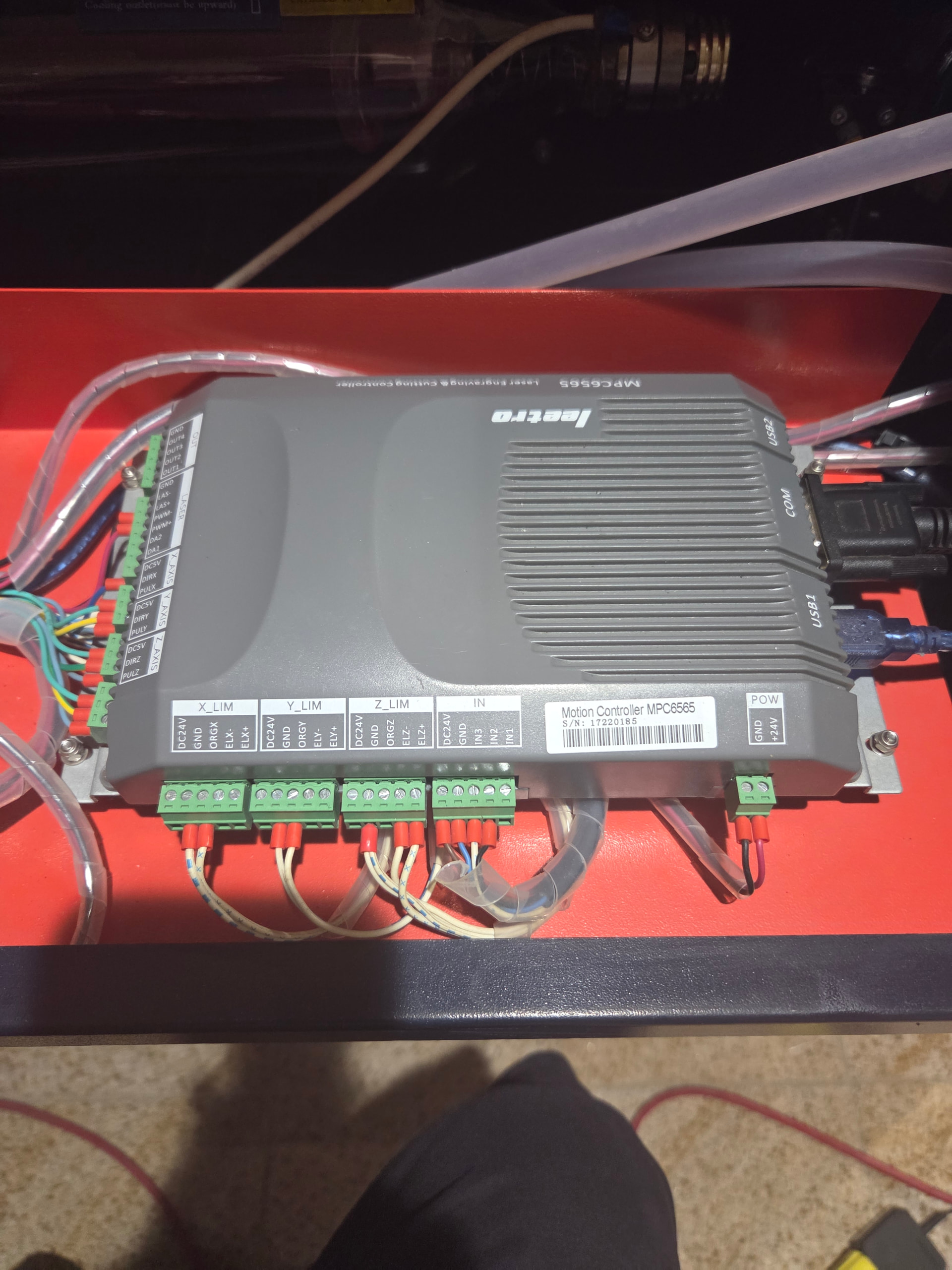
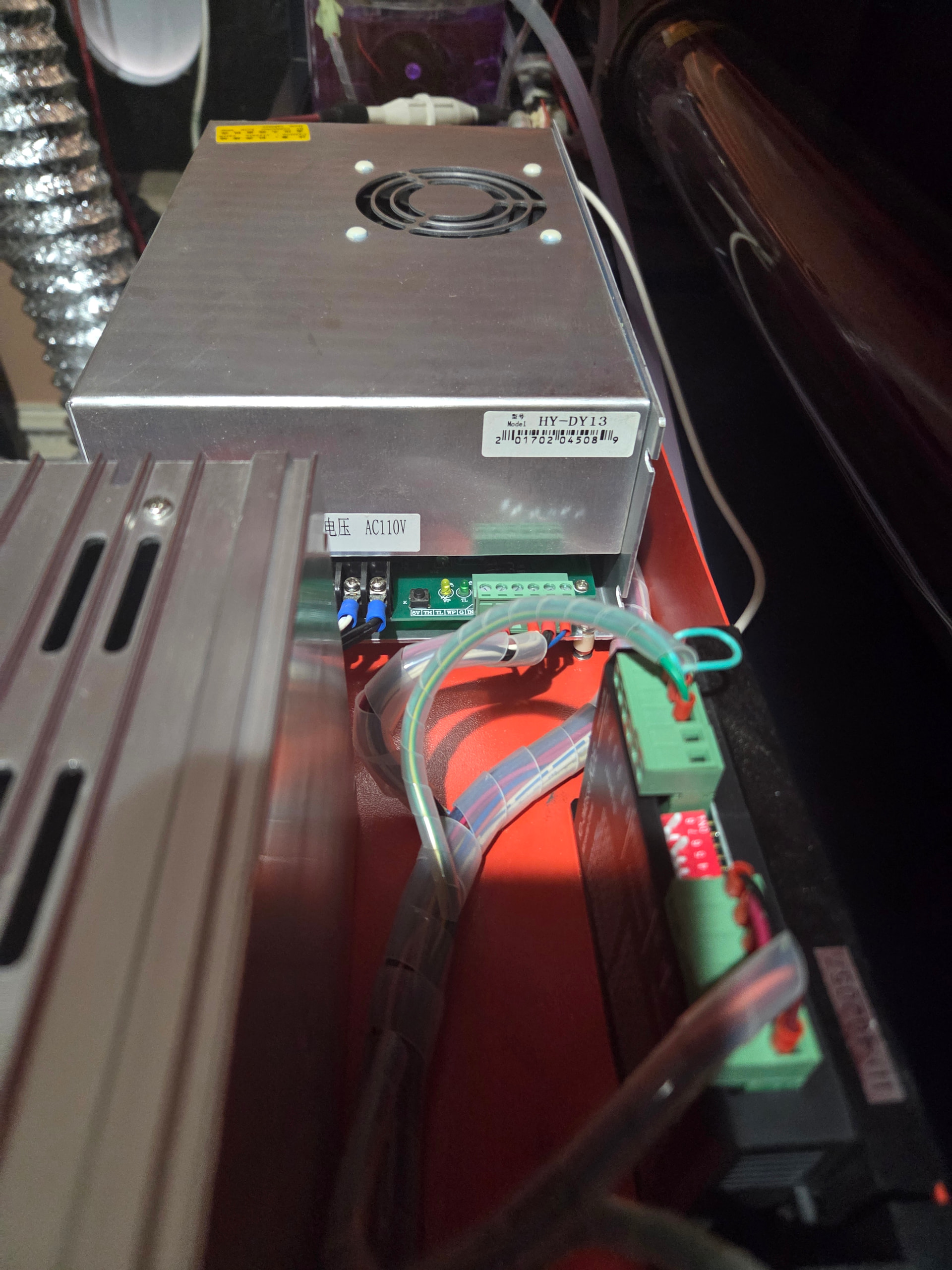
Photos of the existing power supply / controller / stepper driver terminals (with visible labels) are essential, because without those we have no clue what’s in there.
However, even with that information, we won’t know vital details like the maximum acceleration / speed values.
This is not an easy project …
Good: it looks like standard everything!
Now you draw up a big table (a spreadsheet will be your BFF) with the controller terminals, starting on the far back of the left side and working your way around the case.
For example, the LASER block seems to have three wires that likely go to the high voltage power supply. Trace them to their destination and match those labels, which might look like this:
LASER Wire
GND   Black   HV Supply G
LAS-  Red     HV Supply TL
LAS+  x
PWM-  x
PWM+  x
DA2   x
DA1   Blue    HV Supply IN
Do that for every terminal on the controller.
Then you can figure out the corresponding terminals on the Ruida controller: some will be obvious, others may take some puzzling.
After you trace all the wires, post it here so the hive mind can think it over.
That certainly sucks then. They used to sell it as a self install kit that was a pretty easy plug and play install job.