Hi everyone,
Have you ever walked back to the laser just to see if a job had finished? Or kept LightBurn on a second monitor so you could watch the progress bar? I built Beacon to fix that.
I have been working on a free open source companion app for LightBurn called Beacon. It watches LightBurn and shows what your laser is doing: Running, Paused, Framing, Ready or Disconnected. It also sends that status out into your shop as a stack light on the machine, relays that switch your exhaust and air assist, and alerts on your phone.
It runs next to LightBurn and never changes your files or settings. Beacon is in beta and works on Windows 10/11 and macOS 12.3+.
Arduino automation and stack lights
This is what Beacon is built around.
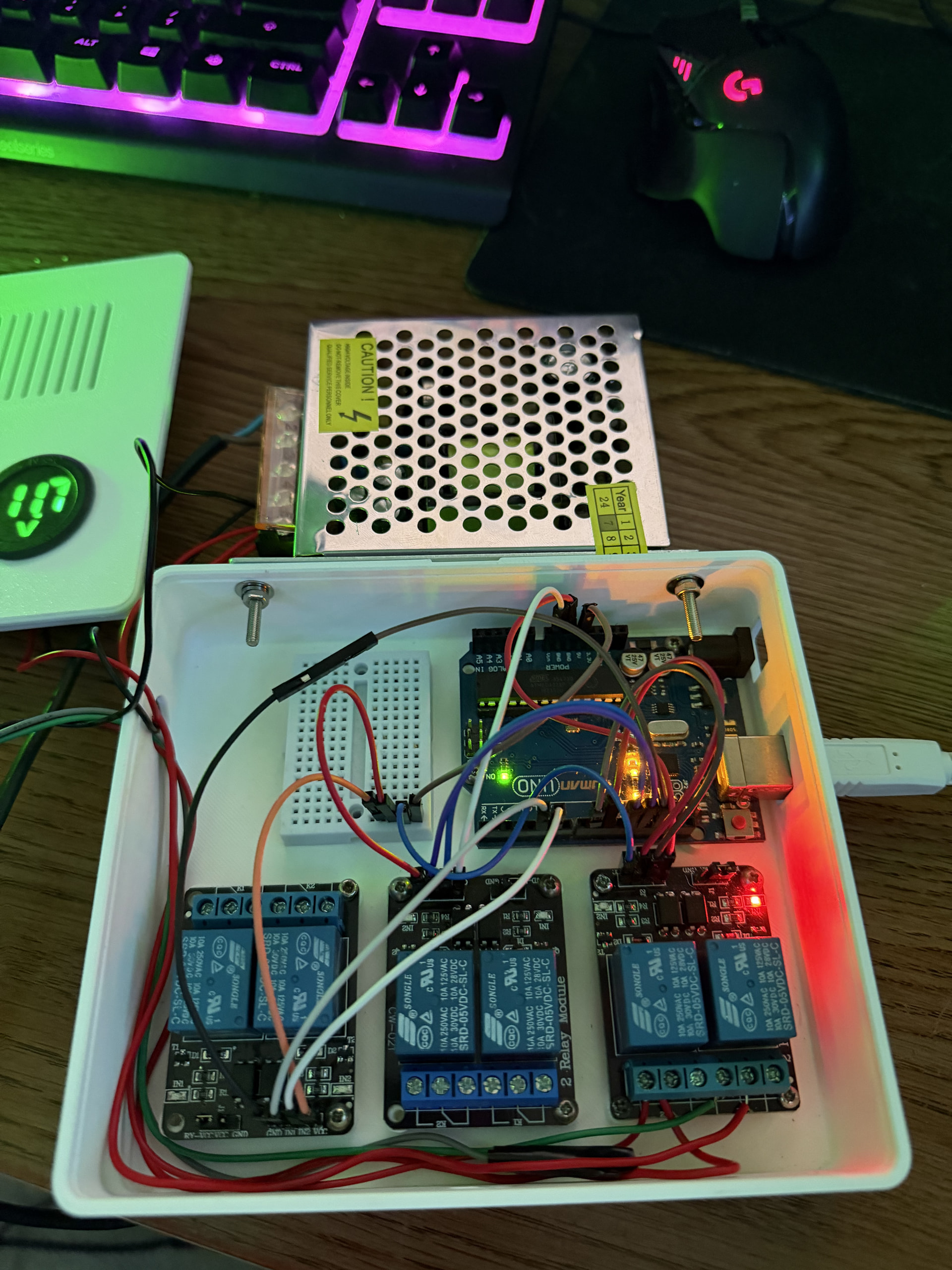
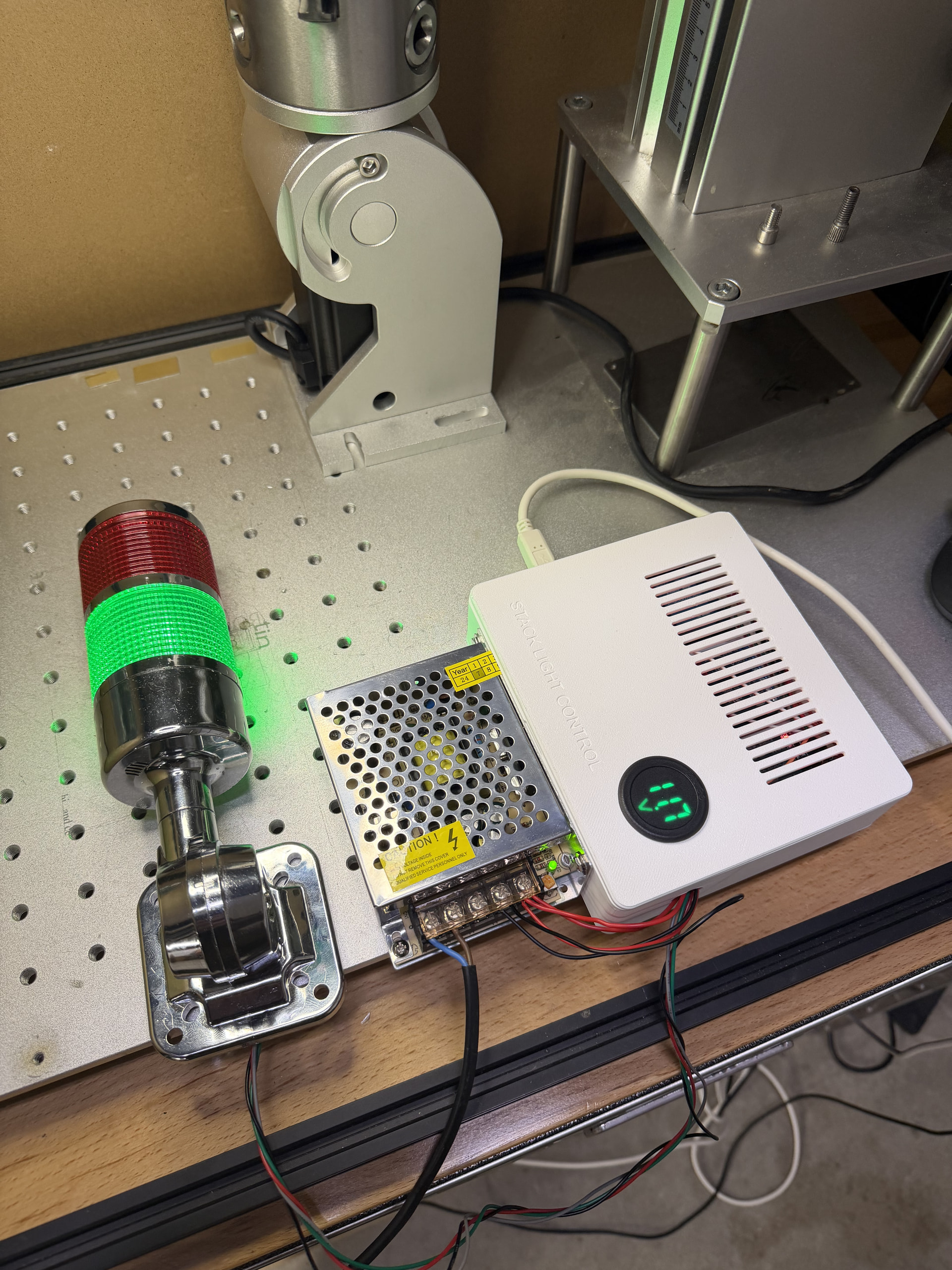
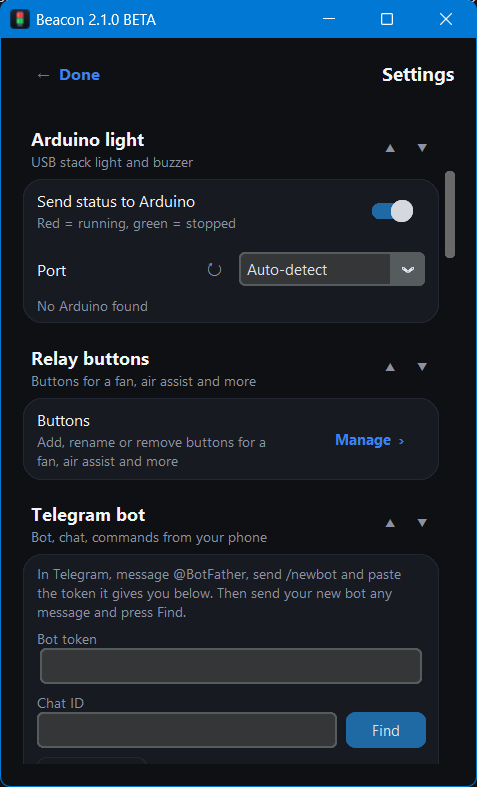
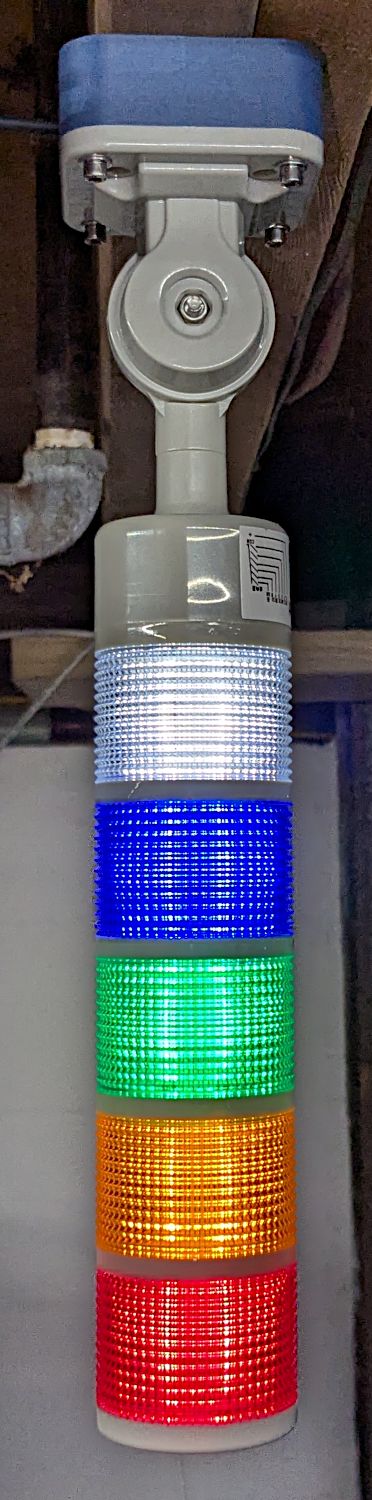
- A stack light that shows the laser’s status. Wire a red/green stack light and a buzzer to an Arduino Uno (USB) or an ESP32 (Wi-Fi). It shows red while the laser runs and green when it’s ready, and it chimes when a job finishes. You can see it from across the shop.
- One-click Arduino setup. Plug in an Uno and press Install on Arduino. Beacon programs the board itself, so you don’t need the Arduino IDE, sketches or libraries. (The ESP32 is still set up with the Arduino IDE for now.)
- Relays that follow the laser. You can switch each relay by hand from Beacon. Or set it to follow the laser on its own: on while running, paused or framing, with an optional start delay and a run-on timer. For example, keep the exhaust running 2 minutes after a job to clear the smoke. Relays can also switch on by time of day.
- Arduino relays or smart plugs. Use relays on the board, or Shelly, Tasmota, Kasa and Home Assistant switches. They work well for exhaust fans, air assist, chillers and shop lights.
- Sensor inputs. Connect fire/smoke, temperature, lid and exhaust/coolant flow sensors. The fire alarm runs on the board itself, so it still sounds when the PC is off.
Reads LightBurn three ways
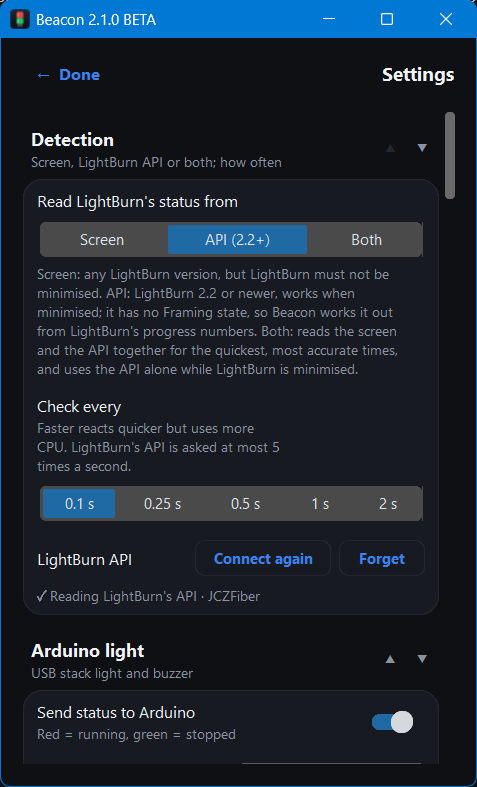
- Screen reading. Works with any LightBurn version. The LightBurn window has to stay visible.
- LightBurn’s REST API. For LightBurn 2.2 and newer. Works even while LightBurn is minimised.
- Both together. The fastest and most accurate job times.
Always know what the laser is doing
- A small status window, or a floating pill that stays on top of your other apps.
- A phone dashboard you can open on any phone on your Wi-Fi, with nothing to install.
- The current job’s file name and a live timer.
Notifications
- Desktop notifications, Telegram (with commands like
/status), Discord, Pushover, email and SMS. - Hourly, daily and weekly usage reports.
Statistics and shop tools
- Run time per day and per week, plus a record of every job with its customer and material.
- Cost per job and a quote calculator.
- Maintenance reminders, such as lens cleaning, based on actual run hours.
- Monthly reports as PDF or Excel.
Getting started
- Download Beacon from beaconlaserapp.com or the GitHub releases page.
- Run the installer. A short setup assistant walks you through LightBurn, the stack light, relays and notifications.
- Everything Arduino-related is optional. Beacon is useful on its own as a status display.
The website has the parts list and wiring diagrams for the stack light kit.
Safety: Beacon is a convenience, not a safety device. Never leave a running laser unattended, and read the hardware guide before you wire anything.
Beacon is free to use, at home or in your business. The one thing you can’t do is resell it. It’s an independent project and isn’t affiliated with or endorsed by LightBurn Software.
It’s still in beta, so I’d love your feedback: bugs, machines you’ve tried it on, and features you’d like to see. Thanks for taking a look!
P.S. Need more user feedback regarding Rudia controllers, as those machines have a different status indicator? Thank you for your support!