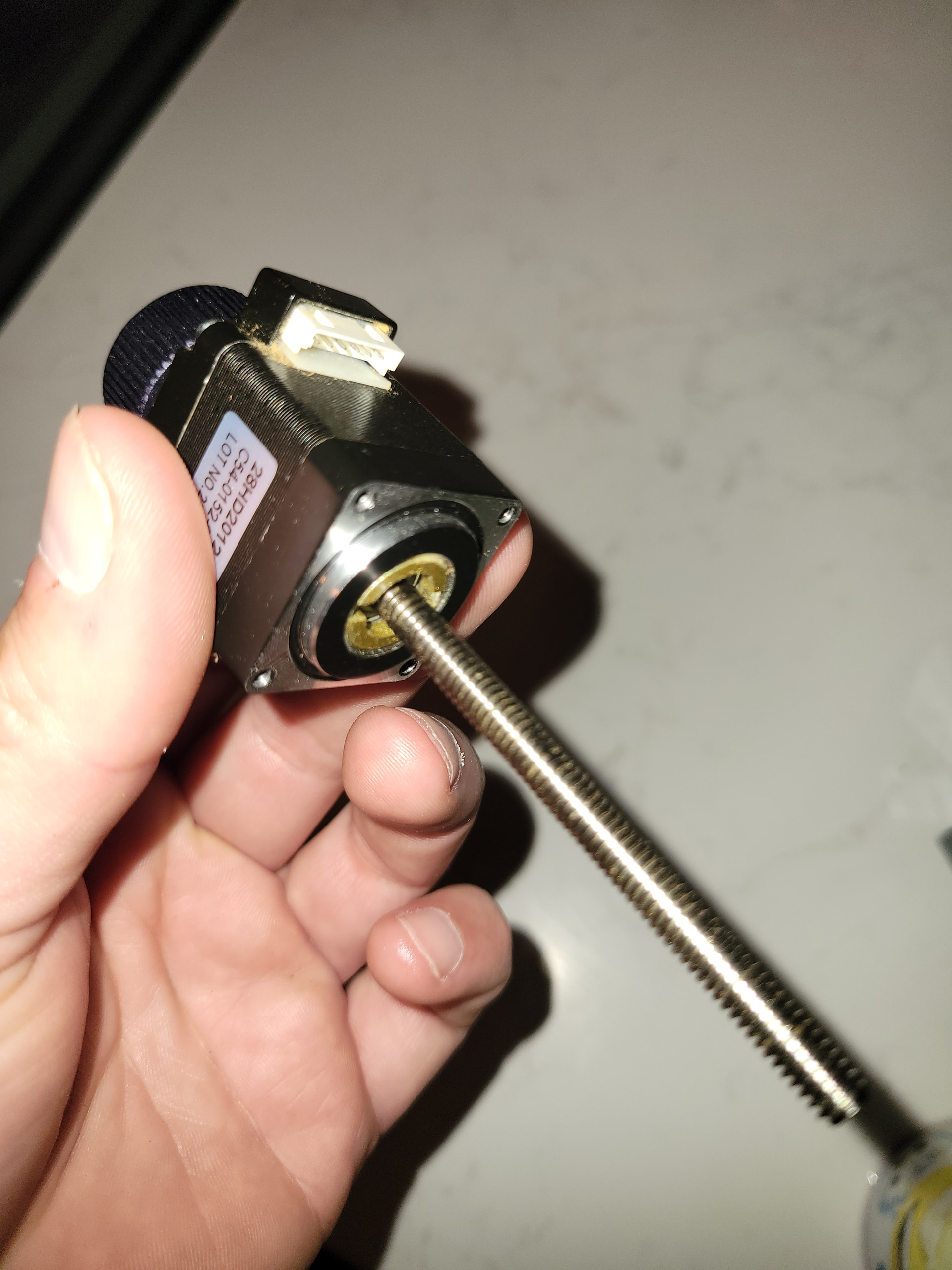
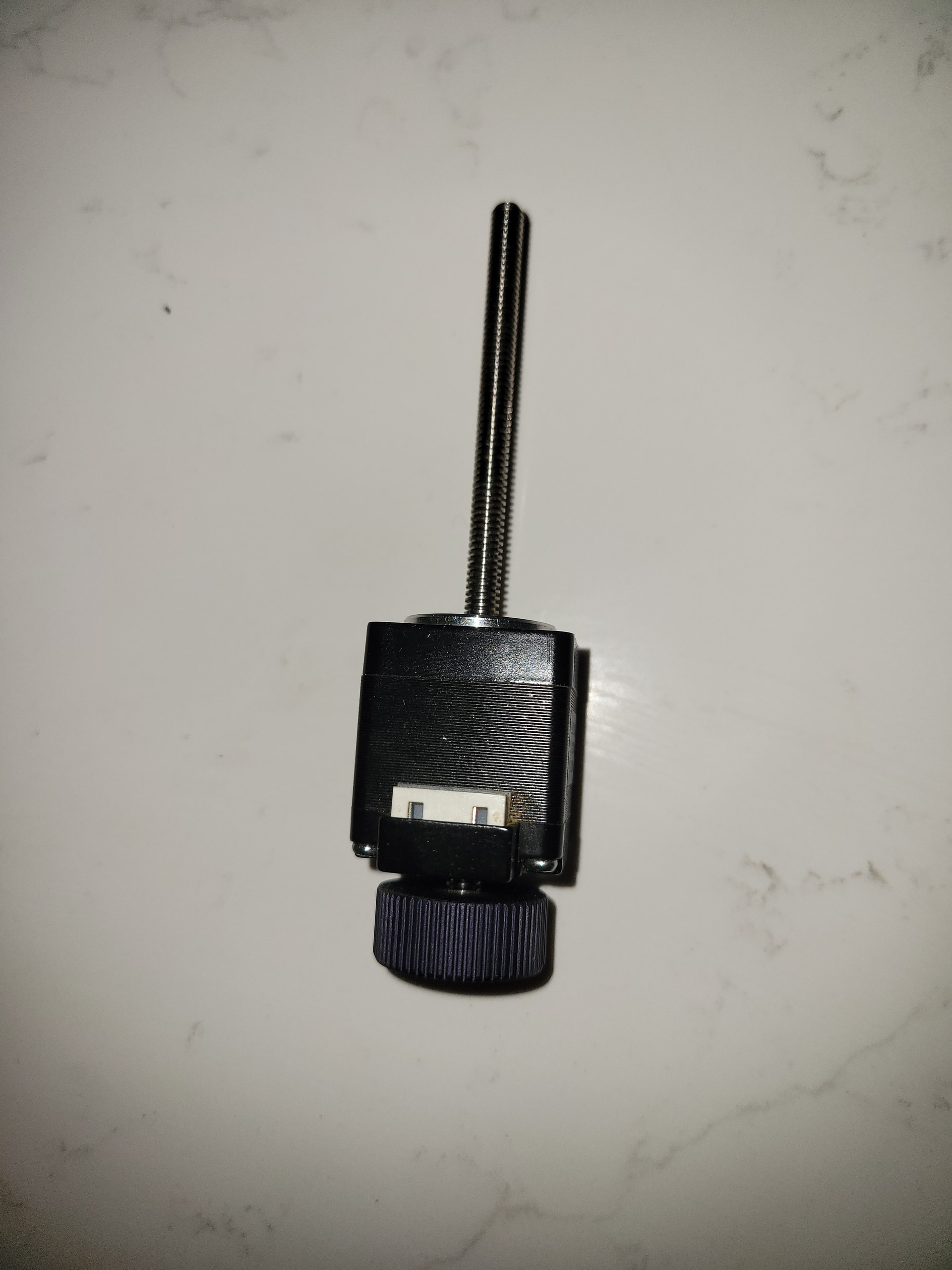
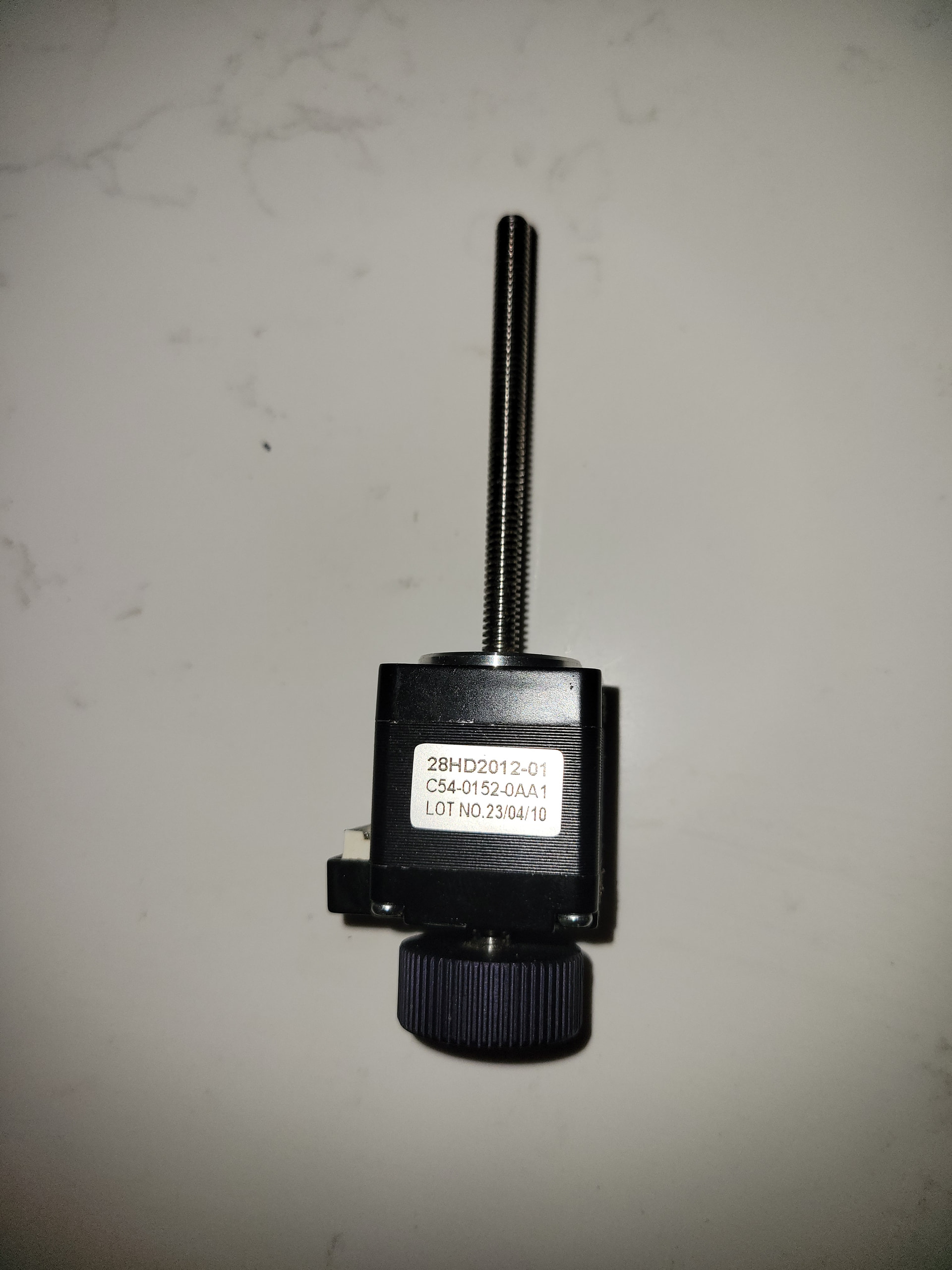
Wondering if anyone could assist me with a Z stepper motor issue? I think something must have fell on my Z axis when either in storage or when putting into or taking out of storage becuase I setup the laser today to run a project and when homing the Z would move up towards the limit switch then without warning would start to move down and stop. I would try to manually move the Z up/down and it would move in the wrong direction until I touched the knob on top of the stepper motor and then it would move in the correct direction. When moving the Z manually down with the knob on top every one rotation I could feel a skip and it would drop a few mm leading me to believe that one of the teeth inside might be damaged. This is why I think something fell on it possibly breaking or damaging one of the teeth.
I would like to replace the motor but with Atezr no longer around I’m having trouble finding the correct replacement.
Aaron.F: To be clear: Is this with the motor unplugged from the machine? Which exact Atezr model are you using?To be clear: Is this with the motor unplugged from the machine?
Which exact Atezr model are you using?
Hi Aaron. Yes, this is the exact Z motor from the machine and it’s a Atezr L2.
What I was trying to ask is whether you tested the motor to see if it ran smoothly once it was disconnected. (You probably did )
A motor rarely breaks, but the mechanical parts might.
Still, your initial description rather suggests an issue with a limit switch or wrong settings.
This is kind of hard to explain but as far as I could tell the limit switch was working fine because I could depress it with my finger and Lightburn would recognize it and would move on with homing the X and Y. What I did notice though when the Z was going through it’s homing process was anytime I would put pressure on the knob at the top it would either stop the Z movement, continue the Z movement (if not moving because it was stuck) or make the Z change directions. I could hear the motor working so my initial thought is something inside is damaged causing it not to catch and move the screw properly. Just my thought.
thanks for the additional information. Based on that, I’m actually less convinced the mechanics in the motor are damaged. Simply applying pressure to the knob shouldn’t normally cause the motor to reverse direction.
Since the connector is directly beside the knob, pressing there may flex a loose pin, wire, or solder joint enough to restore or break contact.
This suggests the motor isn’t generating enough torque to move the Z axis upward. If you haven’t changed any settings, then it’s a new mechanical problem applying too much load on the motor.
With the motor in hand:
Is the shaft perfecty straight?
Does the shaft turn smoothly?
The connector appears to have six pins, suggesting the motor has center-tapped windings. If everything else checks out, we can walk you though verifying the windings are in good shape.
With the motor installed and the power off:
Does turning the manual knob moves it smoothly throughout the entire axis?
Is the follower nut properly engaged and free to follow the thread?
There are no “teeth” inside the motor to break. Stepper motors are utterly reliable, although unplugging the motor connector with the power on can damage the motor driver.
Because bashing it may have (almost) severed one of the wires or damaged the connector, check for wiring problems along the cable.
The “feel” I get when applying pressure to the knob is a grinding noise before changing directions which was leading me to believe it was something mechanical.
I couldn’t see anything that would lead me to believe it was a wiring issue but that’s just me looking and it’s totally possible that something not in plain view could be wrong.
As far as the smoothness of the rotation while not connected it feels smooth except for one point I can feel a slight bump/grab before smoothing out again.
I’m not at home right now but as far as I remember the shaft was perfectly straight. The carriage that held the laser head would move up and down with no resistance.
As far as turning smoothly I could feel a slight bump or grab at one point during a full turn.
Yes. The nut moves freely.
Also wanted to add that everything was working properly since I got the machine several years ago. I had to store it for a few months due to a construction project and when I got it back out this is the issue I’m dealing with. Never had a problem before. When I stored it I never took anything apart other than disconnecting the wires from the controller.
That “slight bump” you feel may be enough to stall the motor, particularly when it’s trying to lift the laser head.
When the load on a stepper motor exceeds its ability to turn the shaft, the rotor will fall out of sync with the rotating magnetic field produced by the driver. It can then stop while shuddering or turn weakly in either direction.
The symptoms exactly match the behavior of a stepper motor stalled due to an overload.
Many things can happen to an unused mechanical device. In particular, lubricating oils can thicken, attract dust, and gum up the moving parts. If the Z axis was just barely working before, it’s just barely not working right now.
It will be worthwhile to clean the Z axis guides / rollers / whatever to ensure they move smoothly and freely, as they should.
Which is why we also suggest examining them, because those connectors have a painfully limited number of plug/unplug cycles and the pins are easily damaged.
I even removed the laser module from the Z gantry and it still produced the same issues. I do recall when I first reset up the laser and when to home the machine the Z moved down to the bed and I didn’t realize it at first. The Auto focus button must have gone into a gap in the bed and not gotten depressed causing the Z to continue to try and go down creating a good amount of pressure and resistance on the machine and motor. Do you think this could have caused enough pressure to produce an issue with the Motor?
The Z was working fine before. Sorry if I made is sound like it wasn’t. I had no mechanical issues before storing it. This is the first time dealing with this Z issue.
Would it help if I uploaded a video of what it’s doing or can you already visualize it pretty good?
Stepper motors are surprisingly rugged: they have only one moving part and it’s well-supported, so the motor itself is fine.
Something else is overloading the motor, which is what you’re looking for.
The fact that it worked then is largely irrelevant, because it does not work now. The question is not “Why is it different?” but “What’s the problem?”
After you find what’s causing the overload, then you can figure out how that happened.
You’ve described it well enough, so your task is to figure out what’s causing the motor to lose sync with the driver. Work through all the suggestions and report what you find …
I wanted to add a few more things that I don’t think I mentioned before and just noticed it again when out at the machine tonight. When in lightburn and I hit the Z up arrow the gantry will tend to move down 7/10 times. When I hit the down arrow the gantry will tend to move down 7/10 times. The other 3 times it will either not move or move in the other direction. Also, when it moves in the opposite direction as commanded I will hold the knob and it will then move in the other direction. I have noticed that I can hold the knob and the motor will continue to run but it’s like it becomes disconnected with the Z screw and I can feel it skipping or losing steps.
There are only so many different ways I can say this:
When the load on a stepper motor exceeds its ability to turn the shaft, the rotor will fall out of sync with the rotating magnetic field produced by the driver. It can then stop while shuddering or turn weakly in either direction.
Thanks Ed. Just wanted to pass along a few extra observations I had. I will try and find the reason for the additional load but it’s doing this with no load on the motor. I removed and disconnected the motor from laser gantry and tried running it and the same things happened.
I had a very similar problem with a used CNC machine.
The problem was in the wiring between the stepper motor driver and the stepper motor. On the 4-pin stepper motor, one winding was not powered and one winding would drive the motor. This caused erratic behaviour and occasional reversals in direction. It would Jog, then not Jog. All wires were placed properly and everything looked fine.
Check to see if the wiring connectors are plugged in and seated correctly. They can partially unplug themselves when bumped.
Damage, defects or even failure within the wiring can be completely invisible. To confirm or eliminate the possibility of this as a problem, use a digital volt meter to measure the voltage drop across each of the two windings at the motor while the motor is running. You’ll need to set the jog speed low enough so the meter has time to read the voltage before it repeatedly swings to zero and to the negative voltage and back to zero.
A mechanics stethoscope should also allow you to hear the difference in mechanical motion if you have an unpowered or underpowered winding. I haven’t confirmed that this will work but I’ll put a resistor in the circuit on mine to emulate the fault and confirm that I can hear the difference.
Generally, wiring doesn’t fail in storage, but it can fail going into storage and coming out of storage.
Really appreciate the message John. I will try and use that wisdom as well as Ed’s and Aaron’s to search for the issue. In the video referenced below Is this the same general idea I could use the volt meter to ensure the windings are working correctly? Sorry, obviously not a electrician!
While the multimeter is out, set it for the lowest resistance range, identify the connector pins for both stepper motor windings, and measure the winding resistances.
A motor connector with six pins may have two center-tapped windings:
Or it may have the same two windings no center taps and two unused pins.
Start with a pin on one end of the connector and probe the others. You should find at most other two pins with low resistance to the first pin; if one reading is half the other, that’s the center tap.
Both windings should have equal resistances of a few ohms, so make note of the meter reading with its probes connected together: cheap cables can have resistances higher than the motor windings!
If you can only find one winding, then the motor is dead or the connector was damaged. That is a very unlikely outcome, absent physical damage.
If the two windings are equal, but measure a few tens of ohms, then it’s the wrong motor for the job. That situation should not happen these days; I’ll save the corresponding rant until needed.
 )
)
