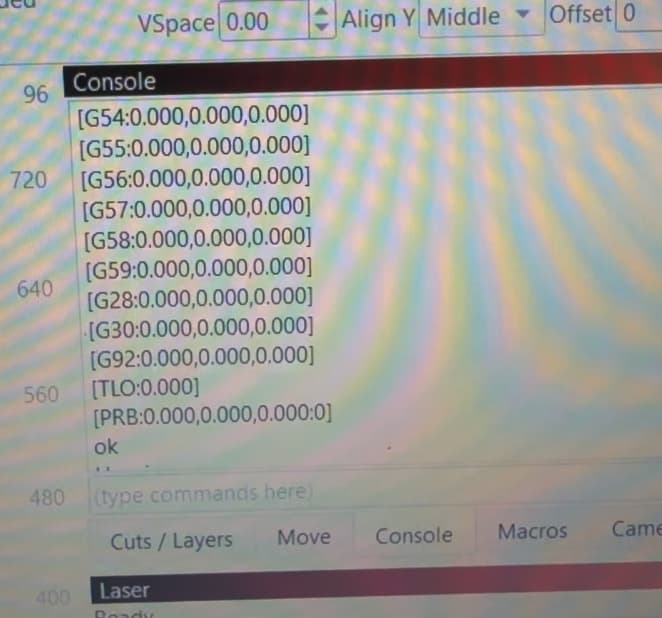
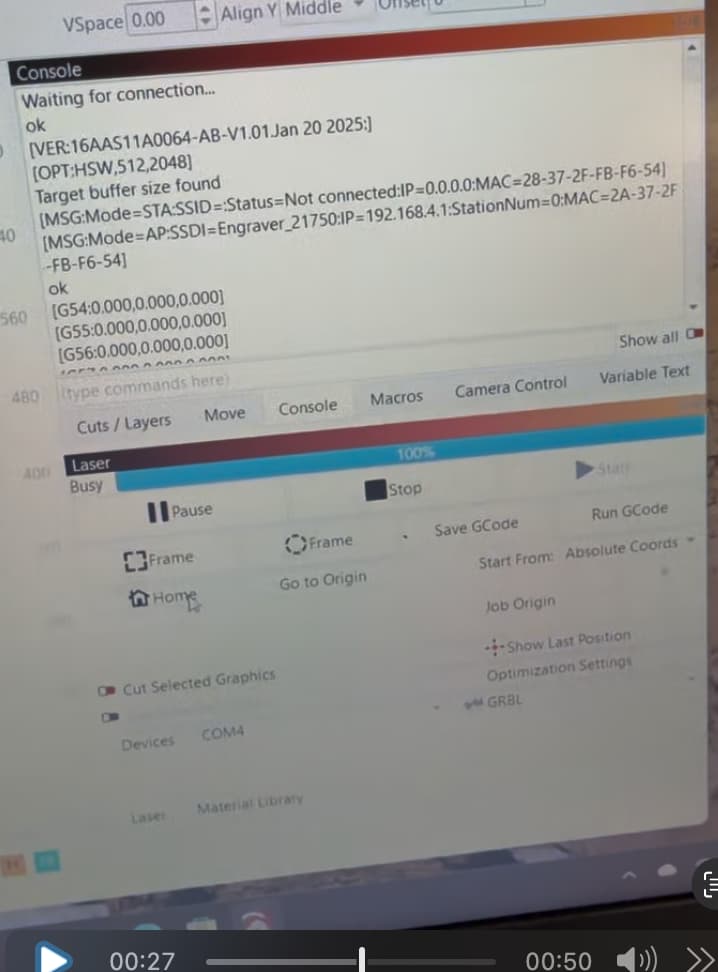
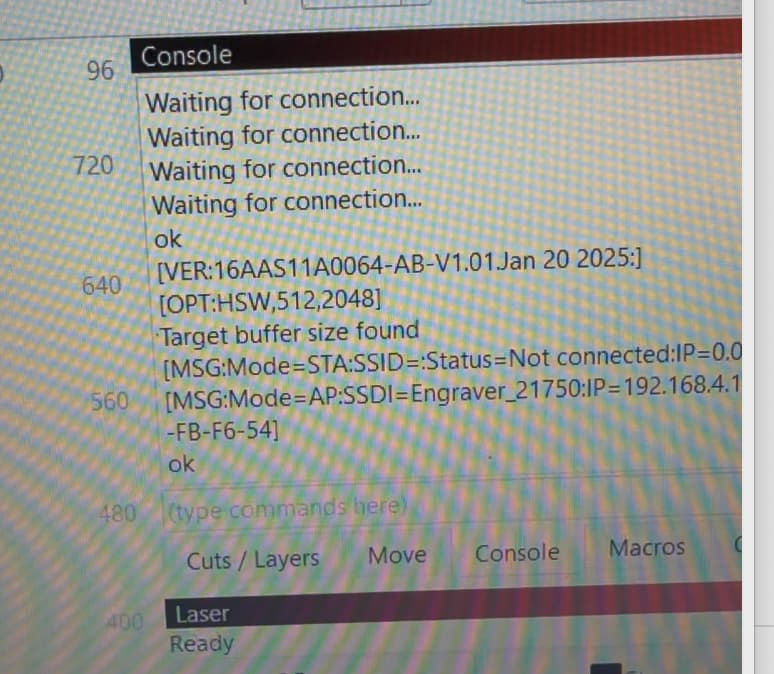
Hi all, glade to be part of the community. I do have a problem and don’t know what to do. I have an adomstack 70 max with light burn on a MacBook Air. Just put it all together and got it up and running and wanted to make a macro to center laser head. I watched a video that did what I wanted and tried it.
$H
$J=G21 G90 X780 Y780 F
It worked once and now my laser is locked up and won’t move or home. Within Lightburn it’s just busy. I deleted the macro and it still won’t work.
yes tried to power cycle both, even reset adamstack controller and deleted and reinstalled driver. I read somewhere a Mac doesn’t work well with GRBL. I just ordered a windows laptop and will try that.
thanks I’ll try that but need to get it working first, I’m waiting on new windows computer to arrive. I read somewhere that grbl was written for windows. Let’s hope that’s the problem.
Never heard such a thing. No mention of Windows here…
GRBL is free, open-source firmware that converts standard G-code into the specific motion control signals for a CNC machine. It runs on microcontrollers like the Arduino Uno and is widely used to power CNC routers, mills, and laser engravers. GRBL features advanced functions like acceleration management with look-ahead for smooth motion and supports features such as limit switches and soft limits for safety.
GCode is not Windows specific either.
Let us know when the PC gets in. When you do the install of Lightburn, be sure to install the CH340 driver first. Be sure to do the C++ Runtime Executables too. I think you may have to restart the installer to do it all.
That’s a misunderstanding. That is not related at all. There is a laser control tool called LaserGRBL, this is only available for Windows, that’s correct. But grbl is a firmware written for Arduinos / Atmega microcontrollers originally, that is totally independent from any control PC. The control PC only sends commands (following the gcode standard, featuring the command set of grbl) to the laser controller. Any tool can do this, and there are even web browser applications that can do that.
You can try to flash the firmware again, if nothing else helps. This is indeed easier on Windows, since there are more flash tools available there.
thanks for replying. Well I ordered a new windows laptop installed Lightburn,all the needed drivers, C++, and configured the device to Grbl on port 3. Still nothing. I think this new adomstack 70 max controller took a crap on me.
Bummer! …To see if this is true, try these tests first. It will also give Atomslack proof that you diagnosed the issue.
First, try using a different USB cable, preferably one that is shielded and has a ferrite knot on one end. If no luck, then…
Power up the PC, Power up the laser, connect the USB cable.
→ Does it sound the Windows USB connected tone? Yes:
Open Lightburn. Open the Console window.
→ Does it list a bunch of stuff ending with “ok”? If it does, copy and paste that stuff here.
→ Does it mention any error messages in the window? If it does, copy all the stuff in the window here. One copy is enough. No:
Windows Administrative Tools → Computer Management → Device Manager → Ports → USB -SERIAL CH340 (COMx), or something like it.
→ Do you see this in the window?
→ Is it listing COM3?
Basically you should not be able to harm the controller board no matter what you send it for GCode. However, I do not have the source code for your board, so I cannot be 100% sure it did not happen to yours.
It is connecting and talking to the laser, suggesting it is not the controller board. If you get intermittent communications breaks, replace the USB cable with a quality shielded one that has a ferrite knot on it. And limit the length to no more than 10’ too.