Let me start by introducing myself:
We currently use very expensive laser systems, but we want to adopt a more decentralized approach in this area—for instance, by using multiple desktop laser units to print our nameplates.
We would prefer to use LightBurn Pro for this purpose, and we have already run several import tests using our existing PDF templates via the trial version.
During this process, LightBurn flags duplicates; while we can remove them manually, I was wondering…
Is there an automatic function that removes these duplicates immediately upon importing the file into LightBurn?
What id the duplicates were meant to be in the design? Lightburn does not want to change a file without your permission, which makes really good sense.
You only have to remove the duplicates once, then after that you use the Lightburn file. I do not know how many “templates” you have, but if you process then as you need them one at a time, this should not appear as a humongus task.
LightBurn has the ability to find and delete duplicates, however it is not an automatic process when, for example, importing a file.
If you can upload an example, it is easier to assess it and help specifically.
Here is what our setup looks like:
We primarily (99% of the time) want to laser-mark data plates using 3M laser-markable foil (black foil).
The process is triggered from SAP, and the data is printed to a PDF file via our labeling software, NiceLabel, using approximately 110 different templates.
We then import this PDF file into LightBurn Pro to engrave and cut it.
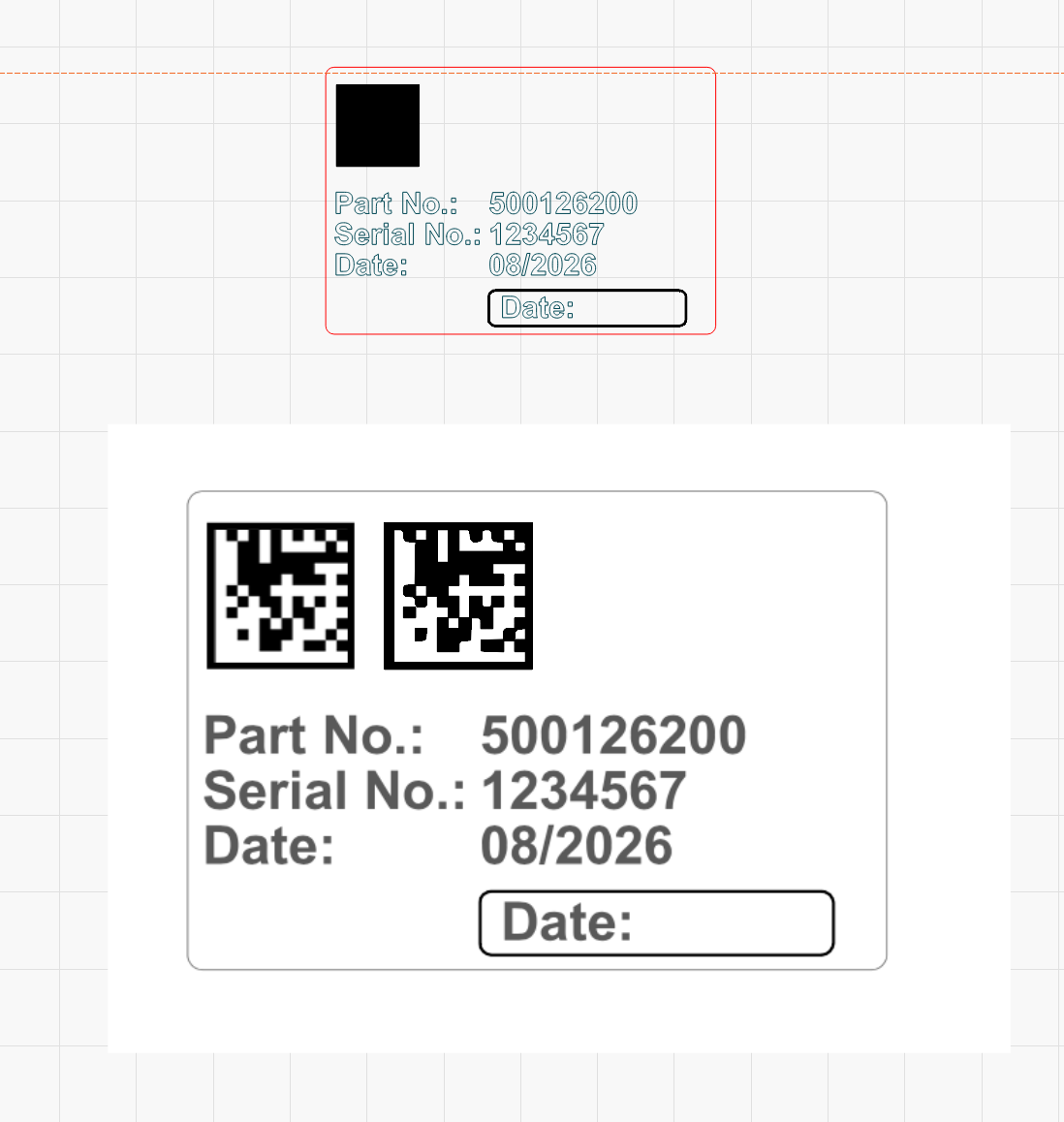
The issue we are facing concerns the DataMatrix code, which LightBurn does not recognize correctly.
Here is a link to a blank sample file to help illustrate the problem:
I can see what you mean, but I can’t see why the code is changed this way.
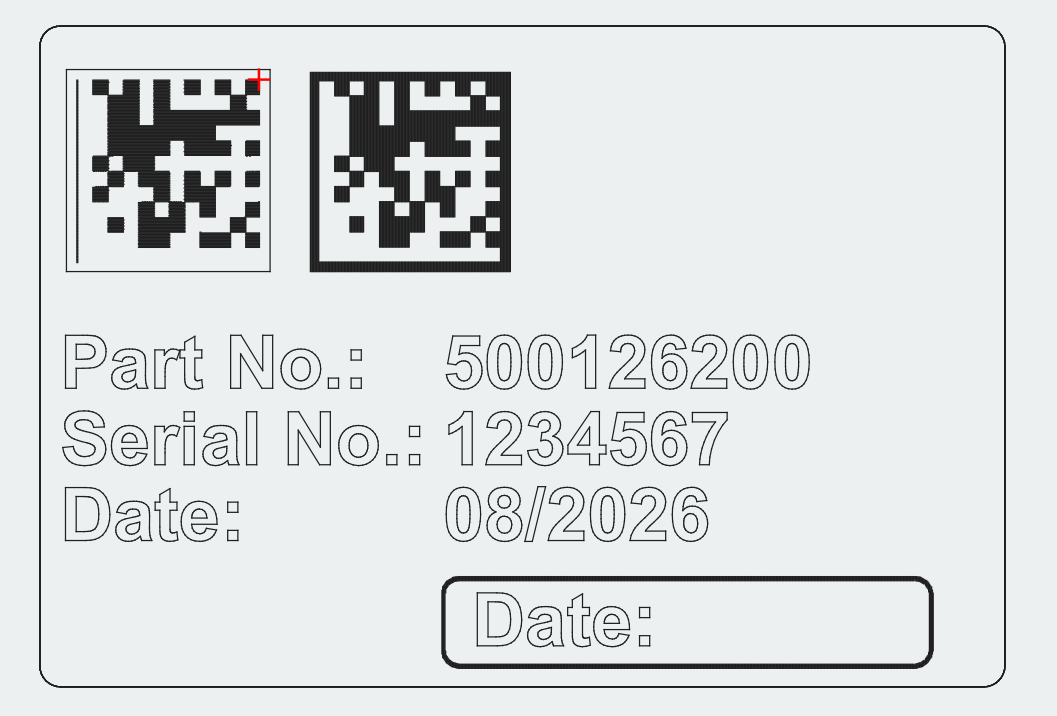
If I import your file as a screen dump I can trace the code without problems, but it’s very cumbersome if you have a lot of cards.
.PDF is probably not the right format to save the file in for LB because it has mixed content.
In the bottom image the code is traced and a “line object” the rest is still an “image”.
I will use the variable text function and code generator from LB and make a new set map.
Hopper others have a more useful suggestion.
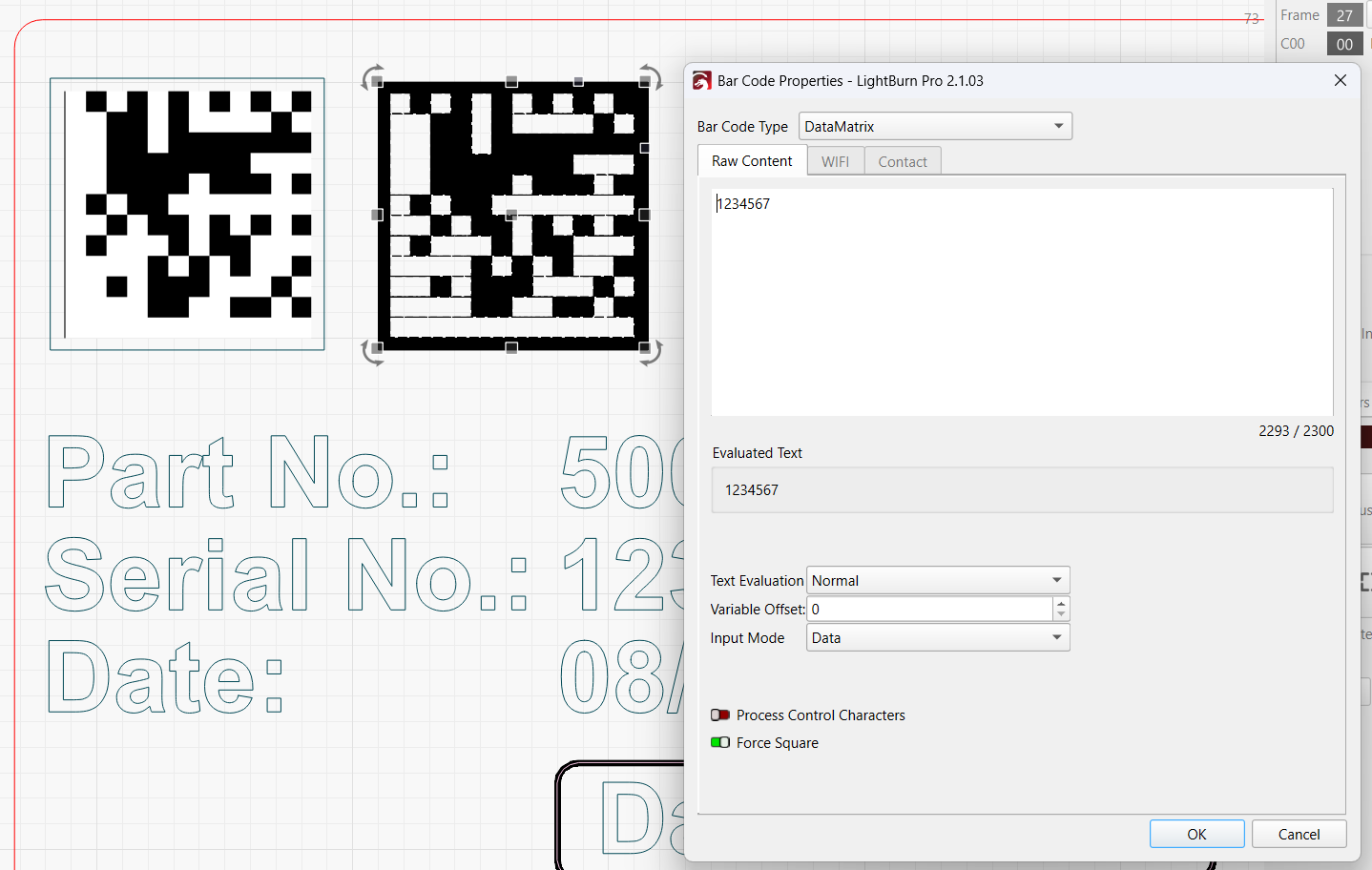
LightBurn has a DataMatrix barcode object whose content can be driven by Variable Text.
The same CSV data row can update the barcode, serial, part no. and date together.
You may not need the NiceLabel software and PDF file in the loop at all.
Label templates can be set up and saved in LightBurn, ready to process, with all changing content driven directly by a CSV file, as updated by your SAP system.
The PDF version has several images stacked on top of each other. One of them works, and the other two appear to be unsupported - possibly masks or palettized. If you are able to export as vectors it would likely work.