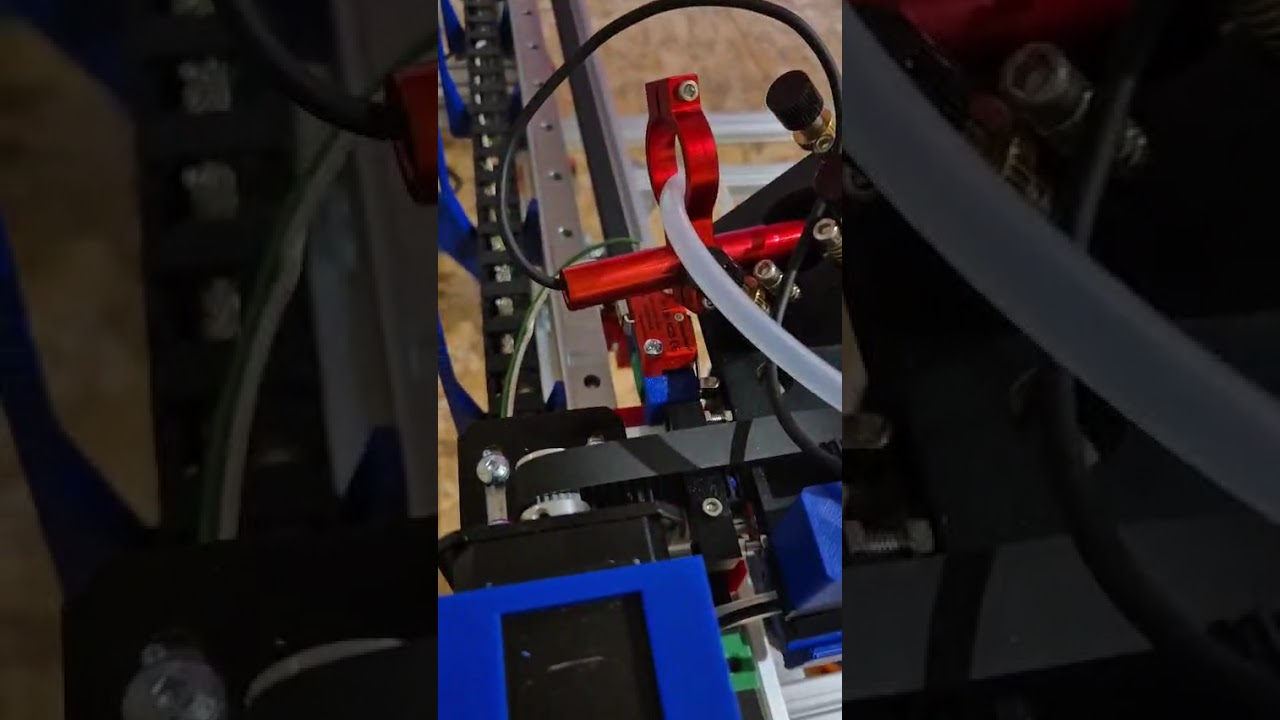
Axis X, Y & Z only moving in one direction

I am currently commissioning a CNC CO2 laser machine equipped with a Ruida RDC6445S controller and DM542S stepper drivers.

I am experiencing the following issue on all axes (X, Y, and Z):

• Each axis only moves in one direction.

• When commanding the opposite direction, there is no movement and a beep is emitted.

• The DIR signal works correctly when forced manually (switching between GND and +5V changes the direction as expected).

• However, the controller does not seem to output step pulses (PUL) in one direction.

I performed several tests to isolate the issue:

• Drivers, motors, and wiring have been verified and are working correctly.

• When I connect the same driver (X, Y or Z) to the U axis output, the motor moves correctly in both directions.

• This confirms that the problem is not related to the drivers or wiring.

Based on these tests, it appears that:

• The U axis behaves correctly (Step/Dir output),

• But X, Y, and Z outputs only generate pulses in one direction.

Additional information:

• Controller model: RDC6445S

• Power supply: 24V

• Drivers: DM542S (common anode wiring)

• Software: LightBurn

Could you please advise on:

  1. Whether this could be a firmware or configuration issue?

  2. If there is a parameter that forces CW/CCW mode instead of Step/Dir on X/Y/Z axes?

  3. How to perform a full factory reset (the “Reset default parameters” option requires a password I do not have)?

  4. If this behavior could indicate a hardware issue on the controller?

Thank you in advance for your support.

Warning: Do not do that!

It will (apparently) reset the controller to the Ruida factory defaults, which are typically not whatever the seller configured to go with the laser hardware. According to some reports seen around here, LightBurn and RDWorks do not have access to all the configuration parameters that will be changed, so there may be no way to return to the pre-reset configuration.

If this is a DIY machine with a controller never configured by a seller, then that problem may not arise.

Ruida controllers will not move the motors beyond the (0,0) origin into the region with negative coordinates. The home switches in one corner of the platform establish the coordinate origin in that corner, where it is physically impossible to move beyond it.

If the controller thinks it is at the origin of an axis, with coordinate 0, it will not move beyond that point.

If the controller is not configured to home an axis or the homing cycles does not complete correctly, then the initial coordinate for that axis is 10000 (perhaps 3000 for Z/U) and the controller can move in either direction.

Questions:

  • Does the machine have home switches on the axes?
  • Is the controller set up to home on those axes
  • Does it home correctly when turned on?
  • What coordinates appear after homing?
  • When the coordinate for an axis is nonzero, does it move correctly in both directions?

What is beeping? Usually the Ruida will give you an error message on the console indicating why it beeped. Lightburn doesn’t beep.

I’d call this questionable.


If you, via the console, move it to the right, you can’t move it back?

Unfortunately there isn’t a lot of documentation that is really not very tenable as it’s all Chinglish and I’m doubtful it translates correctly anyway. As an example, I wouldn’t really relate Wind output to be the air assist.


@ednisley is very correct in advising that you don’t reset the controller to factory settings, unless you’re doing a diy. I wouldn’t even do it then without some questions to others.


A little background may help us help you.

Such as, did this machine ever actually function?

:grinning_cat:


Hello again, and thank you for your feedback.

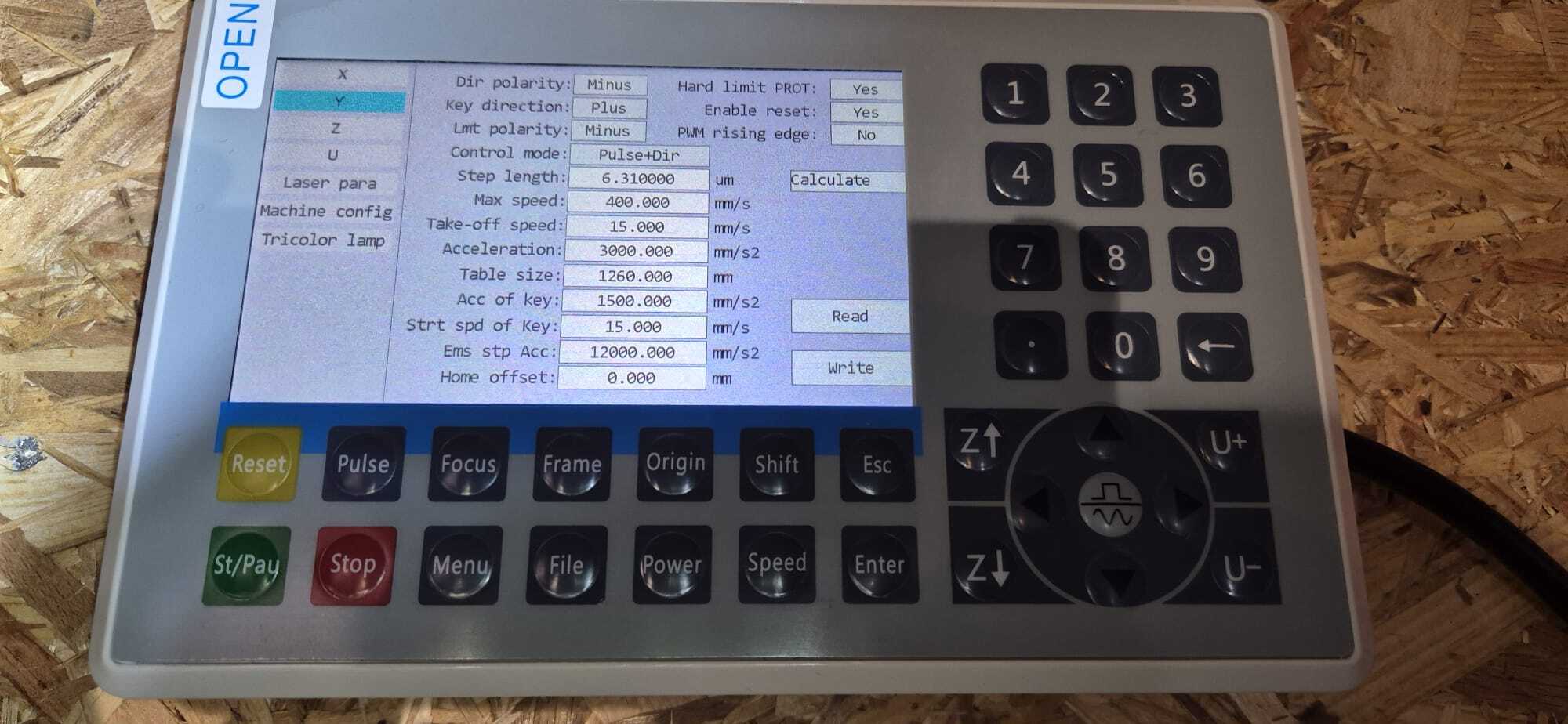
As English is not my native language, I have taken some pictures of the parameters entered for the X and Y axes. I did a video showing what happens when I perform a reset, is it possible to post it?

I’m from Belgium… I’ll send waffles to whoever finds the solution :blush:

I am definitely not a CO₂ machine specialist — I challenged myself to build one. So I’m not entirely sure what is supposed to happen during a reset, but the behavior I’m observing does not match the information I found online. It seems quite strange.

Sequence:

  1. Reset

  2. The Y axis moves, reaches the limit switch, then slightly backs off (this is not very visible in the video, but it does happen).

  3. The X axis also moves and stops at its limit switch. Then both stepper motors start turning for about 1–2 seconds (both pushing toward the limit switches, then they stop ???).

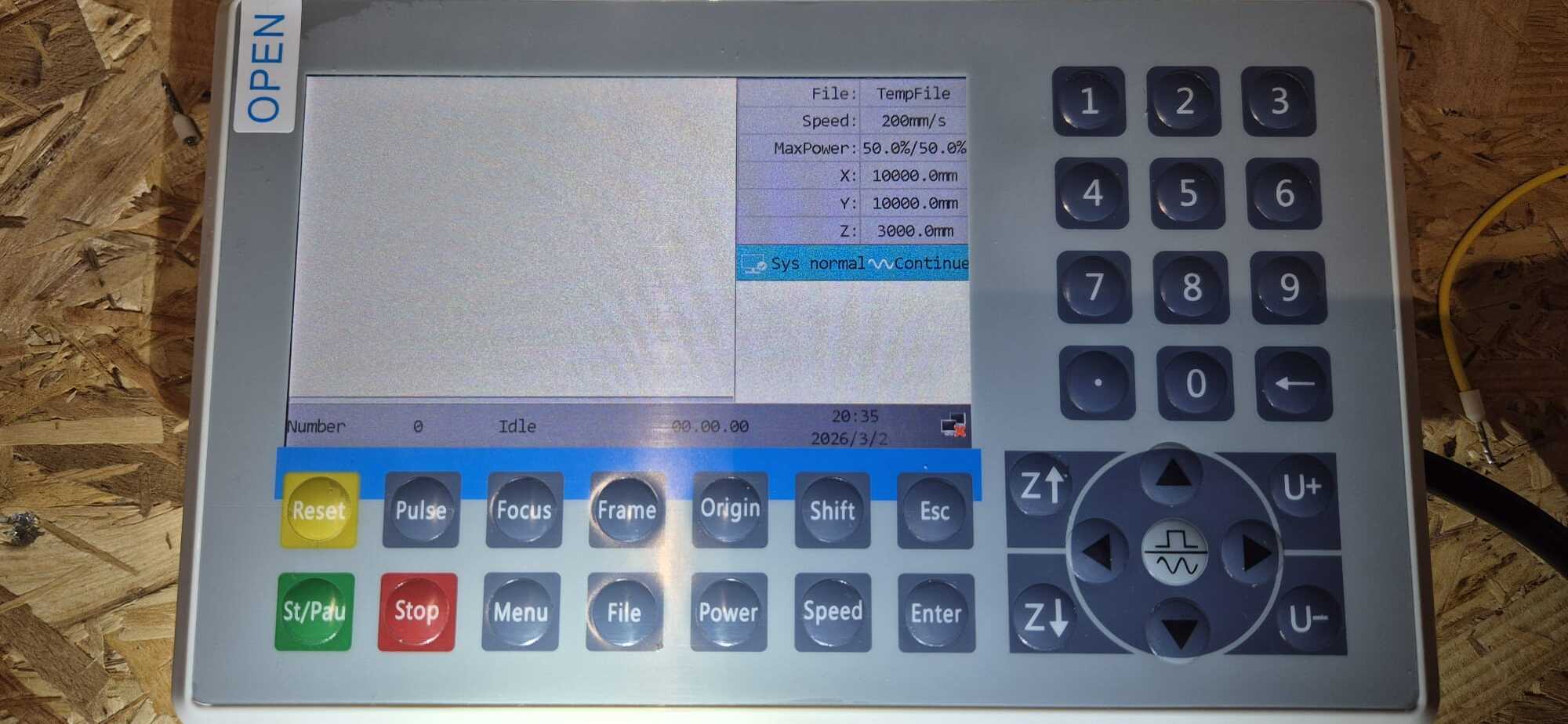
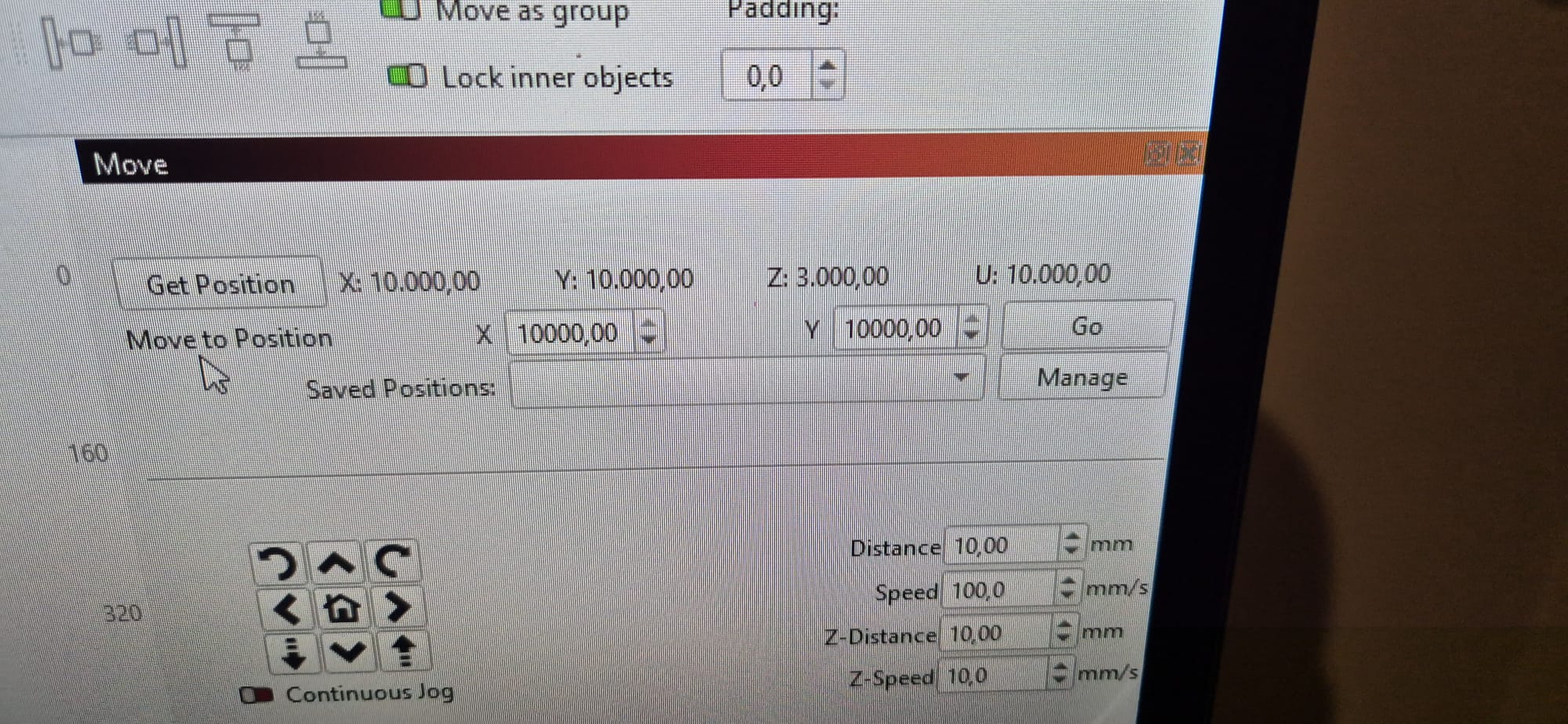
  4. The coordinates on Lightburn and Ruida are

  5. X : 300,0 mm

  6. Y : 35,6 mm

  7. Z not relevant but : 3000,0 mm

  8. Then I try to move back the carriage away from the X limit switch (with X arrow on Ruida). It moves slightly, and I immediately get a limit switch alarm ??? My limit switches are wired as NC (normally closed).

  9. After that, nothing moves anymore.

  10. (Not shown in the video) When I reset the limit switch alarm, everything remains blocked. It is impossible to move the axes either from LightBurn or directly from the Ruida controller. I have to cut power to the drivers and move the axes manually.

I really believe there might be an issue with the controller.

It would be much clearer if I could post the video.

Hope this is clear enough.

Your English is much better than my (nonexistent) Belgian and definitely good enough for technical jargon. :grinning_face:

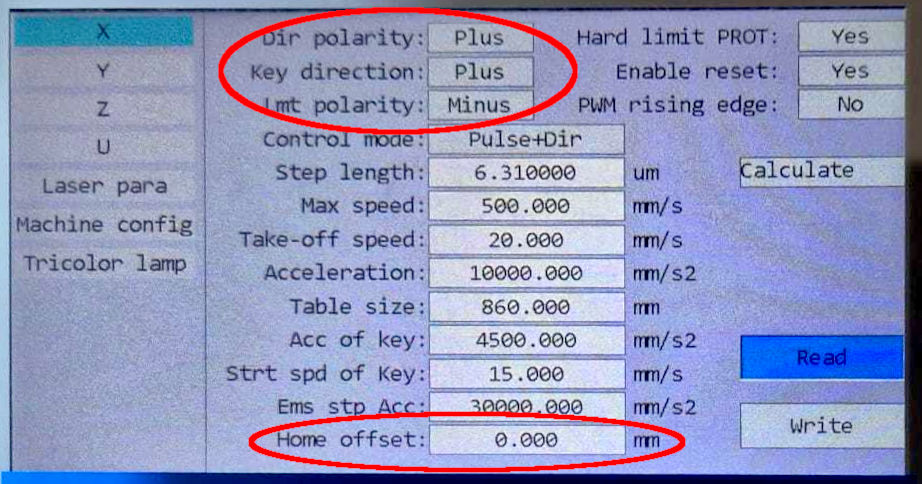
A closer look at the X axis config display:

Things to change:

  • Lmt polarity should be Plus to match the NC switches: the input is positive when triggered.
  • Change Hard limit PROT to No, unless the axis has a limit switch at the other end of the axis from the home switch.
  • Set the Home Offset to 10 mm to put the final position well away from the switch actuator.

Then both axes should home properly when the controller is turned on:

  • Laser head / gantry moves toward the home switch
  • Bump the switch
  • Move away until the switch releases
  • Bump the switch again
  • Move away to the Home offset distance

If that happens, do the Happy Dance.

After finishing the Happy Dance, if the controller jog buttons move the axis in the wrong direction:

  • Change Key direction to Minus.

Ruida controllers automatically back off the home switch until it releases, so the Home Offset sets an additional distance from that point. If the machine has mechanical switches, adjust the Home Offset to completely release the switch actuator / lever.

The controller should have a setting for XY home speed, so you can adjust that for faster or slower homing as you prefer. The 6445 manual suggests it’s in the User parameters menu, but it may also be available through the LightBurn Machine Settings interface.

Let us know what happens!

Upload it to Youtube or a cloud storage site, make it public, then put the link in your reply here.

1 Like

There are a million settings on these, it’s much more likely it’s just not configured correctly for your setup.

This would seem to indicate a completed boot sequence. The values of X and Y are 10,000 for each axes when a proper boot doesn’t occur.

Your Z is 3,000 which sounds correct for that axes if it hasn’t been homed.


@ednisley brought up the fact you have a configuration error, from these screenshots and I think it shouldn’t boot correctly. So I don’t know what else is incorrect.

Your main problem is most of the I/O on a Ruida is, what many call inverted logic, but it’s just active low. The machine was originally configured for NO from the factory and you put in NC. It can work that way, but it’s a change in configuration that you need to do.

Did you compute the steps/rotation of steps/mm for your machine?


I’m still not entirely clear if you built it yourself (diy) or it was created some other way.

You need to answer the questions that are put to you…

If you’d never told us English isn’t your native language, I’d never have know. Not a problem.

Good luck.

:grinning_cat:

texte en gras

Thank you both for your comments. I will change some settings as suggested.
In the meantime, here is the link to the video, as suggested by ednisley. I uploaded it to YouTube. Here is the link.
(https://youtube.com/shorts/xs7wTXBs0pg?si=keWUx73ZXAWgMOJ4)

@ jkwilborn, yes is a DIY.

I get no video when I go to the link. Other videos there play OK. :thinking:

:grinning_cat:

Hello, here below a correct link.

This topic was automatically closed 30 days after the last reply. New replies are no longer allowed.