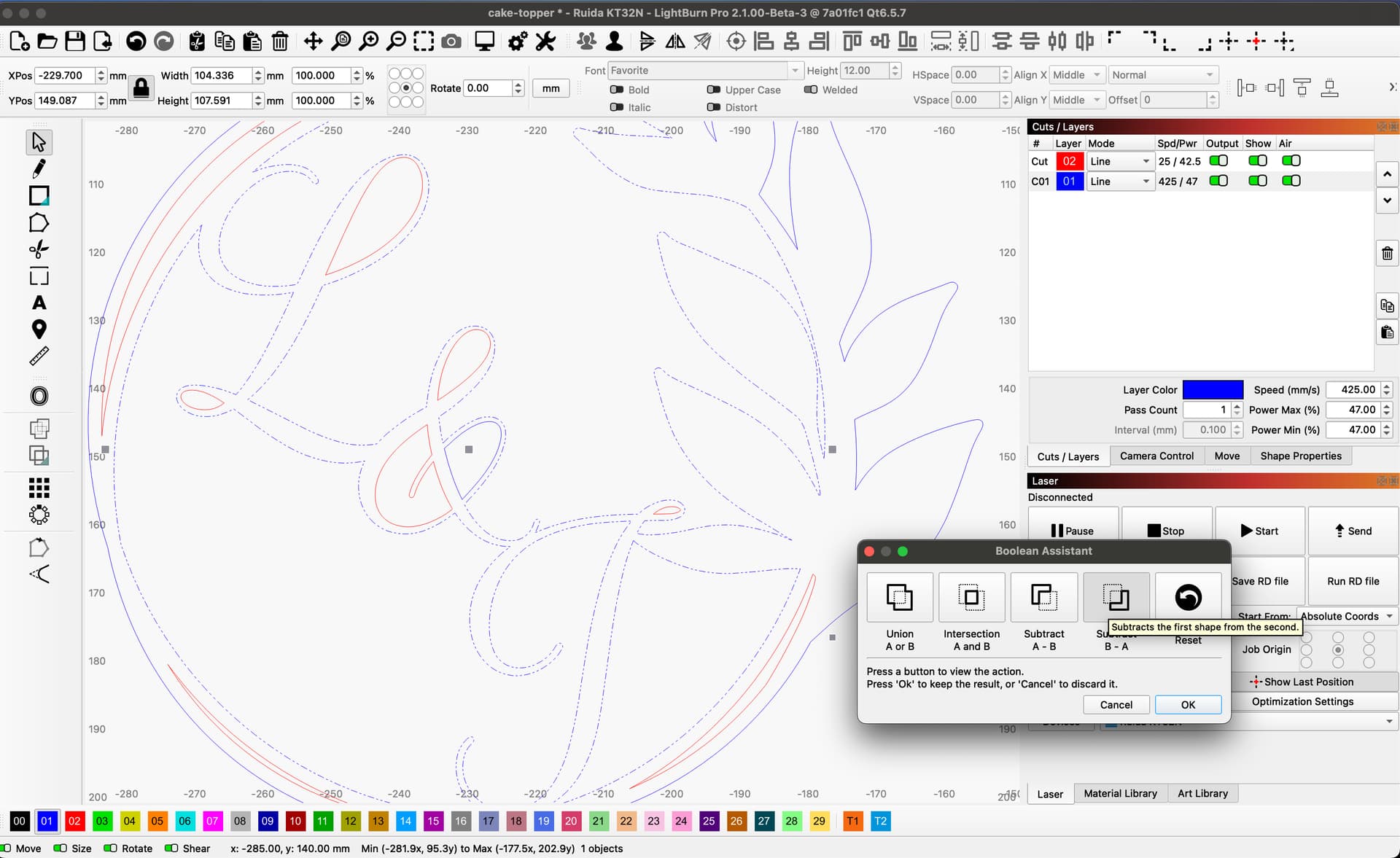
When I select them individually I go to the edit tab to make sure that they’re closed paths, and they are. When I select the inner circle with the leaves, and then ctrl+click the L&J group, none of the weld or Boolean functions are available. Of course, it’s an urgent sort of thing – she promised her friend a cake topper 2 weeks ago… and she told ME today….
Thoughts? I have attached my lightburn file here. I am still on 1.5.01
The letters are grouped with some of the inside shapes and some of those inside shapes are open shapes, which is why the boolean options aren’t showing up for you (they only work on groups of closed shapes).
Select the letters, then hit ctrl/command+U a couple times until the “marching ants” pattern of the lines changes to indicate it is ungrouped, then select the the innermost line of the leafy border and outermost line of the letters, and choose Boolean Subtract.
Thank you both. This worked.Offsetting the outside shapes would have made the letters all thicker and perhaps sturdier, but it turned out and my daughter was happy to have it when she left.