using boxes.py i make a box and the lines for the box has breaks in it was wondering what i was doing wrong.
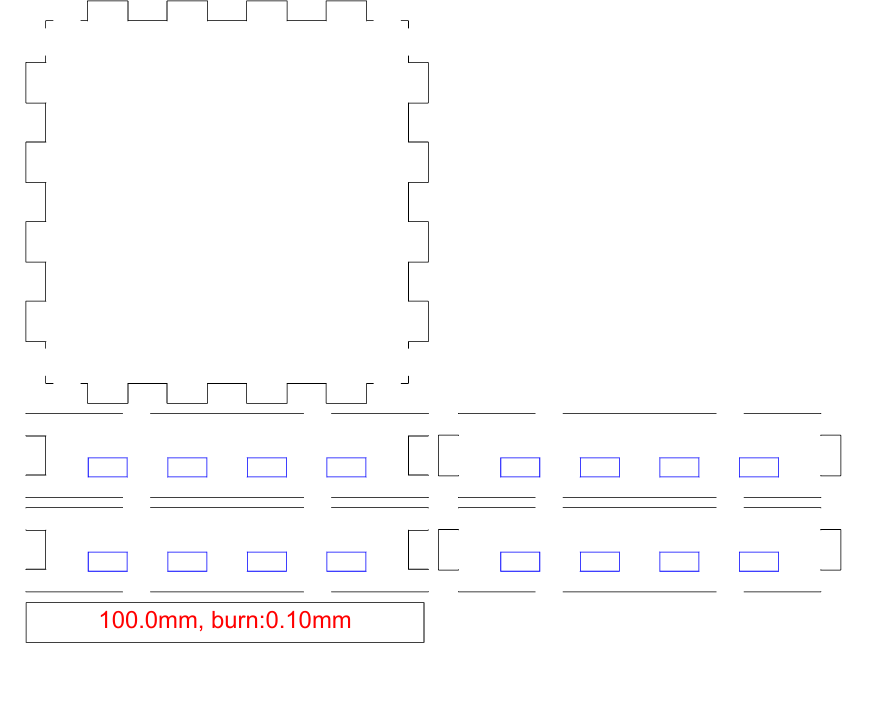
I’ve not seen this issue with Boxes.py files before. Can you attach your LightBurn file to have a look at?
Auto Tabs maybe? looks very equal sized small spaces.
That was my first thought but I don’t think the spacing is consistent enough for that.
ABox(4).lbrn2 (29.7 KB)

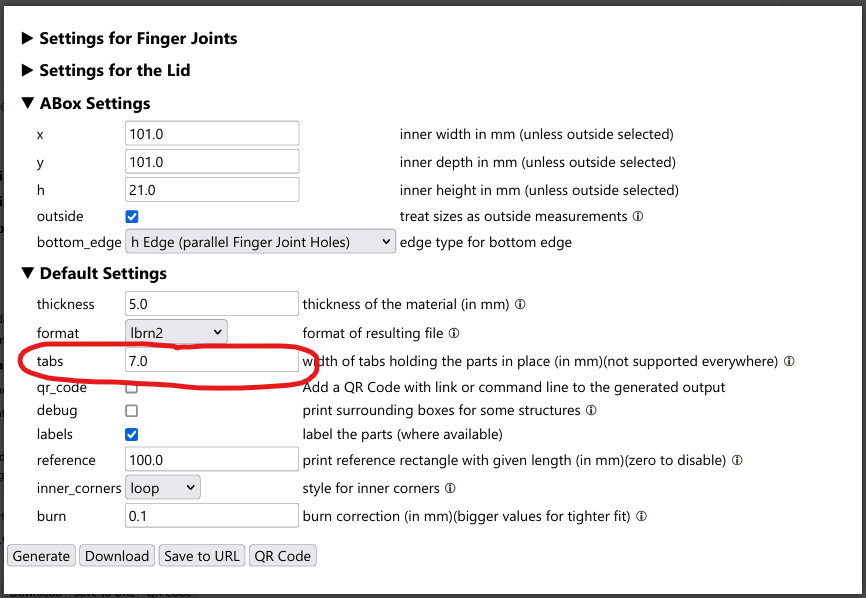
is that to big or to small?
For the few times I’ve used Boxes.py I have not had any tabs set (i.e. set to 0). These are only required if you want the piece to remain attached to the sheet to be later broken out manually. I can’t test Boxes.py at the moment as it doesn’t seem to be working for me right now.
thats it thank you
Glad I could help. Don’t forget to mark my answer as the solution as it can help others in the future.
Also set Inner corners to CORNER not loop to make t easier if you need to node edit later and it’ll give you cleaner corners
Sorry meant for OP
Yes, good thinking, I forgot about that and hadn’t zoomed right in to check. That also helps if you need to use the resize slots feature of LB.
This is helpful. The Community Laser Talk doesn’t have a Solution box. I’ll look for a place to move this to.
Thanks @JohnJohn , I hadn’t noticed which section it was in (I seldom do!).
Yes, for sure looks like it.
See following from Boxes.py documentation:
Tabs are small bridges between the parts and surrounding material that keep the part from falling out. In theory their width should be affected by the burn parameter. But it is more practical to have both independent so you can tune them separately. Most parts and generators support this features but there may be some that don’t.
For plywood values of 0.2 to 0.3mm still allow getting the parts out by hand (Depending on you laser cutter and the exact material). With little more you will need a knife to cut them loose.
https://florianfesti.github.io/boxes/html/usermanual.html#tabs