I have an image object and a path object that are grouped. I have multiple instances like this. I want to align the left and right edges of the groups. Instead, the objects belonging to the group get realigned. This is incorrect.
I can’t reproduce this. Can you provide specific steps to reproduce?
Screenshot showing properly aligned grouped objects as described in the post:
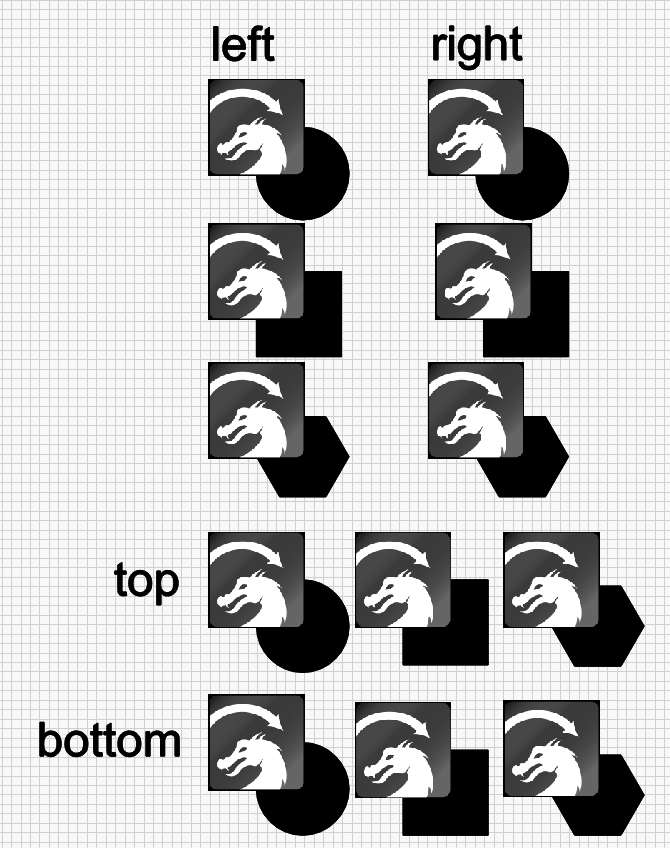
Must be a bug with how Lightburn responds to things being grouped. About half the items I grouped ended up grouped and the other half didn’t, causing this result.
Lightburn has so many interface problems (apparently they are called “feature suggestions” here) that it can be hard to distinguish them from the bugs they cause.
To be clear, you’re saying this isn’t an issue then?
Do you have steps to reproduce this grouping issue?
Please refrain from the snark. Not appropriate and not helpful.
1 Like
Then you didn’t group the “other half”. Not sure how you blame LB for that. That’s simply operator error.
Operator error caused by interface failure.
I’ve been using vector programs for 30 years. I know how to group.
Glad it is now working as you would expect, could you expand on the ‘interface failure’ you encountered in case others may experience this.
I’ve been using vector programs for 42 years. Big deal  When the icon is black…grouped. When the icon is gray…not grouped.
For each image and path I selected both, used the bullseye tool to align and then hit ctrl g. Half of them ended up grouped, the other half didn’t. Each of them was moved at the same time, making clear both had been selected. Why they didn’t group sometimes is a mystery.
I’m sure you will say I didn’t remember to hit ctrl g or something, except that I did each time.
I am attempting to reproduce this as described and not seeing the same. If willing, show us - capturing a video of what you are doing to get these results. Provide a link to this video and ensure it is public, so we can watch. We can go from there.
If I can get a video I will share it. I have no idea what happened, but I know the steps I took and I know the result. I also know how many inconsistencies Lightburn has as well as the absolute and total disregard Lightburn has for well-established norms.
Please, please Asher, tone down your posts’, you preface everyone with ‘Bug’ and yet that is not the case.
Lightburn, like any other software package takes time to learn, in the end it is well worth it, albeit not perfect…yet !
Please continue to question how it works and then make improvement suggestions, the Lightburn team and this forum are very friendly and want the software to move forward.
1 Like
Please do. We can not reproduce what you explain, using what you have provided. Please show us what you are seeing. Without further information, or reproducible examples, we are at an impasse.
1 Like
This is not a learning problem. This is a bug issue that I have yet to concretely demonstrate.
Ok, fair play to you, I’ll await.
1 Like